


 Log In

Free gifts available with your purchase
Product information
CLA Nx
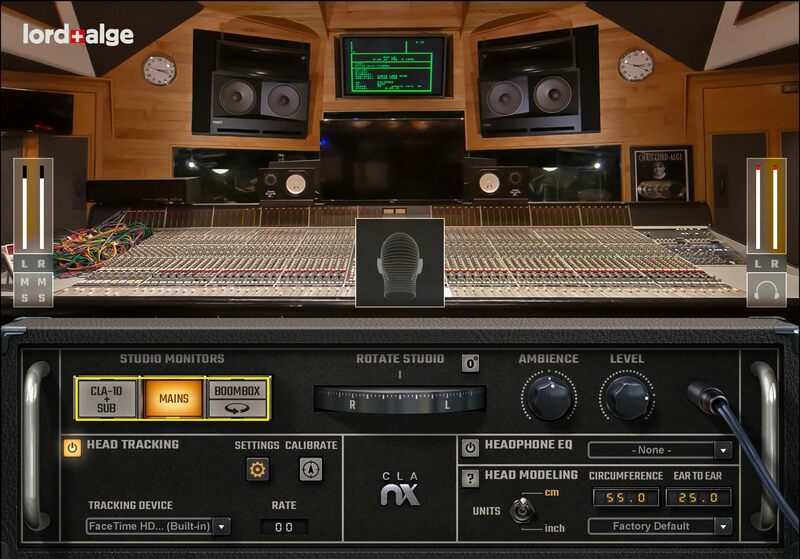
Create Better Headphone Mixes—in Chris Lord-Alge’s Studio
Compared to mixing in a beautifully tuned mix room with world-class monitors, mixing through headphones used to be a poor substitute. But that’s in the past—CLA Nx recreates the acoustics of Chris Lord-Alge’s Mix LA studio, in your headphones, using Waves Nx® spatial imaging technology.
CLA Nx creates a three-dimensional soundfield that feels—and sounds—like you’re mixing in CLA’s high-end mix room. The plugin also comes complete with EQ correction curves for over 270 headphone models. Now you can check your mixes in a world-class studio, wherever you are.
Features
- Create headphone mixes that translate effortlessly to speakers
- Mix within Chris Lord-Alge’s trusted Mix L.A. studio acoustics
- Check your mixes on Chris’s NS10-modeled and custom Ocean Way studio monitors
- Give your mixes the CLA Boombox test to check translation to small-speaker devices
- Accurately judge mix depth, balance, stereo imaging, reverb
- Includes EQ correction for over 270 headphone models
- Correct the unrealistic stereo imaging of headphones
- Powered by Waves Nx® immersive audio technology
- Adjust the amount of studio ambience on your headphones
- Personalized head anatomy calibration for precise response
- Ideal for collaboration—everyone mixes in the same environment
- Optional head tracking for extra realism, via webcam or the Nx Head Tracker (bought separately)
System Requirements
Mac
- macOS Monterey 12, Ventura 13, Sonoma 14, Sequoia 15
- VST / AU / AAX
PC
- Windows 10+
- VST / AAX
Installation Instructions














