/ Utility / WLM Plus Loudness Meter
Waves

WLM Plus Loudness Meter

5.0 (2 Reviews)
$29.99 $149.00

79% off until Dec 07

Waves WLM Plus Loudness Meter
Waves WLM Plus Loudness Meter gallery thumbnail
Buy Now
Product information

WLM Plus Loudness Meter
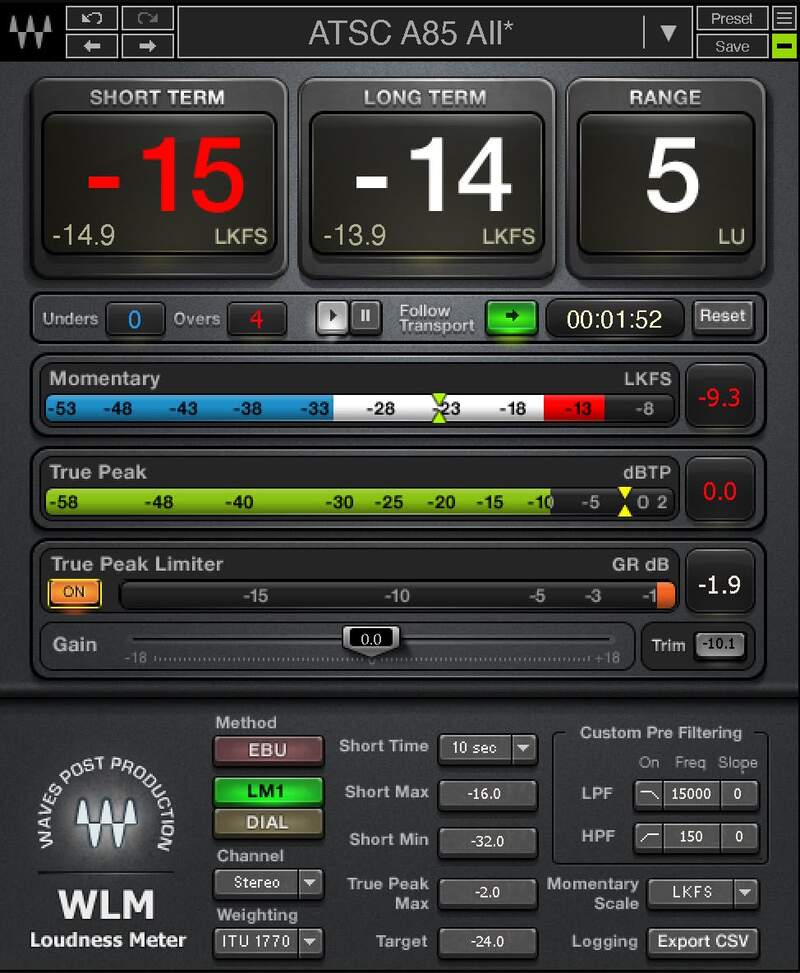
Measure the Perfect Levels for Streaming

It’s an audio streaming audio world—whether for music, podcasts, YouTube, games, broadcast, movie trailers, commercials, or other media. WLM Plus gives you the confidence to know your audio is fully compliant with all current ITU, EBU, and ATSC specifications, and hits crucial target levels.

WLM Plus is loaded with extras. Tweak levels, using the plugin’s precision peak limiter and gain trim. Check multiple formats, with short- and long-term readings—and even log the results.

Features

  • Meets the critical requirements of all streaming platforms
  • True Peak readings minimize the risk of distortion from transcoding
  • Provides momentary, and short- and long-term, LUFS readings
  • LU reading gives an accurate indication of dynamic range
  • Includes True Peak limiter and gain trim for precision output control
  • Choose from 5 different momentary scales
  • Select one of 5 different weightings, or none
  • Custom high-pass and low-pass pre-filtering

System Requirements

Mac

  • macOS Monterey 12, Ventura 13, Sonoma 14, Sequoia 15
  • VST / AU / AAX

PC

  • Windows 10+
  • VST / AAX
Installation Instructions

1. Head to https://www.waves.com/create-account

2. Enter your email and choose a password to create an account (if you already have a Waves account, choose Log in, enter your details and head to Step 5) > click 'Submit'

3. Open your email inbox > click the activation link in the email from Waves

4. Click 'Log in here' > Log in to your Waves account

5. Click 'Register New Products'

6. Enter the Serial Number found in your Plugin Boutique user account > click 'Submit'

7. Click download in your Plugin Boutique user account or head to https://www.waves.com/downloads/central > download the Waves Central app for your operating system

8. Install Waves Central > Open Waves Central

9. Click 'Log in' > enter your log in details

10. Click the 'Install Products' tab

11. Tick the blue dot on all products you wish to install or click the top dot to install all products > click 'Install & Activate'

12. Click 'OK'

13. Open your DAW > open the Waves plugin

Your Waves plugins are installed and ready to use, enjoy!

Plugin Boutique Rewards

Discover the most rewarding loyalty programme among all plugin retailers.

  • Free Loopmasters Samplepacks
  • Discounts on products and courses
  • Extra Virtual Cash claimed immediately at checkout
Find out more

Follow us:

X (Twitter) Facebook YouTube Instagram
Logo Logo

Plugin Boutique Limited, Part of the Beatport Group LLC.

Copyright © 2011-2025 Plugin Boutique. All rights reserved










