Log In
Save $45.00 compared to buying products individually
Free gifts available with your purchase
WaveOSC Expansion Pack: Mainstage
Unleash the Energy. Command the Crowd.
Unleash the power of the dancefloor with Mainstage, the ultimate preset pack for WaveOSC. Designed specifically for Plugin Boutique’s cutting-edge 2023 wavetable synth, this collection is your ticket to crafting chart-topping, festival-ready anthems with ease. Whether you're building energetic drops or atmospheric intros, these expertly designed sounds deliver the high-energy, euphoric vibe you've been searching for.
Bring the energy to new heights and get ready to command the mainstage with sounds that will captivate crowds and keep the vibe peaking. Mainstage for WaveOSC is your go-to toolkit for crafting unforgettable EDM, big room, and progressive house anthems.
Features
- 20 thunderous bass presets
- 4 dynamic FX presets
- 21 soaring lead presets
- 5 lush pad presets
- 10 sharp pluck presets
- 4 gliding transition presets
Learn more about WaveOSC Expansion Pack: Mainstage
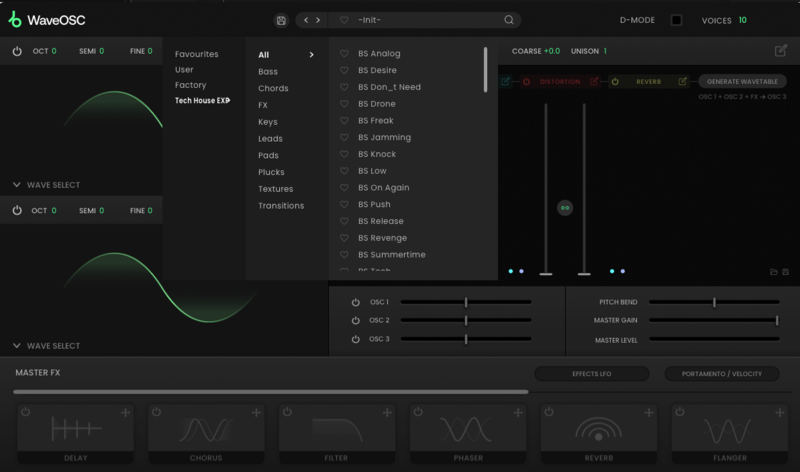
WaveOSC Expansion Pack: Tech House
Lock into the Groove. Own the Night.
Step into the underground with Tech House, the essential preset pack for our incredible WaveOSC synth. Crafted to perfection for the cutting-edge sounds of the genre, this collection is a powerhouse for producing those tight, groove-driven beats and hypnotic rhythms that define tech house. From deep, rolling basslines to sharp, punchy leads, Tech House gives you all the tools you need to drive the dancefloor forward.
Designed for the serious tech house producer, Tech House for WaveOSC brings a versatile palette of sounds to your fingertips, ensuring your tracks maintain that unmistakable groove, energy, and finesse that will keep the dancefloor moving all night long.
Features
- 15 deep bass presets
- 5 rich chord presets
- 2 FX presets
- 2 smooth keys presets
- 15 punchy lead presets
- 7 atmospheric pad presets
- 10 crisp pluck presets
- 3 evolving texture presets
- 5 seamless transition presets
Learn more about WaveOSC Expansion Pack: Tech House
WaveOSC Expansion Pack: Modern Trap
Windows Down. Volume Up.
Arm yourself with the ultimate arsenal of sounds to dominate the trap scene. Trap Essentials for WaveOSC delivers a sonic powerhouse of hard-hitting drums, menacing basslines, and soaring melodies. Unleash your creativity and craft tracks that rattle the windows.
Modern Trap for WaveOSC brings a versatile palette of sounds to your fingertips, ensuring your tracks maintain that unmistakable trap energy, grit, and finesse.
Features
- 20 deep bass presets
- 5 FX presets
- 3 rich key presets
- 13 punchy leads
- 10 atmospheric pads
- 10 crisp pluck presets
- 3 seamless transition presets
Learn more about WaveOSC Expansion Pack: Modern Trap
System Requirements
- Requires an existing copy of WaveOSC to use