/ Expansion Packs / Zampler Expansion: Revenge Of The Maya Gods
Beat

Zampler Expansion: Revenge Of The Maya Gods

$19.00
Zampler Expansion: Revenge Of The Maya Gods
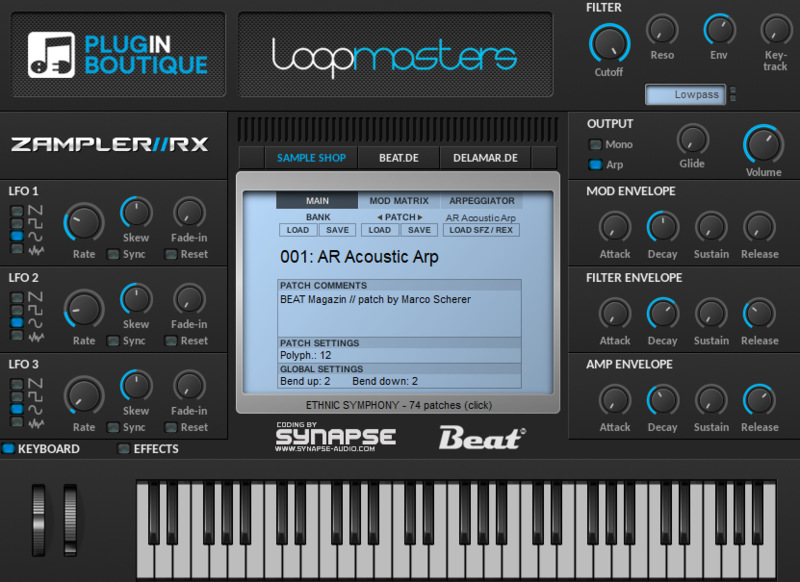
Zampler UI
Buy Now
Product information

The Mystical Sound Of An Ancient Era

Take part in Zampler's sonic ritual and experience the mystical sound of a long gone ancient era. Revenge Of The Maya Gods brings you 98 enchanting pads, glossy bells, wooden drums and traditional shamanic instruments, that create an instant feel of dark and misty vibe, layered with authentic flair of tropical rainforest and occult magic. It’s about time to replace your average synths and drums with true ambience – works for any genre!

Features

  • 3,33 GB sound bank
  • 98 Shamanic Pads, Glossy Bells & Wooden Drums
  • 31 mystic Pads
  • 26 wood and metal drums
  • 19 traditional instruments
  • 10 basses
  • 12 dark effects and textures
  • 1.276 Samples

System Requirements

  • 3.33 GB available disk space
  • Zampler 1.0.2+

Important Note: This software requires a copy of Zampler 1.0.2+ or higher. You can download Zampler for free HERE.

Installation Instructions
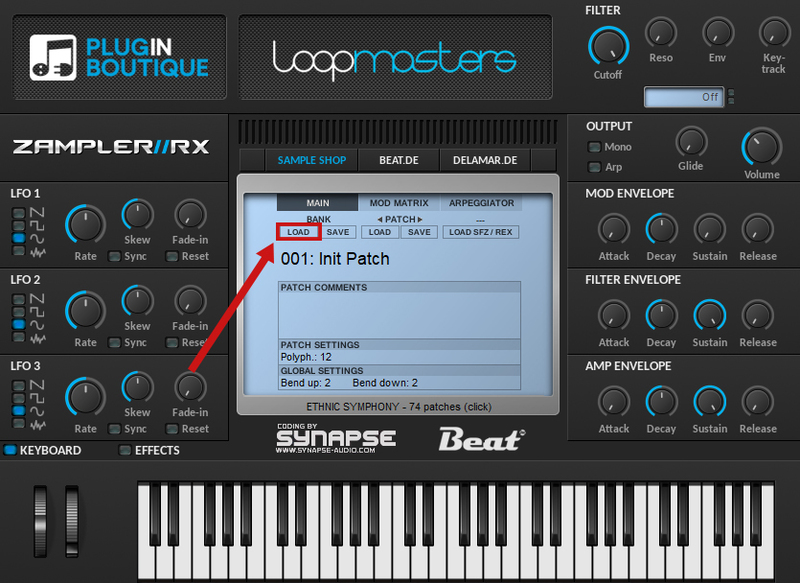
Note: Zampler Expansion: Toraiz AS-1 is used as an example.

Mac

1. Download the .zip folder from within your Plugin Boutique account > Double-click it to reveal its contents.

2. Save the main folder entitled 'Toraiz AS-1' to a computer location of choice, e.g documents or to an external hard drive.

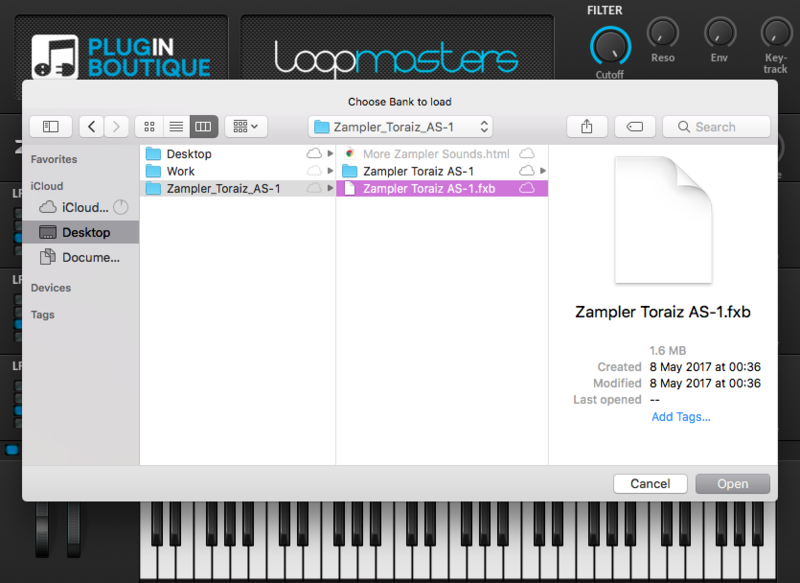
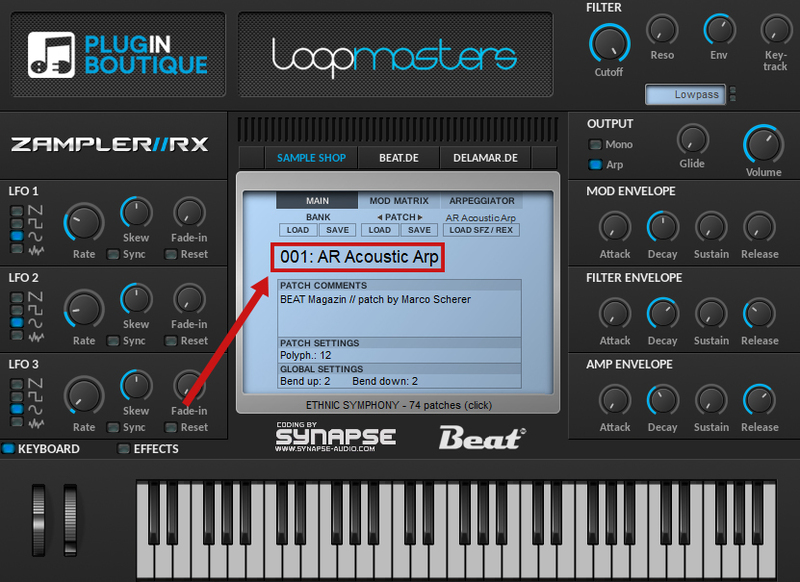
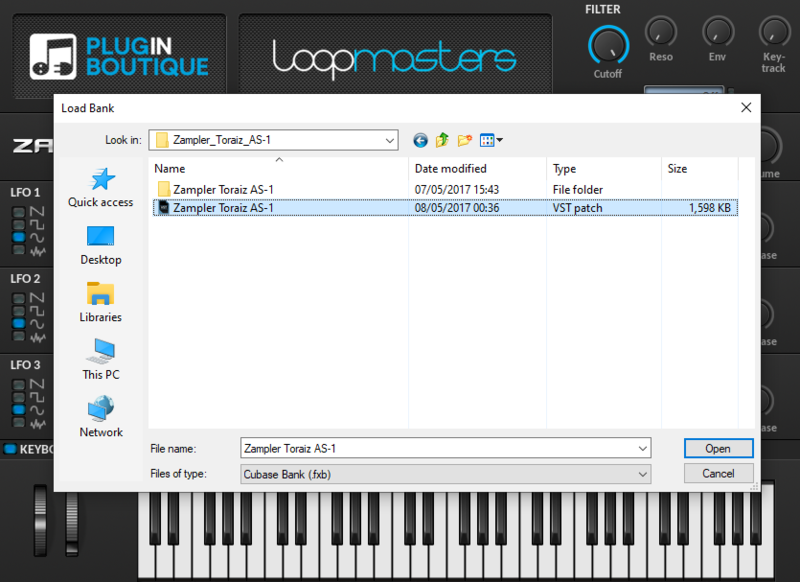
3. Open Zampler within your DAW > Go to 'Bank' and click 'Load'.

4. Find the .fxb file inside of the download folder > Click 'Open'.

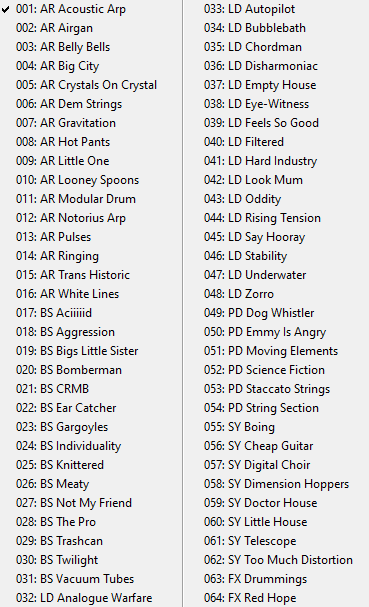
5. The Zampler patches can now be found by clicking on the patch name.

Your expansion pack is now loaded and ready to use within Zampler.

Windows

1. Download the .zip folder from within your Plugin Boutique account > Double-click it to reveal its contents.

2. Save the main folder entitled 'Toraiz AS-1' to a computer location of choice, e.g documents or to an external hard drive.

3. Open Zampler within your DAW > Go to 'Bank' and click 'Load'.

4. Find the .fxb file inside of the download folder > Click 'Open'.

5. The Zampler patches can now be found by clicking on the patch name.

Your expansion pack is now loaded and ready to use within Zampler.

Plugin Boutique Rewards

Discover the most rewarding loyalty programme among all plugin retailers.

  • Free Loopmasters Samplepacks
  • Discounts on products and courses
  • Extra Virtual Cash claimed immediately at checkout
Find out more

Follow us:

X (Twitter) Facebook YouTube Instagram
Logo Logo

Plugin Boutique Limited, Part of the Beatport Group LLC.

Copyright © 2011-2025 Plugin Boutique. All rights reserved