


 Log In

Free gifts available with your purchase

Vibrant Percussion
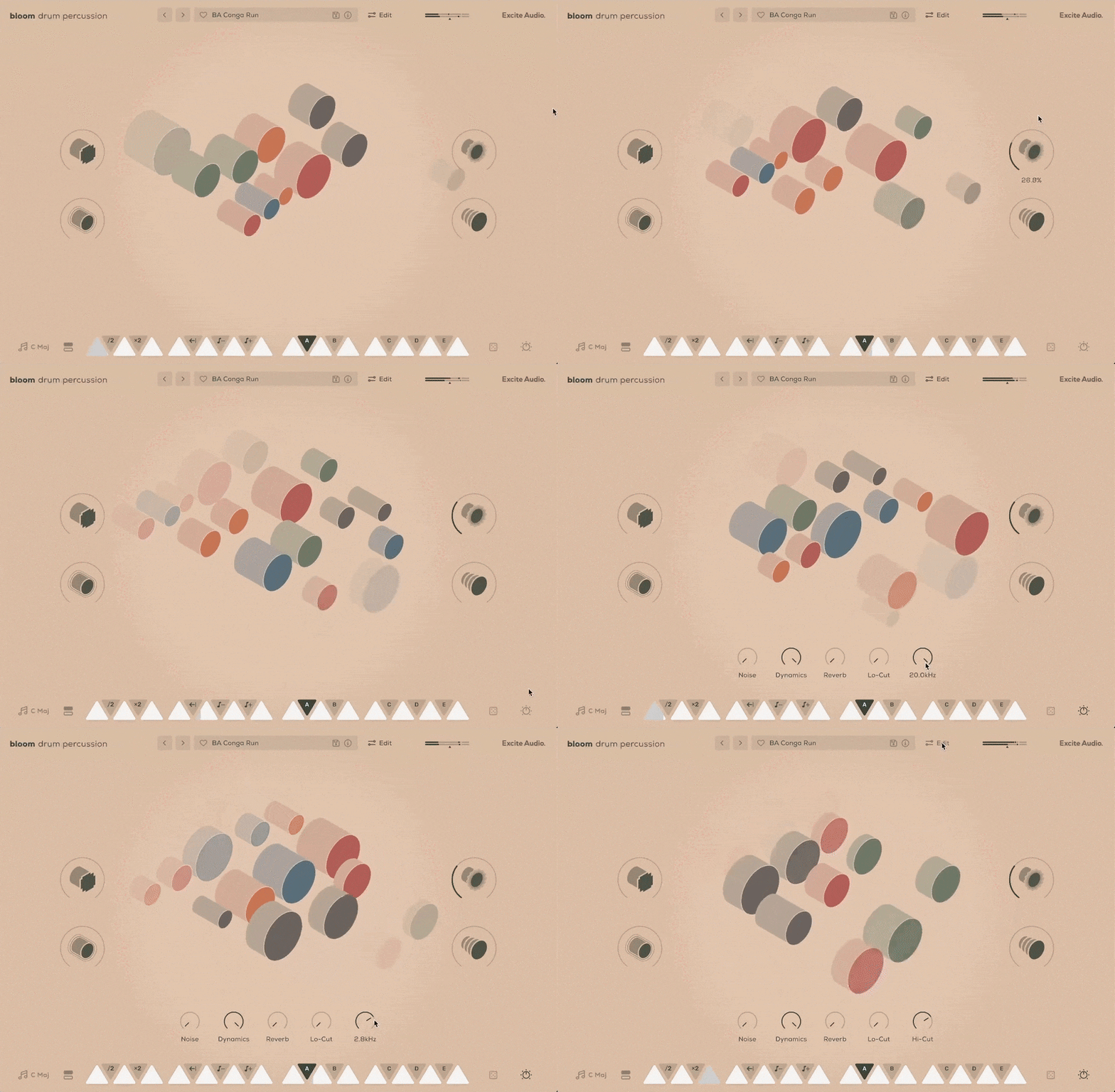
Ignite your rhythm with Bloom Drum Percussion Lite – a vibrant collection of percussion and organic grooves featuring hand-played Latin & African instruments. From the groove of Brazilian samba to the deep resonance of West African rhythm, every sound tells a story of movement and expression.

Excite Audio captured a diverse range of percussion, spanning the full frequency spectrum - from the deep resonance of djembes and surdos to the crisp attack of bongos and rolling repiniques. Expressive timbales, tantans, and talking drums add melodic depth, while shimmering shakers, agogos, and tambourines enhance brightness and texture.
Packed with 75 expertly designed presets showcasing Excite Audio’s intuitive sequencer & curated macros, Bloom Drum Percussion Lite delivers a vibrant rhythm instantly.
- Provide vibrant African and Latin percussion and grooves for your music.
- Explore 4 banks of dynamic loops, one-shots, and rhythm patterns—perfectly in sync with your project.
- Shape your sound with three versatile effects and four powerful macros (Lo-Fi, Drive, Slap Delay & Multi Delay).
- Get instant inspiration with 75 expertly designed presets spanning traditional and modern percussion styles.
- (New!) Allow you to import your own samples and personalise the instrument.
Sound Sources
Excite Audio meticulously recorded an eclectic collection of traditional and modern percussion, using a blend of high-end analogue gear and contemporary production techniques to preserve their raw character while enhancing their sonic depth. The result is a library where every hit, roll, and shake bursts with organic detail and expressive energy, ready to drive your music forward.
Inside Bloom Drum Percussion Lite, you'll find:
- The rich, resonant tones of congas, bongos, timbales, and berimbaus.
- Dynamic African instruments like djembes, talking drums, udu, and balafons.
- A colorful array of shakers, rattles, and hand percussion, from maracas to kanjiras.
- Textures and tonal hits from triangles, cowbells, agogos, and woodblocks.
- Rare and unique sounds, including turtle shells, bamboo slit drums, and samba whistles.
How it Works
Start in your desired tempo, choose a preset, and trigger one of 14 bpm-synced samples spread across two octaves. White notes set off drum samples and loops, while black notes alter properties like playback speed and pitch and trigger sequences and effect modulation.
Four powerful macros control a specialised chain of effects, fine-tuned to the diverse drum samples that form Bloom Drum Percussion Lite.
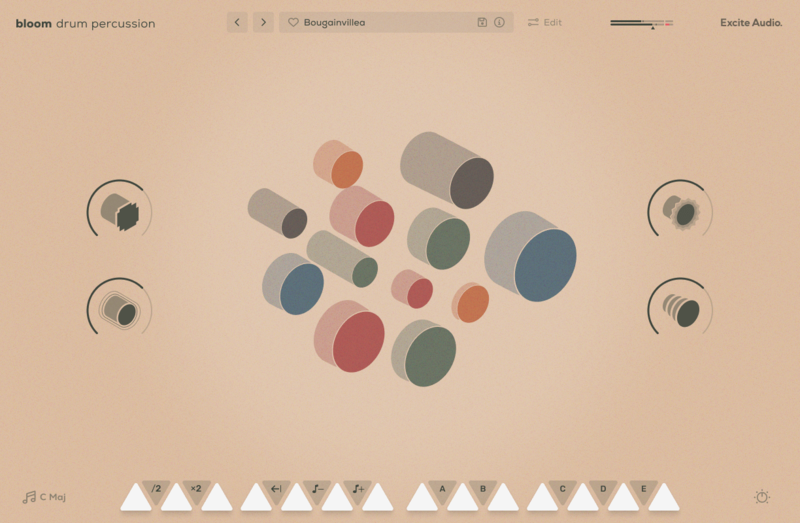
The Main Page
Bloom Drum Percussion Lite offers three powerful effects modules: Noise for adding texture and depth to you patterns. Dynamics to control the transients of your sequences as well as compression and gating to shape the dynamics of your drums. Reverb to create space and depth using Hall, Plate and Spring algorithms from the Lifeline Series.
Features
- 14 Sample Keys
- 5 Factory Modifiers: Half-time, Double-Time, Reverse, Octave Down, Octave Up
- 5 Custom Modifiers for Triggering Sequences
- 4 Sample Banks / 56 Drum Machine Samples
- Samples Synced to Host BPM
- Key Selection
- 4 Macros: Drive, Slap Delay, Multi Delay, Lo-Fi
- 5 Main FX Parameters: Noise, Reverb, Dynamics, Lo-Cut, Hi-Cut
- Global Bypass
- 75 Presets
- All samples that come with Bloom Drum Percussion Lite are royalty-free
Learn More About Bloom Drum Percussion
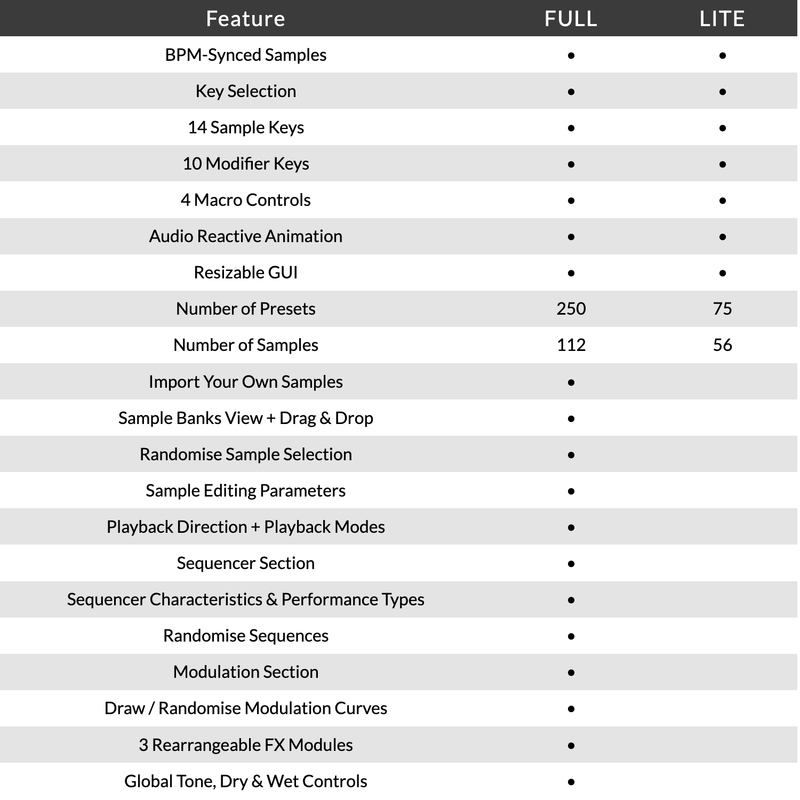
Version Comparison
System Requirements
macOS
- macOS 10.15 or higher (Intel / Native Apple Silicon supported).
- Plugin Formats: VST, VST3, AU, AAX, Standalone.
- DAW's Supported: Ableton Live, Pro Tools, Logic Pro, FL Studio, Cubase, Nuendo, Reaper, Reason + more.
- Compatibility: 64-bit compatible only.
- Recommended Buffer Size: 512 Samples or higher
Windows
- Windows 7 or higher
- Plugin formats: VST, VST3, AAX, Standalone
- DAWs supported: Ableton Live, Pro Tools, FL Studio, Cubase, Nuendo, Reaper, Reason + more.
- Compatibility: 64-bit compatible only.
- Recommended Buffer Size: 512 Samples or higher
Please Note: An internet connection is required to authorise this software.
Rekkerd.org
Rekkerd.org is a music production blog featuring the latest news in audio plugins, samples, sound libraries, presets, reviews, contests, downloads and more.
"The Bloom instruments are great for jamming, writing, producing, or for a sprinkle of sounds to add to any track."
GEST
Top-tier, industrially-minded Drum & Bass duo on Shogun Audio.
"Another fantastic instrument from Excite Audio that is going be a mainstay in our toolbox! The new built-in sequencer really opens up the creative possibilities and streamlines the workflow."
Proxima
Proxima is one of Holland’s most exciting electronic music artists of the last decade, with a string of outstanding releases on Shogun Audio, UKF, Hospital and many more.
"The versatile sequencer, ease of use and incredible samples make Bloom Drum Percussion a joy to use in the studio."
Reviews Summary
While it aims to provide a helpful overview, it may not capture every perspective or detail. We encourage you to read individual reviews to make an informed decision.
Users praise this Bloom plugin for its easy, intuitive workflow, quality presets, and great drum sounds. Reviewers note that while the options are relatively simple, it offers good value, interesting pattern creation, and uniquely creative results that inspire interest in upgrading to full versions.


