


 Log In

Free gifts available with your purchase
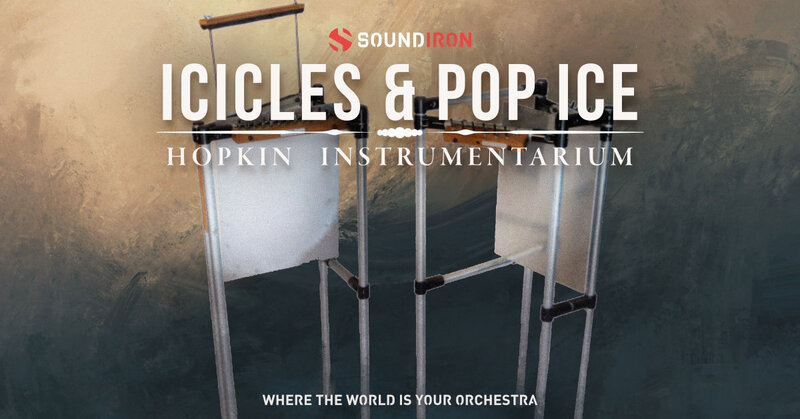
Icicles & Pop Ice are a pair of distinct string instruments that deliver a bright, crystalline tone, thanks to their short, highly tensioned strings and a rigid stainless-steel sheet soundboard. Suspended directly from the strings, the sheet creates a long, shimmering tail of reverberation, enriching each note with depth and complexity.
Icicles features 26 short string segments, each vibrating in unison with the resonant stainless-steel sheet. The result is a pure, shimmering sound that evolves organically with every pluck. Pop Ice takes this further by introducing a thin Styrofoam sheet, placed in direct contact with the strings. This secondary soundboard produces a sharp, percussive pop when plucked, followed by the sustained resonance of the stainless-steel sheet, adding a striking contrast to the tone.
In this library, Soundiron have captured the full sonic spectrum of both instruments. You’ll find three main articulations: pure plucked-string sounds, percussive strikes, and glisses. With two microphone perspectives, up to 8x round robin, and 6 velocity layers per note, you’ll have complete control over the expressive potential of Icicles & Pop Ice. Also included are 20 custom FX presets and atmospheric sound design content, giving you even more creative freedom to shape these resonant instruments into something entirely new.
Features
- Icicles & Pop Ice plucks, percussion, gliss articulations in two mic positions: Close, Contact
- 20 ambient pads and evolving drones created from the source content
- 21 Powerful Kontakt .nki instrument presets
- 3,004 stereo samples in unlocked .WAV format
- 6.28 GB Installed
- Made for the full retail version of Kontakt (version 6.2.2+)
System Requirements
- The full retail version of Native Instruments Kontakt version 6.2.2+ is required to use .nki instrument presets included in this library. The free Kontakt "Player" and "Add Library" import process do not support this standard open-format Kontakt library.
- Windows 7 or higher.
- Mac OSX 10.12 or higher.
- Dual Core CPU
- 2 GB System Ram
- SATA or SSD hard drive recommended for this library.





















