


 Log In

Free gifts available with your purchase
Essential Mix Tools
If you want to mix with the same high-end plug-ins used on countless hit records all over the world - the Sonnox Essential Collection has all the essential ingredients to polish your mix.
Oxford EQ
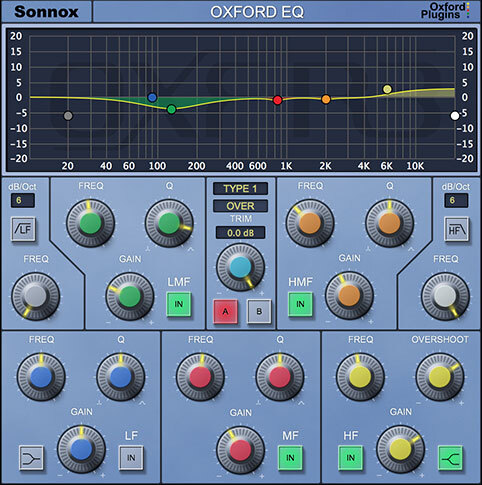
The renowned Oxford EQ is based on the original EQ section of the Sony OXF-R3 large format digital mixing console. It is a 5-band EQ with selectable shelf settings on LF and HF sections. Additionally, separate variable slope low pass and high pass filters are provided. The Oxford EQ also features four different EQ curves that cover a broad array of styles, including some legacy styles which are renowned for their artistic capability. The use of novel coefficient generation and intelligent processing design provides unparalleled performance that surpasses analogue EQ in both sound quality and artistic freedom. The Oxford EQ truly is four equalisers in one plug-in and will provide all the EQ you’ll ever need!
Features
- Fully 64-bit compliant
- 5 band fully parametric EQ
- Variable HF & LF filters up to 36dB/Octave
- Algorithm taken directly from the Sony OXF-R3
- Four different EQ types in one plug-in
- Fully de-cramped HF response
- A / B switches (automatable)
- Ultra low noise and distortion
Oxford Dynamics
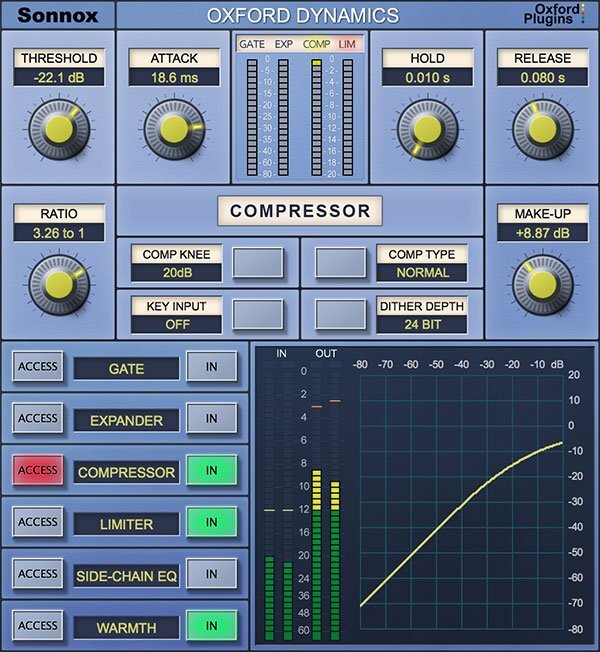
The Oxford Dynamics plug-in is modeled on the extremely flexible and capable unit used in the OXF-R3 professional mixing console. Resulting from many years research into professional dynamics applications, it offers separate Compress, Limit, Expand, Gate and side chain EQ functions, with full independent control of all parameters. Features such as selectable time constant curves and variable soft compress functions allow the user to confidently tackle all common uses of compression, from subtle unobtrusive level control and mastering functions to the production of great artistic effects. The use of a feed-forward architecture with logarithmic side chain processing, making use of look-ahead techniques, ensures exemplary sonic characteristics and dynamic accuracy, with an artistic capability simply unavailable from other single units, analogue or digital. This highly sophisticated and professional product has the power and flexibility to obviate the need for many of the separate applications most users keep for specific uses.
Features
- 64-bit compliant (AAX / AU / VST)
- The dynamics section from Sony OXF-R3 console.
- Separate sections for Compressor, Gate, Expander, Limiter
- 2-Band side chain EQ (with audition function)
- Warmth control for extra presence and tube-like warmth.
- Three different compressor types (linear and exponential curves)
- Variable soft knee compressor.
- Separate 5.1 bus compressor (where supported)
- Ultra low noise and distortion.
Oxford Reverb
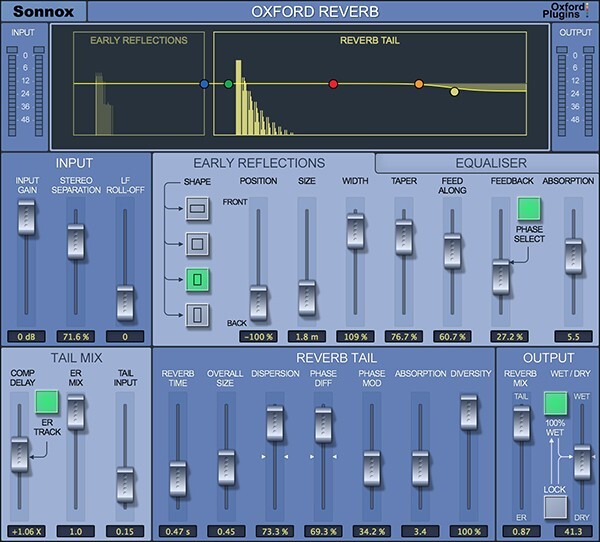
The Oxford Reverb plug-in is a highly flexible stereo reverberation generator, designed to complement existing Sonnox Oxford applications in providing the user with the highest technical and sonic performance coupled with artistic and creative facility. As well as providing stunning presets, the user has full control over all of its many parameters, including a very comprehensive early reflections section, and integrated 5-band EQ. The Sonnox Oxford Reverb allows the powerful facility to create virtual spaces freely, depending on artistic need, ranging from dry reflection ambiences, room and hall simulations, sound effects, all the way to wide open reverberant spaces with a very large range of possible texture and spatial character.
Features
- 64-bit compliant (AAX / AU / VST)
- Extremely flexible stereo modelling reverb
- Full control over all of its many parameters
- Independent control of early reflections and reverb tail
- Integrated 5-band EQ
- Over 100 invaluable presets for music and post-production
Oxford SuprEsser
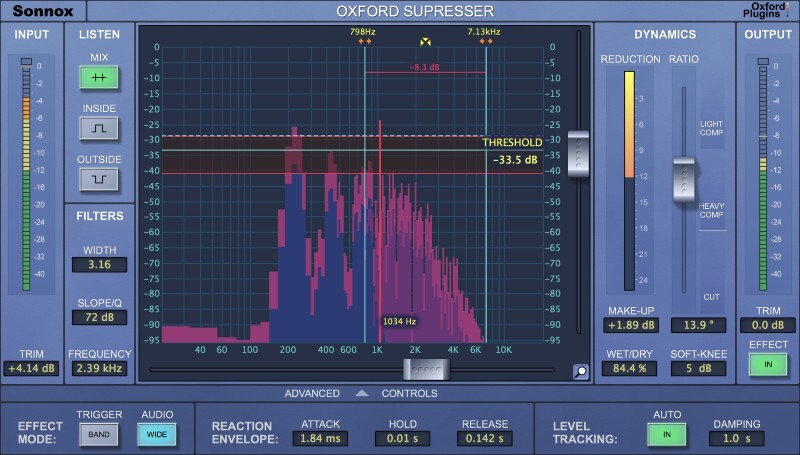
The Oxford SuprEsser is both a very highly-featured professional De-Esser and a Dynamic EQ. There is a simple mode for quick fixes, but also an advanced mode for increased functionality and fine-tuning. The combination of an intuitive FFT display and three listen modes enables the user to easily see and hear exactly where the problem frequencies are, allowing the rapid reduction or removal of the offending audio. As well as being able to trigger the full band compression, only the offending frequencies can be carefully carved out. Since the SuprEsser can operate at all frequencies, ‘plosives’ and other annoyances can also be removed effortlessly, making it more than a simple De-Esser. Additional features include Automatic Level Tracking, Linear Phase Filtering and a Wet/Dry blend control for final balancing.
Features
- 64-bit compliant (AAX / AU / VST)
- Highly featured professional De-Esser
- Linear Phase Dynamic EQ
- Transparently controls aggressive frequencies
- Automatic Level Tracking follows energy levels (no need to automate threshold)
- Large intuitive graphic display makes finding frequencies very easy
- Full Spectrum Operation (20Hz -20KHz)
- Three different 'Listen' modes
- Very easy to use
- Advanced Mode for ultimate control of the Dynamic EQ
- Many creative as well as corrective uses
- Presets giving good starting points
System Requirements
macOS
- macOS 10.13 High Sierra or later (Intel / M1 Apple Silicon supported) (64-bit only)
- Formats: AAX, AU, VST3.
- Supported hosts: Pro Tools 11 or above (AAX Native), Logic Pro X 10.2, Logic 8 & 9, Digital Performer, Nuendo, Cubase, Ableton Live, Studio One
- iLok 2, iLok 3 USB key OR an iLok account with an active internet connection.
Windows
- Windows 10 or later.
- Formats: AAX, VST2 & VST3.
- Pro Tools 11 or above (AAX Native), Nuendo, Cubase, Ableton Live, Samplitude, Sequoia, Pyramix, Studio One.
- iLok 2, iLok 3 USB key OR an iLok account with an active internet connection.
Please note: This product supports iLok Cloud Authorisation. An iLok USB Dongle OR an active internet connection is required in order to activate and use this product.
Reviews Summary
While it aims to provide a helpful overview, it may not capture every perspective or detail. We encourage you to read individual reviews to make an informed decision.
Customers praise the Sonnox bundle as an essential, high-quality mixing suite that remains relevant and musical. Key highlights include the standout SuprEsser de-esser, impressive reverb, and phenomenal EQ and compressor plugins. While reviewers note the tools have a steeper learning curve geared toward advanced engineers, they agree the superior sound quality and flexibility make it well worth it.


