/ Kontakt Instrument / The Score Essentials
Sonuscore

The Score Essentials

4.5 (4 Reviews)
$59.00 $99.00

40% off until Dec 04

SONUSCORE The Score Essentials
THE SCORE ESSENTIALS | Trailer gallery thumbnail
THE SCORE ESSENTIALS | Quick Start Guide gallery thumbnail
THE SCORE ESSENTIALS | Sketching Tips gallery thumbnail
SONUSCORE The Score Essentials - Image 1
SONUSCORE The Score Essentials - Image 2
SONUSCORE The Score Essentials - Image 3
SONUSCORE The Score Essentials - Image 4
SONUSCORE The Score Essentials - Image 5
SONUSCORE The Score Essentials - Image 6
SONUSCORE The Score Essentials - Image 7
SONUSCORE The Score Essentials - Image 8
SONUSCORE The Score Essentials - Image 9
Buy Now
Product information

Your Fast Track to Professional Film Scoring

THE SCORE ESSENTIALS introduces you to Sonuscore's acclaimed cinematic scoring family. With 45 expressive Stories and a curated selection of orchestral tools, this inspiring film scoring plugin offers a focused starting point for composers looking to create emotional, story-driven music with clarity. It's the ideal way to explore the creative possibilities of modern cinematic composition – without the usual technical distractions.

Cinematic Tools That Keep You Composing

THE SCORE ESSENTIALS provides a perfectly coordinated set of tools, guiding you from your first musical idea to a fully realized composition. It comes with a diverse and colorful instrument palette.

45 Animated Stories – Instant Inspiration

Unlock instant creativity with 45 dynamic Stories—each containing four different arrangements with a vast dynamic range, designed to help you shape your own musical narrative.

Jam Your Way into Film Scoring

No keyboard at hand? No problem! With their JAM Station, you can easily explore and try out their Stories without any external hardware. Simply enter the Jam Station, click on the preset chords, and instantly get a feel for the sound of each Story.

Effortless Creativity, Maximum Control

THE SCORE ESSENTIALS gives you everything you need to compose for any genre—right out of the box. Play their inspiring Stories, utilize their smart tools, and experience an intuitive, efficient, and fun composing process.

Compose cinematic, expressive, and dynamic film music faster than ever with THE SCORE ESSENTIALS!

The Score Essentials gives you everything you need to keep moving forward. If you’re serious about turning your ideas into finished, powerful cinematic scores, now’s the time to make it happen.

Features

  • 45 expressive, flexible presets called Stories – crafted for fast, emotional scoring in film, trailers, and multimedia.
  • A streamlined interface and responsive sounds let ideas flow naturally and take shape in real time.
  • No clutter or complexity – just direct access to premium orchestral textures and scoring tools.
  • Shape your sound with mod wheel dynamics, tweakable Stories, and FX – all DAW-friendly.
  • Part of The Score ecosystem, with a simple upgrade path when you’re ready for more.
  • Includes Strings, Brass, Woodwinds, Percussion, Synths, Guitars, Keys, Choir, and World instruments like Oud, Taikos, and Ronroco.

System Requirements

  • Works with the FREE KONTAKT PLAYER
  • KONTAKT Version 7.10.7 or higher
  • Apple Silicon Macs: macOS 12, 13 or 14 (latest update).
  • Intel Macs (i5 or higher): macOS 12, 13 or 14 (latest update)
  • Windows 10 or 11 (latest Service Pack), Intel Core i5 or equivalent CPU, 2 GB RAM.
  • Be advised that some sessions of THE SCORE ESSENTIALS need a fast CPU to run smoothly and require an Intel i7 processor or higher.
  • Graphics hardware support for OpenGL 2.1 or higher and Direct 3D 11.1.
  • 4 GB RAM (we recommend 6 GB as THE SCORE ESSENTIALS is a large Kontakt Instrument).
  • At least 11.7 GB of free hard disc space

Note: This product is compatible with the FREE Kontakt Player 7.10.1 or later.
Installation Instructions

Redemption

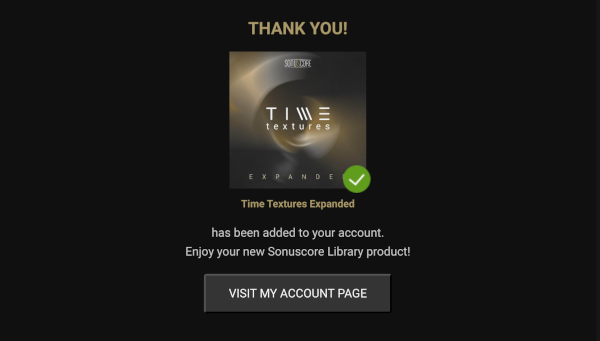
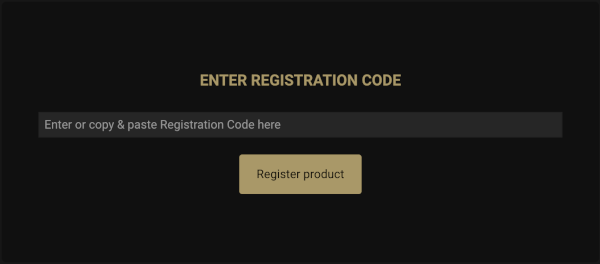
1. Go to the Sonuscore Product Registration website, and either log in or create an account

2. Enter your license code found in your Plugin Boutique account.

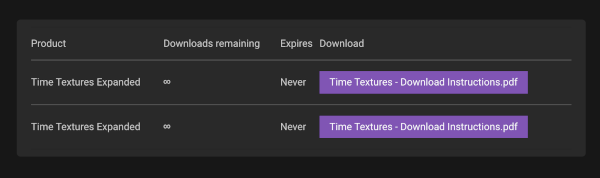
3. Visit your Sonuscore Account Page by following the link

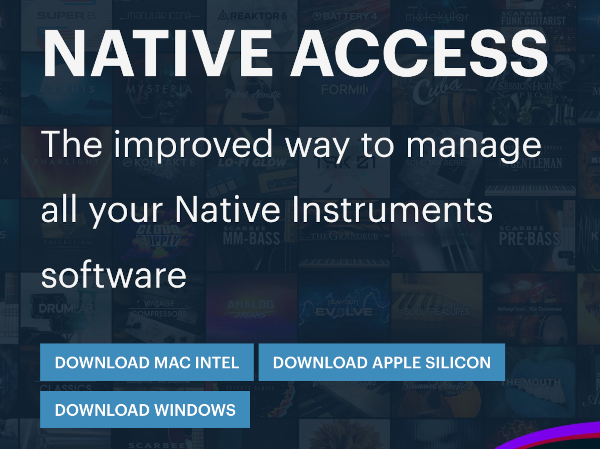
4. Either open the document to view the Native Access download instructions, or visit the Native Access installer download website

5. Download the correct Native Access installer for your OS

Mac

1. Download the .dmg installer file from the Native Access installer download website

2. Double-click the .dmg file to install Native Access.

3. Open Native Access > Create a new Native ID if you do not have one already. If you do, skip ahead to step 5.

4. You will then receive an email with a confirmation link > Open the email and click 'CONFIRM EMAIL'.

5. Log in to Native Access with your Native ID.

6. Click 'Add a serial'

7. Enter your Serial Number found in your Plugin Boutique account > Click 'ADD SERIAL'.

8. Click the 'Not installed' tab > Locate Time Textures > Click 'INSTALL'.

9. Time Textures is now installed on your system.

10. Open Kontakt in your DAW > You should see Time Textures on the left sidebar > Click the drop-down bar and drag the .nki file into the middle of the window.

Your software is now ready to use in your DAW!

Windows

1. Download the .zip installer file from the Native Access installer download website

2. Double-click the extracted .exe file to begin the installation process > click ‘Run’.

3. Read the welcome message > click 'Next'.

4. Click 'Next' to begin the installation.

5. Native Access has now been installed > Click 'Finish'.

6. Open Native Access > Create a new Native ID if you do not have one already. If you do, skip ahead to step 8.

7. You will then receive an email with a confirmation link > Open the email and click 'CONFIRM EMAIL'.

8. Log in to Native Access with your Native ID.

9. Click 'Add a serial'.

10. Enter your Serial Number found in your Plugin Boutique account > Click 'ADD SERIAL'.

11. Click the 'Not installed' tab > Locate Time Textures > Click 'INSTALL'.

12. Your new Kontakt Instrument is now installed on your system.

13. Open Kontakt in your DAW > You should see Time Textures on the left sidebar > Click the drop-down bar and drag the .nki file into the middle of the window.

Your software is now ready to use in your DAW!

Plugin Boutique Rewards

Discover the most rewarding loyalty programme among all plugin retailers.

  • Free Loopmasters Samplepacks
  • Discounts on products and courses
  • Extra Virtual Cash claimed immediately at checkout
Find out more

Follow us:

X (Twitter) Facebook YouTube Instagram
Logo Logo

Plugin Boutique Limited, Part of the Beatport Group LLC.

Copyright © 2011-2025 Plugin Boutique. All rights reserved