/ Compressor / IQ Comp
Singomakers

IQ Comp

4.0 (5 Reviews)
$14.00 $35.00

60% off until Dec 31

IQ Comp
IQ Comp
IQ COMP - VST/AU plugin by Singomakers & IQ Samples gallery thumbnail
Buy Now
Product information

Intelligent Punch. Effortless Control.

Meet IQ COMP — the next-gen compressor plugin from IQ Samples that goes far beyond the ordinary.

Designed for producers who demand both precision and power, IQ COMP combines all the essential features of a modern compressor — including parallel mix control — with a brand-new BOOST technology that unlocks a whole new level of punch, weight, and energy.

Whether you're shaping drums, basslines, or controlling dynamics on vocals and instruments, IQ COMP delivers crystal-clear compression with character

Three BOOST modes that act like a secret weapon — adding density, impact, and presence where it counts most.

  • Standard & Parallel Compression
  • 3 Exclusive BOOST Modes
  • Tailored for Bass, Drums, Synths, Guitars
  • Perfect for Vocals & Instruments Too

From subtle glue to aggressive punch — IQ COMP adapts to your workflow and takes your sound to the next level.


System Requirements

  • macOS 10.15 and later (Intel and Apple Silicon - x64 only)
  • Windows 10 and later (Intel - x64 only)
  • VST, AU, AAX
Testimonials

G-Pol

"For dance house tracks that need a powerful kick, Boost 2 works perfectly. The third Boost is great to tweak when you're making some kind of bass/future house, where everything is tightly compressed — but of course, that's a matter of taste. Bottom line — the plugin is solid, I really like it. I enjoyed the flexibility and the results it delivers. Thank you!"

Avis Vox

"This is literally a new secret ingredient for boosting the low end!"

PARAFRAME

"I always love experimenting with new possibilities, and IQ Comp surprises me once again!"


Installation Instructions

Mac

1. Download the .zip folder from your User Account and double-click it to open and reveal the installer file.

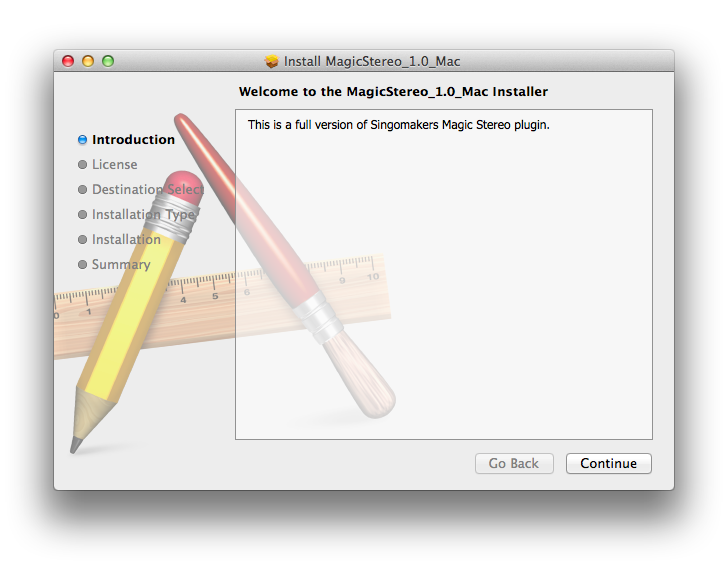
2. Double-click the extracted software file to begin the installation process > click ‘Continue’.

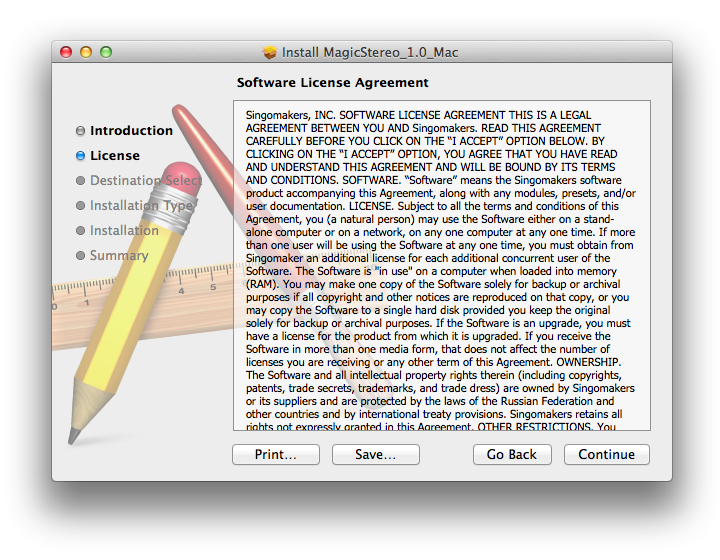
3. Read the Software License Agreement > click ‘Continue’.

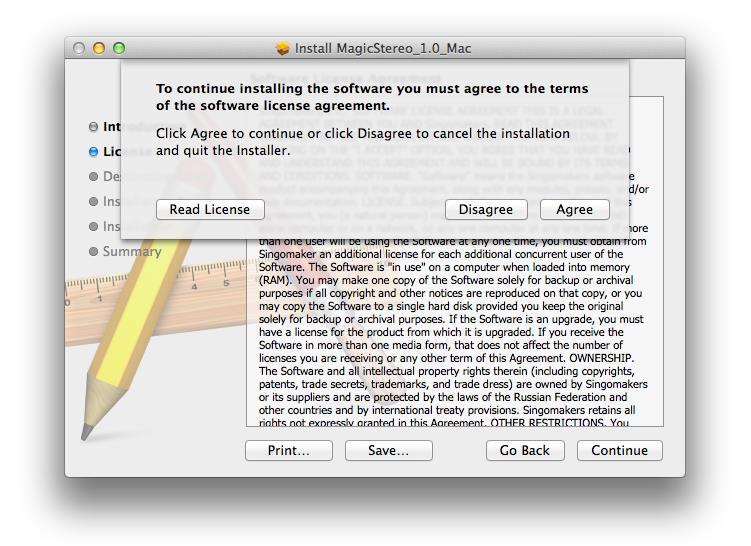
4. Click ‘Agree’.

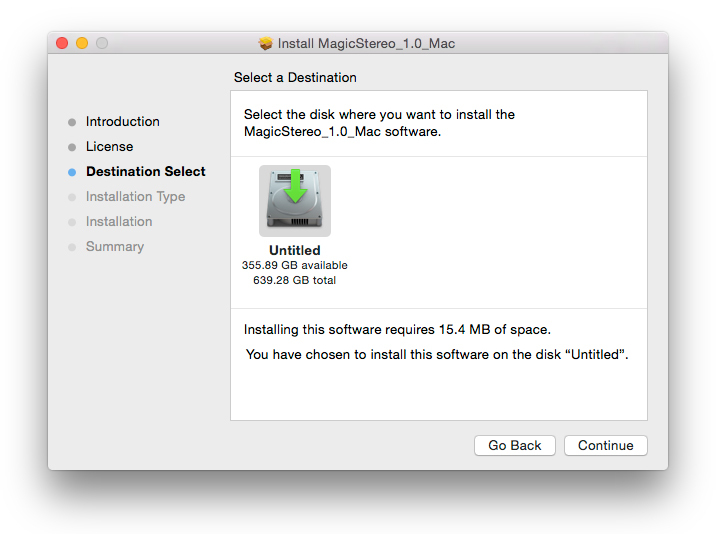
5. Review the installation and click ‘Install’.

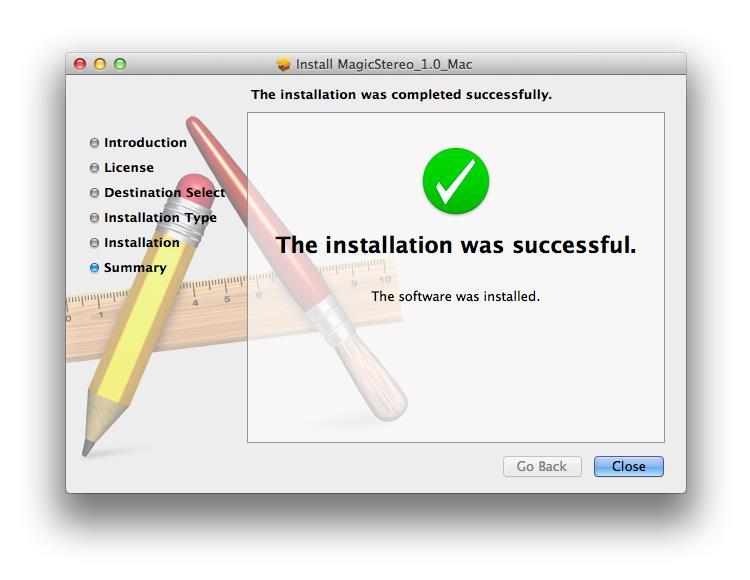
6. The installation of your software has successfully completed > click ‘Close’.

7. Locate and open the software within your DAW.

Note: Restart your DAW, and rescan the plug-in selection to show the new installation (in the event it fails to appear).

The Software is now Ready for Use Within Your DAW!

Windows

1. Download the .zip folder from your User Account and double-click it to open and reveal the installer files.

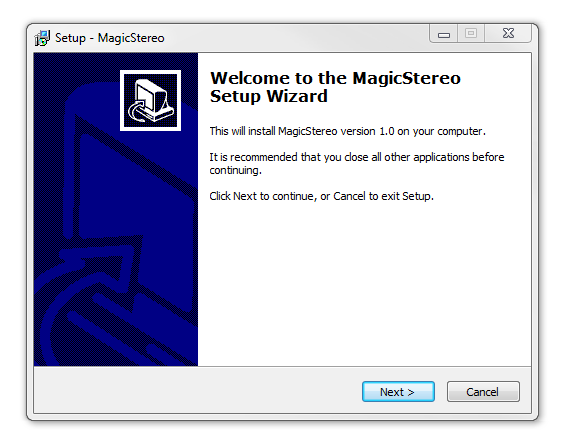
2. Double-click the relevant extracted .exe (32 or 64-bit) file to begin the installation process > click ‘Next’.

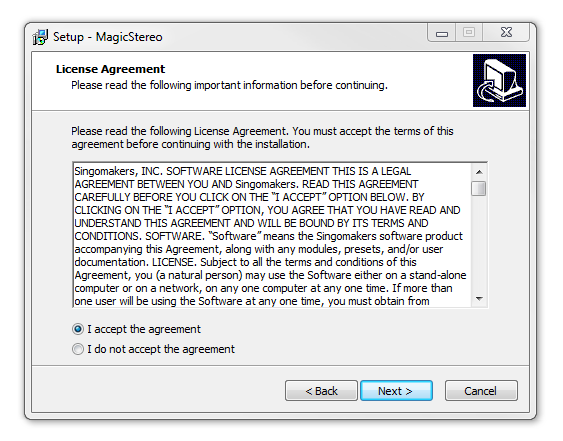
3. Read through the license agreement and click ‘I accept the agreement’ > click ‘Next’. 

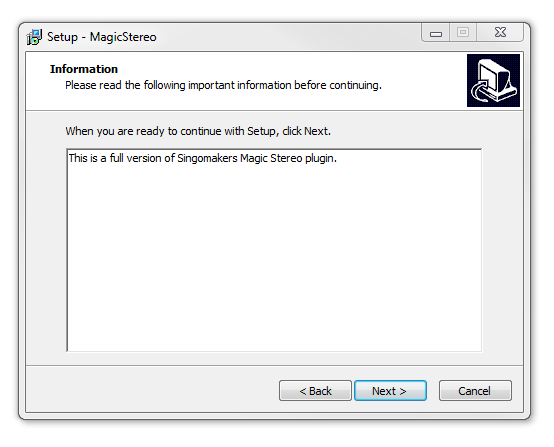
4. Read through the information > click ‘Next’.

64-Bit Installation:

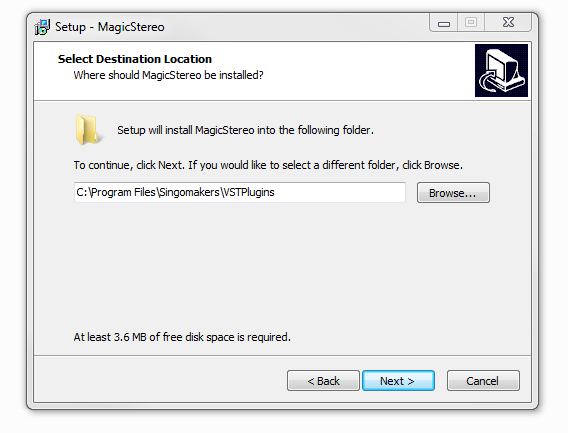
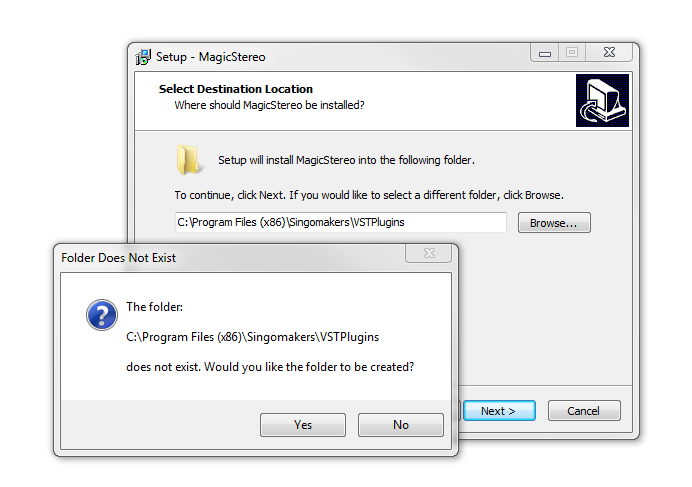
  • Choose and confirm the plug-in (64-Bit VST) directory in which to save your software to > click ‘Next’.

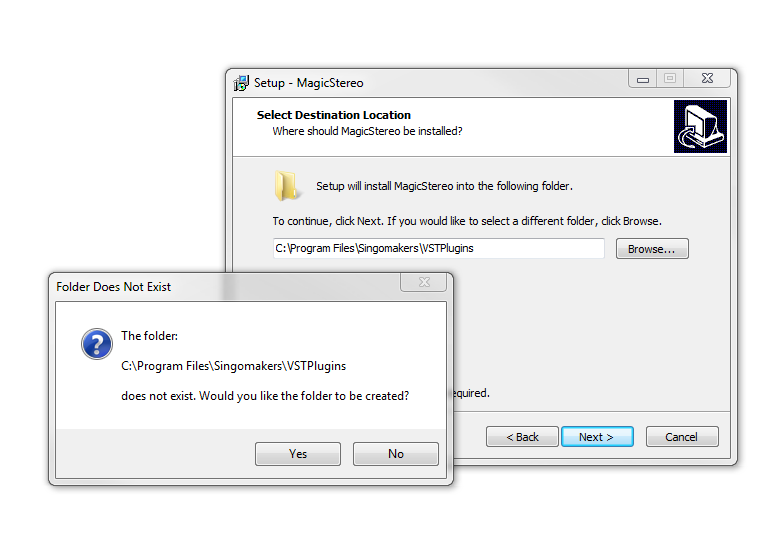
  • Select ‘Yes’ if prompted with the window below.

32-Bit Installation:

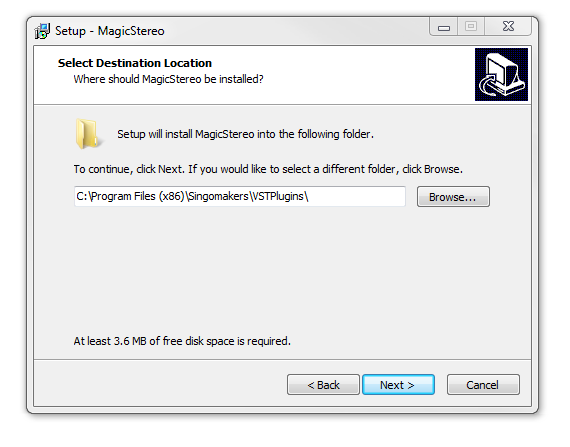
  • Choose and confirm the plug-in (32-Bit VST) directory in which to save your software to > click ‘Next’.

  • Select ‘Yes’ if prompted with the window below.

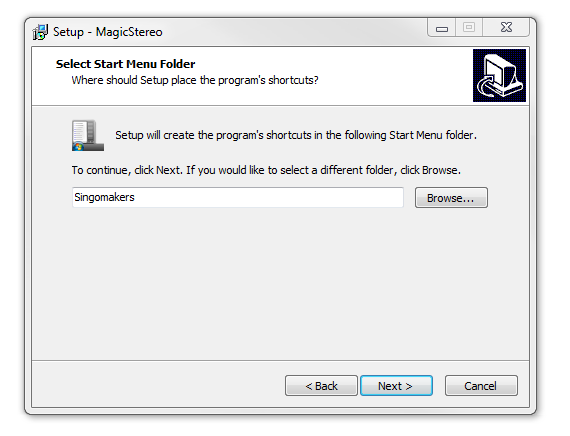
5. Create/select a folder in which to setup a shortcut path for your new installation.

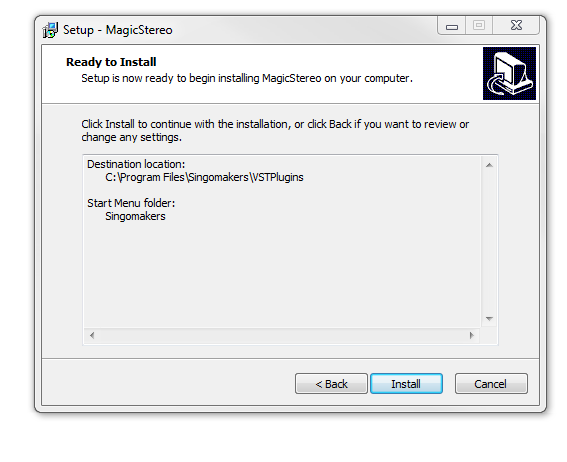
6. Review the installation and click ‘Install’.

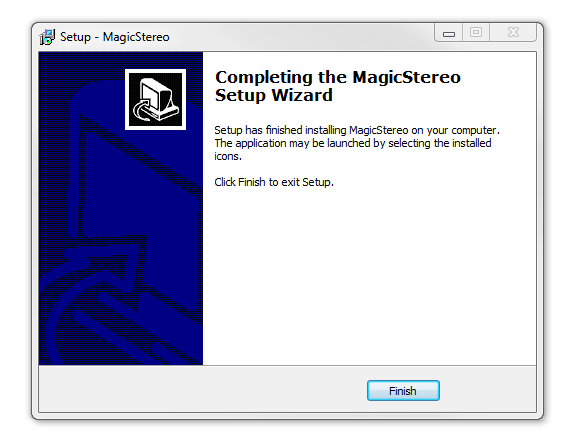
7. The installation of the software has successfully completed > click ‘Finish’.

8. Locate and open the software within your DAW.

Note: Restart your DAW, and rescan the plug-in selection to show the new installation (in the event it fails to appear).

The Software is now Ready for Use Within Your DAW!

Plugin Boutique Rewards

Discover the most rewarding loyalty programme among all plugin retailers.

  • Free Loopmasters Samplepacks
  • Discounts on products and courses
  • Extra Virtual Cash claimed immediately at checkout
Find out more

Follow us:

X (Twitter) Facebook YouTube Instagram
Logo Logo

Plugin Boutique Limited, Part of the Beatport Group LLC.

Copyright © 2011-2025 Plugin Boutique. All rights reserved