/ EQ / OD Finesse
Tokyo Dawn Labs

OD Finesse

5.0 (9 Reviews)
$99.00 $149.00

33% off until Dec 08

Main Image
Main Image
OD Finesse - Overview gallery thumbnail
Image 2
Image 3
Buy Now
Product information

Effortlessly tame resonances with mastering-grade precision

OD Finesse is a spectral processor that intelligently manages resonances with exceptional transparency and musical elegance. Three primary parameters provide intuitive control of the operation, each freely adjustable over frequency:

  • Depth adjusts the processing intensity, automatically reducing excessive resonances.
  • Timing defines how smoothly the process behaves.
  • Guard sets a protective layer that musically retains favourable spectral details.

Building on advanced minimum phase filtering techniques, Finesse offers detailed spectral control that doesn’t interfere with the material’s original transients and phase relationships. The unique ReTilt feature intelligently compensates for applied spectral changes to maintain the original tonal balance and perceived loudness. The processing is independent of input level, providing true “set & forget” functionality.

Ohlhorst Digital is a brand by Jan Ohlhorst. Initially developed exclusively for his work as a mastering engineer, these well refined products are now being made publicly accessible.

Features

  • Intelligent Resonance Management: Transparently reduces unwanted resonances while preserving musicality.
  • Advanced Minimum Phase Filtering: Maintains transients and phase integrity for natural sound.
  • ReTilt Feature: Preserves original tonal balance and perceived loudness after processing.
  • Level-Independent Processing: Delivers consistent results regardless of input level — true “set & forget” design.
  • Mastering-Grade Design: Developed by mastering engineer Jan Ohlhorst for professional-quality results.
System Requirements
  • VST2, VST3, Audio-Unit or AAX compatible plugin host.
  • Windows Vista or above, Mac OS X 10.14 or above.
Installation Instructions

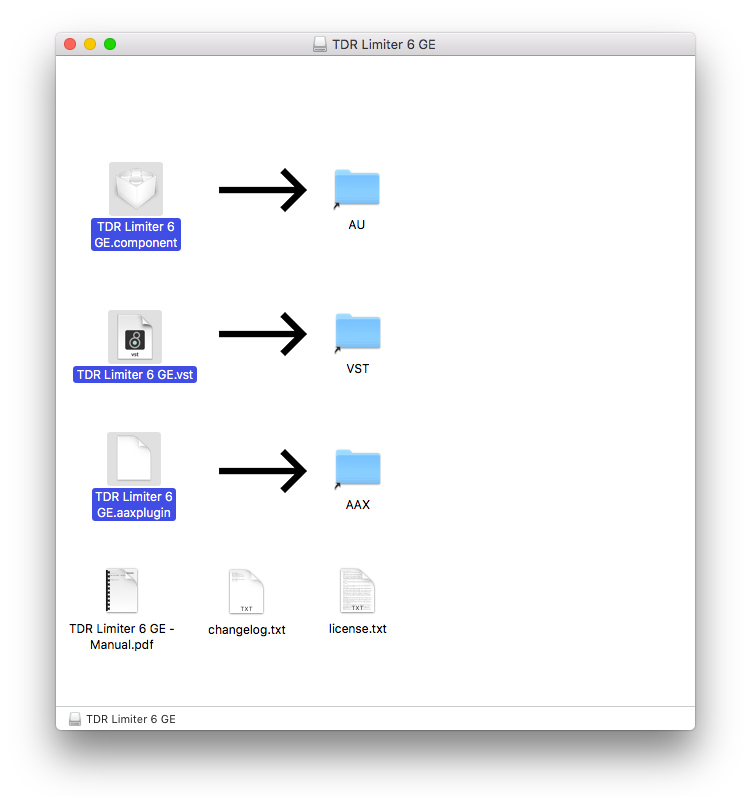
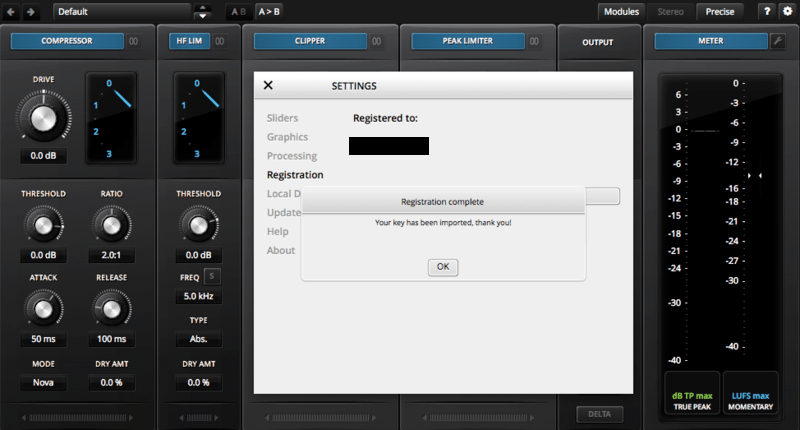
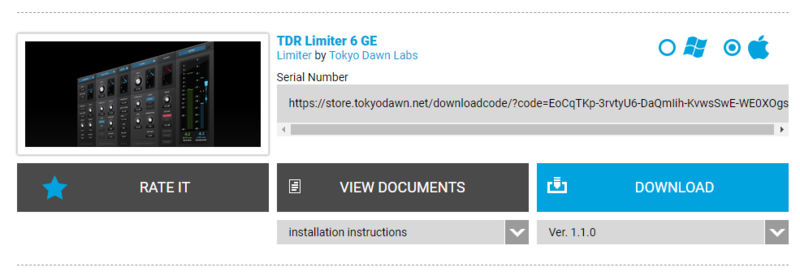
Note: TDR Limiter 6 GE is used as the example.

Mac

Registration

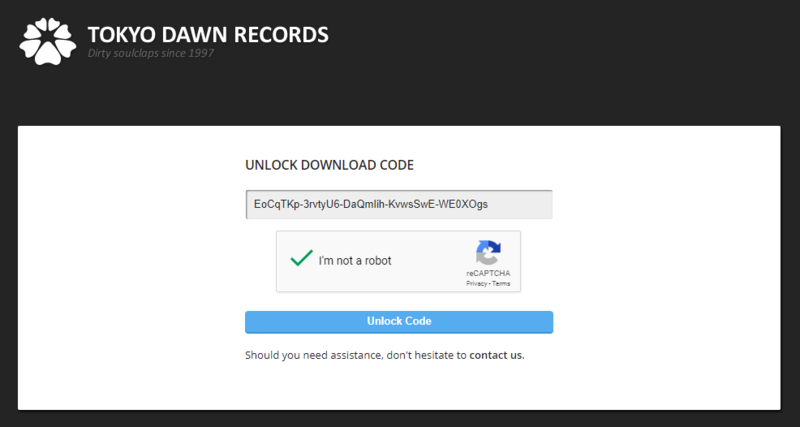
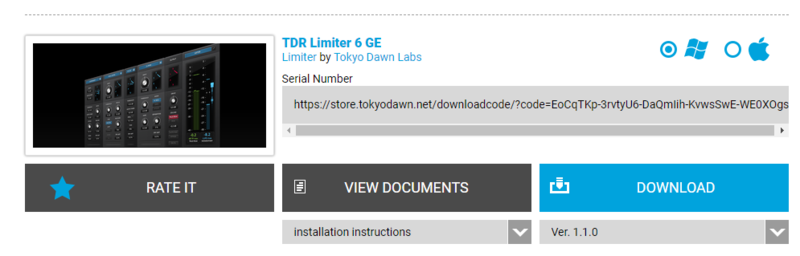
1. Go to your Plugin Boutique User Account > Copy and paste your serial number into your web browser search bar and press 'enter' on your keyboard.

2. Check the box that states 'I'm not a robot' > Click 'Unlock Code'.

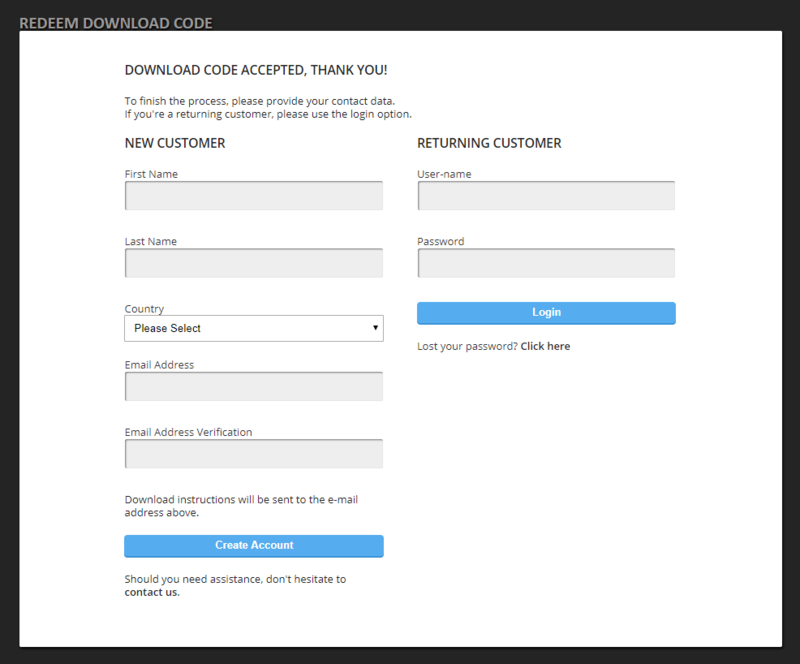
3. Enter your Name & email address and select your country from the drop-down menu > Click 'Create Account'.

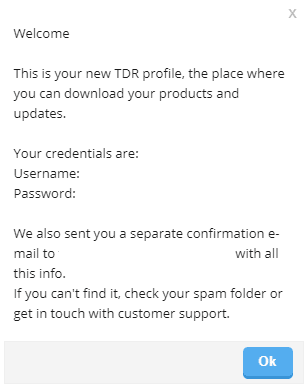
4. Click 'Ok'.

Installation

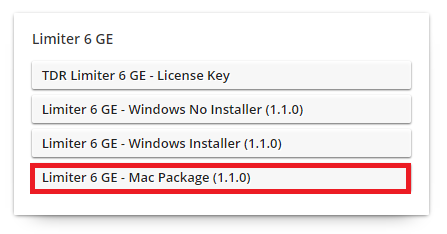
1. Click the Mac installer link to download the correct installer for your operating system.

2. Open the .dmg file > Click and drag the Component, VST and AAX Plugin files into their respective folders.

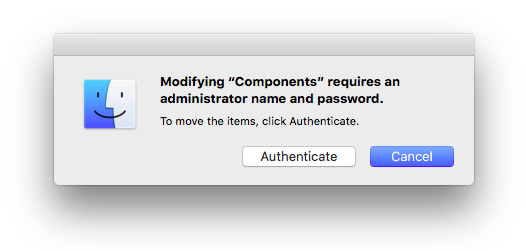
3. Click 'Authenticate'.

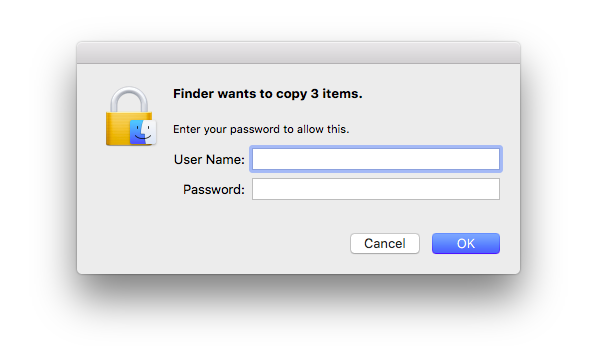
4. Enter your computer Username and Password > Click 'Ok'.

Online Activation

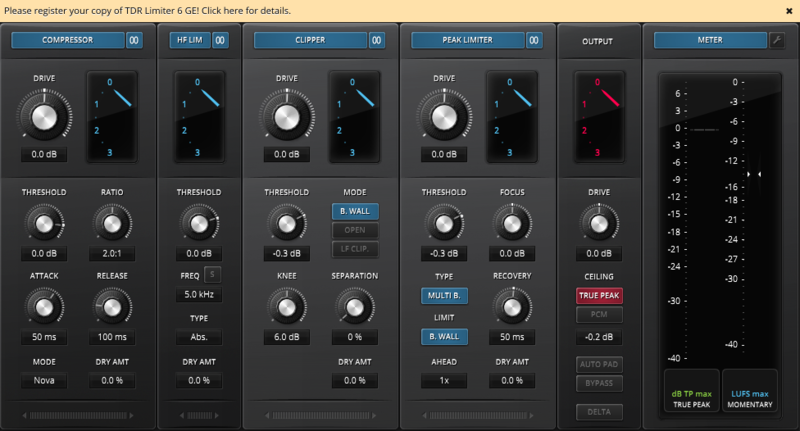
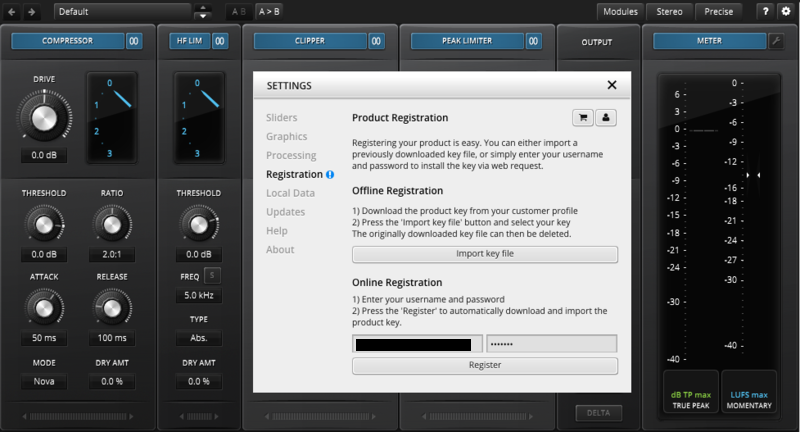
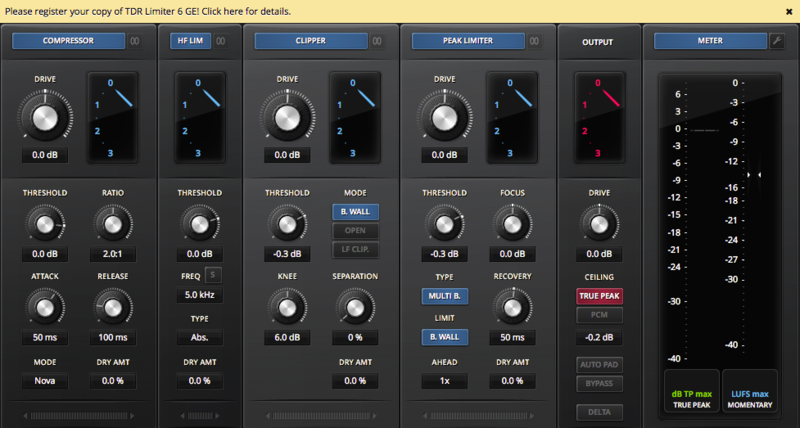
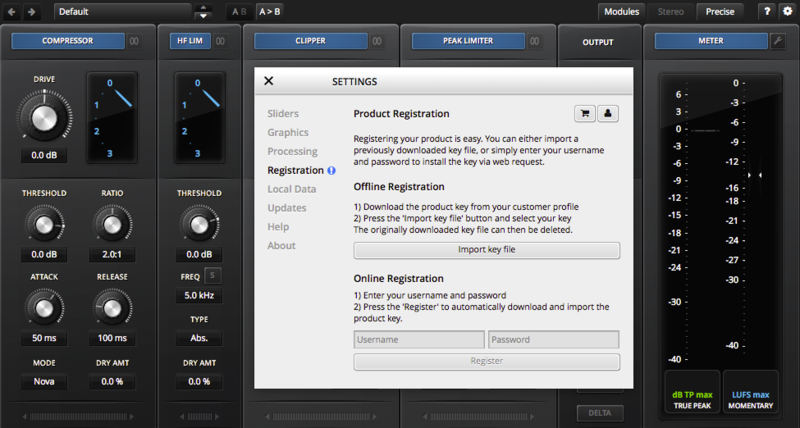
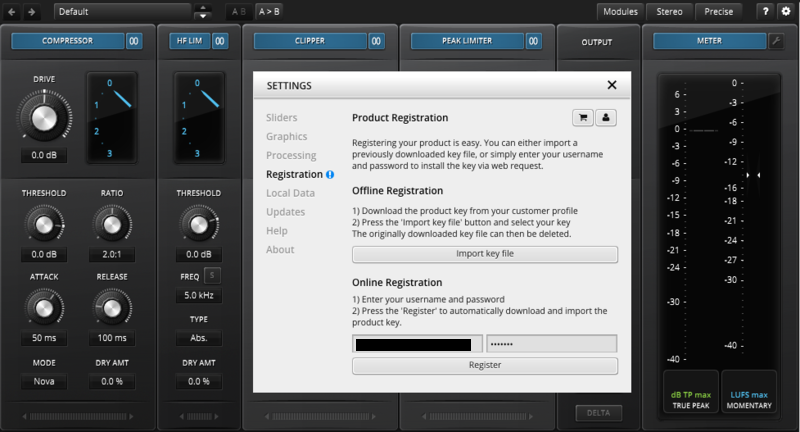
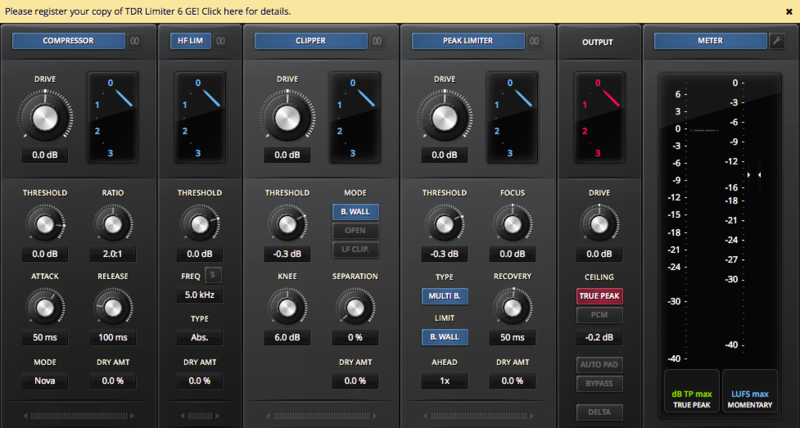
1. Open the installed software in your DAW > Click the dialogue box at the top of the plugin to open the activation menu.

2. Enter your Tokyo Dawn Labs registered email address and password > Click 'Register'.

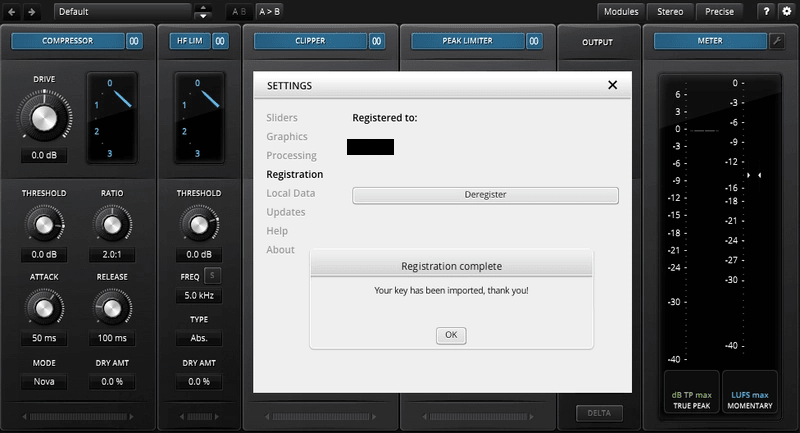
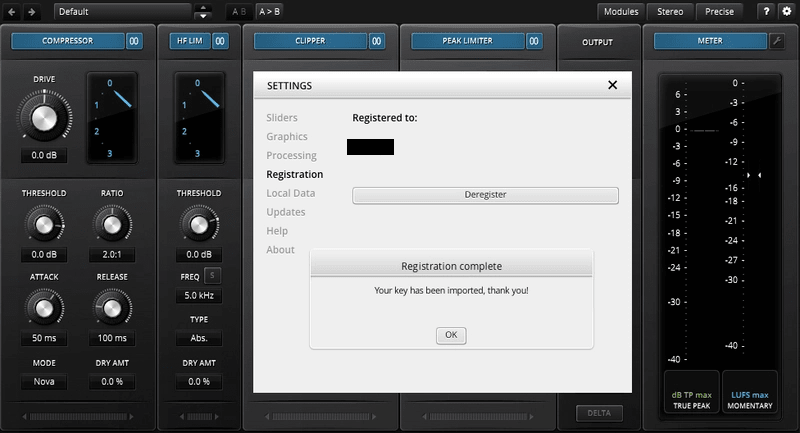
3. Click 'Ok'.

Your software is now activated and ready to use within your DAW.

Offline Activation

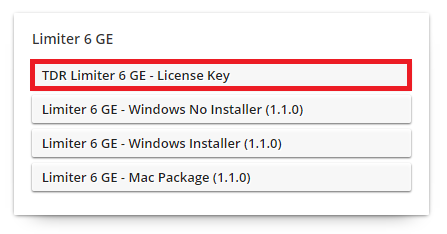
1. Go to your Tokyo Dawn Labs User Account > Download the License Key File for your software.

2. Open the installed software in your DAW > Click the dialogue box at the top of the plugin to open the activation menu.

3. Click 'Import Key File'.

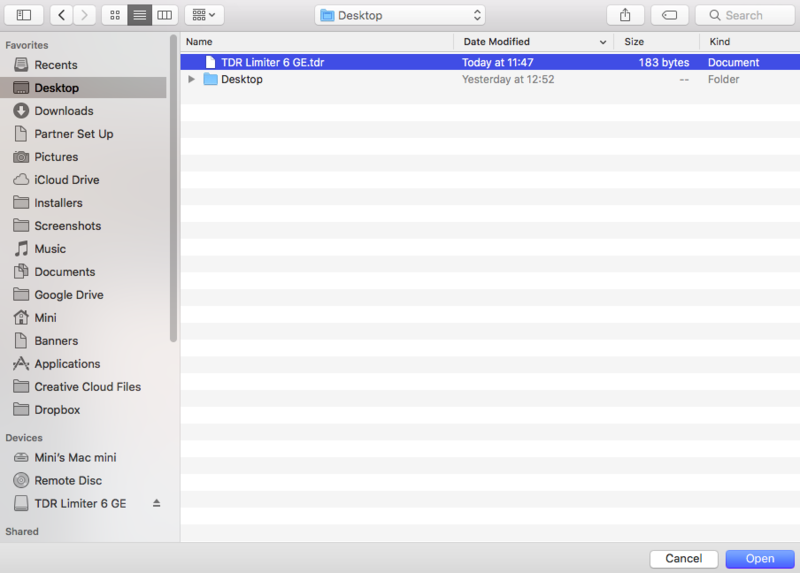
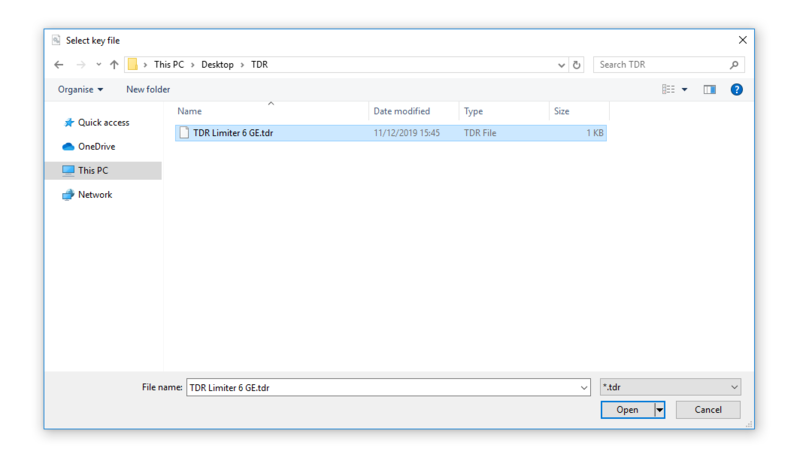
4. Select the License Key File > Click 'Open'.

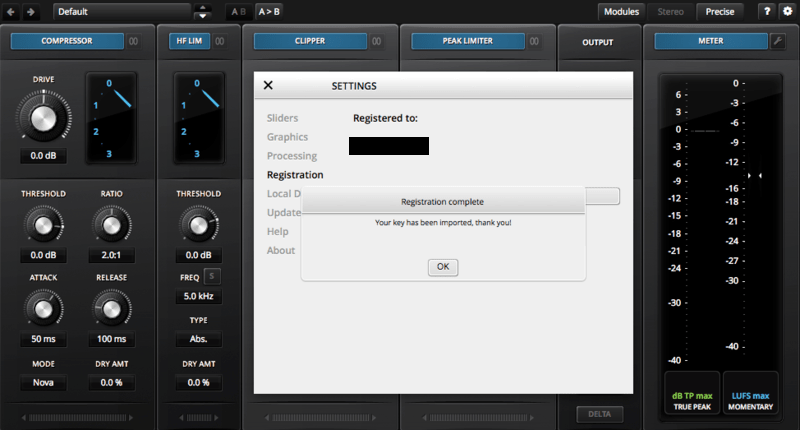
5. Click 'Ok'.

Your software is now activated and ready to use within your DAW.

Windows

Registration

1. Go to your Plugin Boutique User Account > Copy and paste your serial number into your web browser search bar and press 'enter' on your keyboard.

2. Check the box that states 'I'm not a robot' > Click 'Unlock Code'.

3. Enter your Name & email address and select your country from the drop-down menu > Click 'Create Account'.

4. Click 'Ok'.

Installation

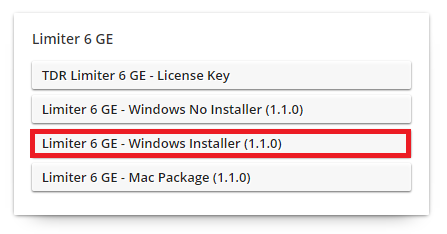
1. Click the Windows installer link to download the correct installer for your operating system.

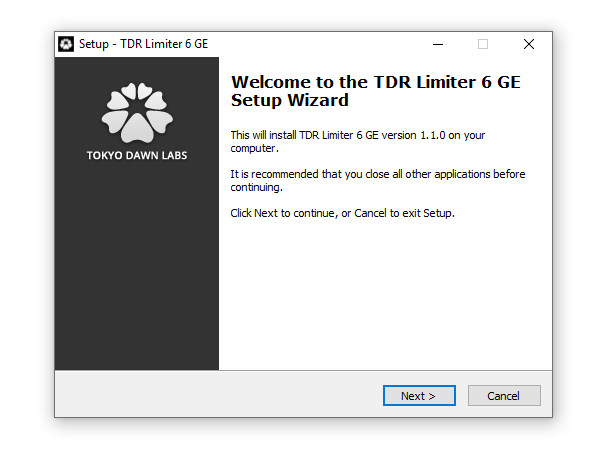
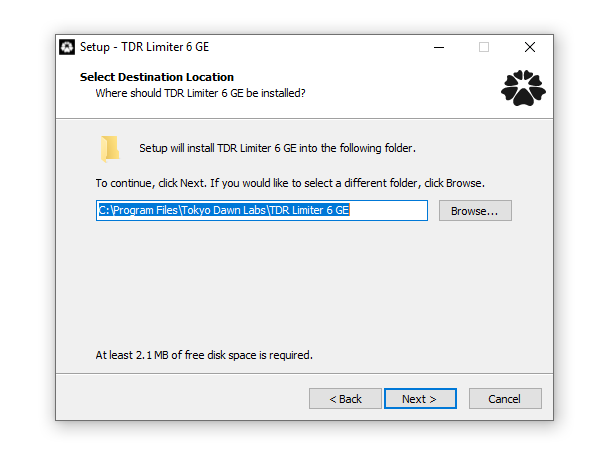
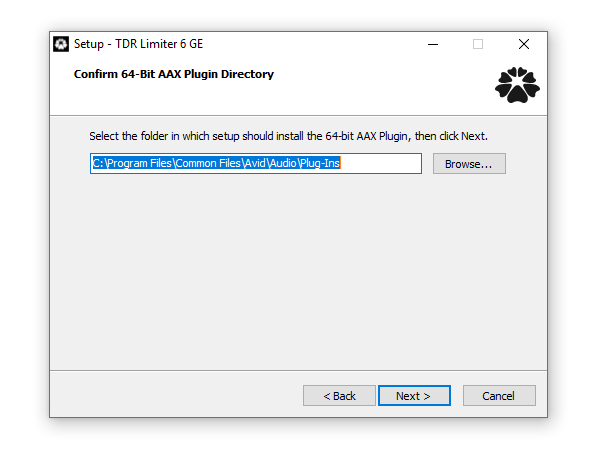
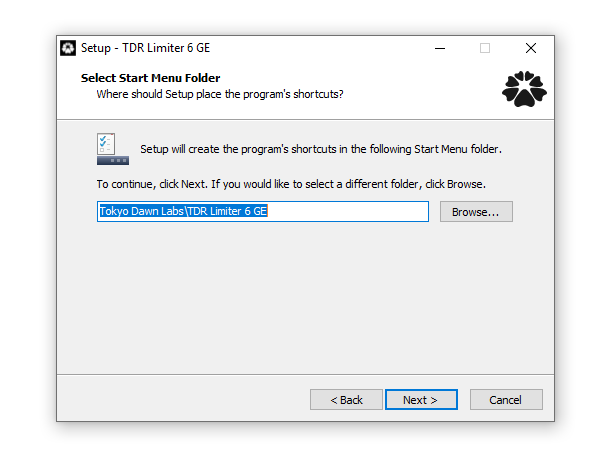
2. Double-click the .zip file to extract the contents and open the .exe file to begin the installation > Click 'Next'.

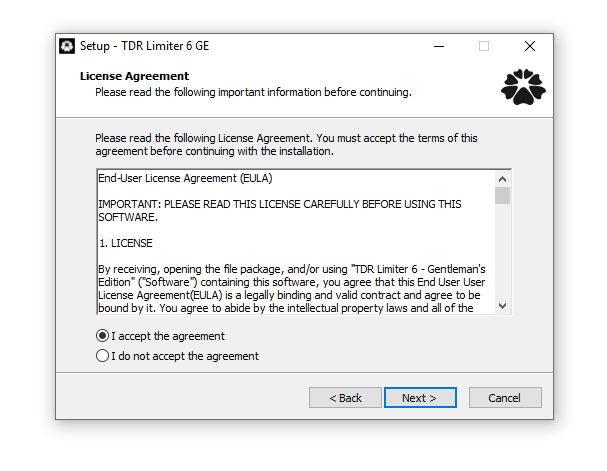
3. Select 'I accept the agreement' > Click 'Next'.

4. Click 'Next'.

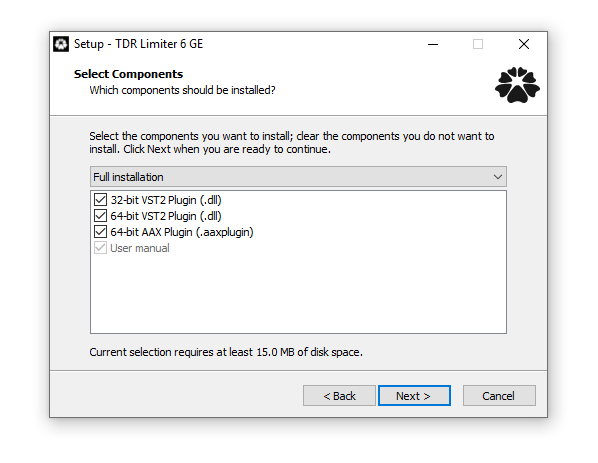
5. Click 'Next'.

6. Click 'Next'.

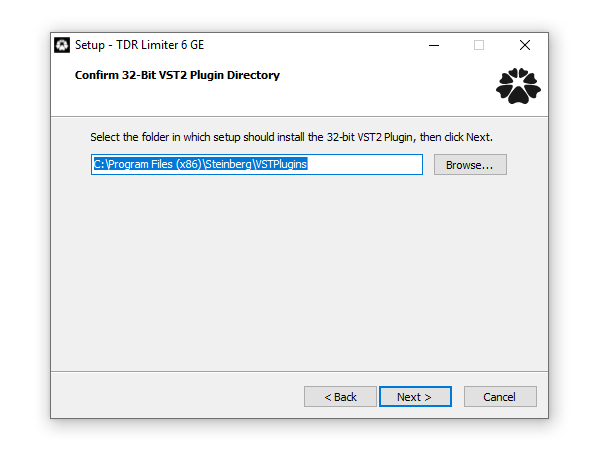
7. Click 'Next'.

8. Click 'Next'.

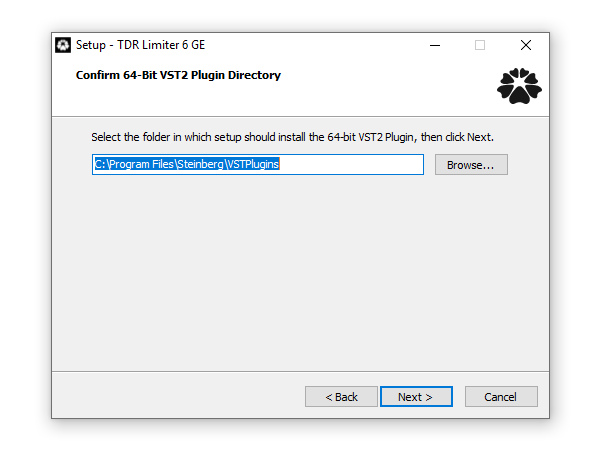
9. Click 'Next'.

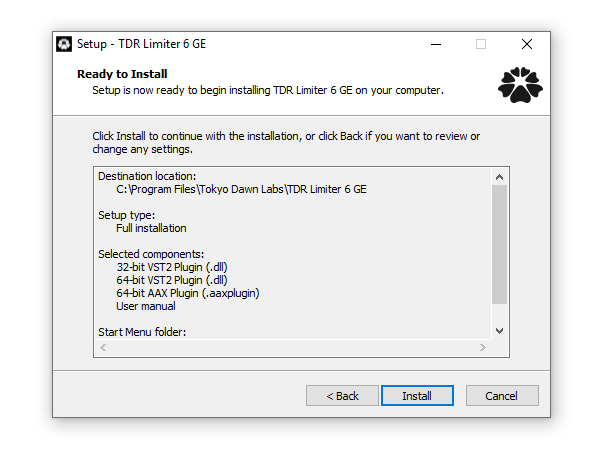
10. Click 'Install'.

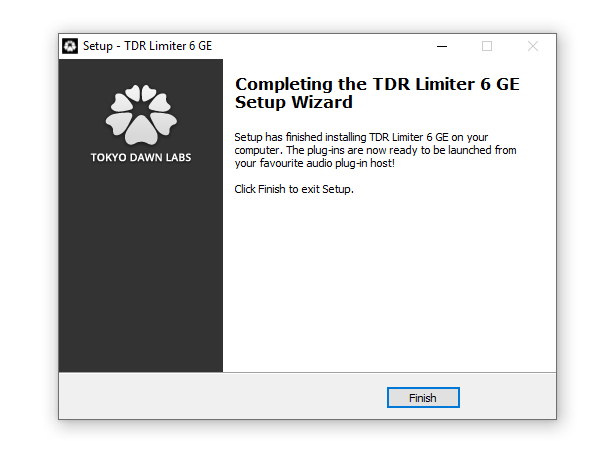
11. Click 'Finish'.

Online Activation

1. Open the installed software in your DAW > Click the dialogue box at the top of the plugin to open the activation menu.

2. Enter your Tokyo Dawn Labs registered email address and password > Click 'Register'.

3. Click 'Ok'.

Your software is now activated and ready to use within your DAW.

Offline Activation

1. Go to your Tokyo Dawn Labs User Account > Download the License Key File for your software.

2. Open the installed software in your DAW > Click the dialogue box at the top of the plugin to open the activation menu.

3. Click 'Import Key File'.

4. Select the License Key File > Click 'Open'.

5. Click 'Ok'.

Your software is now activated and ready to use within your DAW.

Plugin Boutique Rewards

Discover the most rewarding loyalty programme among all plugin retailers.

  • Free Loopmasters Samplepacks
  • Discounts on products and courses
  • Extra Virtual Cash claimed immediately at checkout
Find out more

Follow us:

X (Twitter) Facebook YouTube Instagram
Logo Logo

Plugin Boutique Limited, Part of the Beatport Group LLC.

Copyright © 2011-2025 Plugin Boutique. All rights reserved