Buy London Solo Strings, get a free gift with purchase:
Four string instruments captured with depth, beauty, and realism
London Solo Strings from Big Fish Audio picks up where other string libraries leave off - delivering unmatched realism, nuance, and playability right out of the box. Just load it up and start playing.
Featuring beautifully captured performances on violin, viola, cello, and the often-overlooked contrabass, this library brings each instrument to life with stunning detail. From the warmth of a 1740-era violin to the depth of the contrabass, these recordings were performed by world-class musicians using top-tier instruments and captured in pristine resolution.
The 2.0 update takes this library even further, adding a beautiful new user interface, looped articulations and release samples for more natural performances, speed controls for tailored expression, improved playback performance, and an expanded palette of expressive FX. These enhancements make London Solo Strings more responsive, versatile, and inspiring than ever.
Articulations include arco, marcato, martelé, spiccato, sultasto, ponticello, ponticello tremolo, half-step and whole-step trills, tremolo, pizzicato, ricochet, short/medium/long crescendos, harmonics, and Bartók (snap) pizzicato.
At just over 4 GB of uncompressed sample content, London Solo Strings strikes the perfect balance of flexibility, finesse, and sonic fidelity. If you’re looking for the finest sampled solo strings available - go to London.
Included Instruments:
- Violin
- Viola
- Cello
- Contrabass
- The library requires approximately 2.5 GB once installed
- Kontakt 7 Player or Kontakt 7 (Version 7.10.8)
- 4GB RAM or more
Mac
- OS 12 or higher
- 64 bit only
- Intel Core i5 or later
- Or Apple Silicone Macs
Windows
- OS 10 or higher
- 64 bit only
- Intel Core i5 or equivalent CPU

Note: Ambient Minimalism is used as the example.
Redemption
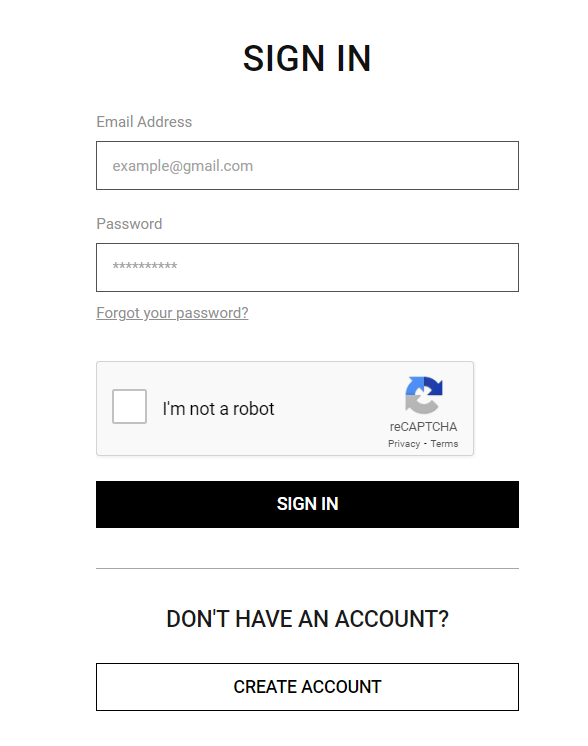
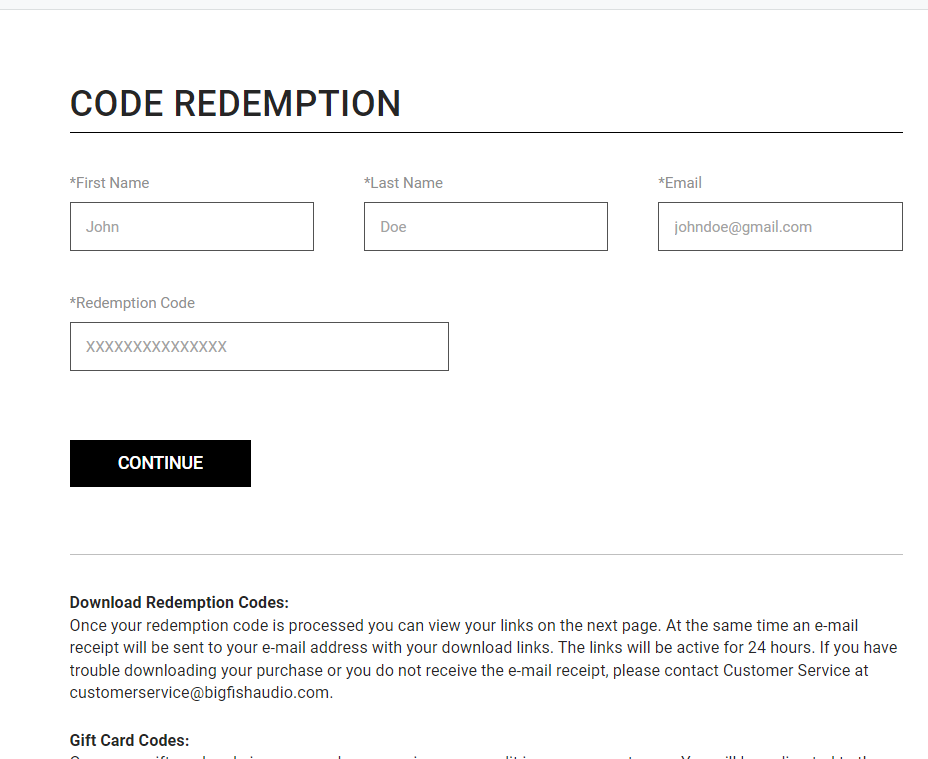
1. Go to https://www.bigfishaudio.com/redemption.html > Enter your Name, Email Address, and Redemption Code, found in the Serial Number section of your Plugin Boutique User Account > Click 'CONTINUE'.

2. Sign into your existing Big Fish Audio account, or if you don't have one, click "CREATE ACCOUNT" and fill in your details to create an account.

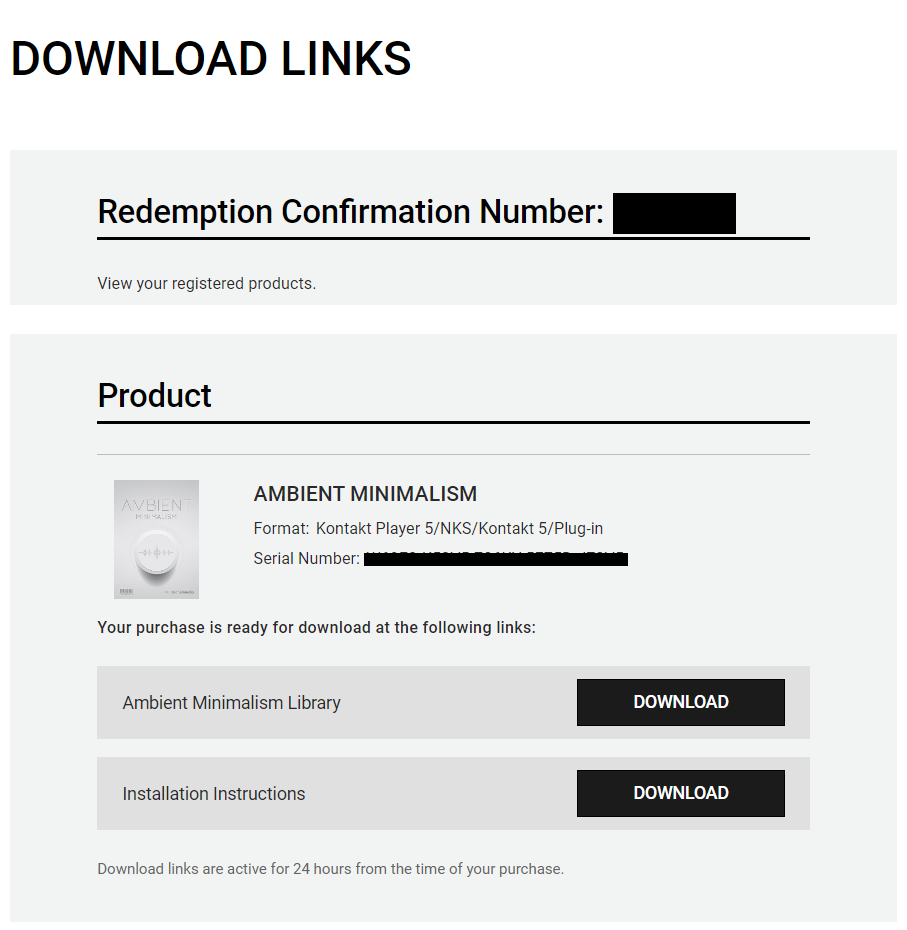
3. Your product is now redeemed. Please make note of the serial provided here > Click "DOWNLOAD" to download the plugin.

4. Unzip the downloaded installer.
Mac
Installation / Activation
1. Download and install the FREE Kontakt Player from the Native Instruments website.
2. Download and install the FREE Native Access application.
3. Open Native Access and enter your Native Instruments-registered email address and password > Click 'LOG IN'.

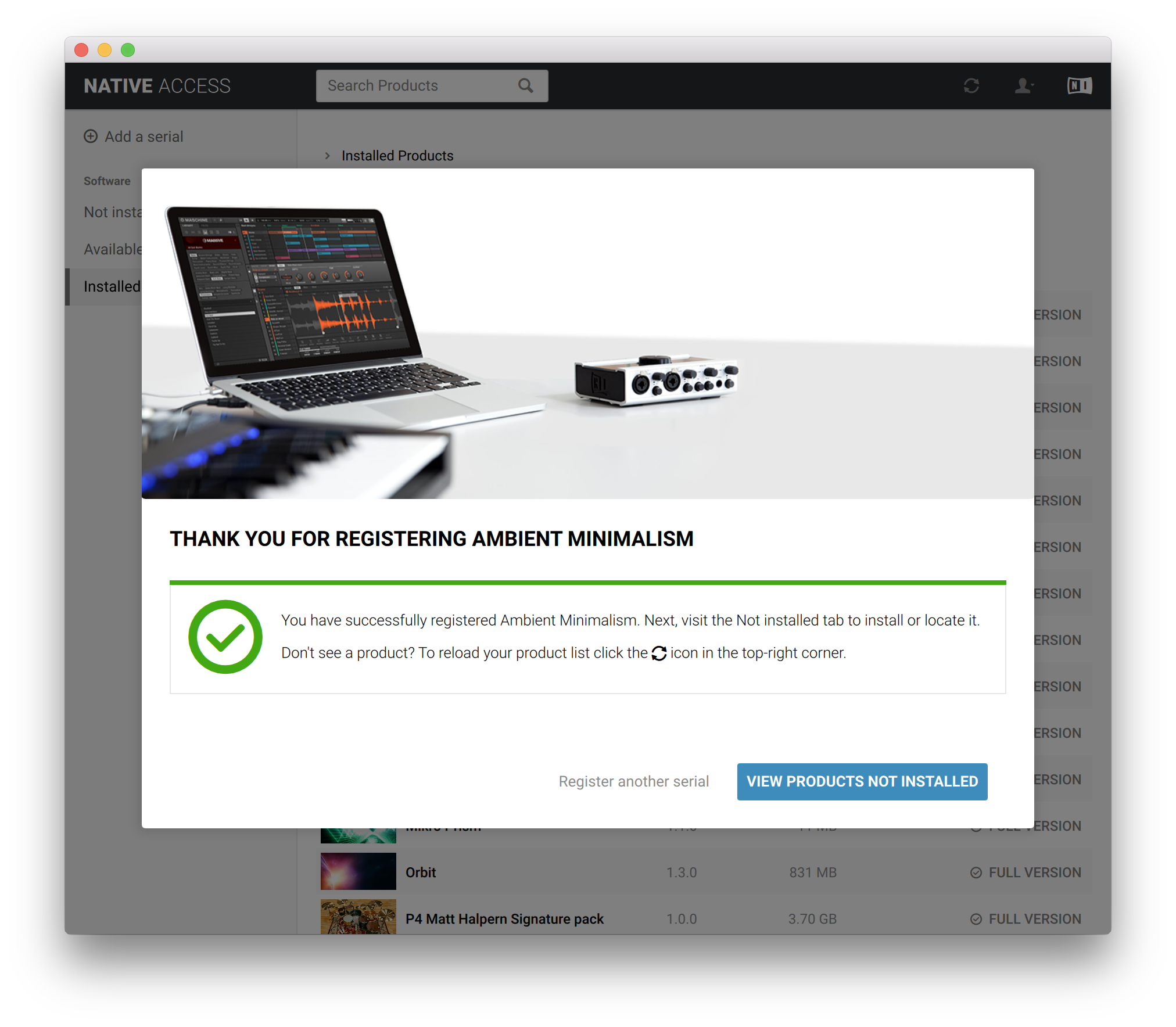
4. Click 'Add a serial' in the top left corner of the application window.

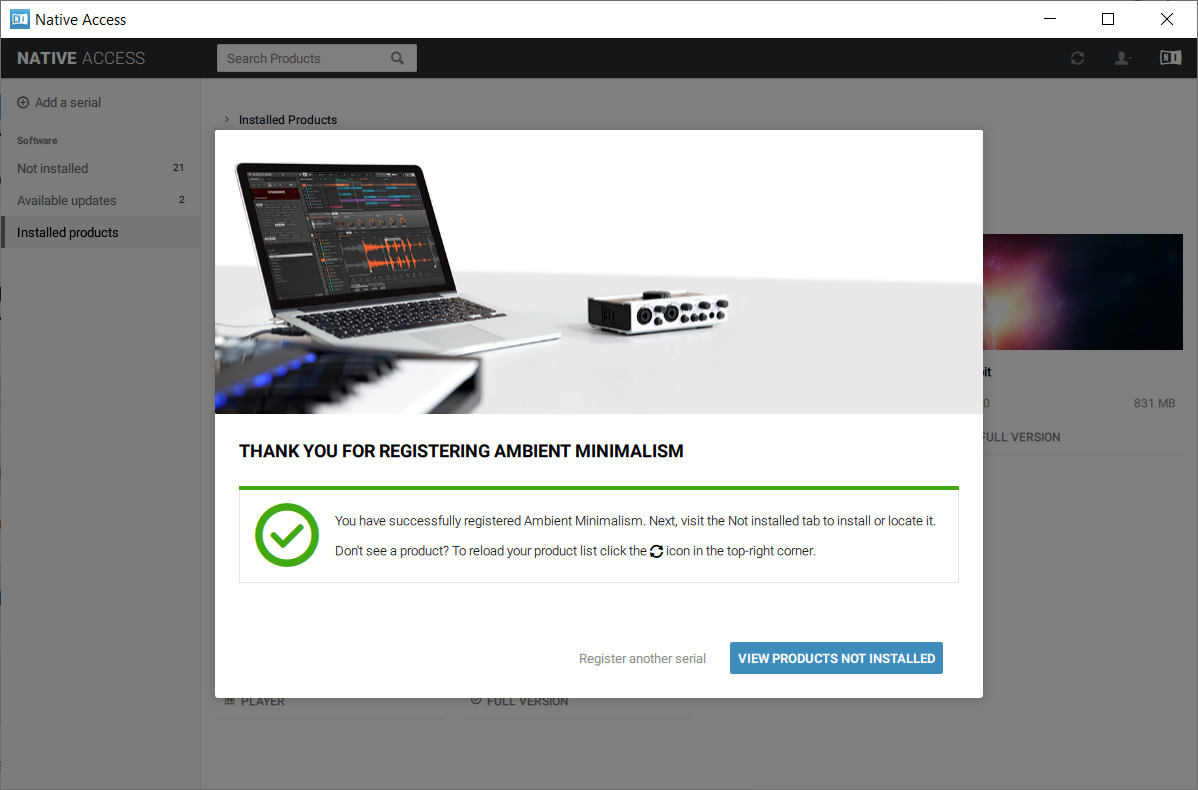
5. Enter the Serial Number found in your email > Click 'Add Serial'.

6. Click 'View products not installed'.

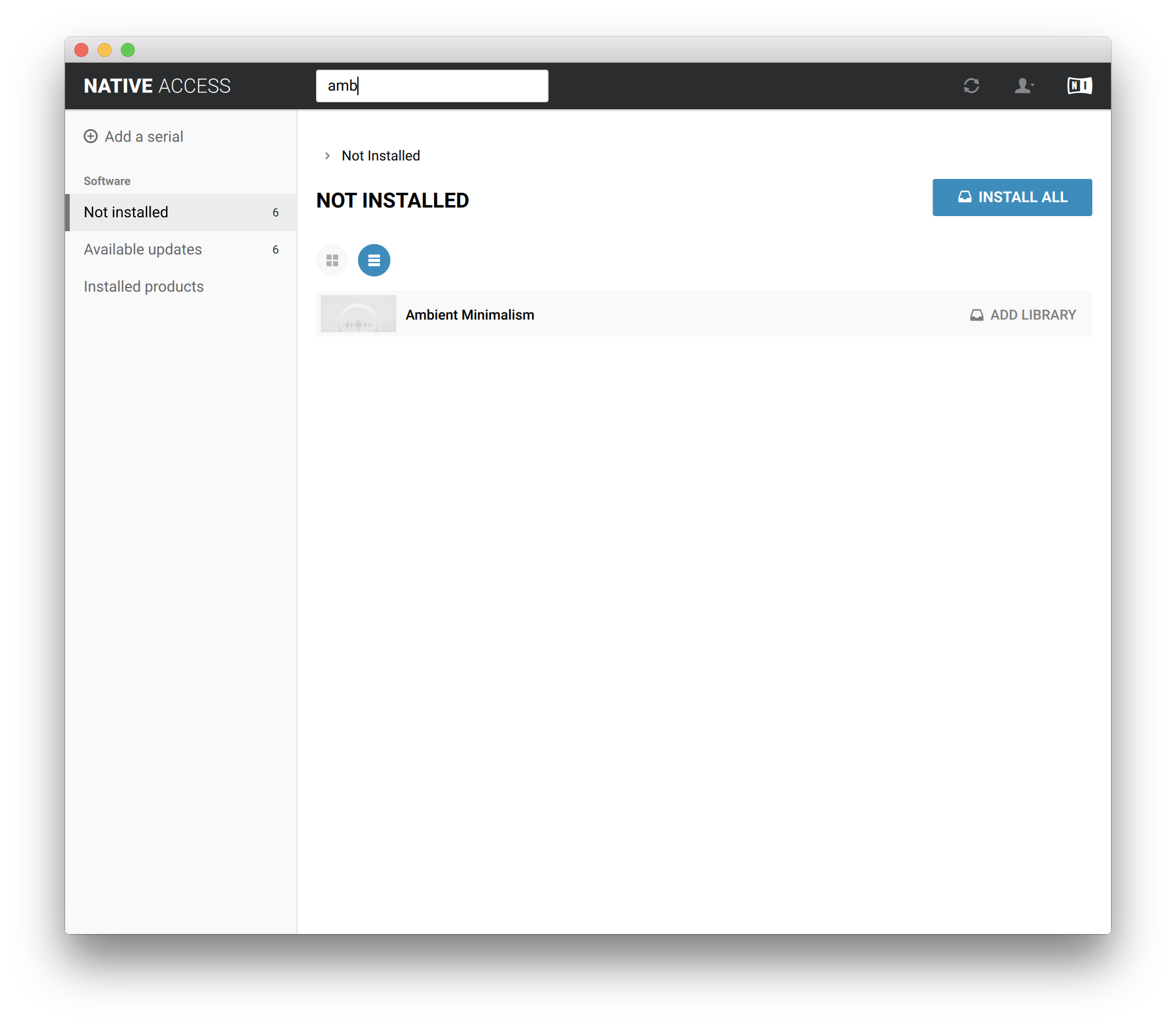
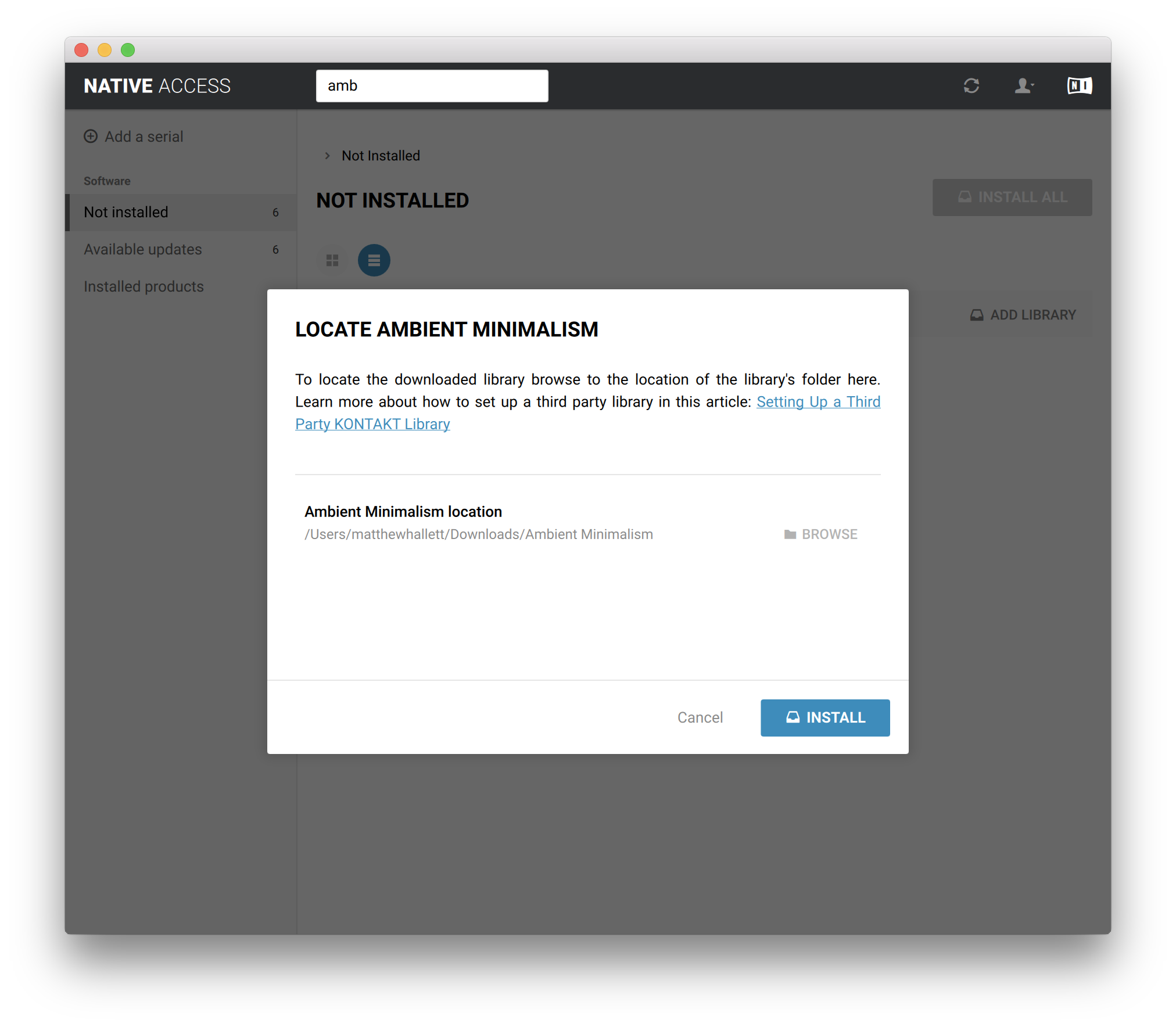
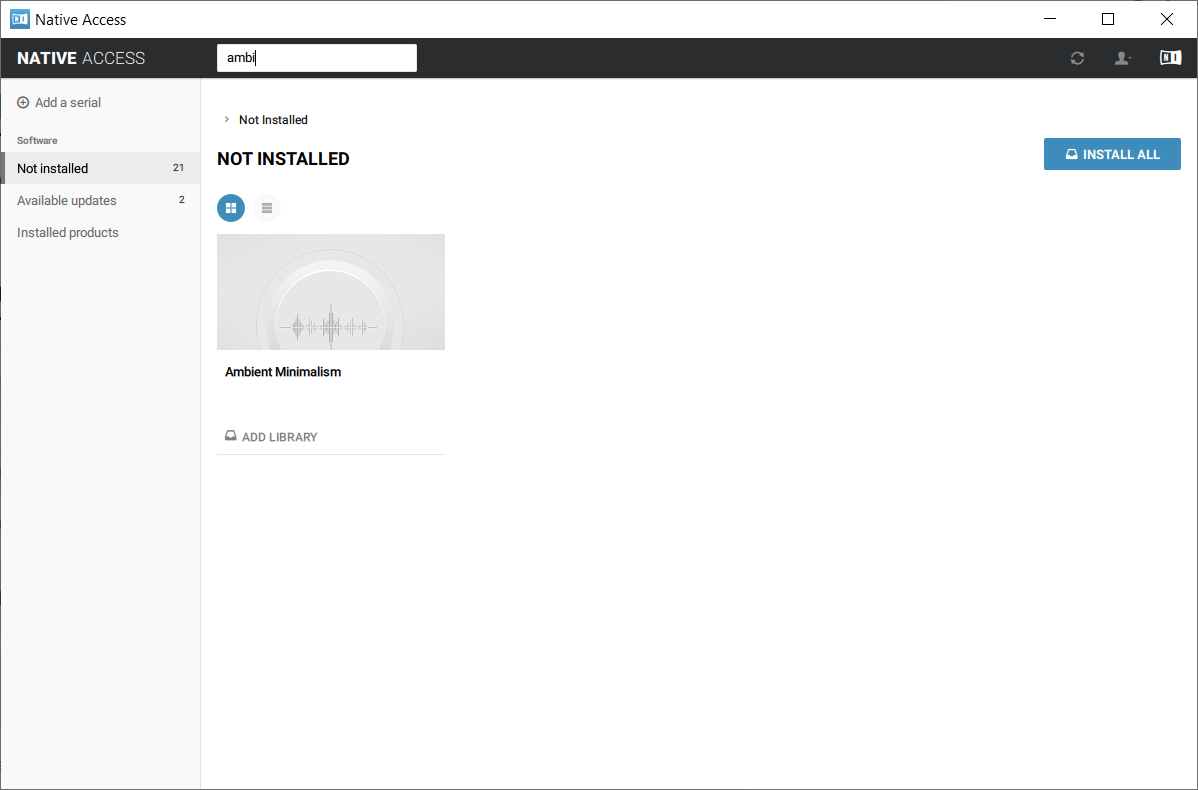
7. Navigate to Ambient Minimalism > Click 'ADD LIBRARY'.

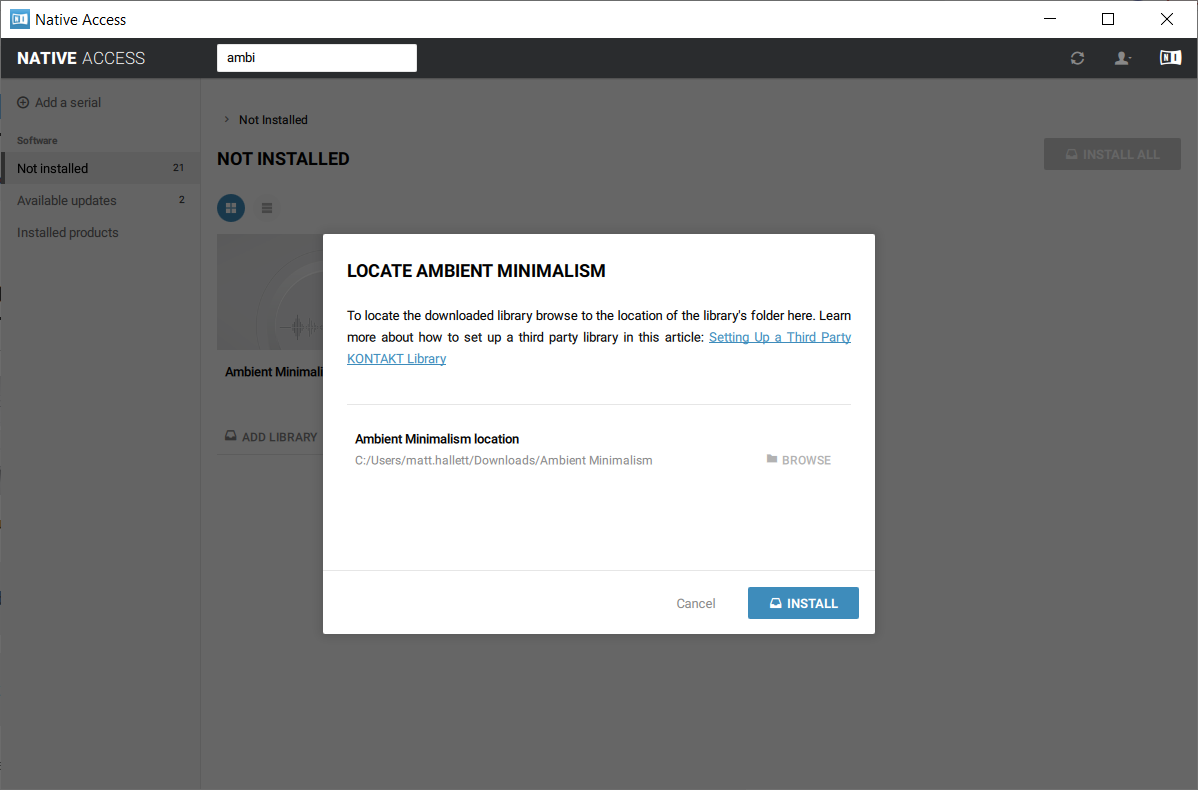
8. Click 'BROWSE' > Navigate to where you downloaded and unzipped Ambient Minimalism too > Once selected, click 'INSTALL'.

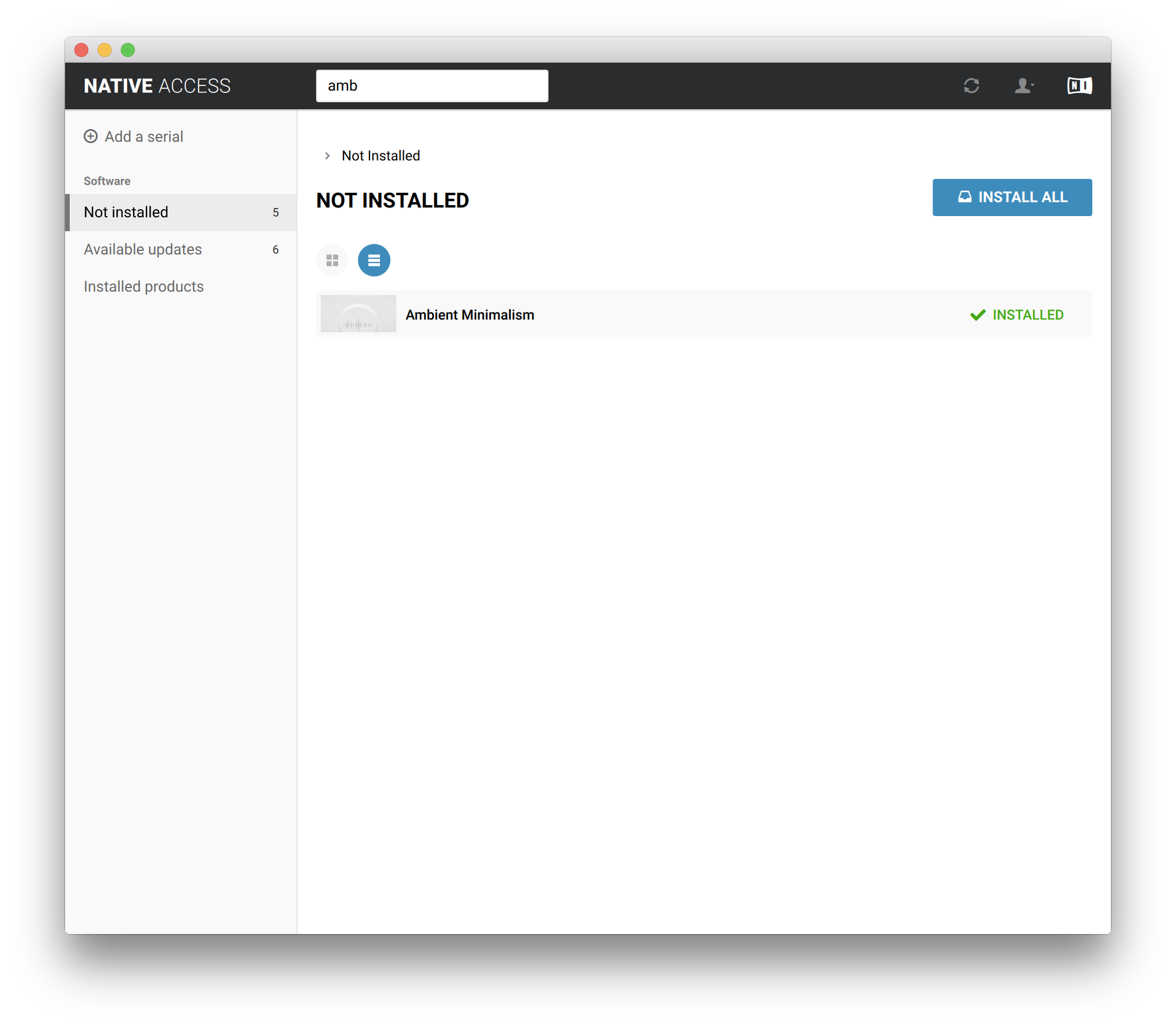
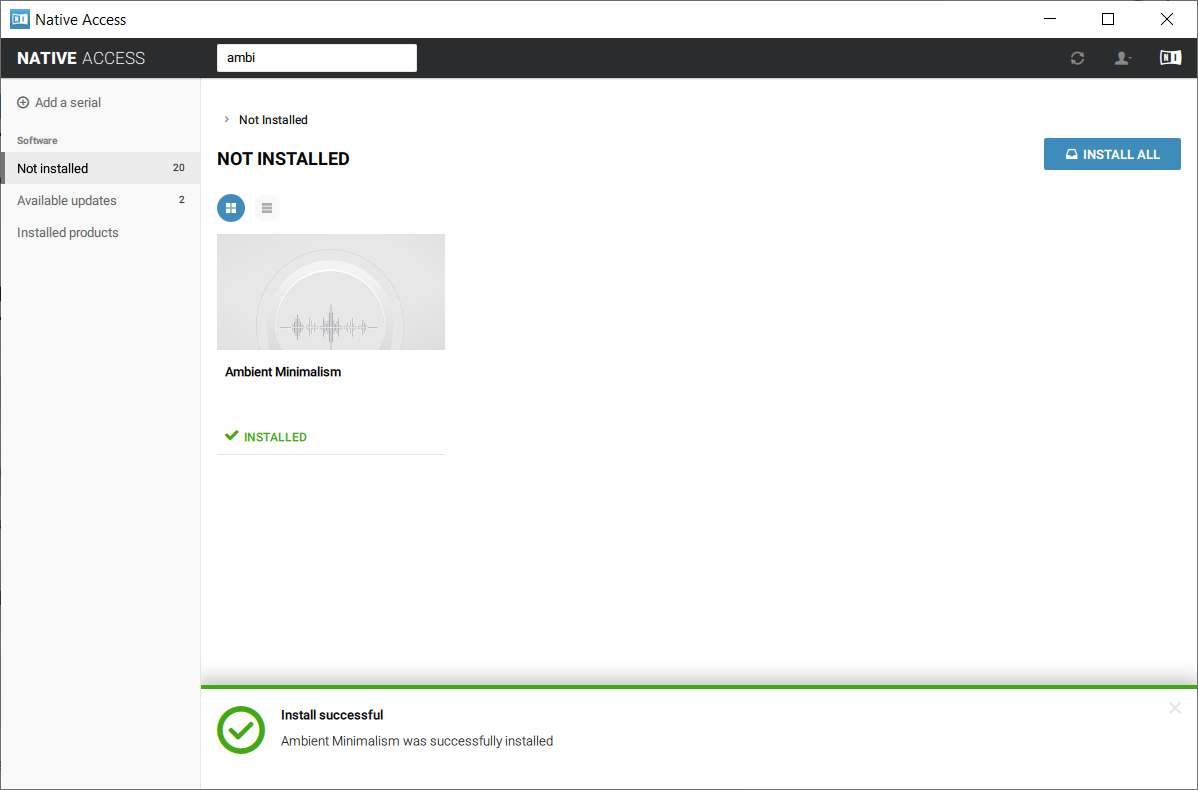
9. Ambient Minimalism is now installed.

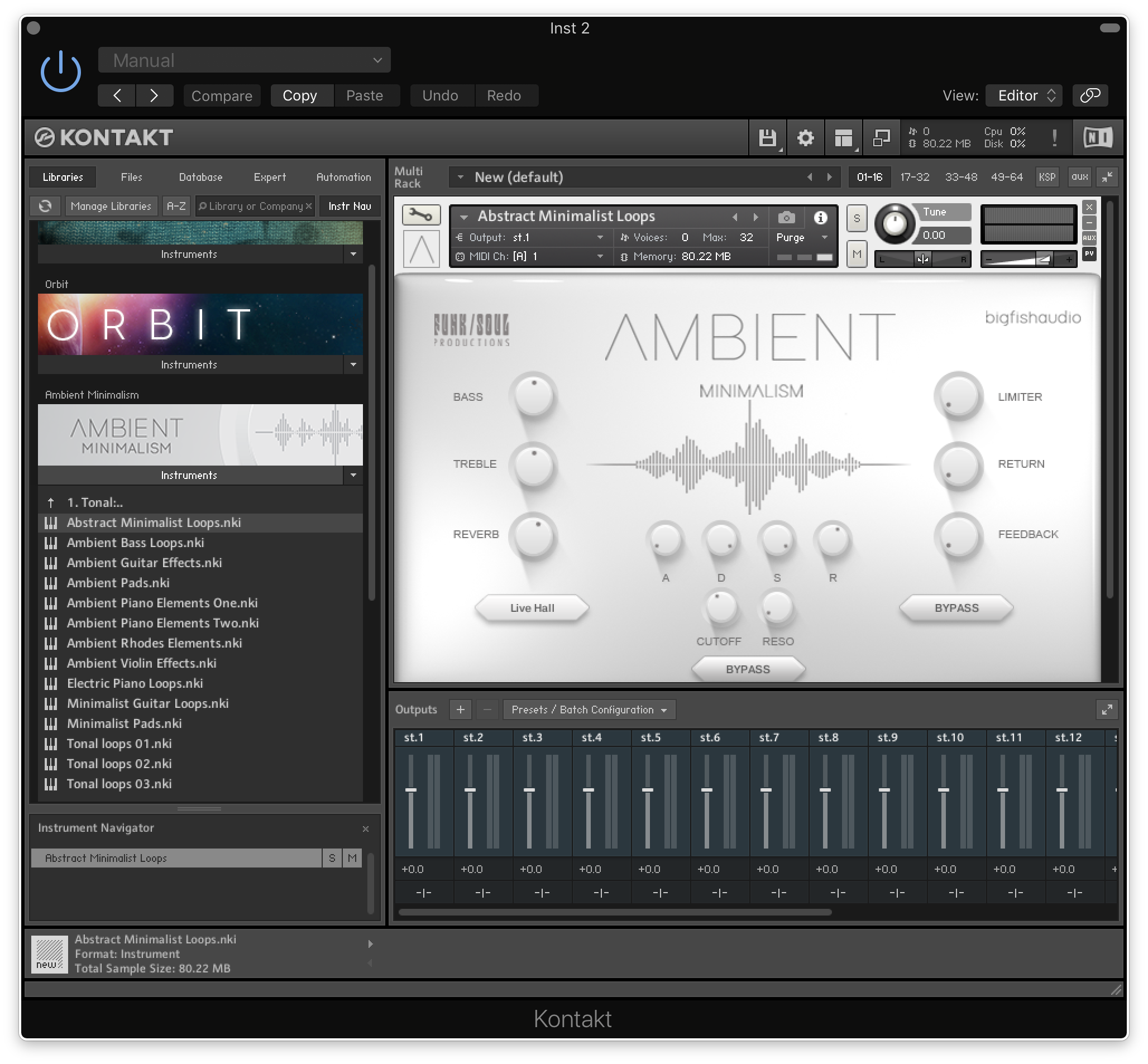
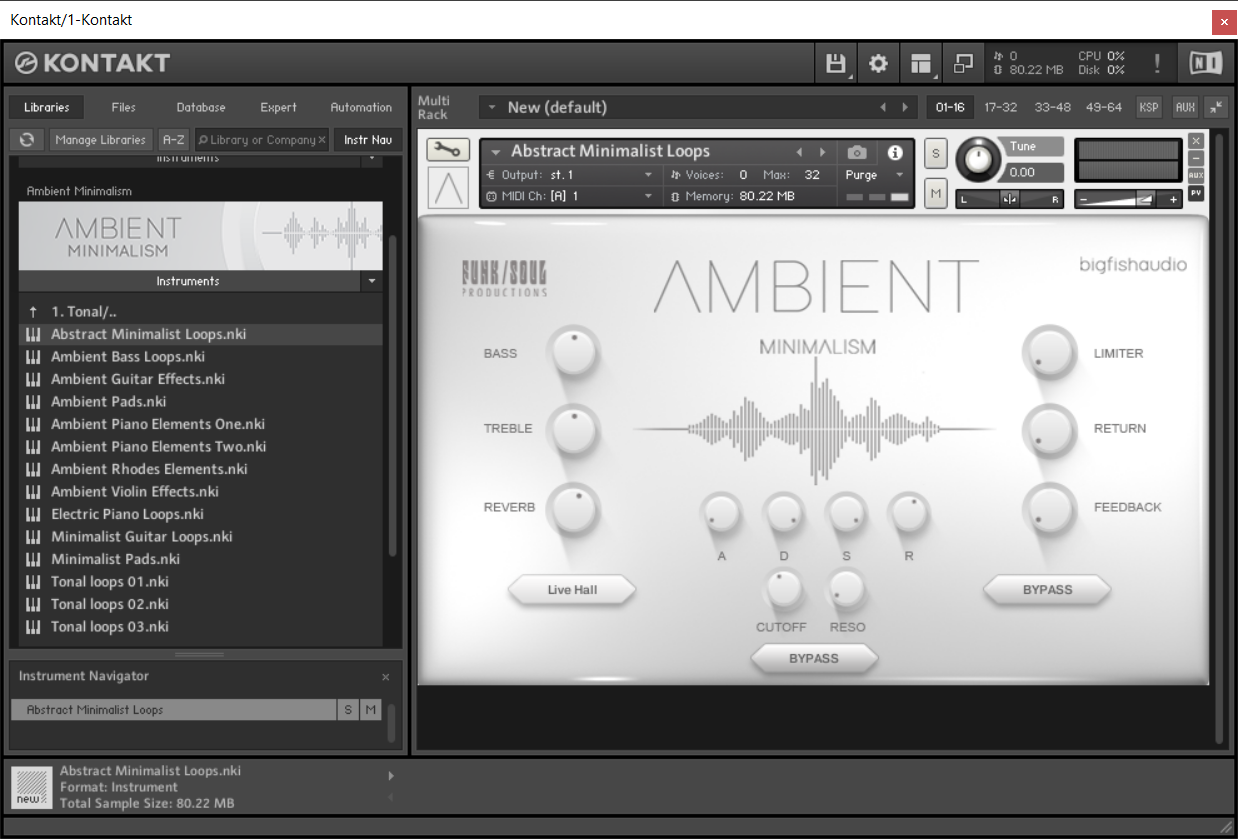
10. Open Kontakt and go to the 'Libraries' tab.
Your Library is now activated and ready to use in standalone or within your DAW.

PC
Installation / Activation
1. Download and install the FREE Kontakt Player from the Native Instruments website.
2. Download and install the FREE Native Access application.
3. Open Native Access and enter your Native Instruments-registered email address and password > Click 'LOG IN'.

4. Click 'Add a serial' in the top left corner of the application window.

5. Enter the previously acquired Serial Code from Big Fish Audio > Click 'Add Serial'.

6. Click 'View products not installed'.

7. Navigate to Ambient Minimalism > Click 'ADD LIBRARY'.

8. Click 'BROWSE' > Navigate to where you downloaded and unzipped Ambient Minimalism too > Once selected, click 'INSTALL'.

9. Ambient Minimalism is now installed.

10. Open Kontakt and go to the 'Libraries' tab.
Your Library is now activated and ready to use in standalone or within your DAW.