/ Limiter / Mesa
Venomode

Mesa

$38.00 $64.00

40% off until Dec 08

Venomode Mesa
Venomode Mesa
Introducing Mesa - Loudness Clipper gallery thumbnail
Buy Now
Product information

Control peaks and increase loudness without pumping

Mesa is a powerful multi-mode clipper designed to increase loudness and control peaks using a variety of clipping algorithms.

Soft clipping allows you to gently smooth peaks, creating extra headroom for your mix or master.

The two Enhancer modes go a step further, adding saturation and boosting the signal below the threshold for a fuller, warmer sound.

With multi-band and mid/side modes, Mesa gives you detailed control over how clipping is applied across frequencies and the stereo field.

Multiband Clipping

Split the signal into three frequency bands, each with its own independent clipper.

Target frequencies without affecting the rest of the spectrum.

Multiple Modes

Mesa features five unique clipping modes from transparent peak trimming to rich, warm saturation.

Alongside hard and soft clippers are two Enhancer modes that add subtle harmonic drive and low-level gain for extra loudness and depth.

LUFS & Peak Metering

Monitor input and output peaks and LUFS values to clearly see changes in loudness.

Track the difference to see how perceived loudness and peak amplitude are affected.

Stereo Modes

Mid/Side and Left/Right modes allow clipping across the stereo field.

Clean up noisy recordings, or be creative by adding saturation to the stereo field.

Up To 16x oversampling

With up to 16x oversampling, Mesa minimises aliasing for a cleaner sound.
Installation Instructions

Note: Complexer 2 is used as the example.

Mac

Registration

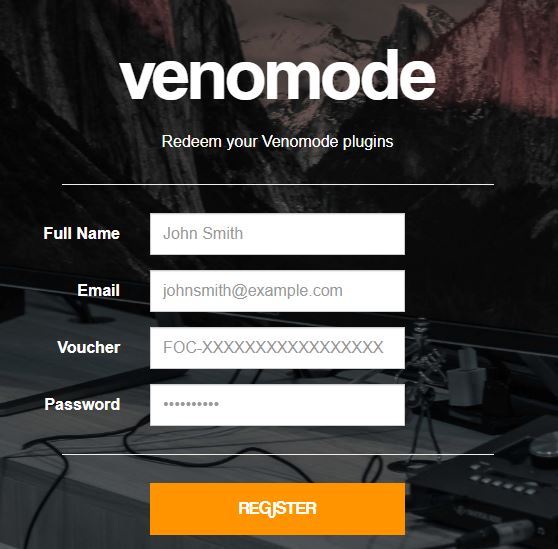
1. Go to https://venomode.com/redeem

2. Enter your Full Name, Email Address, Voucher (found in the 'Serial' section within your Plugin Boutique User Account) and Password > Click 'Register'.

Installation

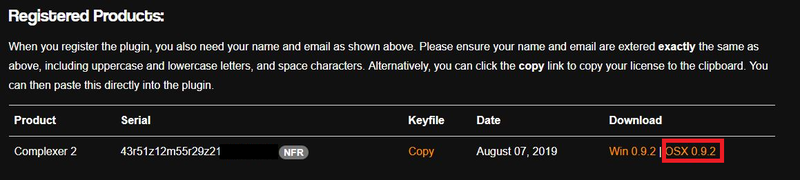
1. Within the section titled 'Registered Products', select the Mac OS X installer to download the installer file.

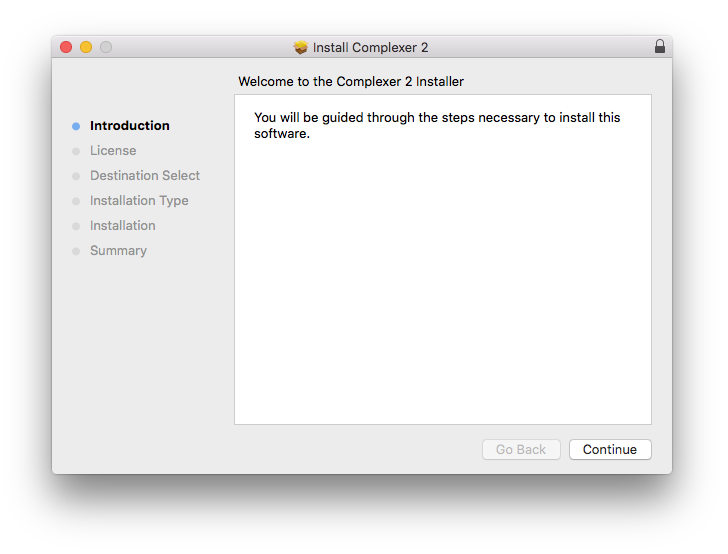
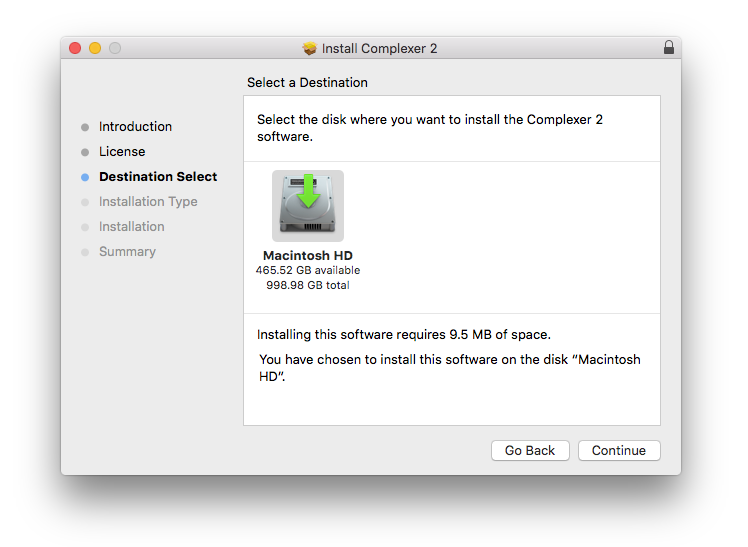
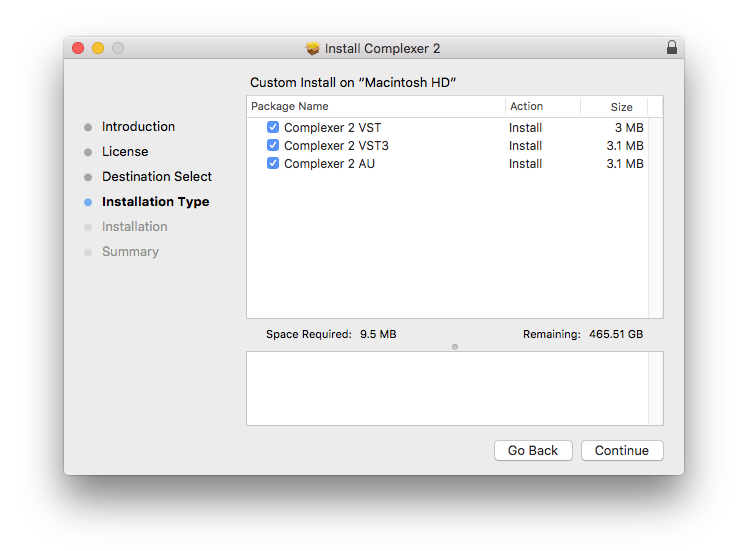
2. Open the .pkg file to begin the installation > Click 'Continue'.

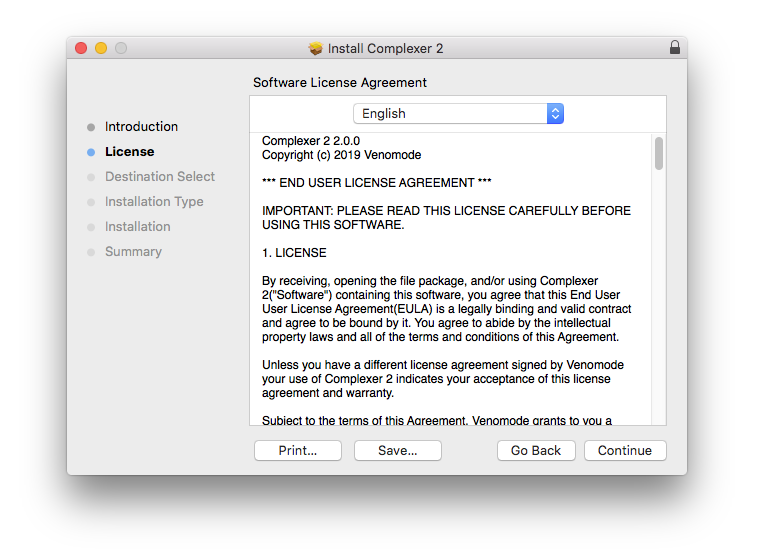
3. Click 'Continue'.

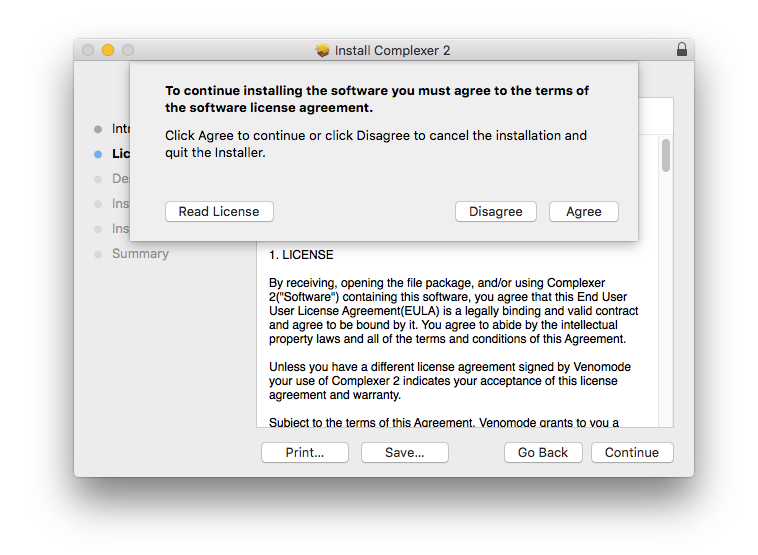
4. Click 'Agree'.

5. Click 'Continue'.

6. Click 'Continue'.

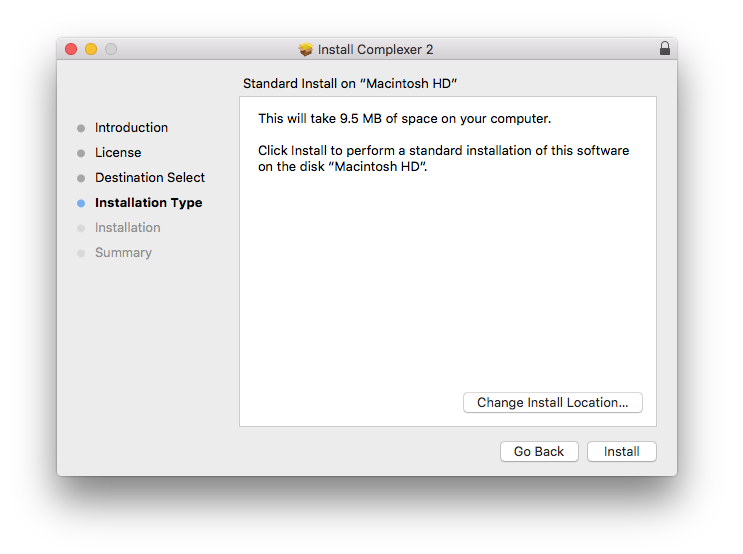
7. Click 'Install'.

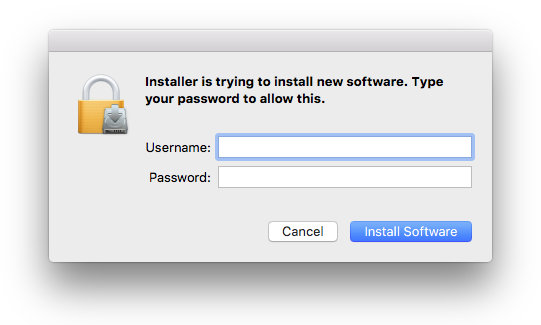
8. Enter your computer Username and Password > Click 'Install Software'.

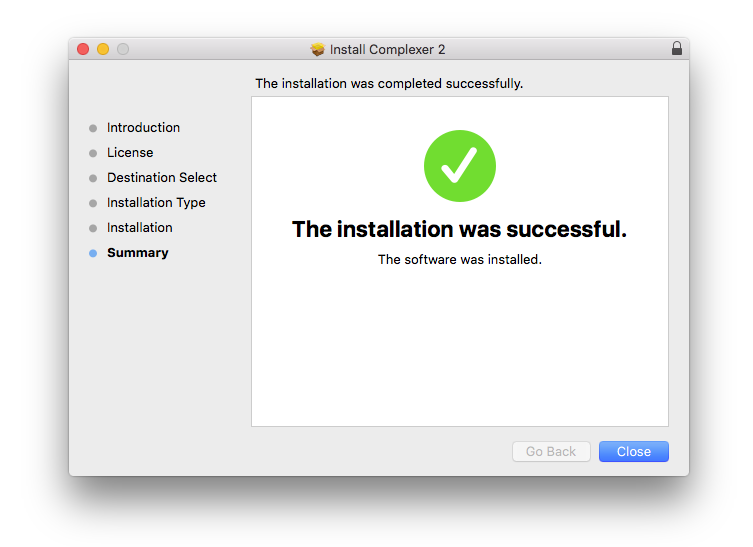
9. The installation is complete > Click 'Close'.

Activation Type 1

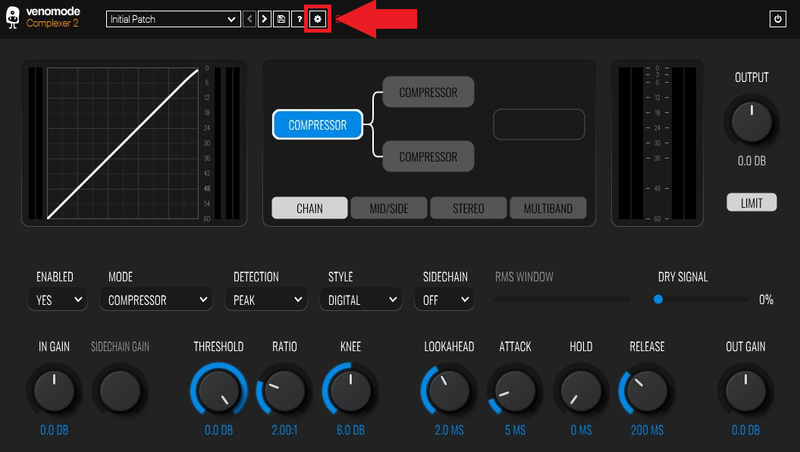
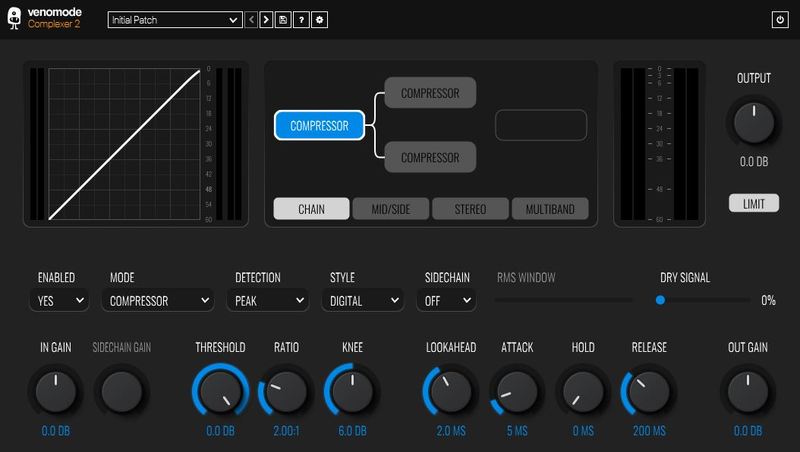
1. Open your newly-installed plugin in your DAW > Click the Gear icon at the top of the plugin window.

2. Enter your Name, Email Address and Serial Number found in your Venomode user account > Click 'Register'.

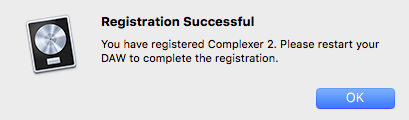
3. Click 'Ok' > Restart your DAW.

Activation Type 2

1. Open your newly-installed plugin in your DAW > Click the Gear icon at the top of the plugin window.

2. Go to your Venomode User Account > Click 'Copy' to copy your Keyfile to the clipboard.

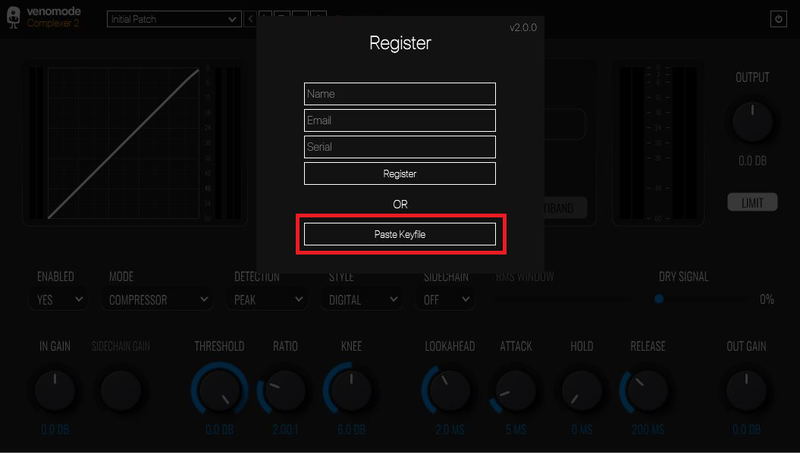
3. Go back to the plugin in your DAW > Click 'Paste Keyfile'.

4. Click 'Ok' > Restart your DAW.

Your software is now activated and ready to use within your DAW.

Windows

Registration

1. Go to https://venomode.com/redeem

2. Enter your Full Name, Email Address, Voucher (found in the 'Serial' section within your Plugin Boutique User Account) and Password > Click 'Register'.

Installation

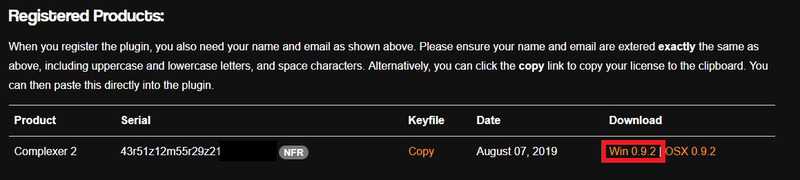
1. Within the section titled 'Registered Products', select the Windows installer to download the installer file.

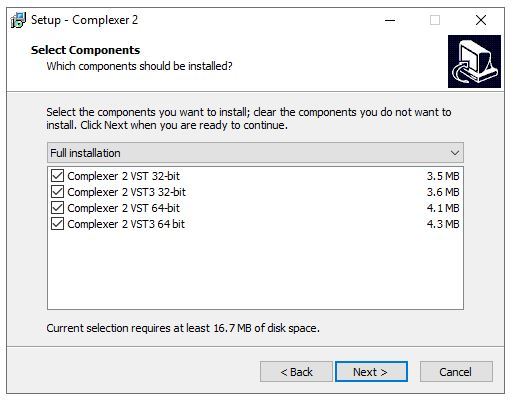
2. Open the .exe file to begin the installation > Select 'I Accept the Agreement' and click 'Next'.

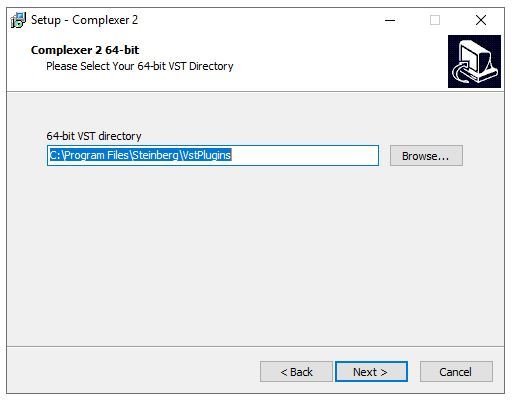
3. Click 'Next'.

4. Click 'Next'.

5. Click 'Next'.

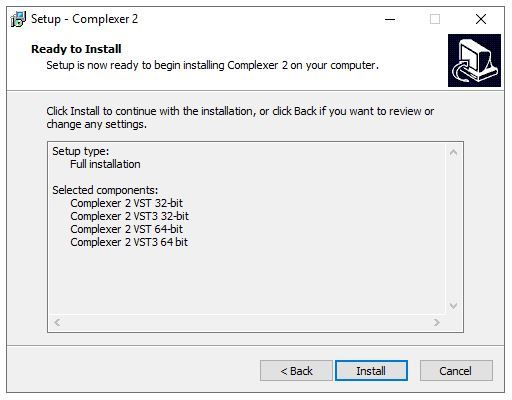
6. Click 'Install'.

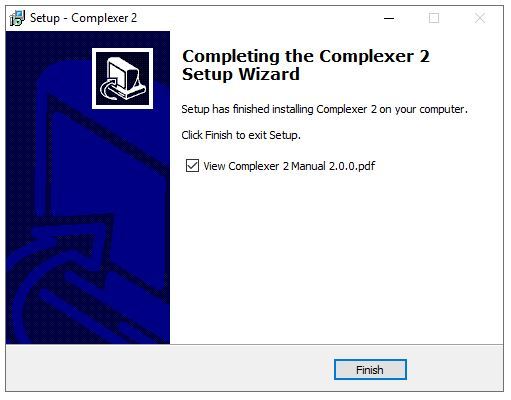
7. Click 'Finish'.

Activation Type 1

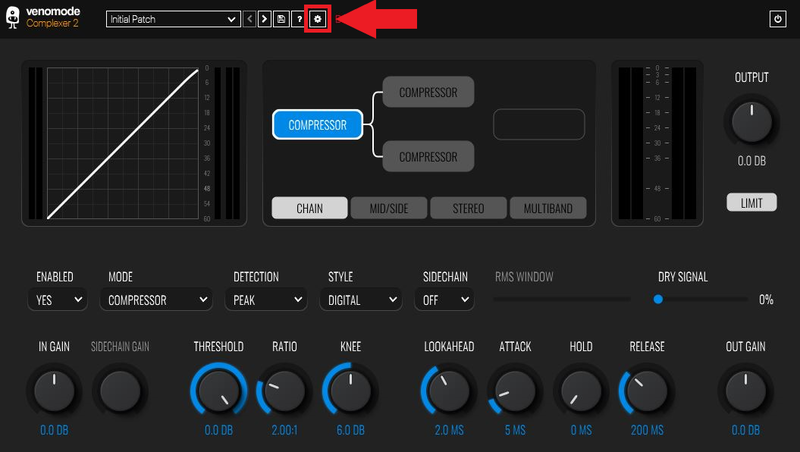
1. Open your newly-installed plugin in your DAW > Click the Gear icon at the top of the plugin window.

2. Enter your Name, Email Address and Serial Number found in your Venomode User Account > Click 'Register'.

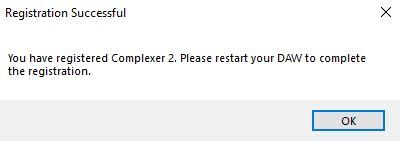
3. Click 'Ok' > Restart your DAW.

Activation Type 2

1. Open your newly-installed plugin in your DAW > Click the Gear icon at the top of the plugin window.

2. Go to your Venomode User Account > Click 'Copy' to copy your Keyfile to the clipboard.

3. Go back to the plugin in your DAW > Click 'Paste Keyfile'.

4. Click 'Ok' > Restart your DAW.

Your software is now activated and ready to use within your DAW.

Plugin Boutique Rewards

Discover the most rewarding loyalty programme among all plugin retailers.

  • Free Loopmasters Samplepacks
  • Discounts on products and courses
  • Extra Virtual Cash claimed immediately at checkout
Find out more

Follow us:

X (Twitter) Facebook YouTube Instagram
Logo Logo

Plugin Boutique Limited, Part of the Beatport Group LLC.

Copyright © 2011-2025 Plugin Boutique. All rights reserved