


 Log In

Free gifts available with your purchase
Cinematic rhythm and effect designer
Asteroid is a creative tool for developing powerful, rhythmic and evolving sequences, percussions, transitions, effects and more. Load up 7 sample layers with an incredible collection of sounds from a wide range of sources including orchestral percussion, effects, electronic and acoustic drums, foley, and found sounds. A deeply-configurable editor allows you to sculpt each sound, mix spatially, add multi-fx, master eq and dynamics, and create rich and evolving sequenced sounds with 128 steps of velocity, pan, pitch, decay, reverb, and delay, discretely per-track.
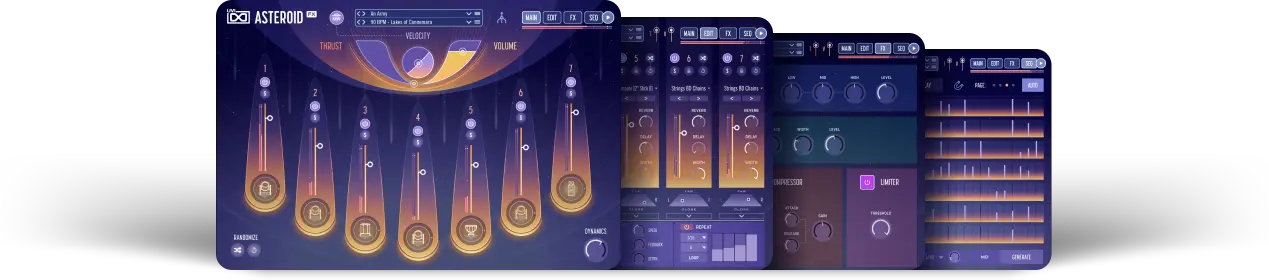
With a fast and intuitive workflow, deep sound library, and a huge selection of inspiring presets, Asteroid is a rewarding and powerful tool for composers, sound designers and musicians alike.
Features
- Create powerful, cinematic rhythm and effects for film, games, music and more
- Deeply editable 7-layer architecture with multi-FX and 6 sequencer lanes per part
- Massive library includes hundreds of kits and sequenced presets
- Runs in UVI Workstation version 3.0.24, and Falcon version 2.1.7
- iLok account (free, dongle not required)
- Internet connection for the license activation
- Supported Operating Systems:
- MacOS 10.14 Mojave to macOS 26 Tahoe
- Windows 10 to Windows 11 (64-bit)
- 8GB of disk space
- Hard Drive: 7,200 rpm recommended or Solid State Drive (SSD)
- 4 GB RAM


