


 Log In

Free gifts available with your purchase
MXXX is the ultimate effect. It is a modular beast containing all our effects in a simple interface with automatic routing matrix, super-versatile modulators and much more. It lets you do everything from simple equalization and compression to the wildest and most creative processing.
70+ Top Quality Processors
MXXX includes almost all of the MeldaProduction high-end creations. That's more than 70 processors! As you know these are probably the most versatile and great sounding processors on the market.
Flanger, compressor, dynamic equalizer, filter, delay, reverb, convolution, harmonizer, spectral dynamics... everything! It even contains MPowerSynth!
And now you have them all under the hood of a single super-plugin, so you can finally make the wildest dreams come true. Or just speed up your workflow...
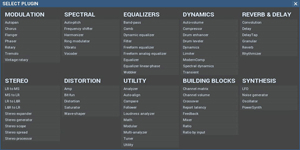
Modular, Yet Easy to Use
Workflow is just as important as sound quality. MXXX excels at both. Insert any of the FX processors and the smart modular matrix will do the routing for you. It will connect all inputs and outputs into the most probable locations. But of course you can change anything...
And before you ask, sure it can do feedback! It even has internal latency compensation...
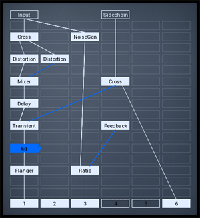
500+ Active Presets, Each is Basically a Plugin!
MXXX comes with more than 500 active presets, designed by the community, post-processed by us. These are no classic presets. Each of them is essentially a plugin itself! Each of the active presets has its own set of processors and contains several controls you can use to tune the sound. Just like any plugin... Except, well, these are often way more advanced than the plugins you are currently using.
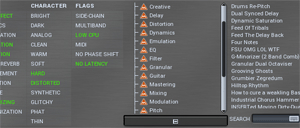
Inspires...
Inspiration is the most important thing for any artist and we all know the situation when you just "don't know what to do now". MXXX finally provides an easy solution - plugin MXXX, and just browse a few active presets, or even use the smart randomizer. It's almost impossible to run out of inspiration like that...
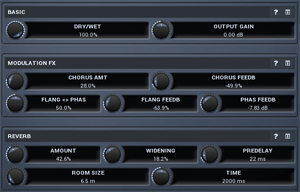
Optimises Your Workflow...
Are you mixing? Mastering? Or maybe doing some specialized audio processing? Have you ever dreamed of having a single mastering processor, with just a few knobs, where you would do the whole job? Quickly and easily, but without limiting the possibilities?
With MXXX you can optimize workflow anyhow you like, design your own active presets to get your desired "few knobs", but whenever you need, you can always get under the hood and tweak whatever you like!
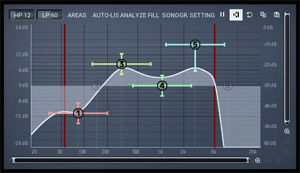
Extremely Versatile Modulators
All our creative plugins feature probably the most versatile modulators on the market, and MXXX is no exception. Whenever you wish to bring life to the sound, it is just a few clicks away. You can modulate literally anything using LFO, level follower, envelope, random generator, pitch detector, transient detector...
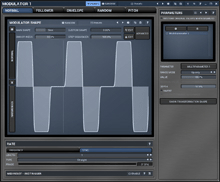
Features
- The most advanced user interface on the market - stylable, resizable, GPU accelerated
- Unique visualisation engine with classic meters and time graphs
- 1-6 fully configurable independent bands
- Modulators
- Adjustable oscillator shape technology
- Multi-parameters
- M/S, single channel, up to 8 channels surround processing...
- Smart randomization
- Automatic gain compensation (AGC)
- Safety limiter
- Sinc interpolation
- Adjustable up-sampling 1x-16x
- Synchronization to host tempo
- MIDI controllers with MIDI learn
- 64-bit processing and an unlimited sampling rate
- Extremely fast, optimized for newest AVX2 capable processors
- Global preset management and online preset exchange
- Supports VST, VST3, AU and AAX interfaces on Windows & Mac
- No dongle nor internet access is required for activation
- Free-for-life updates
System Requirements
Windows
- Windows 8 / 10 / 11 (64-bit)
- VST / VST3 / AAX compatible host (64-bit)
- Intel/AMD processor with SSE2 support
macOS
- macOS 10.14 and newer (64-bit)
- VST / VST3 / AU / AAX compatible host
- Intel/AMD/M1 processor with SSE2 support
- Native Apple Silicon ARM CPU support
Note: Please check your product PDF documentation for more information and installation instructions.
Awards











