Log In

Free gifts available with your purchase
The Ultimate Echo Plugin
Decades of Echo Devices in a Single Plugin
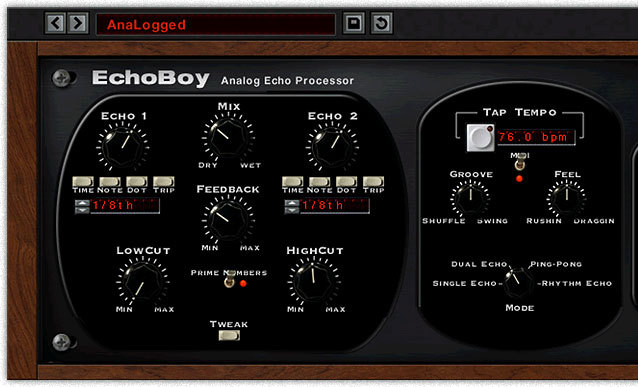
Soundtoys are more than a little obsessed with delay effects, and EchoBoy is the ultimate realization of that obsession. It wraps decades of echo device history and new forward-thinking features into one versatile effect that will find its way into every corner of your mixes.
Vintage Tone
Soundtoys dug deep into our collection of vintage gear to find the essence of our favourite echo boxes, and Soundtoys channelled it into EchoBoy. You’ll find an echo tone that fits your mix easily by choosing one of the 30 built-in styles modelled on vintage gear. Get instant access to a whole range of classic echo box tones, including EchoPlex, Space Echo, Memory Man, DM-2, and the TelRay oil can delay.
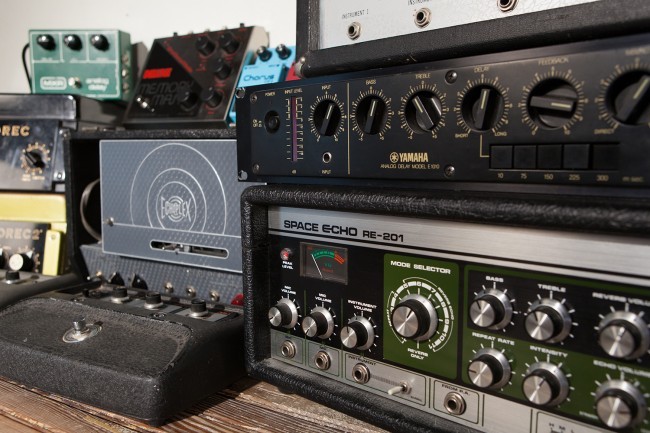
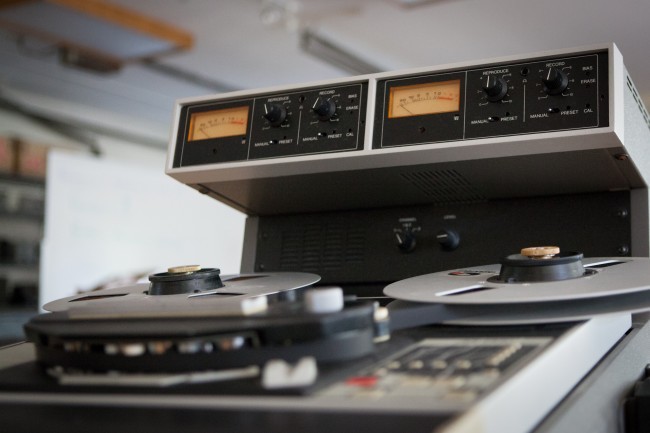
EchoBoy’s chorus even emulates the CE-1 chorus, considered a holy grail of guitar chorus pedals. Soundtoys also modelled other gear to give you a range of sounds that goes beyond standard delay stompboxes. If you want warm, smooth saturation, try the “Studio Tape” style, inspired by our Ampex ATR-102 half-inch two-track machine. And yes, turn it up! EchoBoy sounds great when pushed hard, just like the best analog gear.
Designed for Musicians
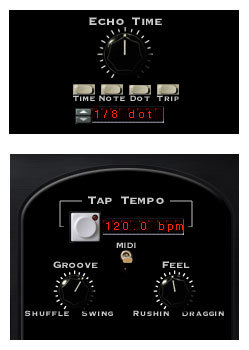
Soundtoys designed EchoBoy with musicians in mind, and they made it easy to get expressive, musical echo effects quickly. Unlike vintage hardware echoes, getting perfectly timed delays with EchoBoy is simple. Just dial in a musical note value and lock it to your song’s tempo with the flip of a switch.
But the real magic happens when you fine-tune the echo’s rhythm with the Groove, Feel and Accent controls. Create echoes that rush or drag against the beat. Add some shuffle or swing to match the groove of your song. EchoBoy is the only delay effect that gives you this level of musical groove control.
Expressive Tools
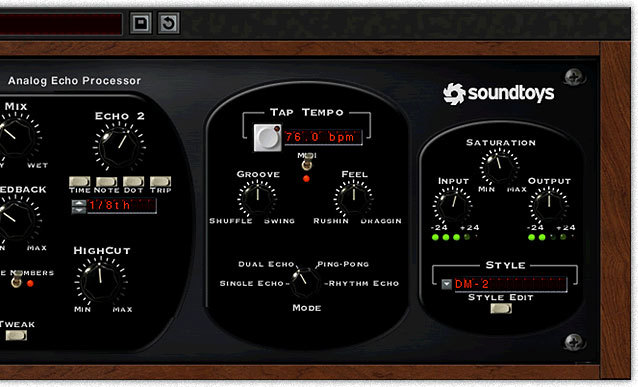
EchoBoy is easy to use, but it’s also incredibly versatile and offers a wealth of advanced features for those who want to explore. Keep it simple with Single Echo mode, Switch to Dual Echo or Ping-Pong modes for powerful stereo echo effects, or dive deep with EchoBoy’s powerful Rhythm mode and the Echo Style editor.
New Rhythms
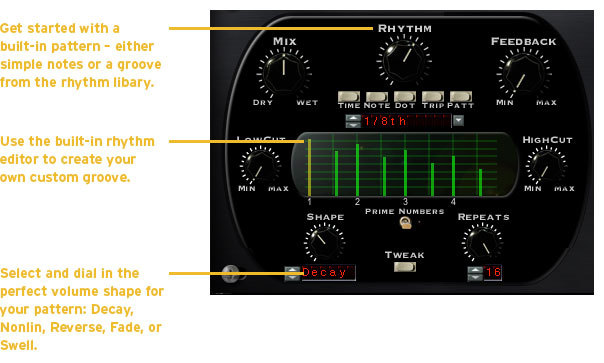
If you’re bored with conventional delay effects, switch EchoBoy to Rhythm Echo mode for a new experience entirely. In this mode EchoBoy lets you select the rhythmic timing of up to 16 repeats. Rhythm Mode is like having a tape echo with up to 16 read heads (or “taps”).
You can add taps to the Rhythm Editor graph, control their timing and sculpt their loudness curve using the Shape control. Rhythm Echo mode is a unique take on delay effects that might just become your new secret weapon in the studio.
Deep Customization Options
Slide open the Style Editor to get access to a full set of creative tools that let you create any delay sound you can dream up.
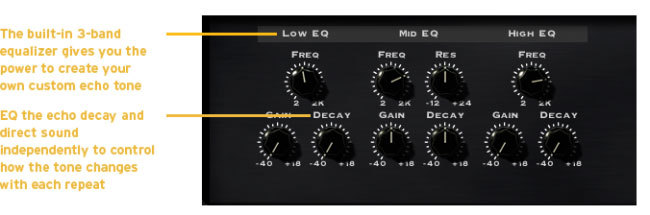
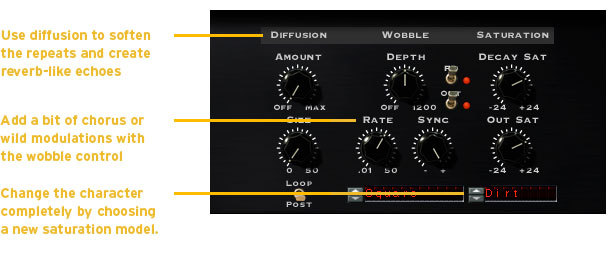
Choose the amount and type of analog saturation to get the vibe just right. Dial in some realistic tape wobble, or add reverb-style diffusion.
Features
- Choose from 30 different echo styles: Echoplex, Space Echo, Memory Man, DM-2, and many more
- Warm-up vocals with high-end tape sound modelled on the Ampex ATR-102
- Control saturation, tape flutter and diffusion for strikingly analog-sounding effects
- Create rich stereo delays with Dual and Ping-Pong modes
- Adjust shuffle, swing and accent. The only echo with true “groove”
- Design one-of-a-kind rhythmic delay effects using Rhythm Echo mode
System Requirements
Mac
- macOS 10.12 Sierra and later (Intel / Apple Silicon supported) (64-bit only)
- VST2, VST3, AU, AAX Native, AAX AudioSuite
Windows
- Windows 7 and later (64-bit only)
- VST2, VST3, AAX Native, AAX AudioSuite
Supported Sample Rates:
- Minimum - 44.1 kHz
- Maximum - 192 kHz
Important Notes:
- A FREE account at ilok.com is required (a physical USB iLok is not required)
- This software is 64-bit only and is not compatible with 32-bit systems.
Officially Supported Host Applications:
All version 5 Soundtoys products come in 64-bit VST2, VST3, AU and AAX Native plugin formats.
Supported DAWs:
- Pro Tools: 12 or higher (Mac & PC: AAX Native and AudioSuite)
- Logic Pro X: 10.7 or higher (Mac: AudioUnits)
- Ableton Live: 10.0 or higher (Mac: AudioUnits, VST2 & VST3; Windows: VST2 & VST3)
- Studio One: 4.5 or higher (Mac: AudioUnits, VST2 & VST3; Windows: VST2 & VST3)
- Cubase: 9.5 or higher (Mac & PC: VST3)
- Nuendo: 8 or higher (Mac & PC: VST3)
- Reaper: 6 or higher (Mac: AudioUnits, VST2 & VST3; Windows: VST2 & VST3)
- Bitwig: 4 or higher (Mac & PC: VST2 & VST3)
Richard Chappell
"EchoBoy is on every track of Peter's vocal."
Mix Magazine
"EchoBoy is a sure winner, and a must-have for anyone's plug-in list."