Log In

Free gifts available with your purchase
Resonant Analog Filter
Fat Analog Sweeps, Pounding Filter Rhythms, Big Hardware Sound - with a Dual Version for Double the analog Attitude.
Are you searching for smooth, silky, analog filter sweeps? Or are grimy, resonant squelches more your style? Nothing adds character to a track faster than a great filter, and FilterFreak can do it all. From a funky envelope follower that sounds reminiscent of the classic Mutron to wide resonant LFO sweeps like the Sherman Filterbank. From timeless wah-wah tones to campy sci-fi sample-and-hold effects.
Whether you’re controlling it manually or locking it to tempo for rhythmic effects, FilterFreak delivers the warm, fat, resonant tones you crave. And we’ve also added exclusive features you won’t find in the classics, so you can create practically any filter effect you can dream up.
Analog Sound
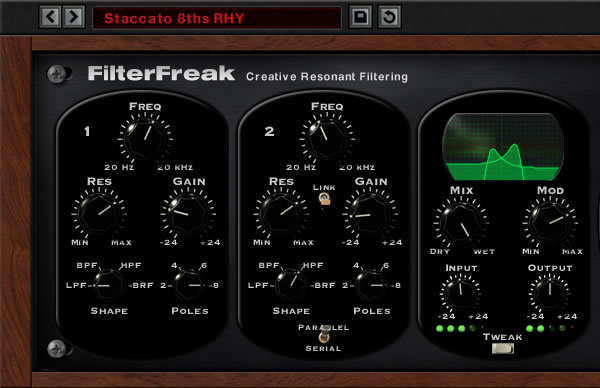
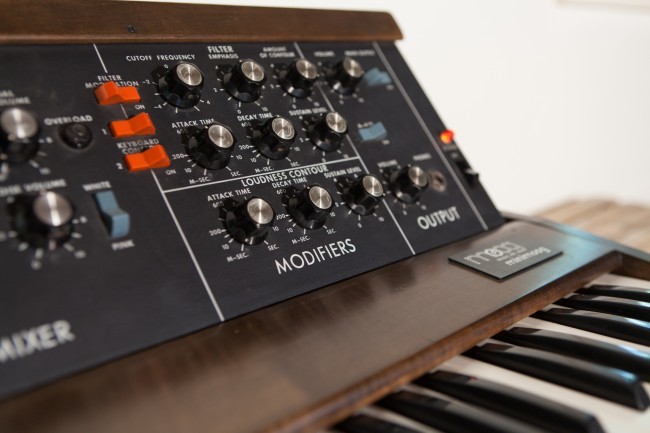
FilterFreak faithfully recreates the sounds of classic analog resonant filters. Twist the frequency knob for smooth retro synth sweeps. Crank up the resonance to add some edge, or even push the filter into self-oscillation. And when you drive it hard, FilterFreak responds by breaking up in a gritty and pleasing way, just like hardware.
We’ve included seven different analog saturation “styles” that range from warm or crunchy distortion to pumping compression. From subtle to extreme, FilterFreak packs a ton of analog magic into a convenient digital package.
Rhythm and Groove
While tweaking knobs is always fun, FilterFreak also includes rhythm and groove tools that add motion to your tracks automatically. Turn on Rhythm Mode and flip the MIDI switch to create auto-wah effects that sync to your DAW.
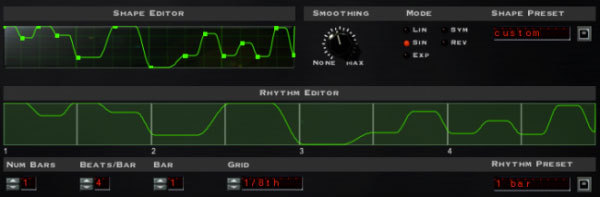
Choose a simple note value like eighths or sixteenths, select from a library of pre-made rhythms, or even design your own rhythmic patterns using the Rhythm Editor. Then, to perfectly match the feel of your tune, grab the Groove knob and add some swing or shuffle to drop it in the pocket. For effects that move with the music, choose the Envelope or ADSR modes to trigger the filter with incoming audio. You’ll be amazed by how much one plug-in can transform the feel of your tracks.
Double Your Pleasure
FilterFreak actually includes two separate plug-ins - FilterFreak 1 and 2. Load up FilterFreak 1 for a single, simple filter. But if you want more power, fire up FilterFreak 2. It gives you two analog filters side by side that can be used in series or parallel. Combining two filters with FilterFreak’s deep modulation options gives you a huge range of moving sounds to explore.
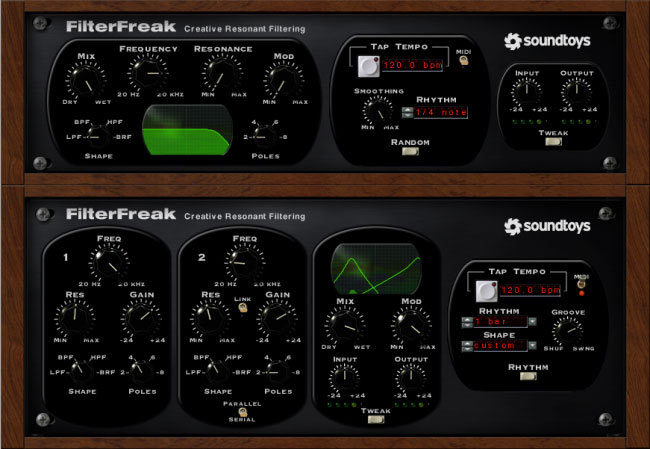
Features
- Capture the sound of classic resonant filters, with extended control and flexibility
- Funk up guitar, fatten bass, reshape drums, sweep synths and freak out vocals
- Choose from one filter or two that can be used in series or parallel
- Select highpass, lowpass, bandpass and band-reject modes with 2 to 8 poles
- Add synth-like resonant sweeps or classic wah-wah tones to your tracks
- Create funky auto-wah, envelope follower and sample-and-hold effects
- Grunge things up with 7 different analog saturation styles
- Construct intricate rhythmic filter sequences with the Rhythm Editor
- Design your own LFO shapes with the Shape Editor
System Requirements
Mac
- macOS 10.12 Sierra and later (Intel / Apple Silicon supported) (64-bit only)
- VST2, VST3, AU, AAX Native, AAX AudioSuite
Windows
- Windows 7 and later (64-bit only)
- VST2, VST3, AAX Native, AAX AudioSuite
Supported Sample Rates:
- Minimum - 44.1 kHz
- Maximum - 192 kHz
Important Notes:
- A FREE account at ilok.com is required (a physical USB iLok is not required)
- This software is 64-bit only and is not compatible with 32-bit systems.
Officially Supported Host Applications:
All version 5 Soundtoys products come in 64-bit VST2, VST3, AU and AAX Native plugin formats.
Supported DAWs:
- Pro Tools: 12 or higher (Mac & PC: AAX Native and AudioSuite)
- Logic Pro X: 10.7 or higher (Mac: AudioUnits)
- Ableton Live: 10.0 or higher (Mac: AudioUnits, VST2 & VST3; Windows: VST2 & VST3)
- Studio One: 4.5 or higher (Mac: AudioUnits, VST2 & VST3; Windows: VST2 & VST3)
- Cubase: 9.5 or higher (Mac & PC: VST3)
- Nuendo: 8 or higher (Mac & PC: VST3)
- Reaper: 6 or higher (Mac: AudioUnits, VST2 & VST3; Windows: VST2 & VST3)
- Bitwig: 4 or higher (Mac & PC: VST2 & VST3)
EQ Magazine
EQ magazine is the premier music-production magazine in the U.S., helping producers, engineers, and musicians/artists learn to make better recordings.
"FilterFreak is a winner. Simply put, it sounds great."
Sound on Sound
Sound on Sound is an independently owned monthly music technology magazine published by SOS Publications Group.
"A lot of plug-ins claim to capture the magical 'analog' sound, but few of them succeed as well as FilterFreak."