Log In

Free gifts available with your purchase
Blue Cat's Crafters Pack is the ultimate audio toolkit to design your own custom toolbox:
Write your own effects or virtual instruments with Blue Cat's Plug'n Script, create custom MIDI controllers with Blue Cat's Remote Control, and connect everything together with Blue Cat's PatchWork, as a plug-in or standalone application.
With Blue Cat's MB-7 Mixer, create your own multiband processors by applying plug-ins of your choice (including your own!) to distinct frequency bands.
The "Multi" analysis plug-ins series are also included, to help you during the creation process: analyze and match existing gear, or check how your processing chains are impacting the signal.
If you really care about having tools that adapt to your own workflow, or if you are a programmer and want to speed up your development process, check it out: Blue Cat's Crafters Pack will unleash your creativity!
Simply click the product's user interface for more information and to download a free trial.
Plug-Ins Included:
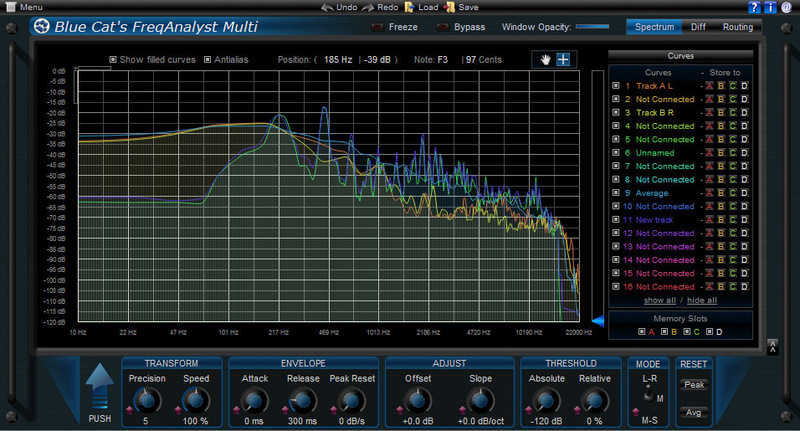
Blue Cat's FreqAnalyst Multi is a unique multiple tracks real time spectrum analyzer: it lets you visualize the spectral content of several audio tracks on the same screen with extreme smoothness and high resolution, for both time and frequency. It is the ideal solution for mixing: you can use it as a frequency overlap detector and actually see which part of the spectrum every single instrument uses. It is now also possible to easily compare the spectrum of several instances (for EQ matching or response curve measurement) thanks to the new 'Diff' view which displays the difference between several curves.
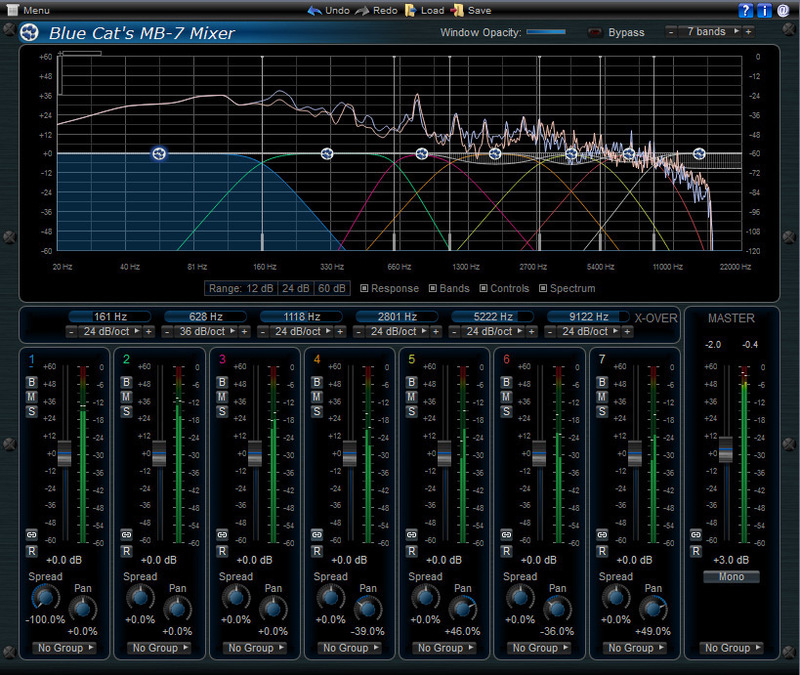
Blue Cat's MB-7 Mixer is a unique plug-in that splits the signal into several frequency bands and lets you mix and process them as if they were separate tracks.
Each band proposes controls that can be found on a mixing console, and more: bypass, mute or solo each band separately to isolate frequencies you want to work on, adjust the gain, the "stereoness" and the position in the stereo field. When manipulating the stereo image, a master mono switch also lets you check mono compatibility.
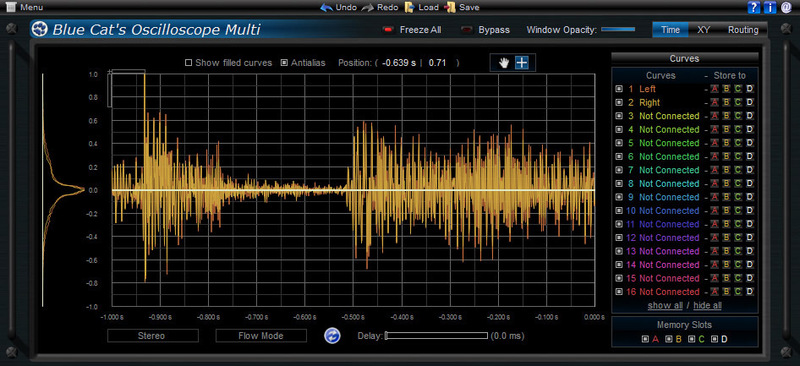
Blue Cat's Oscilloscope Multi is a unique multiple tracks real time waveform renderer and comparator: it lets you visualize the content of several audio tracks on the same screen and compare them thanks to its X-Y view.
The plugin offers stereo or mid-side channels waveform extraction as well as several synchronization modes. The zooming and precise measurement capabilities let you analyze the waveforms in details, and the XY phase scope view will help you track phase issues within an effect chain or while recording with multiple microphones.
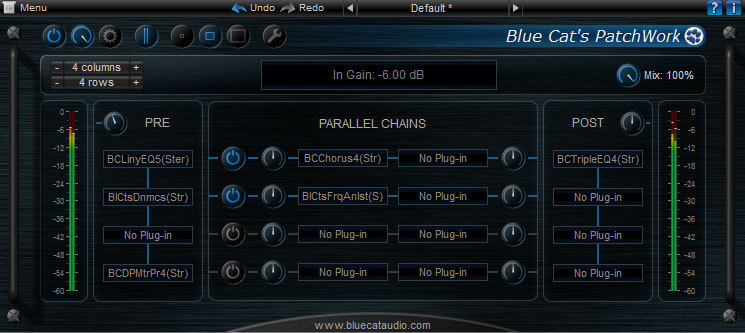
Blue Cat's PatchWork is a universal plug-ins patchbay that can host up to 64 VST or Audio Unit plug-ins into any Digital Audio Workstation (DAW) in one instance.
It is possible to chain effects in series or create up to 8 parallel chains that can be activated independently. This lets you create your favorite effects or instruments configurations within the plug-in, without the need for multiple busses. These configurations can be saved as presets and recalled instantly, or shared with multiple DAWs, using any plug-in format.
Blue Cat's Plug'n Script is a scripting plug-in that can be programmed to quickly build custom audio and MIDI effects or virtual instruments, without quitting your favorite DAW software.
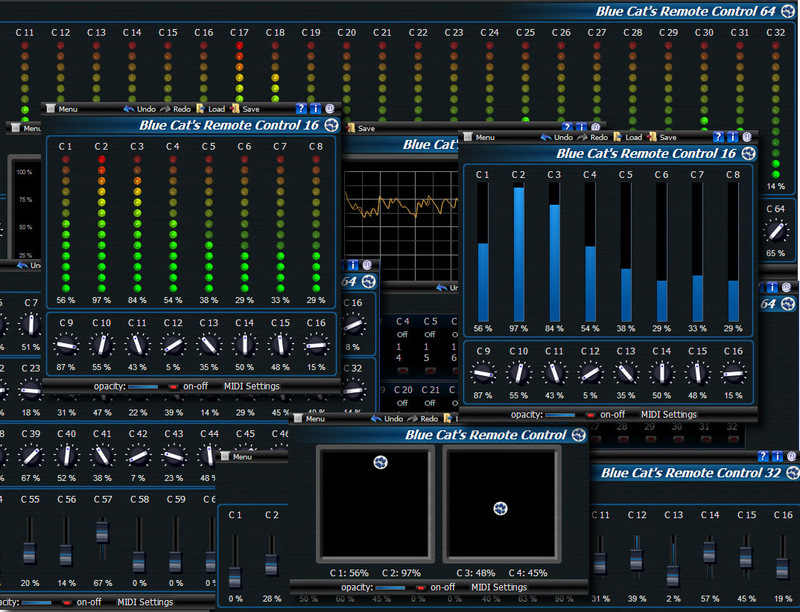
Blue Cat's Remote Control is a set of plug-ins which let you control and monitor in real time several MIDI controllable plug-ins or devices from a single customizable user interface: the user interface of your favorite DirectX or VST plugin does not satisfy you? Your favorite hardware device is too complicated to control? Your project contains hundreds of plug-ins and you would like to control them all from a single user interface? You want undo/redo for all your modifications? This product was designed for you.
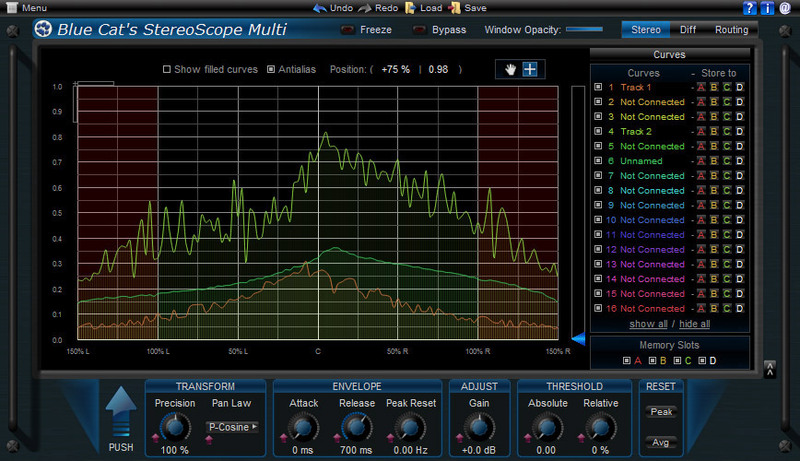
Blue Cat's StereoScope Multi is a unique tool to compare the stereo image of several tracks in real time. It is the ideal solution for mixing: you can actually see which part of the stereo field every single instrument uses. It can also be used to analyze an effect chain and see how audio effects influence the stereo image of your content.
System Requirements
Mac
- AAX
- Audio Unit
- RTAS
- VST
Windows
- AAX
- DX
- RTAS
- VST
- x64-AAX
- x64-DX
- x64-VST
Overall Opinion 8/10 Blue Cat Audio's FreqAnalyst is a very useful plug-in, and when you consider that it's free, it makes it all that much better. It's very easy to use and generally shows you just what you need to see. I have a few other frequency analyzer plug-ins, including RND's Insp...
Read MoreIf you want to wield greater power over your MIDI software and hardware, this suite of virtual control surfaces might be the answer. For the past 25 years, MIDI has provided electronic musicians with a means by which the various elements of their rigs can communicate. However, managing a compl...
Read MoreWhy take five plug-ins into the studio when you could do it all with one? Hollin Jones uncovers the time-saving secrets of Blue Cat Audio's shiny new MB-7 Mixer... Blue Cat Audio makes a range of advanced audio plug-ins, processors and analysers with a distinct look and an alm...
Read MoreI’ve never been much into wrapping VST plug-ins in Logic Pro until I heard about Blue Cat’s Patchwork plug-in last week. Patchwork can host up to 64 VST plug-ins (audio effects and virtual instruments) in a single instance, while giving you the options to use these plug-ins in series and in pa...
Read More