Buy AZS Transitions Vol.3 for Diva, get a free gift with purchase:
Resonance Sound proudly presents the all-new Transitions Vol.3 soundset for u-He`s supreme DIVA synthesizer by Aiyn Zahev Sounds!
This brand new collection in the series offers 130 sounds, spanning dark moody atmospheres, modular style FX, and evolving cinematic pads, contrasted with deep house chords and a variety of basses, trance plucks and supersaws.
The aim of Transitions Vol.3 is to provide inspiring and easy to use sounds, that both fit in a mix and stand out aesthetically. The different oscillator and filter models are used for their specific sound characteristics, whether it’s for contemporary EDM basses, vintage analog chords or crunchy digital pads & choirs. Diva’s voice tweak controls are tightened for snappy modern sounds, or set up to create a sense of organic movement in the vintage sounds and arpeggiator patches.
The bank includes: 6 Ambient, 22 Arp, 24 Bass, 8 Chord, 18 FX, 3 Keys, 15 Leads, 19 Pads, 11 Plucks & 5 Sequences.
Modwheel and Velocity assignments are featured throughout and royalty free MIDI used to create the audio demo is included.
Features
- u-He DIVA v1.0+ Presets
- 130 DIVA Presets in Total
- Modwheel Assignments on all Presets
- 5 MIDI Files from the Demo
System Requirements
- Requires u-He DIVA v1.0 or later

Please Note: AZS Transitions Vol.1 is used as an example.
Mac
1. Download the preset pack from within your Plugin Boutique User Account > double-click the .zip file to extract the contents.
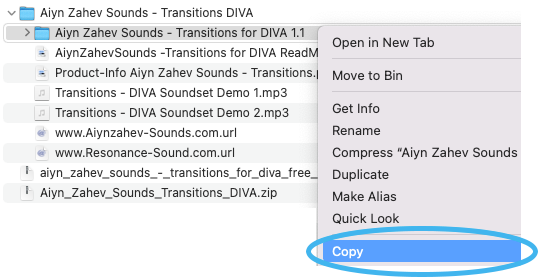
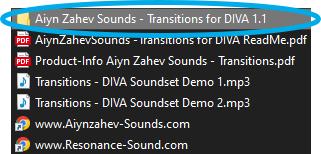
2. Locate the extracted folder that contains the .h2p files > Right-click the folder and click 'Copy'.
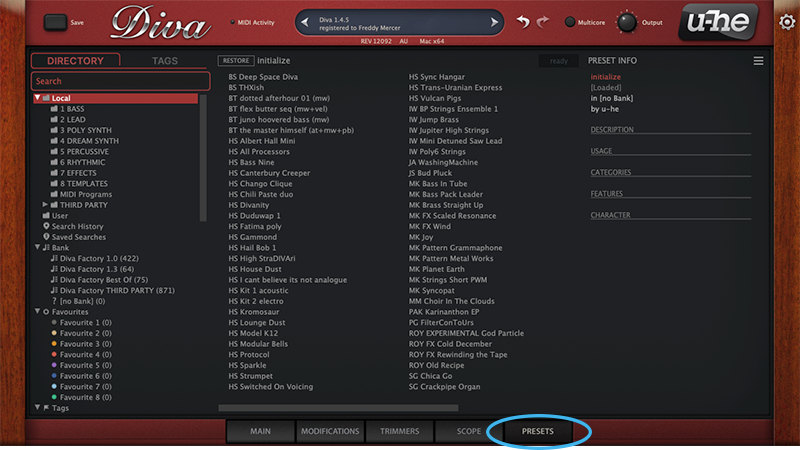
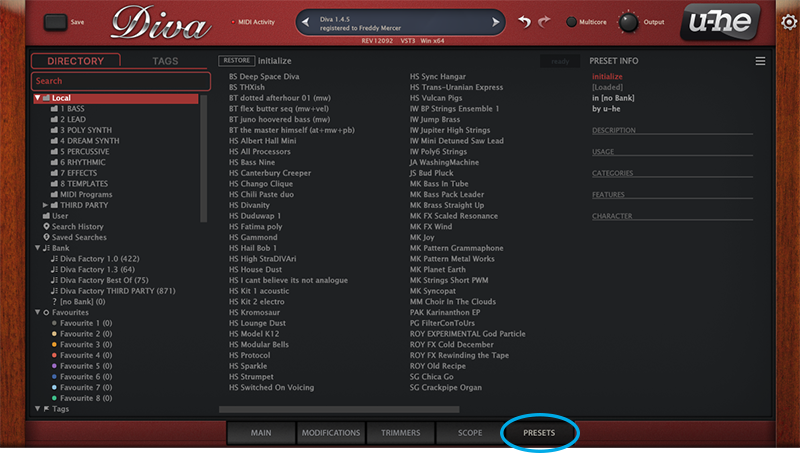
3. Open your DAW > Launch DIVA > Click the 'PRESETS' tab.
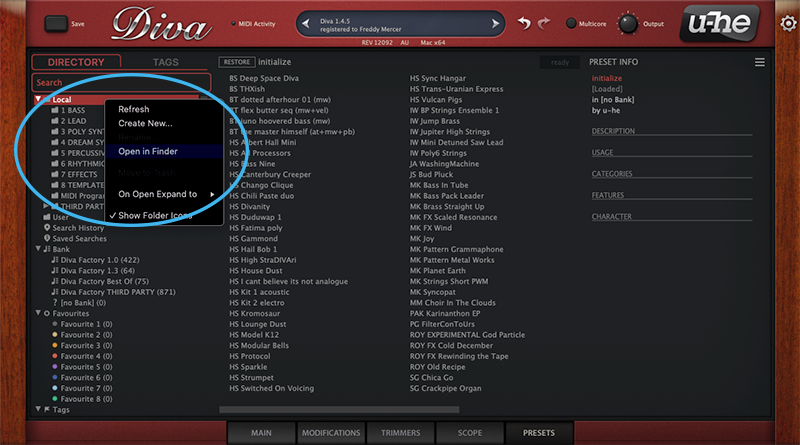
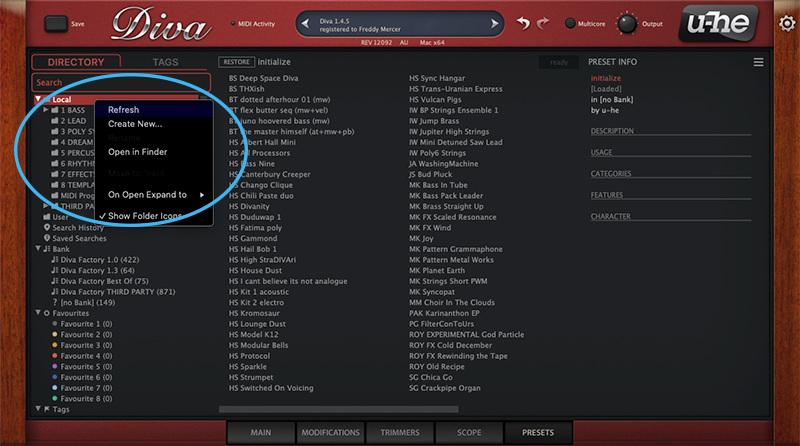
4. Navigate to 'Local' > Right-click the folder > Click 'Open in finder'.
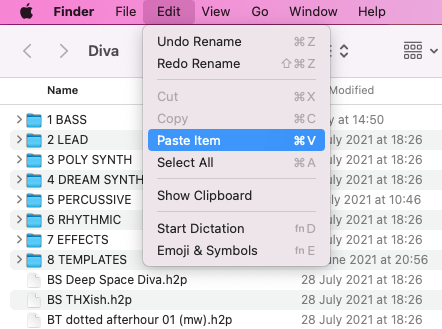
5. The presets folder will be automatically opened > Click 'Edit' from the toolbar > Select 'Paste Item'.
6. Navigate back to DIVA > Right-click 'Local' > Select 'Refresh'.
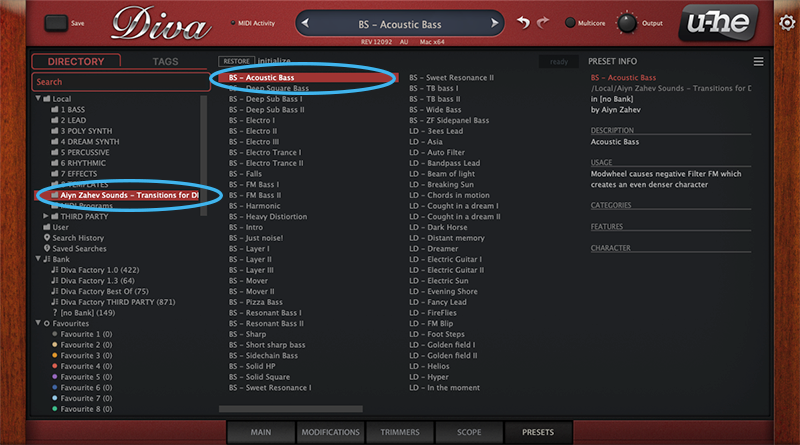
7. The preset pack is now installed > Select the preset pack folder from the left-hand menu > Select your desired patch.
Your presets are now installed and ready to use.
Windows
1. Download the preset pack from within your Plugin Boutique User Account > double-click the .zip file to extract the contents.
2. Locate the extracted folder that contains the .h2p files > Right-click the folder and click 'Copy'.
3. Open your DAW > Launch DIVA > Click the 'PRESETS' tab.
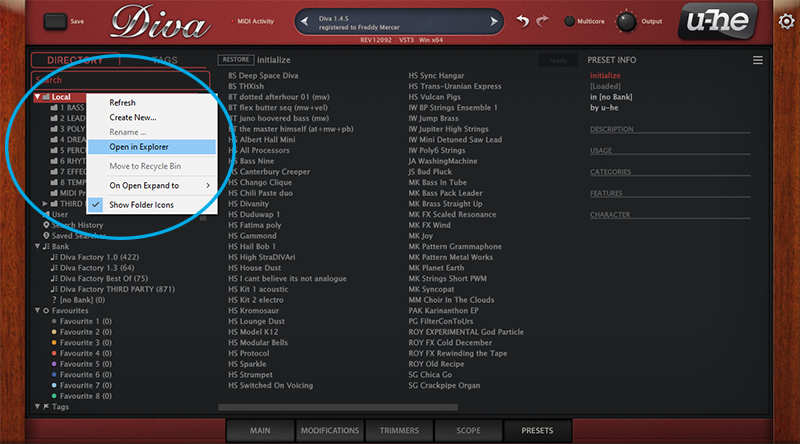
4. Navigate to 'Local' > Right-click the folder > Click 'Open in explorer'.
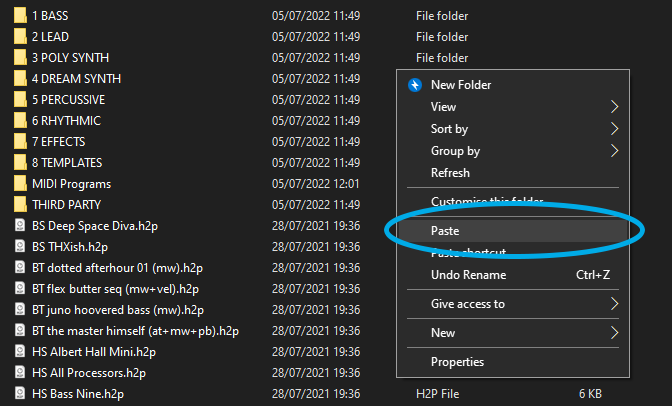
5. The presets folder will be automatically opened > Right-click and select 'Paste'.
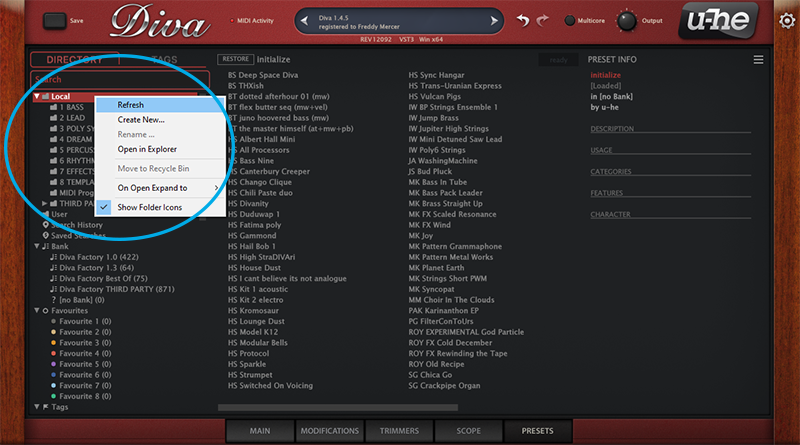
6. Navigate back to DIVA > Right-click 'Local' > Select 'Refresh'.
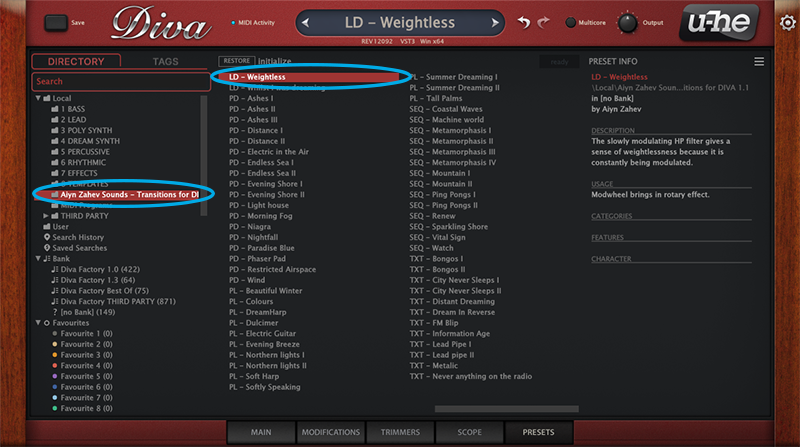
7. The preset pack is now installed > Select the preset pack folder from the left-hand menu > Select your desired patch.
Your presets are now installed and ready to use.