/ Impulse Response / Old Times Impulse Responses (Expansion Library for Fog Convolver)
AudioThing

Old Times Impulse Responses (Expansion Library for Fog Convolver)

4.5 (247 Reviews)
FREE
Old Times Impulse Responses Main Image
Product information

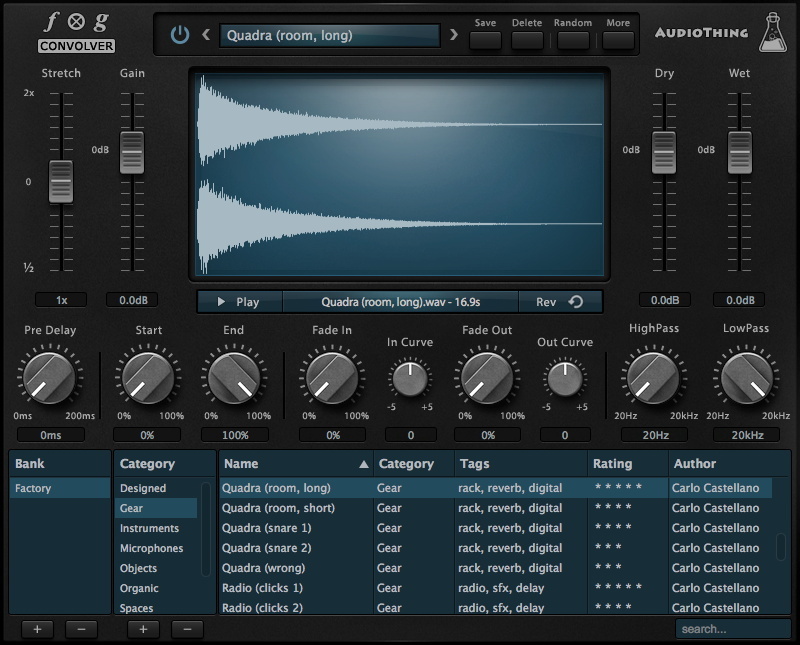
Old Times is a Free Impulse Response Library for Fog Convolver

Old Times features 40 impulse responses from old public domain recordings divided into 4 categories: 78 RPM, NASA, Radio, and Wax Cylinders. Most of the samples come from Internet Archive.

Features

  • 40 Impulse Responses
  • 4 Categories: 78 RPM, NASA, Radio, and Wax Cylinders
  • 11kHz-44.1kHz / 24Bit
  • Size: 3.4 MB
  • Formats: Fog Convolver and WAV

List of Impulse Responses:

  • Apollo 11 Click
  • Apollo 11 Lift Off
  • Apollo 11 Noise
  • Apollo 11 Slow
  • Brass 1
  • Brass 2
  • Burst 1 Burst 2
  • Burst 3
  • Burst 4
  • Burst 5
  • Charleston – Drum 1
  • Charleston – Drum 2
  • Charleston – Noise Charleston – Vibrato
  • Gemini IV Click
  • Gemini IV Pops
  • Gemini IV Static
  • Gemini IV Voice
  • Orchestra 1
  • Orchestra 2 Orchestra 3
  • Piano Chord
  • Plans
  • Radar Click
  • Radio Choir
  • Radio Noise 1
  • Radio Noise 2 Strings 1
  • Strings 2
  • Synth Noise
  • Synth
  • Timpani
  • Vowel 1
  • Vowel 2 Vowel 3
  • Vowel 4
  • Wax Choir
  • Wax Noise 1
  • Wax Noise 2

System Requirements

  • AudioThing Fog Convolver

Note: AudioThing's Fog Convolver is required to run this Expansion Pack Library.

Installation Instructions
1. Download the .zip folder from your User Account

2. Double-click the compressed folder to reveal the sub-folder entitled 'Old Times', which contains the relevant software files.

3. Save the software content folder to a computer destination of choice e.g Documents or to an external hard-drive.

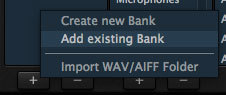
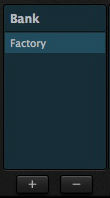
4. Open Fog Convolver within your DAW and click on the + button, which is located below the 'Bank' list.

5. Then click on the 'Add Existing Bank' option.

6. Navigate to the computer destination where you saved the software folder to in step 3 of the installation process > then click the 'Open/Choose' option that is available via your computer's browser window.

The Expansion Pack Library is now Ready for Use Within Fog Convolver!

Plugin Boutique Rewards

Discover the most rewarding loyalty programme among all plugin retailers.

  • Free Loopmasters Samplepacks
  • Discounts on products and courses
  • Extra Virtual Cash claimed immediately at checkout
Find out more

Follow us:

X (Twitter) Facebook YouTube Instagram
Logo Logo

Plugin Boutique Limited, Part of the Beatport Group LLC.

Copyright © 2011-2025 Plugin Boutique. All rights reserved