


 Log In
.jpeg)
Free gifts available with your purchase

Identify Technical Issues in Your Mix
What Is LEVELS?
Ever felt that your music could have sounded better? There are so many technical details to focus on when mixing and mastering that mistakes are common. LEVELS has presets for CD, Club, Streaming, Youtube and more to help you make sure your music sounds great wherever its heard.
Peak
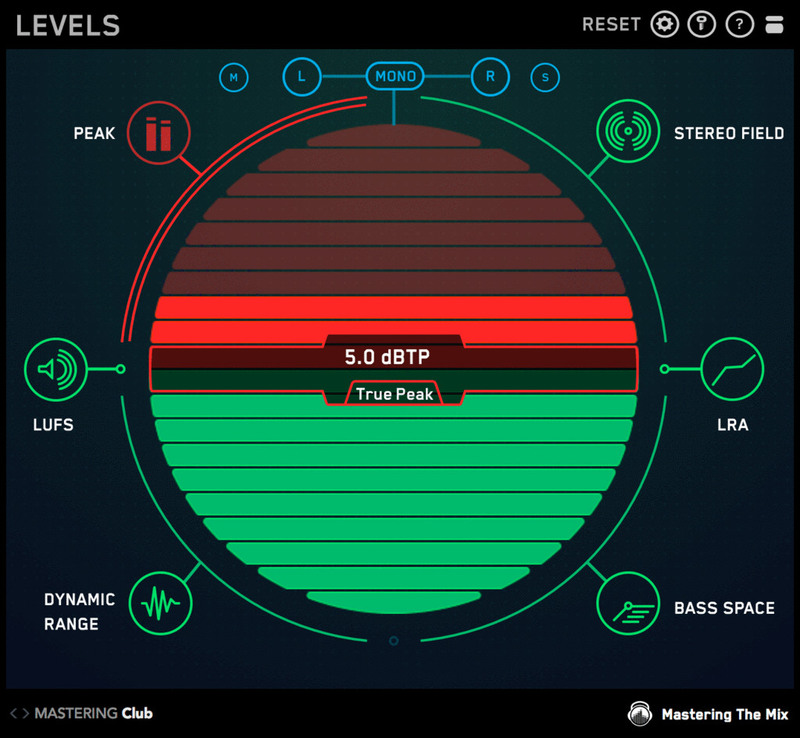
- True peak meter (16 X oversampling ) to make sure your masters don't clip.
- Standard peak meter. Keep it below -6dB for a perfect final mix
LUFS
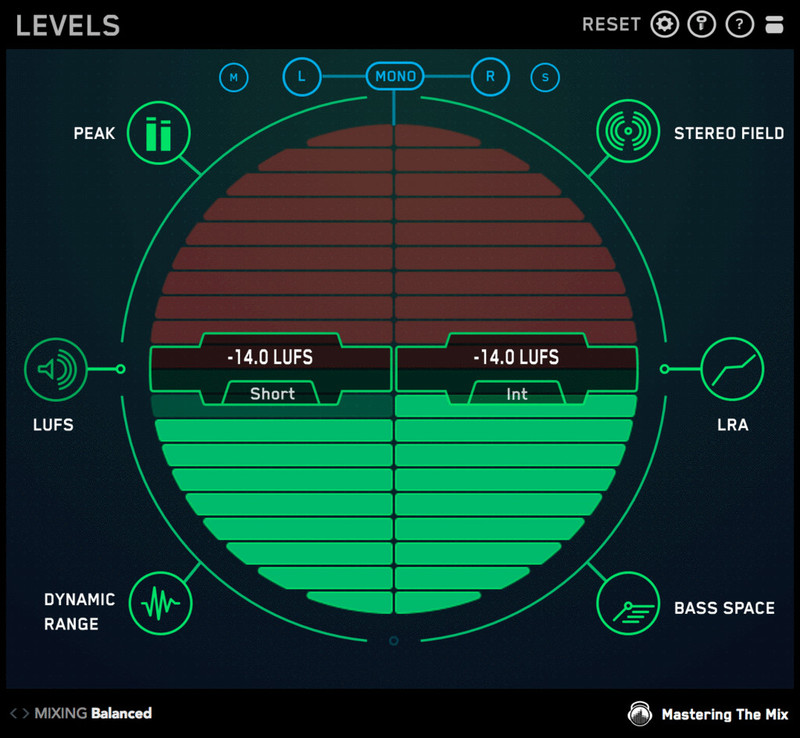
- EBU R128 compliant integrated and short term LUFS meters. The most accurate way to analyse perceived loudness.
Stereo Field
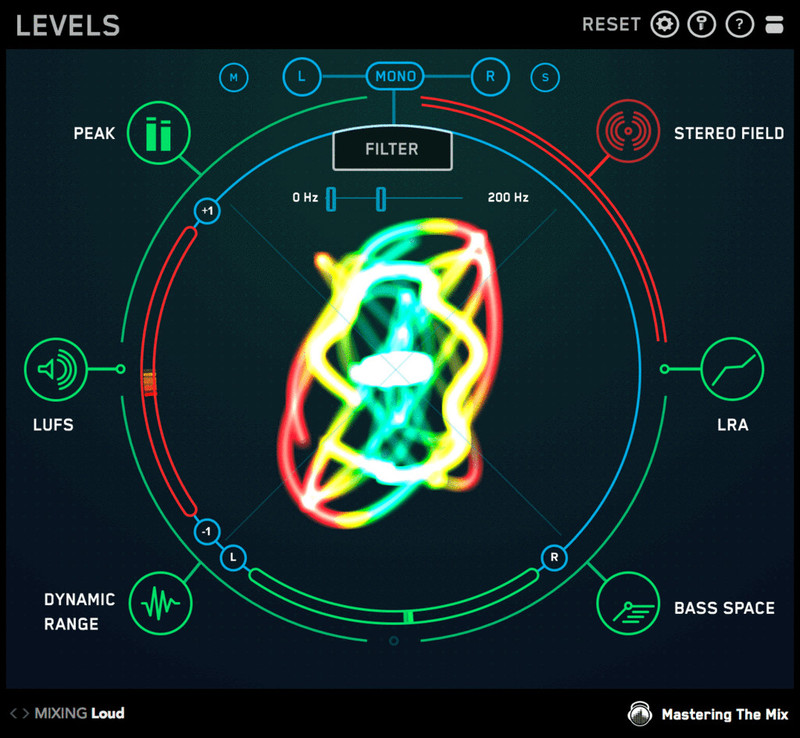
- Vectorscope to visualise stereo width.
- Correlation meter to monitor phase issues.
- Left/Right meter to assess the balance of your mix.
- Low Pass button solos your low frequencies below 300hz so you can see their stereo width.
Dynamic Range
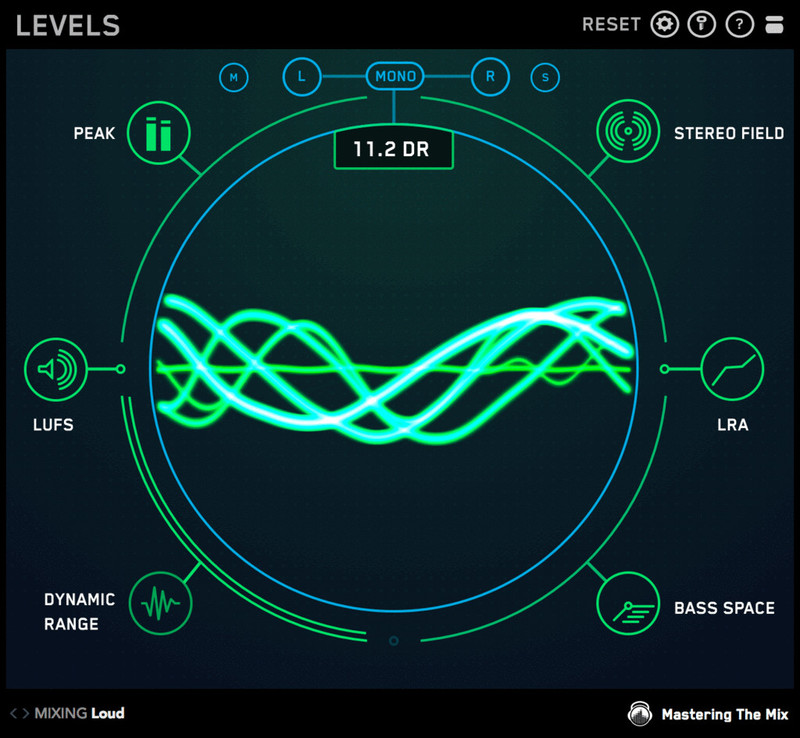
- Instantly see if your music is overcompressed
- Oscilloscope glows green if your music is dynamic.
- 'DR' Dynamic Range display based on reliable Short Term LUFS to peak ratio.
Loudness Range
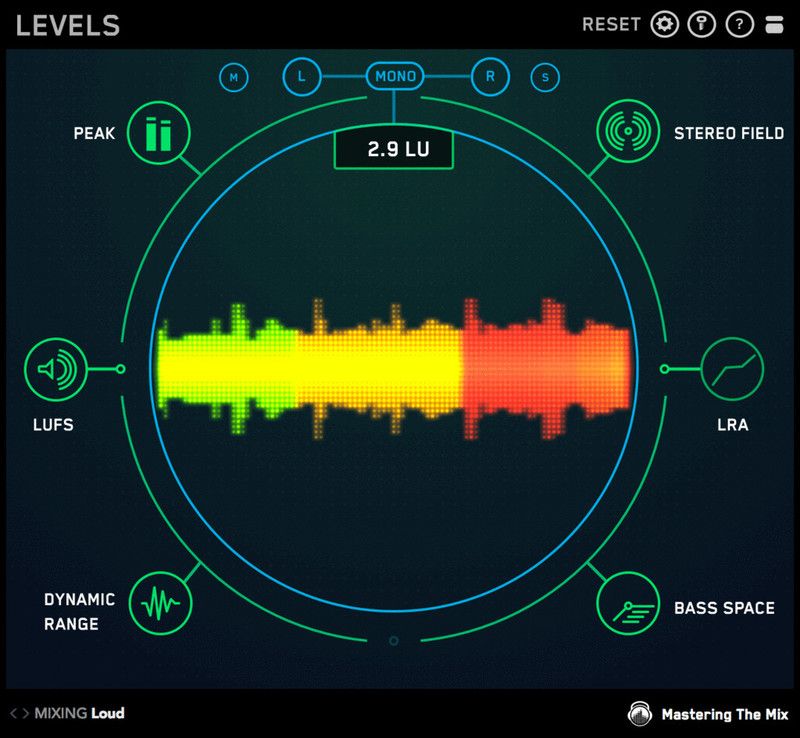
- EBU R128 compliant loudness range meter to monitor the difference in loudness between the various sections in your track.
Bass Space
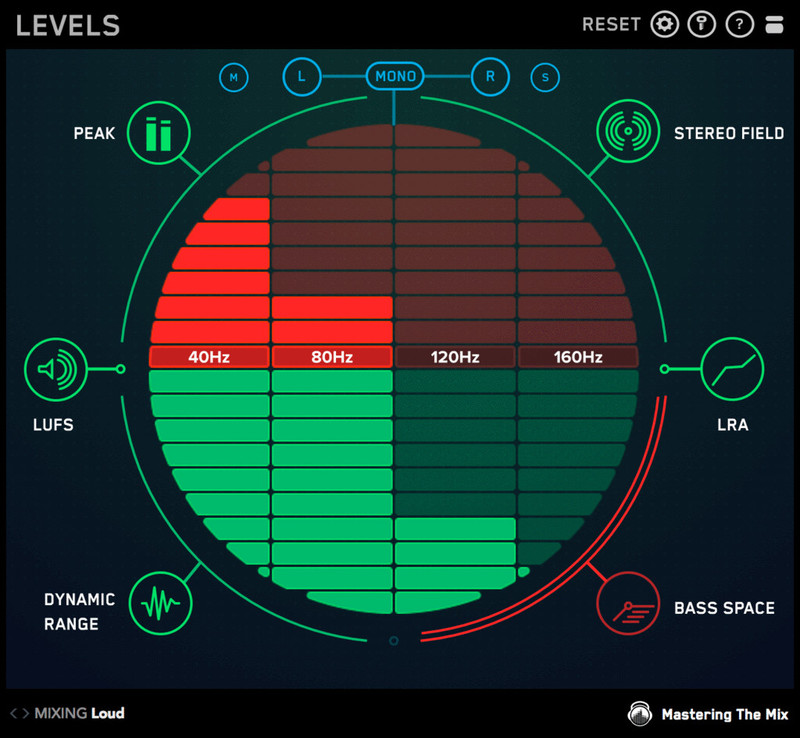
- Identifies if any channels are outputting unwanted low frequencies.
- Helps you clean up your low end giving your track punch and clarity.
- Level meters for 40Hz, 80Hz, 120Hz, 160Hz.
Features
- Design - Retina ready. Slick and responsive user interface.
- Simplicity - The intuitive visuals in each section let you quickly diagnose and fix any issues.
- Time-Saving - LEVELS only draws your attention to issues.
- Performance - Very low CPU. An advantage when your session has many plugins.
- Price - Affordable for producers at all stages of their musical careers.
- Customisation - Adjustable settings to suit your needs.
- Convenience - 7 indispensable mixing and metering tools in one plugin.
- Learn - If you get stuck, click the (?) to learn how to fix your issue.
Common questions
What's the best plugin for checking if my track is too loud?
LEVELS. It shows short-term and integrated LUFS, true peak and dynamic range against platform presets, and turns red when you go past a sensible threshold.
Which plugin should I use to get my master ready for Spotify?
LEVELS has presets for streaming platforms including Spotify, so you can check loudness, true peak, stereo field and phase before release.
Multiplier: Artist, Producer & Tutor
Multiplier is more than just a DJ. He’s a big personality with hands in all corners of the music industry.
'Great concept, takes all the guesswork out of referencing.'
Rik Simpson
Grammy Award Winner, known for working with Coldplay and Jay Z.
"Loving the plugin! It’s a great tool for keeping tabs on how your mix is shaping up."
Gary Noble
Multiple Grammy nominated Mix Engineer/Producer with the ear that inspires magic. He is known for his knack of 'bringing the artists’ & producers’ visions to light.' Gary has worked with the likes of Jessie J and Amy Winehouse.
'I've been using it on every mix ever since I installed it."
Plugin Boutique Staff Picks - Freddy With the hope that the loudness wars are well and truly left in the noughties, LEVELS introduces a fundamental approach to metering that makes a technically professional mix far more achievable. The unique interface allows me to instantly identify and e...
Read MoreMac:
- OS X 10.15 or higher.
- 64-bit AU, VST3 or AAX host. Apple Silicon Native (64-bit only)
Windows:
- Windows 10 or higher
- 64-bit VST3 or 64-bit AAX host (64-bit only)
Please note: AAX compatible with Pro Tools 11 and later only.
Important note: When accessing this software via a Rent to Own plan or the Beatport Studio membership, it's installed and run through the Beatport Access portal. An internet connection is required every 30 days to validate your license.
Reviews Summary
While it aims to provide a helpful overview, it may not capture every perspective or detail. We encourage you to read individual reviews to make an informed decision.
Overall, users praise the plugin as an essential, user-friendly metering and monitoring tool for mix and master buses. It is widely valued for helping identify tonal balance, stereo imaging, and dynamic issues quickly through intuitive visual feedback, making it especially beneficial for beginners or producers working in untreated rooms. While regarded as great value, some users noted minor drawbacks, such as a slightly dated or confusing circular display, limited precision, and the inability to view multiple metrics simultaneously compared to higher-end tools like iZotope.


