Log In
![DopeSONIX - BEAT MACHINE 2 VST/AU Hip Hop Drums Plug-In [Tutorial] gallery thumbnail](https://www.pluginboutique.com/rails/active_storage/blobs/redirect/eyJfcmFpbHMiOnsibWVzc2FnZSI6IkJBaHBBMEtTQnc9PSIsImV4cCI6bnVsbCwicHVyIjoiYmxvYl9pZCJ9fQ==--9071b67c1755eec2cab74dde691fa1a35e68d8ec/WEB_Slider_Beat_Machine_2.1_pluginboutique.jpg)
Free gifts available with your purchase
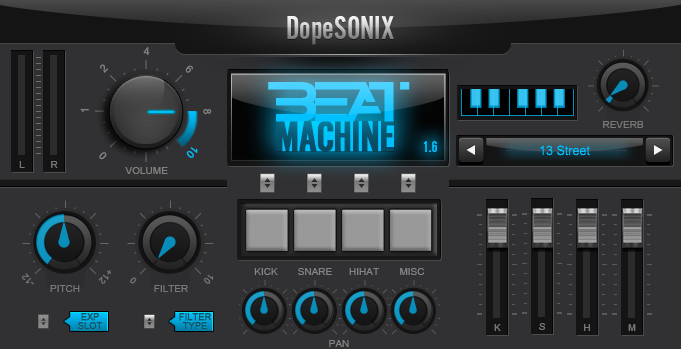
Note: This is an Upgrade for Users of Beat Machine 1

Beat Machine 2.0 – VST/AU – Hip Hop Drum Machine
Beat Machine 2.0 is a completely brand new Hip-Hop drum machine VST/AU plugin for MAC or PC. This has been specifically designed for producers who require the huge range of Hip Hop drum sounds made famous over the last 30 years.
All 600 kits are already pre-mixed and eq’ed to improve your beatmaking workflow. No more spending hours looking for the perfect Kick, Snare and Hi-Hat combination, with Beat Machine 2 we’ve done all the hard work for you!…buy, download and take your beats to the next level.
Three Decades of Hip Hop Drums
Firstly, this isn’t a replacement for Beat Machine 1, we intended this to be a companion to that fantastic plug-in. Beat Machine 1 was designed purely for the Hip Hop producer looking for that old school dusty vibe while Beat Machine 2 covers the entire range of Hip Hop drums sounds used over the last 30 years.
1990’s
The 1990’s, for many people are the golden years of Hip Hop production. The fat dusty beats were usually made by chopping live kicks, snares and hi-hats from 70’s funk and soul records then reconstructing those elements to make new distinctive drum patterns. The end result sounded raw, punchy and very very dope.
The first 100 presets in Beat Machine 2.0 are influenced by greats such as Lord Finesse, Pete Rock, The Bombsquad and J Dilla, so be prepared for heavy kicks, cracking snares and dusty live hi-hats all featuring that 12bit sound made possible by the EMU-SP1200 and the Akai-MPC 60.
2000's
As the Hip Hop world entered the 2000’s, the sound of the beats evolved into a whole range of different styles. While Boombap was still represented by heavyweights such as Alchemist, Havoc and DJ Premier, the emergence of a new breed of producers such as Timbaland and The Neptunes shifted the genre into a cleaner, more syncopated sound while the south emerged with Lil Jon pushing the 808 driven style and Dr Dre bringing the West Coast vibe into the public conciousness.
The second 100 presets in Bass Engine represent this unique era in Hip Hop with a massive variety of drum sounds ranging from hard hitting East Coast drums, funky West Coast Kits and Timbo-esque snaps and claps.
2010’s
With the dawn of a new decade, the Hip Hop drum sound also transitioned into a whole new vibe. The 808 became king and the sound of the south and Toronto seemed to dominate the genre. Its true, many underground beatmakers did still utilise the Boombap heavyness but producers such as Lex Luger and DJ Mustard brought the Trap sound from the hoods while Noah “40” Shebib introduced a more ambient and sparse soundscape into our studios.
The final 100 presets included reflect the contemporary sound of Hip Hop, 808/909 inspired drums, huge Justice League style live kits and OVO influenced sounds are all catered for.
Features
- 600 Brand new pre-mixed quality drum kits that cover the entire spectrum of Hip Hop
- 300 Stereo & 300 Multi-Out Kits
- 1200+ dope drum samples included, already EQ’ed and treated for instant use
- 30 years of Hip Hop drums in one unit inc Boombap, East Coast, West Coast, Trap and more!
- 50 Brand new Hip Hop MIDI drum patterns included
- Easy stereo or more flexible sub-mix output options
- Separate kick, snare, hi-hat & percussion volume and pan controls
- Built in flexible pitch and drive controls
- Includes a built in analogue style reverb
- NEW Five drum pads for tablet and touchscreen users
- NEW 12 Segment output level meter
- NEW Global Hi & Low Pass Filter Control
- Ultra low CPU usage [perfect if you own a laptop / tablet / low spec PC/MAC]
- Ultra fast patch loading [flick through patches in lightening quick times]
- Program your drums manually or use a MIDI/USB controller/keyboard/MPD
Available DopeSONIX Beat Machine 2 Expansion Packs:
- Beat Machine Expansion: The Knock 01
- Beat Machine Expansion: Live Elements 02
System Requirements
Mac:
- OS X 10.4 and above (Monterey / Apple Silicon supported)
- 410 MB disk space required
- 2 GB RAM
- Audio Units (AU) or VST DAW compatible host required (64-bit only)
Windows:
- Windows XP / 7 / 8 / 10
- 410 MB disk space required
- 1 GB RAM
- VST compatible DAW host is required (32 or 64-bit)
Optional USBs / MIDI Controllers:
- Native Instruments Maschine
- Behringer
- Novation
- M-Audio
- Arturia
- Line 6
- Alesis
- Korg
- Akai
- and more!