


 Log In
Free gifts available with your purchase
Sound designer Daniel Stawczyk returns with Aftermath, a 150-preset collection for our string modelling synthesizer. Harnessing String Studio VS-3 distinctive algorithms the bank revisits the familiar synthesizer categories: bass, chords and stabs, gated sounds, leads, pads, and plucks—in a fresh, expressive, and unsettling sense. The set is then nicely tied up with 49 ultra payable special effect instruments that span hyperrealism, orchestral annihilation, and nerve-racking consequences.
Features:
- Preset bank for String Studio VS-3
- AAS Player plug-in (VST, AU, AAX, RTAS)
The 149 Aftermath Presets
- 21 Basses
- 8 Chords and Stabs
- 8 Gated
- 17 Leads
- 23 Pads
- 25 Plucked
- 49 Special Effects
Pick Your Instrument
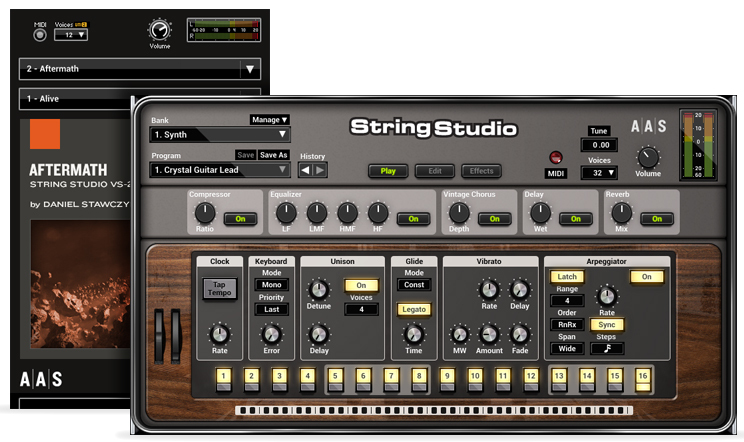
Aftermath was created with the String Studio VS-2 string modeling synthesizer. You can obviously play and edit the sounds in String Studio VS-2, but you can also access and play them via the free AAS Player included with your Aftermath purchase.
AAS Player - included with this purchase
- Distraction-free playing experience
- More than an hundred free extra presets via Swatches
String Studio VS-3 - sold separately (please note that String Studio VS-3 is not included with this purchase)
- Sound manipulation at the source core
- Starting point for new sound design ideas
System Requirements
This preset collection can be used with the free AAS Player plug-in as well as the String Studio VS-3 analog synthesizer.
After you have installed the sound bank, there are two options to use it:
- A. String Studio VS-3 - Reverence will automatically be added to String Studio VS-3 if it is installed on your computer.
- B. AAS Player - If you don't own String Studio VS-3, you will be able to play Reverence from the AAS Player plug-in or standalone application.

















