/ Echo / Outer Space 2
AudioThing

Outer Space 2

4.8 (1131 Reviews)
$39.33 $69.00

43% off until Jan 05

Outer Space Main GUI
Outer Space Echo Plugin by AudioThing - Show & Reveal Tour gallery thumbnail
Outer Space Overview - Tape Echo Plugin gallery thumbnail
Plugin of The Week: Outer Space Tape Echo (AudioThing) gallery thumbnail
Outer Space - Demo by Davide Pepi - Tape Echo Plugin gallery thumbnail
Best Software Plugins VST 2018 Under 50 GBP | Top Five Friday | Free Trials gallery thumbnail
Outer Space - Space Echo - Vintage Tape Echo Emulation gallery thumbnail
AudioThing - Outer Space Vst DEMO // Davide Pepi gallery thumbnail
AudioThing Outer Space ( Space Echo ) - Vintage Tape Echo Emulation gallery thumbnail
Audiothing - Outer Space - Supremeja Electro Test gallery thumbnail
AudioThing Outer Space Review / Overview gallery thumbnail
Buy Now
Product information

Vintage Tape Echo

Outer Space 2 is a faithful emulation plugin of a famous vintage tape echo made in the early seventies. As the original unit, Outer Space features an echo section with three playback heads and a spring reverb tank. Audiothing have modelled three different tape frequency responses and saturations, along with all the analog imperfections of tape recording/playback. They’ve also modelled the ballistic response of the delay rate (repeat rate) which can create eerie pitch shifts (due to the Doppler effect), one of the classic tape echo-based sound effects.

Space Echo
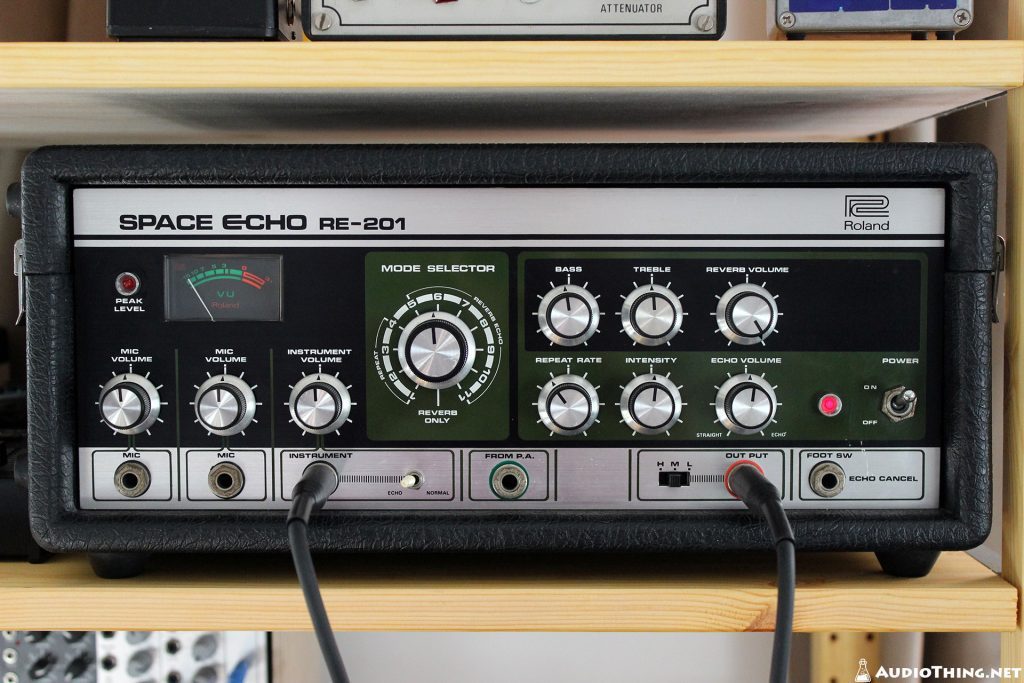
Roland Space Echo RE-201 (Tape Echo)

Introduced in 1974, the Roland Space Echo RE-201 was an instant hit among engineers, guitar players, and dub pioneers. A real analog system providing both tape echo and spring reverb for a rich and organic sound.

Tape Modelling
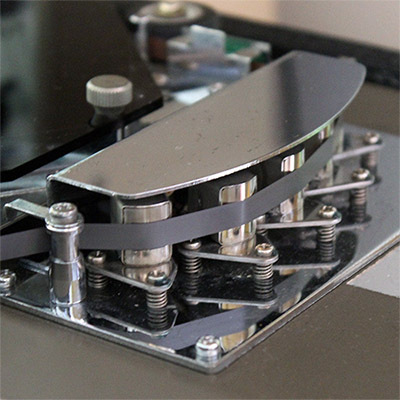
Audiothing have modelled three different tape types. The original RT-1L, a more modern replacement, and an older worn out tape. Each tape will affect the sound in a subtle but different way, especially at higher feedback (Intensity) settings.

WOW/Flutter will also change according to the selected tape, creating different amount of pitch and volume nonlinearities.

Changing the speed of the repetitions (Repeat Rate) will also affect the tape frequency response.

Mode Selector
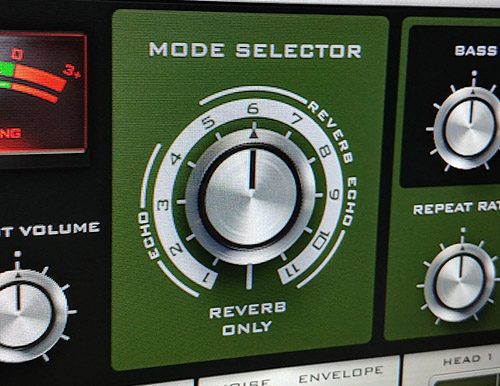
Outer Space Mode Selector Knob

Just like the original unit, with the Mode selector you can choose 12 different combinations of echo playback heads and reverb (4 Echo only, 7 Echo+Reverb, 1 Reverb only).

Features

  • Vintage Tape Echo
  • 3 Tape modes: Original, Modern, Old
  • Spring Reverb (Dark/Bright and Short/Long)
  • Background Noise with Envelope
  • Oversample up to 16x
  • Resizable Window
  • Preset system with randomizer

System Requirements

Windows

  • Windows 7-11
  • 2GHz CPU, 4 GB RAM
  • VST2, VST3, AAX, CLAP (64-bit)   

Mac

  • OS X 10.13 – macOS 14
  • Apple Silicon (M chips) Native (Universal 2 Binary)
  • 2GHz CPU, 4 GB RAM
  • VST2, VST3, AU, AAX, CLAP (64-bit)
  • Universal 2 Binary

Awards

Testimonials

Matthew Sims

"Outer Space is a must have – bringing your creativity to a new level. Being a mixer, the importance of having a collection of plugins and analog gear at my disposal is paramount".

Reverb

“The definitive RE-201 emulation.”

Computer Music Magazine

"An amazing tape delay emulation that demands to be tried – and, at this crazy price, almost certainly bought– by any producer or guitarist - 10/10".

Installation Instructions

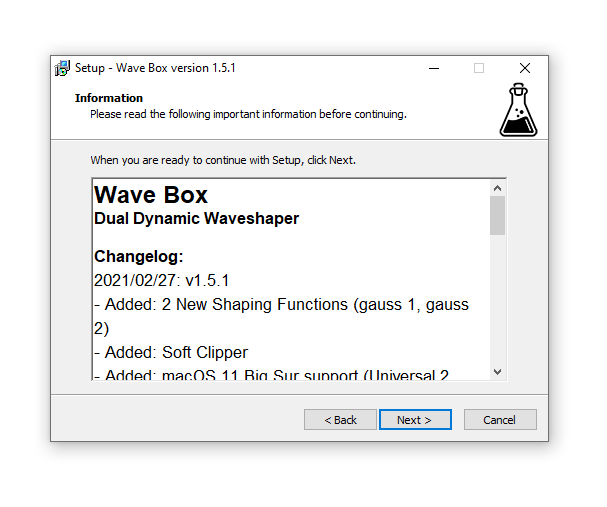
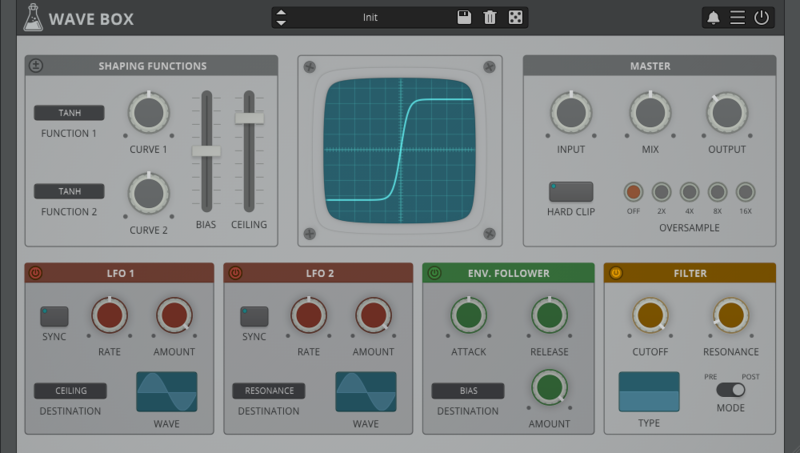
Note: Wave Box is used as the example.

Windows

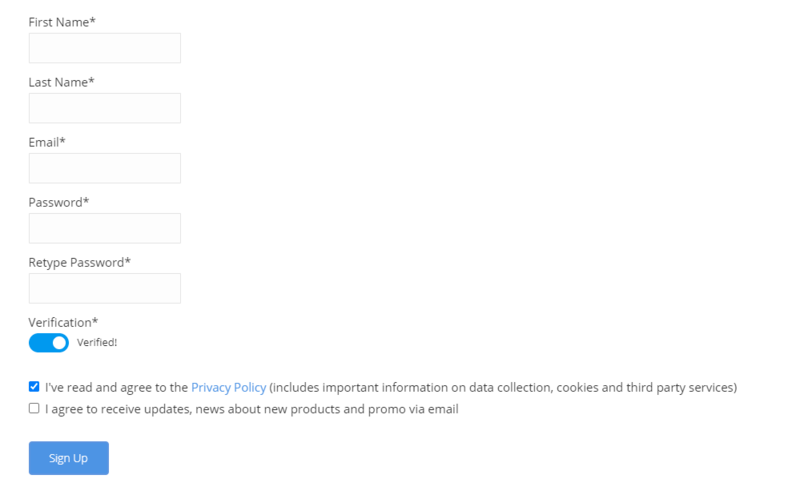
1. Visit the AudioThing Account Signup Page and enter your personal details to set up an account. Click the Verification and "I've read and agree to the Privacy Policy" > Click Sign Up.

Note: If you already have an existing AudioThing account, Login here and skip to step 3 of the installation process. 

2. A confirmation email will now be sent to your registered email > click the link within the email to activate your account and Login here.

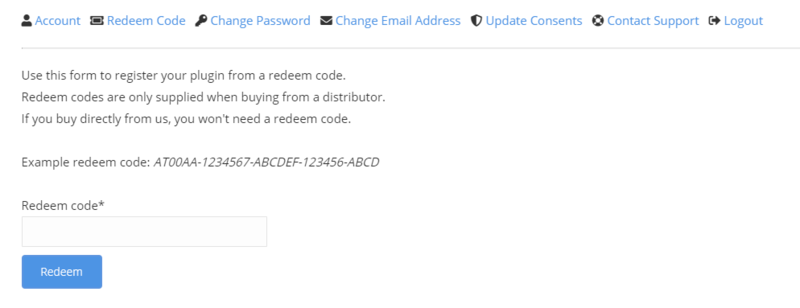
3. Once logged into your account, visit the Redeem Page and enter Redeem Code from your Plugin Boutique User Account into the box > Click 'Redeem'.

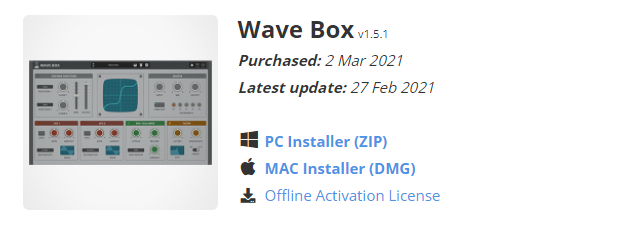
4. Download the PC installer and the Offline Activation License.

Note: Save the Offline Activation License to a memorable location on your computer for activating the software. 

5. Double-click the downloaded .zip folder to extract its contents.

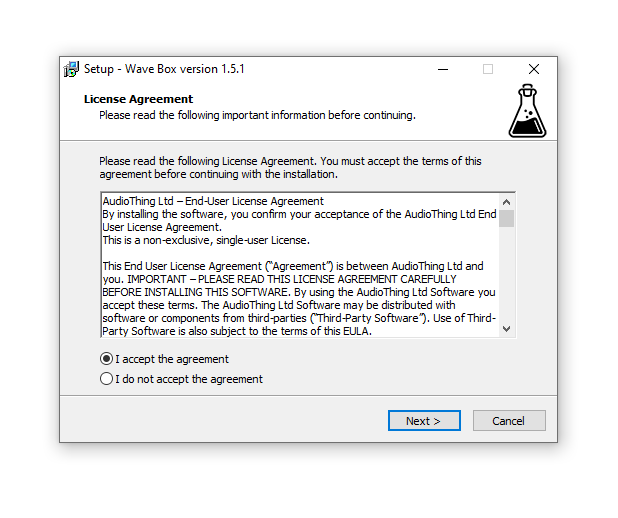
6. Double-click the extracted .exe file > click 'I accept the agreement and click 'Next'. 

7. Click 'Next'.

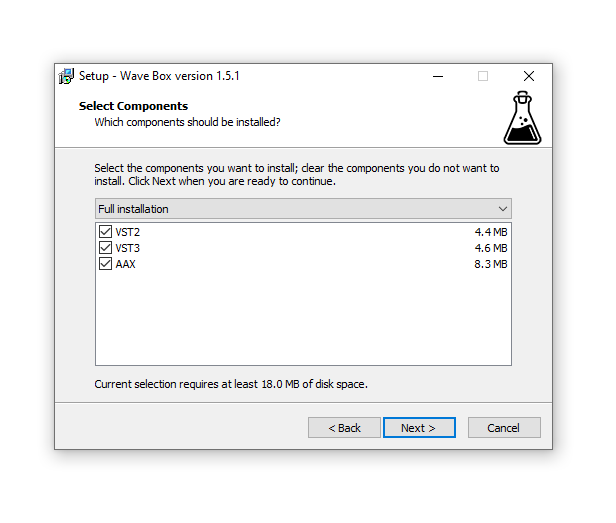
8. Select the components that you wish to install > Click ‘Next’.

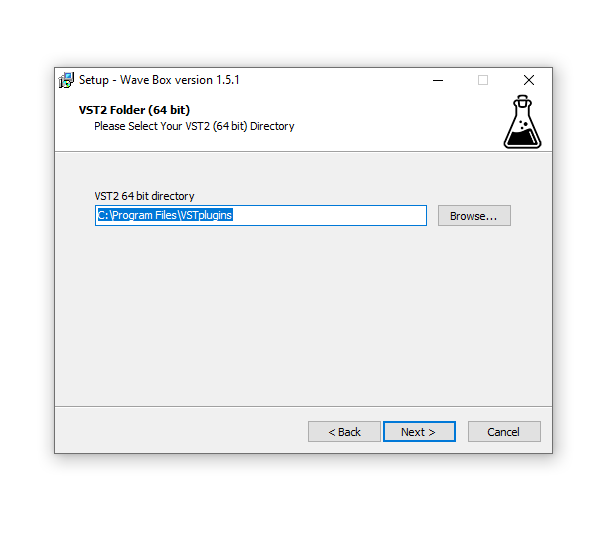
9. Click ‘Next’. 

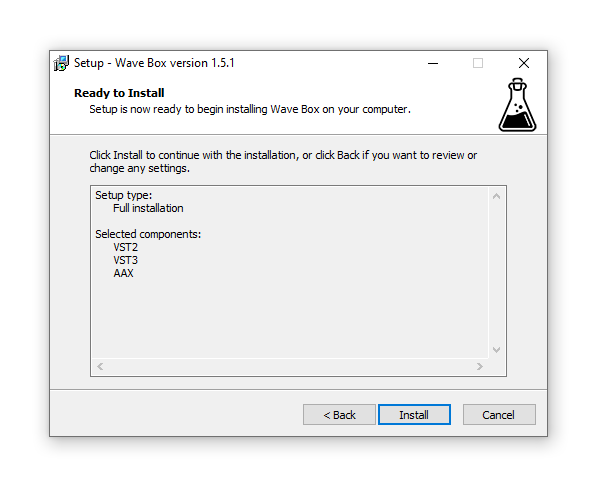
10. Click 'Install'.

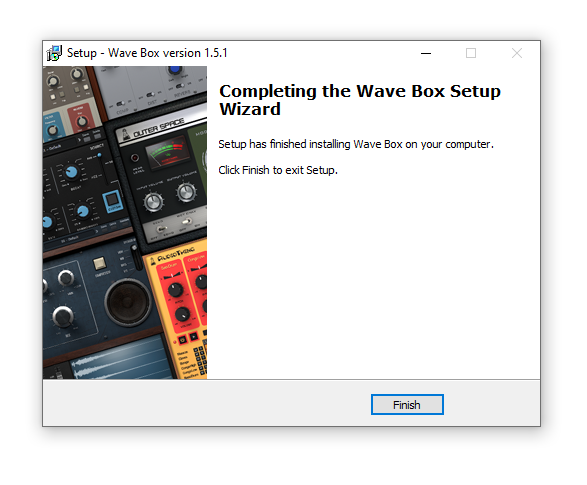
11. Click ‘Finish’.

Offline Activation

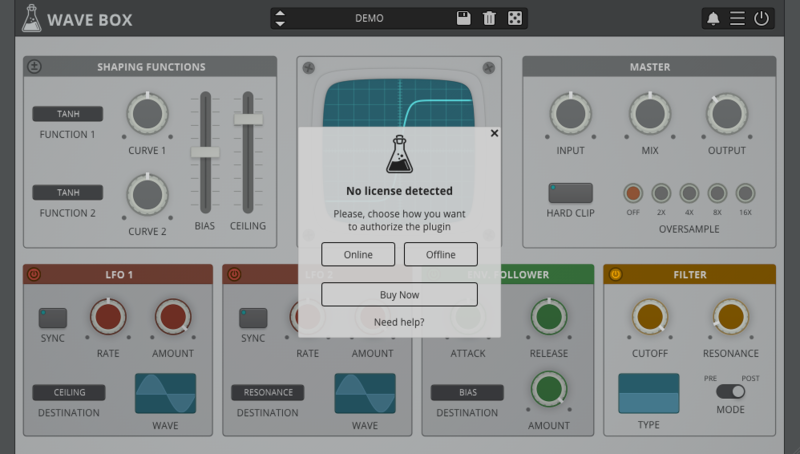
1. Open Wave Box inside of your DAW > Click 'Offline'.

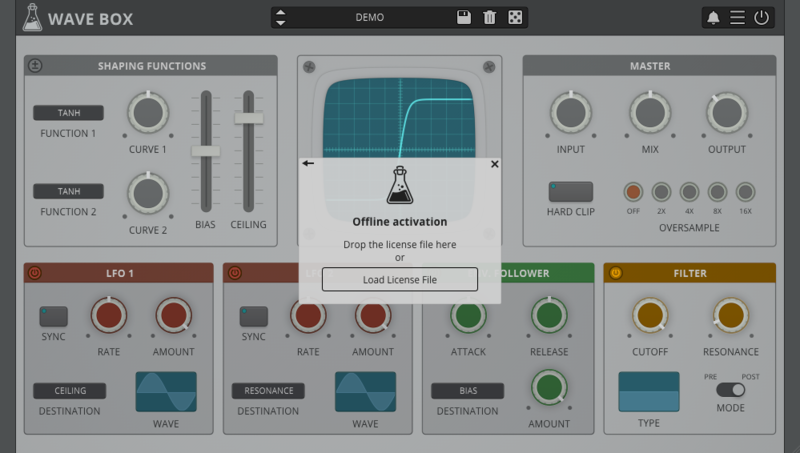
2. Click 'Load Licence File' and navigate to your Offline Activation License.

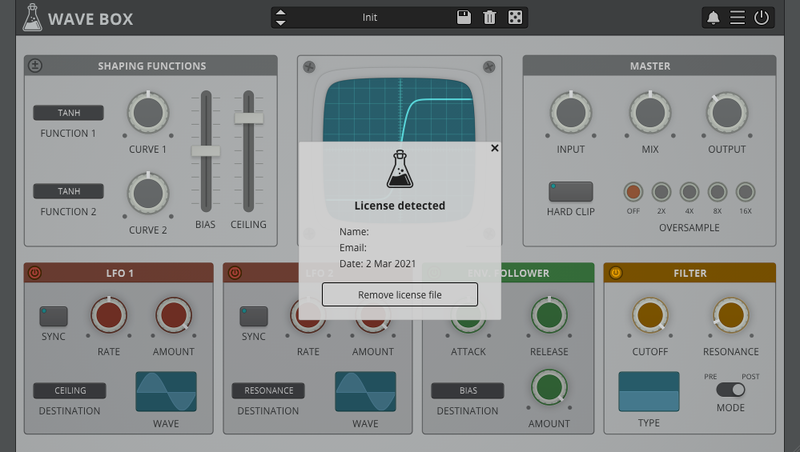
3. Click the X to close the box.

The software is now activated and ready to use inside your DAW!

Online Activation

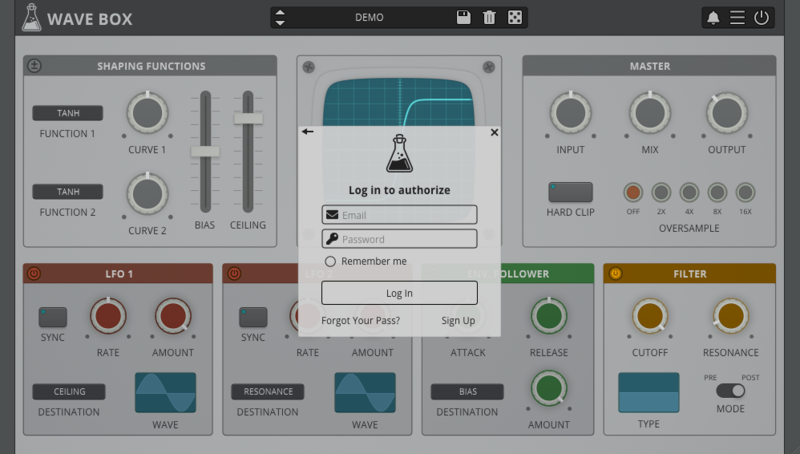
1. Open Wave Box inside of your DAW > Click 'Online'.

2. Enter your AudioThing email and password > Click 'Log In'.

3. Click the X to close the box.

The software is now activated and ready to use inside your DAW!

Mac

1. Visit the AudioThing Account Signup Page and enter your personal details to set up an account. Click the Verification and "I've read and agree to the Privacy Policy" > Click Sign Up.

Note: If you already have an existing AudioThing account, Login here and skip to step 3 of the installation process. 

2. A confirmation email will now be sent to your registered email > click the link within the email to activate your account and Login here.

3. Once logged into your account, visit the Redeem Page and enter Redeem Code from your Plugin Boutique User Account into the box > Click 'Redeem'.

4. Download the MAC installer and the Offline Activation License.

Note: Save the Offline Activation License to a memorable location on your computer for activating the software. 

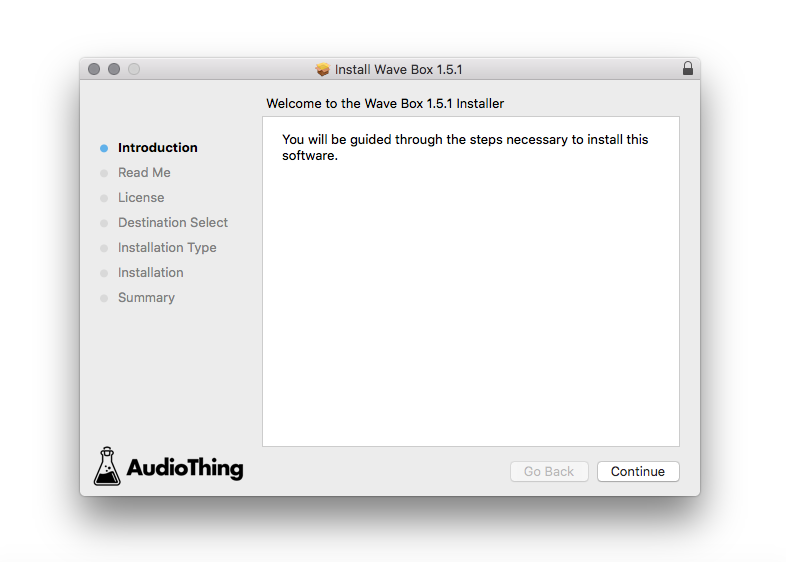
5. Double-click the downloaded .dmg folder to extract its contents > Double-click the .pkg file to run the installer

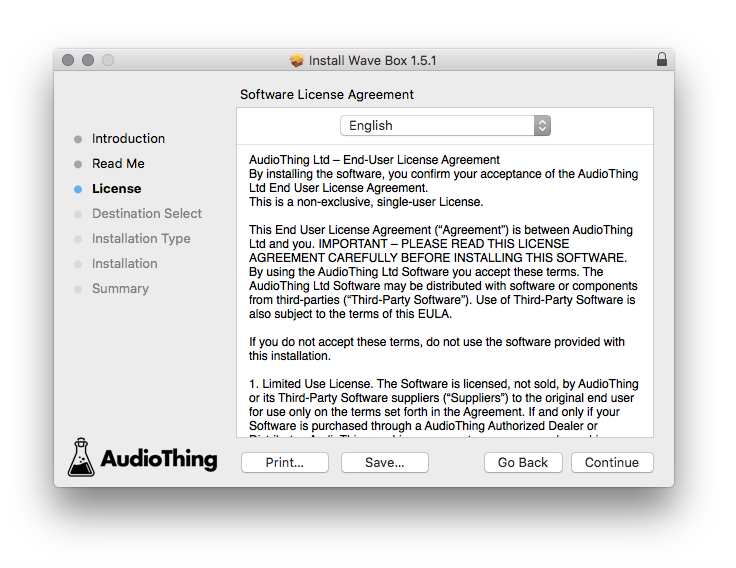
6. Click 'Continue'.

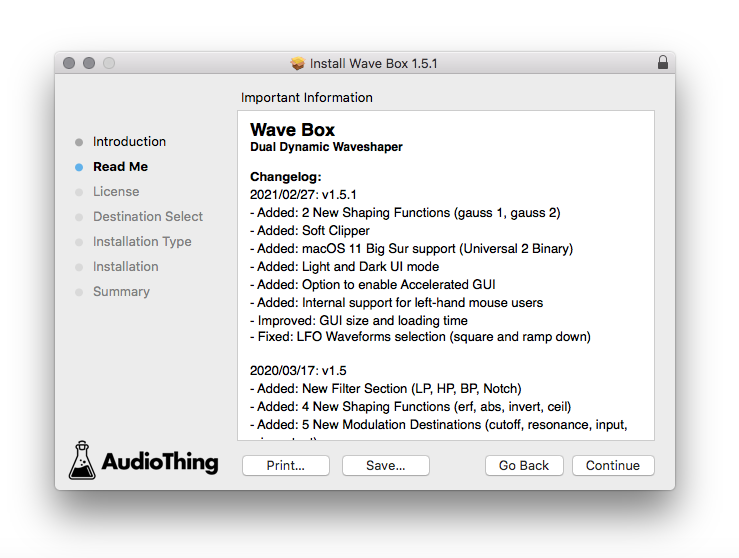
7. Click ‘Continue’.

8. Click 'Continue'.

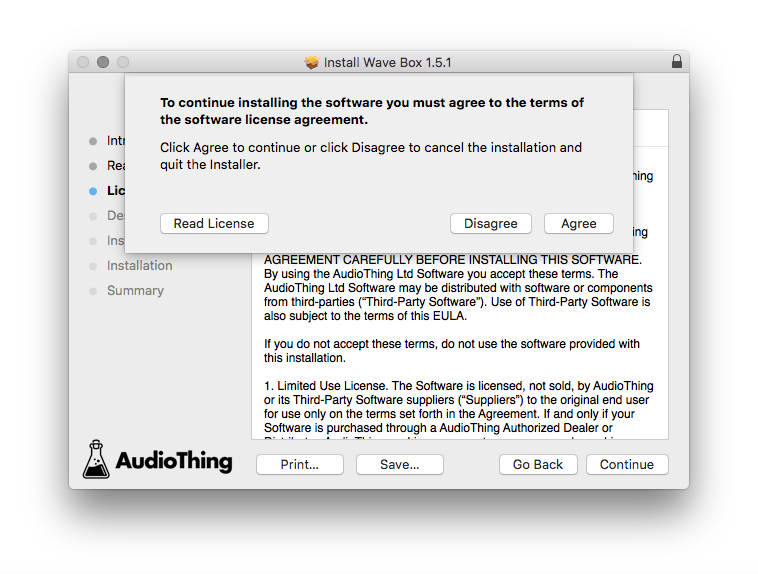
9. Click ‘Agree’. 

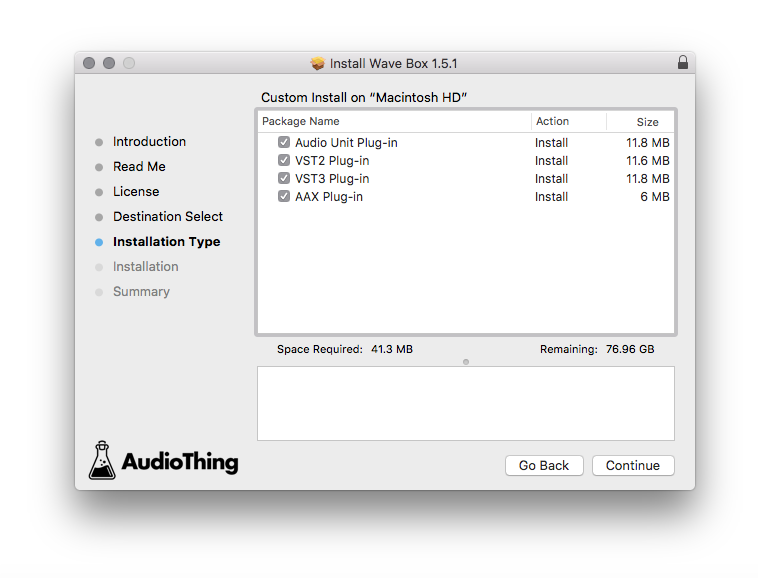
10. Select the components you would like to install > Click 'Continue'.

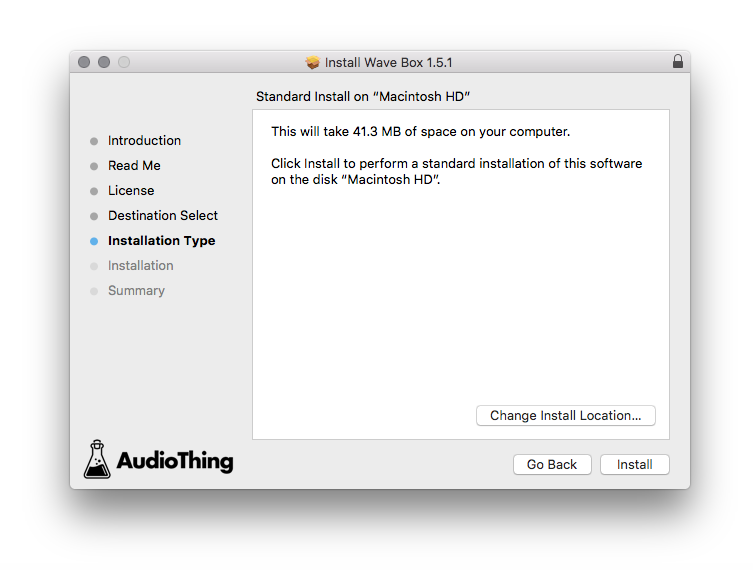
11. Click ‘Install’.

12. Click 'Close'.

Offline Activation

1. Open Wave Box inside of your DAW > Click 'Offline'.

2. Click 'Load Licence File' and navigate to your Offline Activation License.

3. Click the X to close the box.

The software is now activated and ready to use inside your DAW!

Online Activation

1. Open Wave Box inside of your DAW > Click 'Online'.

2. Enter your AudioThing email and password > Click 'Log In'.

3. Click the X to close the box.

The software is now activated and ready to use inside your DAW!

Bundle & Save

Vintage FX Bundle
$117.00
AudioThing Echo Bundle
$119.00

Plugin Boutique Rewards

Discover the most rewarding loyalty programme among all plugin retailers.

  • Free Loopmasters Samplepacks
  • Discounts on products and courses
  • Extra Virtual Cash claimed immediately at checkout
Find out more

Follow us:

X (Twitter) Facebook YouTube Instagram
Logo Logo

Plugin Boutique Limited, Part of the Beatport Group LLC.

Copyright © 2011-2025 Plugin Boutique. All rights reserved