Log In
Free gifts available with your purchase
The Idea & Process
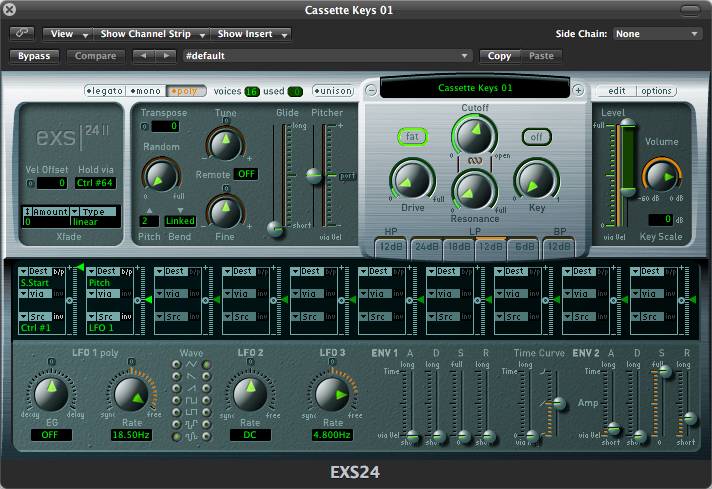
It's a unique mixture of physical modelling and fm synths recorded on a cassette with an old & wonky cassette recorder. It has a range from C0 to E6 and 4 carefully designed velocity layers. The GUI is very simple (Kontakt version), yet useful and almost synth-like - so just like its predecessor Cassette Piano, it’s very easy and fun to work with.
Every note of this instrument has been carefully de-noised with a high quality algorithm to avoid noise stacking when playing more than one note. Noise can still be added with the noise slider - it’s much more flexible this way and allows the ability to adjust the volume of the noise independently whilst also applying parameters such as filtering. It also creates a more realistic sound, so when playing a five voice chord, only one sample of noise instead of five stacked on top of each other will be heard.
The End Result
Useful and Fun Production Tool:
If you like vintage sounds and you're looking for something to enhance your production toolbox, then this product will be for you.
Simple, One Page Interface:
Everything is laid out on one page allowing fast sound design possibilities.
Simulated Round Robin:
Makes notes sound realistic when played ostinato (even when playing fast).
Features:
- 848 MB of samples
- Editable 'Sample Start' parameter (mapped to CC1 / Mod Wheel)
- REV (reverse) mode
- 4 velocity layers
- 5 presets
System Requirements:
- Full version of Logic 9.1.8 (or higher) is required.
Note: The full version of Logic 9.1.8 (or higher) is required to run this software.