


 Log In

Free gifts available with your purchase
Christian Laffitte returns to the sound design kitchen with his second Sound Bank Series instalment in the form of Masala. Not a mere ensemble of sounds, Masala stages an entire collection of new instruments that you’ll love to learn and discover. These instruments are light and responsive to the touch, full of magic with bounces, buzzes, and sizzles. Their timbres are from nowhere and everywhere—an adventurous mélange of tastes and flavours. These 101 wonderful musical contrivances await to unlock new paths of creativity.
Who’s Christian Laffitte?
Christian Laffitte is a French musician and sound designer based in south of France. He has been developing sounds for Dream, Arturia, Zoom, Applied Acoustics Systems, M-Audio, Avid to name a few. He also composed music for Sony video games trailers and music for french TV channels and radio stations. As a keyboard player with a great interest in synthesis and new technologies, Christian Laffitte has put all his passion of music and sounds in creating Wejaam: a free music sequencer for smartphones and tablets.
This preset collection can be used with the free AAS Player plug-in as well as the String Studio VS-3 string modeling synthesizer.
Pick Your Instrument
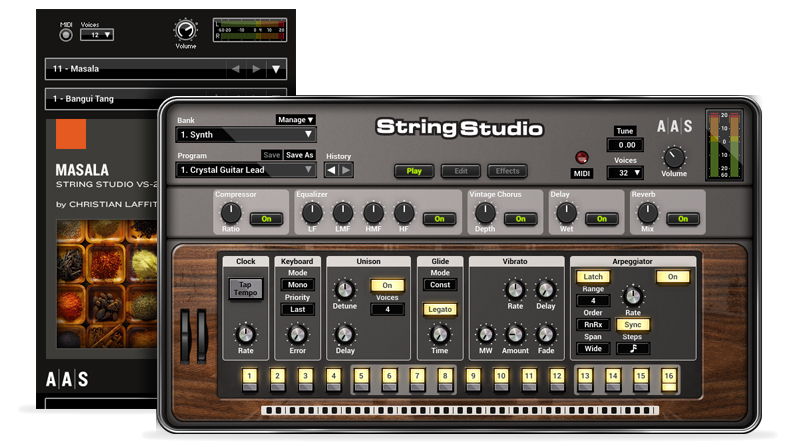
Masala was created with the String Studio VS-3 string modeling synthesizer. You can obviously play and edit the sounds in String Studio VS-2, but you can also access and play them via the free AAS Player included with your Masala purchase.
AAS Player - included with this purchase
Distraction-free playing experience
More than an hundred free extra presets via Swatches
- Sound manipulation at the source core
- Starting point for new sound design ideas
Features:
- Preset bank for String Studio VS-3
- AAS Player plug-in (VST, AU, AAX, RTAS)
The 101 Presets Of Masala
- 53 Plucked Strings
- 11 Synths
- 15 Percussions
- 10 Arpeggiators
- 12 Effects
System Requirements
This preset collection can be used with the free AAS Player plug-in as well as the String Studio VS-3 analog synthesizer.
After you have installed the sound bank, there are two options to use it:
- A. String Studio VS-3 - Reverence will automatically be added to String Studio VS-3 if it is installed on your computer.
- B. AAS Player - If you don't own String Studio VS-2, you will be able to play Reverence from the AAS Player plug-in or standalone application.

















