


 Log In

Free gifts available with your purchase
West Coast Sound Design Playground
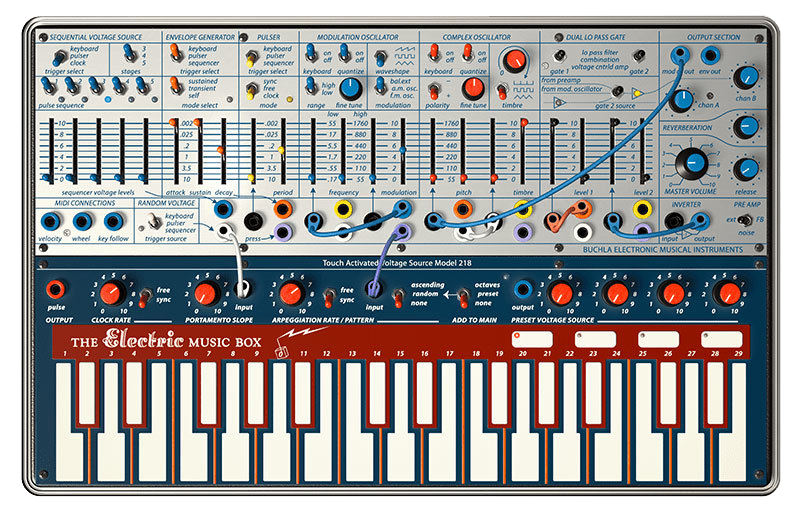
The Buchla Easel V is the first recreation of Don Buchla’s iconic instrument that helped define experimental West Coast modular synthesis in the early ‘70s. Our enhancements translate to vastly expanded possibilities for sound design and avant-garde music.
You’ve always wanted to paint with sound. Now you can with the Buchla Easel V.
One look at the Buchla Easel V and you know this is a different beast. In fact, it makes you think differently about sound right from the start—and the soundscapes you can design with it are as unique as the front panel array. To put that experience at your fingertips, we meticulously recreated the rare 1973 Buchla Music Easel right down to the component level. As you’ve come to expect from our other V-series instruments, we’ve gone the extra mile by designing in an enhanced feature set including polyphony, innovative new modulation/control sources, step sequencer, effects, and more.
If you like to paint outside the lines, Buchla Easel V is the perfect artistic tool for you.
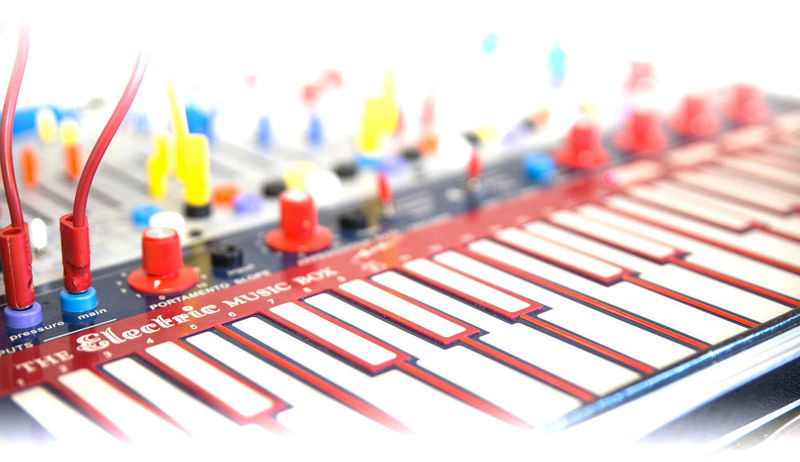
Welcome to West Coast school of synthesis
Your music breaks from the pack. So does the Buchla Easel V.
The Buchla Easel V faithfully reproduces Buchla’s Music Easel that helped define West Coast synthesis’ focus on experimentation and breaking musical norms. We’ve applied our award-winning TAE™ modeling technology from the front panel to the resistors to capture it all with incredible realism.
Complex oscillator design, AM and FM synthesis, uniquely percussive gate/filter combos, and numerous ways to modulate and clock just about every parameter, all drop you right in the middle of a sonic sandbox. Design and perform soundscapes that burble, shimmer, pulse and evolve without ever touching a keyboard or pad—unless you want to add even more control. Nearly 300 presets by expert sound designers get you started with timbres ranging from hauntingly beautiful sonorities to clangorous pokes in the ear.
Whether you’re looking to experiment with simple sounds or build complex evolving passages, the Buchla Easel V is a constant source of inspiration for sonic adventurers.
Create sounds no one has ever heard before
In addition to faithfully reproducing a classic, we’ve infused the Buchla Easel V with even more of that vintage goodness to love.
We’ve made patching even more fun and foolproof. When you drag a color-coded patchcord between patch points, only valid targets light up, saving you the frustration of making invalid connections that do nothing. The original Music Easel lacked a noise source, so we’ve added one to the preamp—handy for introducing rhythmic elements. We’ve also designed a feedback loop into the preamp, so you can really get things howling. Up to four-voice polyphony greatly enhances your performance capabilities, too.*
With our extensions to Buchla’s original design, you now have an even more intuitive programming experience paired with additional sonic options.
* Note that while our extreme modeling at the component level on the Buchla Easel V delivers insanely great analog sound, each voice of polyphony requires significant processing power to pull it off—approximately 20 percent of an i7 CPU per voice.
New control, new inspiration
Electronic music is as much about expression as it is about sound generation—and Buchla Easel V delivers new expressive capabilities beyond your wildest dreams.
We’ve dramatically expanded the functionality of the original Music Easel while respecting the instrument’s unique personality and design philosophy. One click reveals all the new additions. The Left Hand section provides five full-featured Function Generators individually routable to any of 76 modulation targets. The Right Hand section gives you a modern step sequencer with innovative options. Gravity is an X/Y grid that uses the physics of a bouncing ball influenced by attraction, repulsion and collision with objects to generate unique, unexpected modulation signals. There’s also a two-slot Effects section for additional processing and animation right inside Buchla Easel V.
New additions to Buchla Easel V give you the power to create and perform complex, exotic sounds that were simply impossible until now.
Main Features
- A component-level model of the Buchla Music Easel
- Complex and Modulation oscillators, dual Low Pass Gates, output section with spring reverb modelling
- Modulation sources perfecly reproduced : 5-step Sequencer, Envelope Generator, Pulser
- Semi-modular architecture, color-coded routing and cables
- Enhanced functionalities, synchronizable Pulser and Clock, Oscillators quantization
- Left Hand modulation sources to create multi-point envelopes and LFOs. Add randomness and smoothing to the modulation
- Right Hand step-sequencer module
- Gravity XY modulation source. Control the sound with the movement of a projectile flying among planets and worm holes!
- 10 effects, Phaser, Flanger, Chorus, Overdrive, Delay, ...
- Control on the Vactrol modelling for fast, medium or slow response
- Up to 4 voices of polyphony
- 256 factory presets
Preset Browser
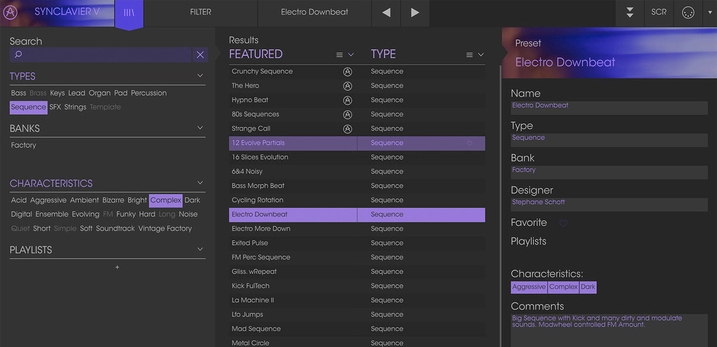
Our redesigned preset browser lets you quickly find just the sound you’re looking for.
Search by name or simply select the appropriate tags to dial in on the exact sonic character you’re looking for. You can mark and recall your own favorites, enter comments, and set up playlists. There’s never been a more intuitive way to manage your library of designer and personal presets.
Resizable GUI
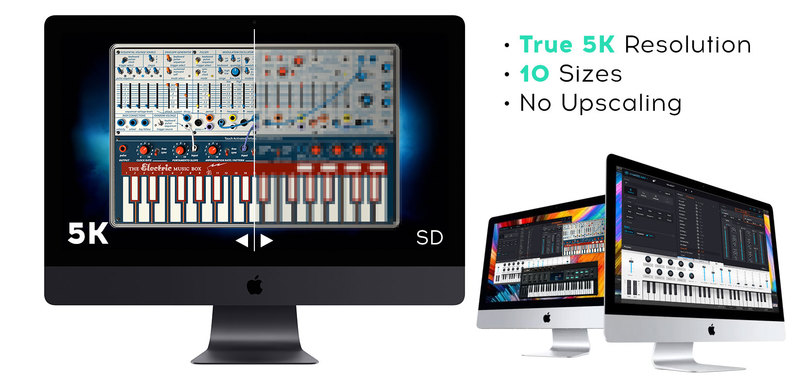
The user interfaces for all your Arturia instruments are now resizable, making it easy to work with any High Resolution screen, UHD or Retina.
You can decide whether you want to fill the screen with awesome graphic reproductions of classic instrument goodness, scale the window down when you’re working in a DAW and screen real estate is at a premium, or even zoom for detailed work.
System Requirements
- Works in Standalone, VST, AAX, Audio Unit, NKS (64-bit DAWs only).
Mac
- Mac OS 10.13+
- 4 GB RAM
- 4 cores CPU, 3.4 GHz (4.0 GHz Turbo-boost) or Apple Silicon CPU
- 3GB free hard disk space
- OpenGL 2.0 compatible GPU
Windows
- Win 10+ (64bit)
- 4 GB RAM
- 4 cores CPU, 3.4 GHz (4.0 GHz Turbo-boost)
- 3GB free hard disk space
- OpenGL 2.0 compatible GPU
- ARM processors not supported on Windows
Protection
All Arturia software is protected by the Arturia Software Center.


