Buy Raw Sliced - Hip Hop Kits Volume 3, get a free gift with purchase:
The third and final collection of RAW CUTZ HIPHOP KITS. Filled with loads of Rusty, Raw and Jagged loops and samples to spice-up a wild set of flavours into your beat making stew. RAW SLICED pushes the beats into Swung, Jazzy, Dilla inspired HipHop full of Crazy Cutz and Sliced Up Samples.
HIPHOP KITS - VOLUME 3 is loaded with - Raw Crusty Cutz - Rusty LoFi Samples - Sliced Chords - Thumpin' Kicks & Cranked Snares - Crisp Mashed Hats - Raw & Jazzy Basses - Mad Trippin' Dub and Tape FX - Crusty Raw SP1200 Breaks and Phunky Phat Loops.
With a Myriad of Loops, Stems, Kits and One Shots to choose from, RAW SLICED will get you creating within minutes - no matter what setup, tools or platform you use. A gigantic collection of that Raw Dirty sound that so many Producers of Classic HipHop have come to collect, sample and value as crucial weapons in their beat production.
Made by Turf Smoke exclusively for Raw Cutz.
RAW SLICED comes in 3 Versions - properly mixed and mastered in a consistent structure for endless new combinations. N.I. Maschine Kits, Ableton Live Projects or Loops & Samples.
Features
Maschine Pack:
- 2.46GB
- 962 Loops & Samples
- 25 Groups & Projects
- 504 Tagged Kit Samples
- 370 Loop Stems
- 308 Drum Samples
- 200 Midi Patterns
- 402 Music Samples
- 252 Drum & Music Loops
- 24 Bit Wav
Live Pack:
- 2.35GB
- 962 Loops & Samples
- 25 Projects
- 25 Drum Racks (no midi)
- 370 Loop Stems
- 308 Drum Samples
- No MIDI
- 402 Music Samples
- 252 Drum & Music Loops
- 24 Bit Wav
Loops & Samples Pack:
- 2.32GB
- 962 Loops & Samples
- 370 Loop Stems
- 308 Drum Samples
- No MIDI
- 402 Music Samples
- 252 Drum & Music Loops
- 24 Bit Wav
Ableton Live 9.7+
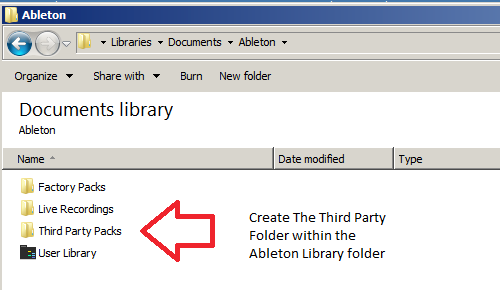
1. Create a folder entitled 'Third Party Packs' within the Ableton Library folder.

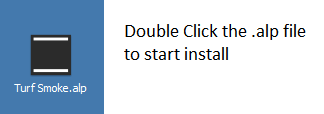
2. Download the .zip folder provided within your User Account > double-click it to extract its contents and then locate the .alp file.

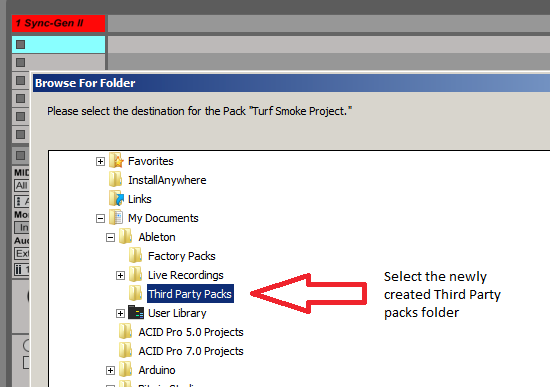
3. When opening Ableton Live, the program will ask where you wish to install the project folder.

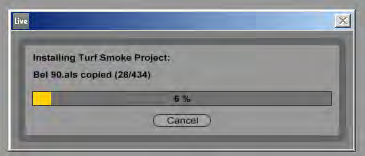
4. Locate the 'Third Party Packs' folder that you created in step 1. of the installation process, and select 'OK' > Live will then begin the unpacking process.

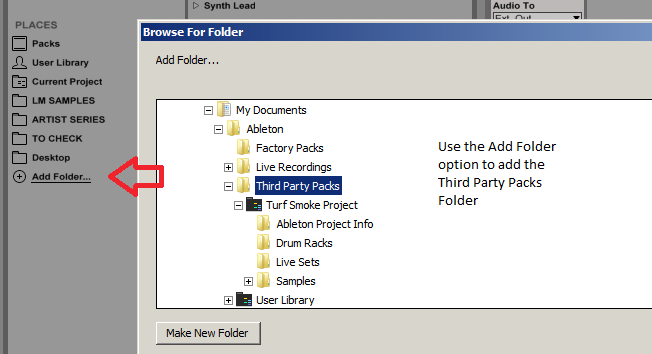
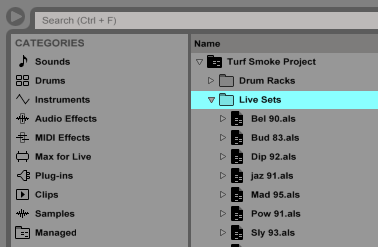
5. Once the unpacking is complete, you now need to inform Ableton Live of where the sample pack is located > from the browser window, select 'Add Folder' and navigate to the project folder where you installed the pack (inside the 'Third Party Packs' folder).

The Pack is now Installed and Ready for Use Within Ableton

Maschine 2.6.8+
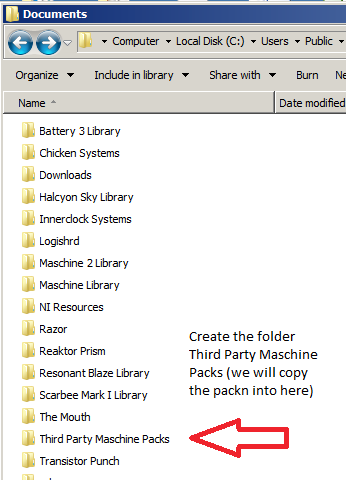
1. Create the folder titled 'Third Party Maschine Packs' > it is advisable to perform this in the same root folder as the Maschine Library, but it can be also be anywhere on your computer.

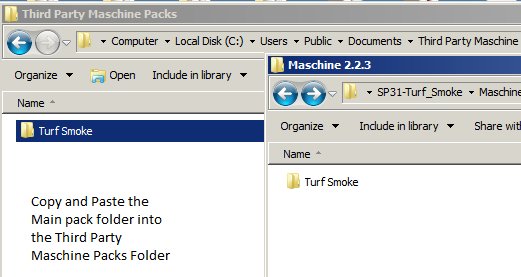
2. Download the .zip folder provided within your User Account, and double-click it to extract the main folder > copy and paste the contents of the Maschine 2.2.3 folder to the 'Third Party Maschine Packs' folder that you created in the previous step (Step 1.).

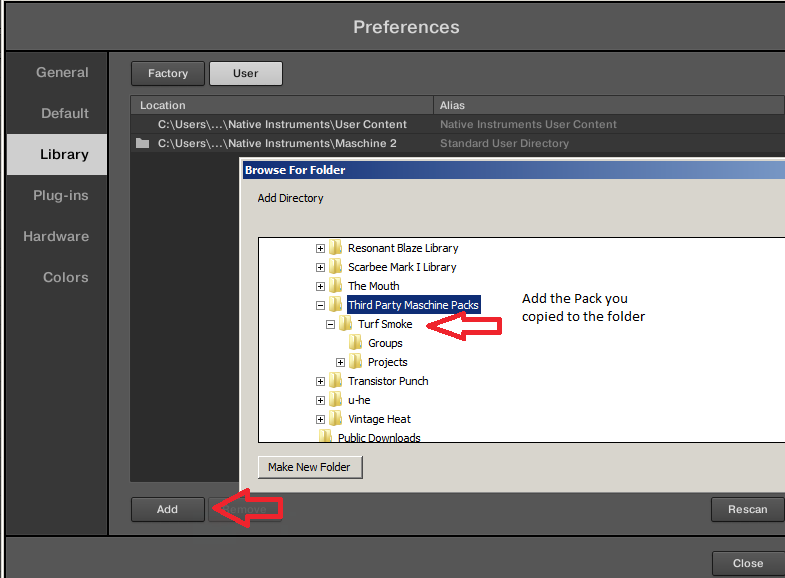
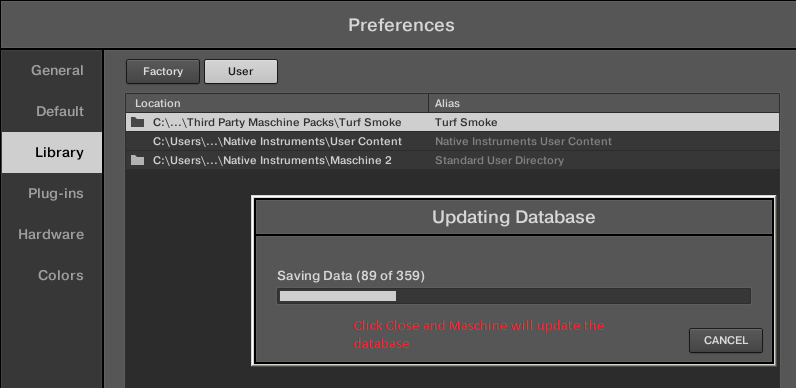
3. Open Maschine 2 and select the 'Preferences' tab from the menu > Select the 'User Paths' tab and then click 'Add'. From the pop up window locate the 'Turf Smoke' folder.

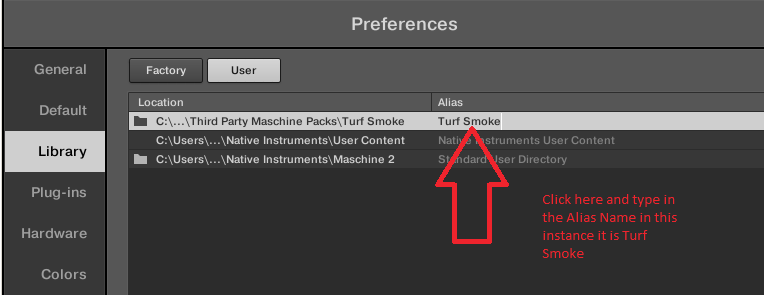
4. Important note: At this stage of the installation process, it is imperative to add an alias - to perform this double-click below the Alias box, and enter/type in the Alias name which will always be the same name as the pack's root folder name.

5. Select 'OK' and Maschine will now scan and add the contents of the pack to its database.

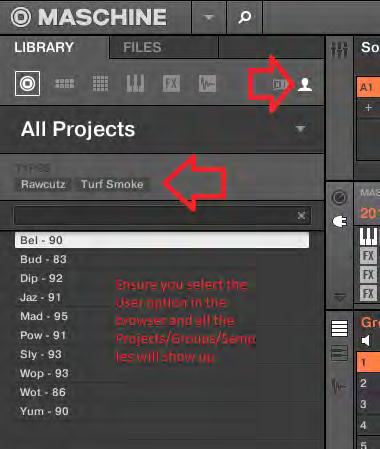
6. To Load content from the pack, go to the 'File Type Selector', ensuring that you have user presets selected first > press the 'Projects/Groups/Samples' icons and your content will now be visible and ready to load.

7. All content from the collection has been appropriately tagged, ready for easy file browsing.