


 Log In

Free gifts available with your purchase
Colour Copy: A Bucketful of Delay
A virtual analog effect inspired by classic bucket-brigade delays (BBD) but extended with modern features. We called our new baby "Colour Copy" because it can deliver the kind of colouration people still love in classic BBD units, but with a wider variety of colours. Colour Copy started life as the little delay unit called "Lyrebird" we built into Repro-1, but the sound was too good not to be developed further and become an fx plug-in.
Colour Copy in the spotlight…
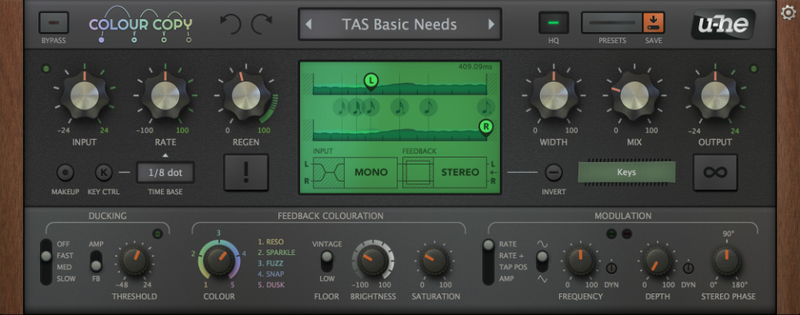
- BBD-style analog delay, for the smoothest possible pitch effects
- Unique colour morphing, with saturation for non-linear effects such as distortion / resonance
- 1ms to 1s or host-synched time base, scaled via rate control from 25% to 400%
- Dynamic ducking via envelope follower, with an option that preserves the initial delay
- LFO (with dynamic frequency and depth) can modulate rate, tap position or amplitude.
- Midi note tracking and Freeze button (infinite loop) for wildest experimental effects
- Powerful preset browser with tag and/or text search functions
- Independent input and feedback routing options allow all possible stereo or mono combinations
- 100 factory presets, nks-compatible
- UI instantly resizable from 70% to 200%
- Custom remote control via midi cc, 14-bit resolution option
In most digital delays the delay time alters the size of the buffer. If you quickly modulate or sweep the delay time on a typical digital unit, unmusical glitches propagate through the feedback as the buffer is shortened or lengthened. Like a real BBD, Colour Copy changes the internal sample rate instead (i.e. how fast the "buckets" pass on their content), and this is why Colour Copy is smooth with a capital SMOO!
Features
Colours
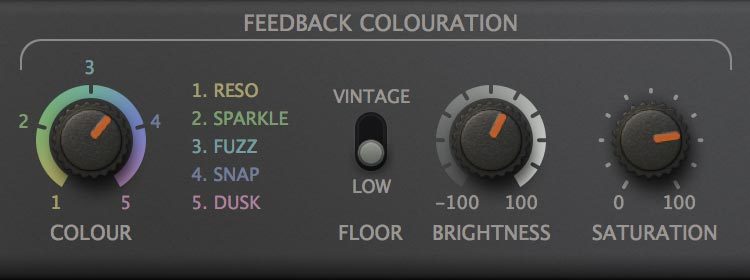
During development we soon realized that we could capture the essence of the entire range of classic bucket brigade delays – from the low-range rumbling, slowly evolving delays to the highly resonant, screaming characters. A single knob lets you continuously blend between the five finely-tuned "colour" macros. The differences may be subtle, but each one is rich in detail. In addition to obvious differences in frequency bandwidth, each comes with its own noise and dynamic characteristics, frequency loss over time, and several other qualities. The Saturation knob controls how prominent or subtle those characteristics should be, in case you want to dial back the colouration to better fit in the mix. Finally, a Brightness knob lets you adjust the bandwidth.
Flexibility
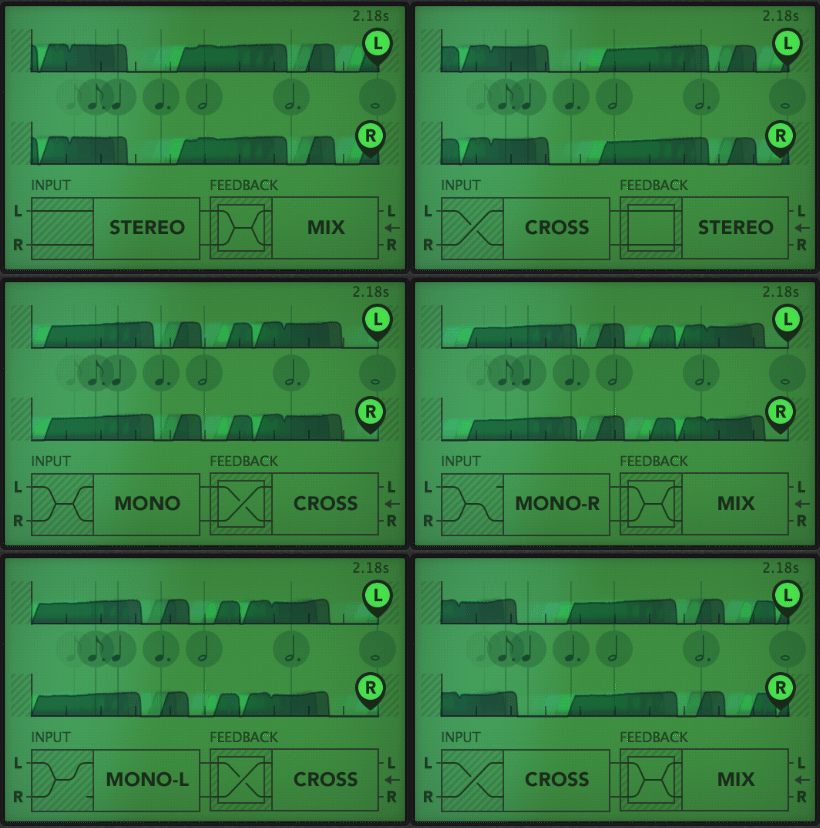
Colour Copy is capable of a huge variety of different delay-based effects. With delay times ranging from under a millisecond to several seconds, you can create anything from comb-filter and flange/chorus effects to regular ping-pong delays and longer "looper" effects. The routing options let you mix or swap the input and feedback signals independently or even invert the feedback phase for various phase cancellation effects when delay times are set very short. Additionally, unlike hardware BBD units, Colour Copy's left and right output "taps" can be placed anywhere along the delay lines. This feature lets you move echos independently "forward in time" for e.g. ping-pong or "rushing" delays as well as various stereo chorus or flanger effects. You never knew you'd want three different ways to create a ping-pong effect!
Animation
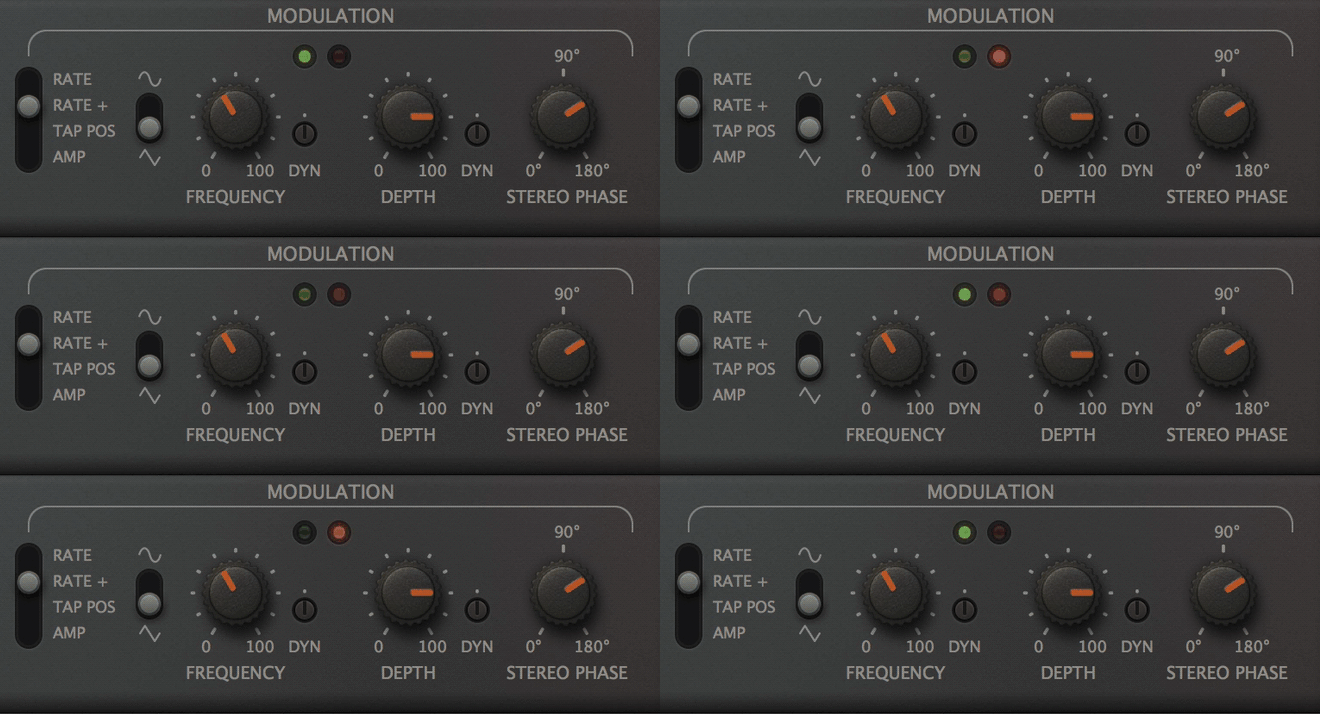
Colour Copy comes with a stereo LFO that can be used to modulate either the delay rate, the tap positions or the delay amplitude. With a range of 0.05Hz to 20Hz (as times: 20s to 50ms) the LFO can create chorus, vibrato and tremolo effects. Crank up the modulation depth for deep pitch-shifting. An envelope follow signal derived from the input signal can be used to modulate the LFO frequency and depth, adding realtime dynamics to the effects.
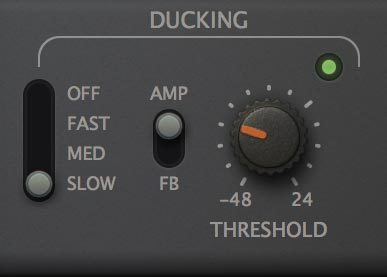
Colour Copy comes with the obligatory ducking compressor, but with a unique twist: You can select whether to duck the entire delay output or just the feedback signal. This latter option leaves the very first delay unaffected, preserving the overall stereo "space" while preventing the sonic mayhem that high regeneration often causes.
Performance Control
Some people like to perform on their bbd hardware, pitching the regeneration up and down by twisting the rate knob. We took Colour Copy a step further in this direction by adding a pair of creative features: Firstly, a freeze button that loops the contents of the delay buffer for as long as you like. Secondly, midi key control so that you can play Colour Copy like a mono synth – each octave up doubles the delay rate.
System Requirements
Mac
- Mac OS X 10.9 or newer (Intel and M1 Mac Supported) (64-bit only)
- AU2, VST2, VST3
Windows
- Windows 7 or newer (32 / 64-bit)
- VST2, VST3
Minimum Requirements
- Host software / DAW
- 1GB RAM, more recommended
- 50MB free disk space
- 1000 × 600 or larger display
- Modern CPU required
- Intel Nehalem or newer, AMD Bulldozer or newer (for Windows / Linux)
- Intel Nehalem or newer, Apple M1 (for Mac)
- Linux - glibc version 2.28 or newer
Plugin Formats:
- Colour Copy is not a standalone product, it requires host software. Colour Copy is compatible with nearly all DAWs.
- Colour Copy is Native Instruments NKS-ready and compatible with Maschine and Komplete Kontrol hardware.

Can this analogue-modelling expert bring something new to the party? Touted as “a virtual-analogue effect inspired by classic bucket-brigade delays”, Colour Copy (VST/AU/AAX) is the latest plugin effect from Berlin’s u-he: a greatly expanded version of the Lyrebird delay module found in their ...
Read MoreReviews Summary
While it aims to provide a helpful overview, it may not capture every perspective or detail. We encourage you to read individual reviews to make an informed decision.
Reviewers widely praise this BBD delay plugin as one of the best available across music genres. They highlight its wide, great-sounding character that requires minimal tweaking, versatility for synths, and valuable features such as lovely crunch, filter options, and a freeze function.


