Log In

Free gifts available with your purchase
The Idea & Process
Cassette Keys.02, a successor of Cassette Keys.01, wasn't created to replace it, but rather to make things different, bigger, and to make use of the new .02 interface. In fact, both of those instruments complement each other very well. Cassette Keys.02 contains two instruments, both inspired by classic FM keys from the 80s, but expanded with other synthesis techniques plus even a little sampling to achieve interesting transient sounds.
Each instrument contains 5 dynamic layers and was recorded with 3 different cassette decks. Overall, there are 2193 samples - 365 samples per deck, plus 3 noise samples from each deck (5,73 GB of uncompressed 24-bit WAV files).
The End Result
- Useful and Fun Production Tool: If you like vintage sounds and you're looking for something to enhance your production toolbox, then this product will be for you.
- Variety of Sounds: Aside from the sound of a cassette record with this instrument you can easily create some weird sounds and there are already quite a few presets included to get you started (Kontakt & Ableton Live versions only).
Features
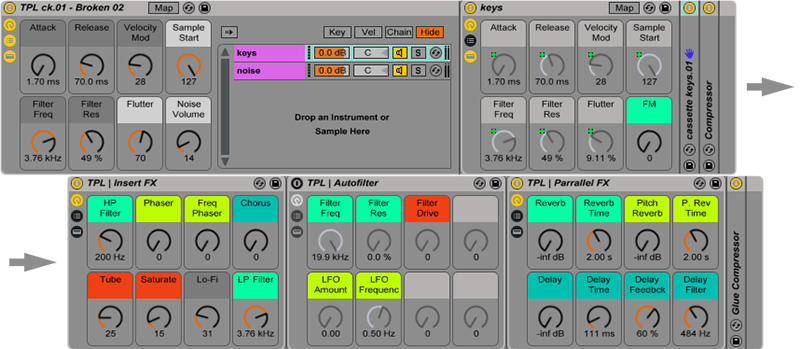
- 52 Instrument Racks: 12 basic + 40 additional presets (both with mapped macros)
- Custom Effect Racks
System Requirements:
- Full version of Live 9.7 (or higher) required
Note: The full version of Live 9.7 (or higher) required to run this software.