/ Generator / Sound Gadgets
Reflekt Audio

Sound Gadgets

4.2 (198 Reviews)
FREE
Sound Gadgets
Sound Gadgets
Sound Gadgets (FREE VST PLUGIN) gallery thumbnail
Sound Gadgets Demonstration Video gallery thumbnail
From This To This EP01: Making A Beat From A Snare Drum Recording gallery thumbnail
Sound Gadgets
Product information

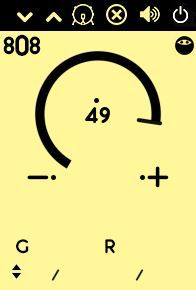
Reflekt Audio has created a plugin for producers and music makers everywhere. We are proud to present you all with the Sound Gadgets plugin. Equipped with 20 different velocity sensitive sound gadgets you will get everything you need to create music right after download. We designed this plugin to be a go-to for modern music makers as it contains one of each element such as a snare, a kick, a sub bass, an 808, a piano and much more.

Features

  • Unzipped File Size: 233MB
  • Zipped File Size: 136MB
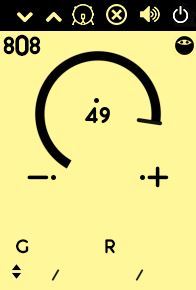
  • 1 808 Gadget
  • 1 Bass Gadget
  • 1 Boom Gadget
  • 1 Clap Gadget
  • 1 Crash Gadget
  • 1 Cym Gadget
  • 1 Hat Gadget
  • 1 Hit Gadget
  • 1 Kick Gadget
  • 1 Metal Gadget
  • 1 OH Gadget
  • 1 Perc Gadget
  • 1 Piano Gadget
  • 1 Snap Gadget
  • 1 Snare Gadget
  • 1 Stab Gadget
  • 1 Sub Gadget
  • 1 Tink Gadget
  • 1 Tom Gadget
  • 1 Vox Gadget
  • Velocity Sensitive
  • Essential Effects Per Sound Gadget

System Requirements

  • Mac/Windows Compatible
  • Works In Most D.A.W.S (Excluding Pro Tools)
Installation Instructions
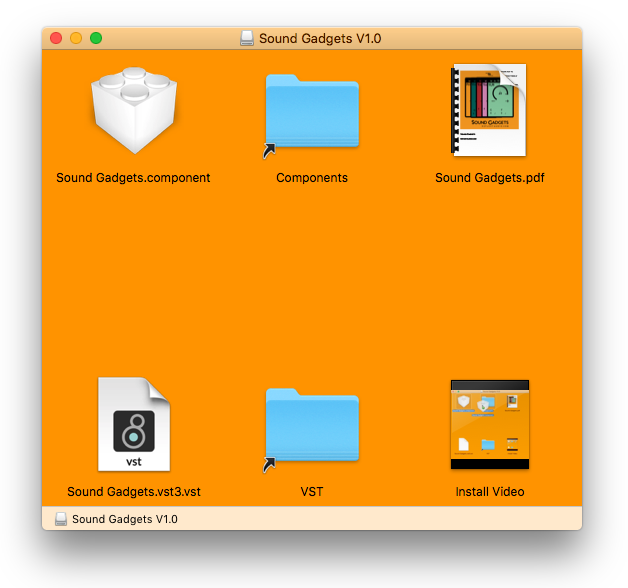
Mac Installation

1. Download the .dmg file from within your Plugin Boutique User Account and open it to begin the installation > Click and drag the 'Sound Gadgets.component' and 'Sound Gadgets.vst3.vst' files into their corresponding folders.

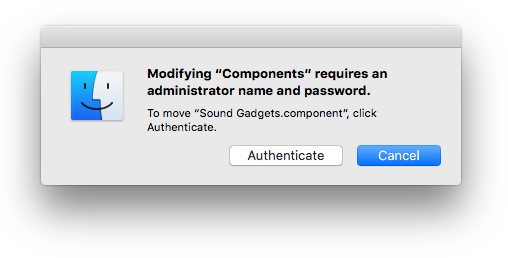
2. Click 'Authenticate'.

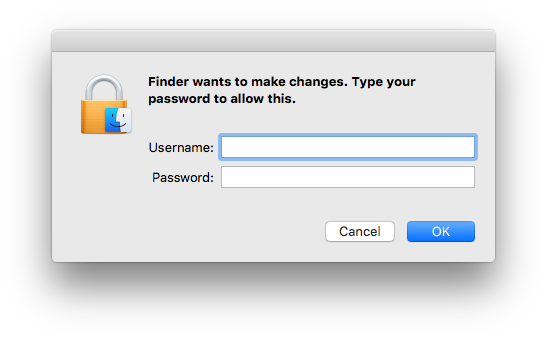
3. Enter your computer Username and Password > Click 'Ok'.

Your software is now installed and ready to use.

Windows Installation

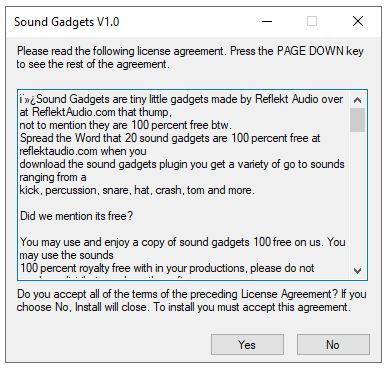
1. Download the .zip file from within your Plugin Boutique User Account and double-click it to extract the contents> Open the .exe file to begin the installation.

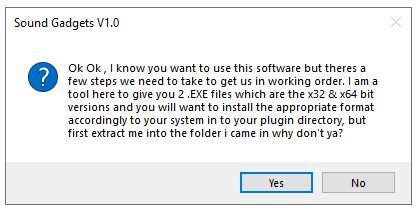
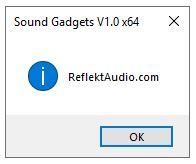
2. Click 'Ok'.

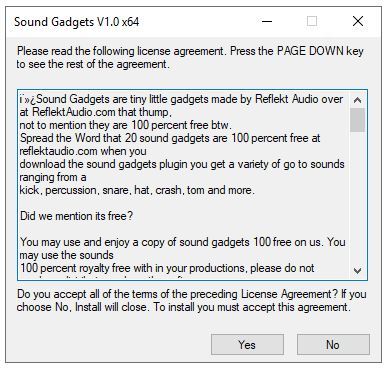
3. Click 'Yes'.

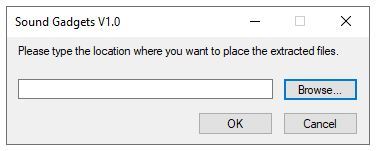
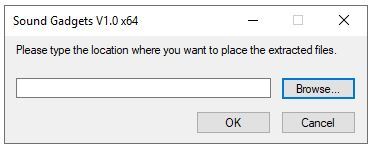
4. Choose an installation location for your product > Click 'Ok'.

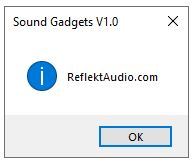
5. Click 'Ok'.

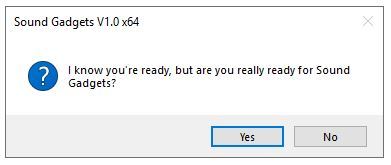
6. Navigate to your installation location and open either the 32-bit or 64-bit installer > Click 'Yes'.

7. Click 'Yes'.

8. Choose the same installation location as step 4.

9. Click 'Ok'.

10. Copy the 'Sound Gadgets.dll' file and paste it in the following location - C:\Program Files\Steinberg\VSTPlugins

11. Extract the 'Sound Gadgets.instruments' file and copy the folder to the following location - C:\Program Files\Steinberg\VSTPlugins

Your software is now installed and ready to use.

Plugin Boutique Rewards

Discover the most rewarding loyalty programme among all plugin retailers.

  • Free Loopmasters Samplepacks
  • Discounts on products and courses
  • Extra Virtual Cash claimed immediately at checkout
Find out more

Follow us:

X (Twitter) Facebook YouTube Instagram
Logo Logo

Plugin Boutique Limited, Part of the Beatport Group LLC.

Copyright © 2011-2025 Plugin Boutique. All rights reserved