Log In

Free gifts available with your purchase

Cyclop has Landed
Monophonic, raw and unbelievably versatile. Cyclop is packed with tools for the bass of the future and beyond. Wobble Knob, FX Sequencer and a hilariously versatile sound engine will give you endless joy.
Oscillators: Everything Starts Here...
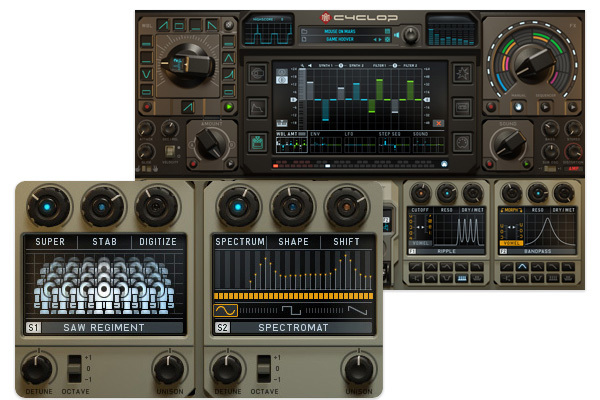
Saw Regiment | Analogue | FM | Transformer | Spectromat | Phase Stressor
Cyclop derives its power from the two sound generators. Spectral, digital, fat analog or use your own samples as a wavetable.
These beasts do one thing very well: delivering cutting-edge digital madness at the low end of the frequency spectrum.
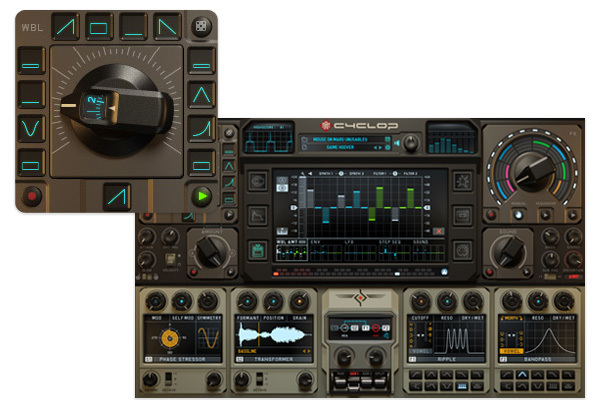
Wobble Knob
Cyclop will Blow Your Mind. Wobble Bass? Dubstep? Do Something Completely New!
Wobble expert: rhythmical material is the special power of this synthesizer. The Wobble Generator modulates synth- & filter with various waveforms at tempo-synced rates.
The knob recorder allows to run automation along with your MIDI notes.
Modulation Madness
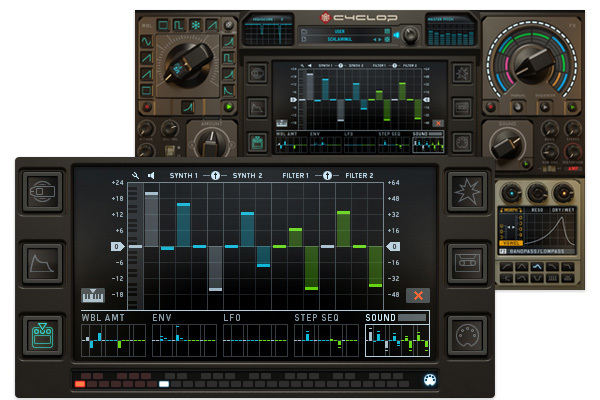
Innovative Modulation Concept - Deep and Accessible
Enjoy an incredible depth of sound design possibilities & great real-time control over 16 different target parameters. Along with the wobble generator, the more traditional sources like envelope, LFO (9 waveforms), a 16 step sequencer or the sound knob add up to five modulators.
Cyclop FX: Made to Impress
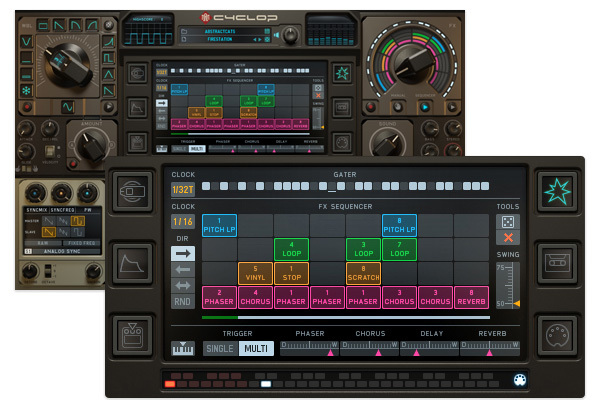
Pattern-Based Sequencer with the FX Knob as Automatable Controller
The effect section is a mixture of Effectrix and Turnado flavours.The four sequencer lanes each hold a different group of effects. The multi-effect can be controlled per the FX knob or via a sequencer. Rhythmical effects a lá Effectrix or Turnado at your fingertips – complex sound design becomes child’s play.
- Pitch Looper (4x pitch down, 4x pitch up)
- Looper with 8 lengths
- Vinyl Effects (Tape Stop, Vinyl, Scratch)
- Classic Delays
Sounds & Presets
A powerful monster that has grown out of all the sounds in the universe:
- Over 800 presets included by Abstract Cats, Torley, the Sugar Bytes crew, David F, Bazooka, SiriusMo and many more
- Recommended by BoysNoize, Skrillex, Peaches, Modeselektor, SiriusMo, Mouse on Mars, Biohazard
Features
- Monophonic Setup
- 6x2 Synthesizer, incl. Sample Transformer & Phase Stressor
- 10x2 Filter, incl. Vowel Mode
- FX Sequencer
- Deep Modulation System
- Effective Preset Cloud Browser
- Free Signal Flow
- Wobble Generator!
System Requirements
Mac
- macOS 10.12 or higher (Apple Silicon M1 supported) (64-bit only)
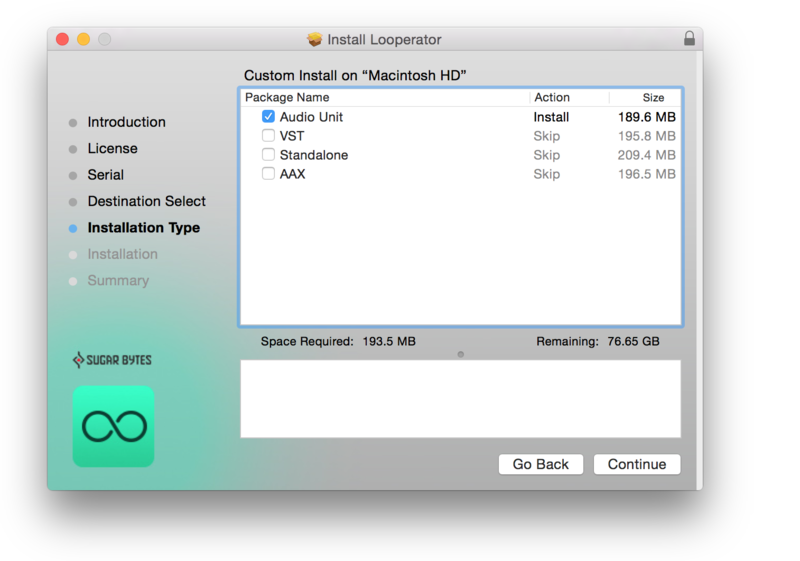
- VST2, VST3, AU, AAX & Standalone Application
Windows
- Windows 7 or higher (64-bit only)
- VST2, VST3, AAX & Standalone Application
Important note: This software is only available in 64-bit format for both Windows and macOS and will not function on 32-bit systems.
Awards


Groove Magazine
The magazine for electronic music and club culture.
"With all the modulations, the sounds are morphed, meandered and crumbled, so that the sound is just a joy - and not only the Dubstep floor will benefit from it".
Computer Music Magazine
The world’s best selling magazine dedicated to making great music with your Mac or PC.
”The recipe? Take three parts easily programmable synth, add one part custom modulation sequencer, blend with an LFO section that's ingeniously in tune with the way people make electronic music these days, and finish with a versatile effects set-up".
Modeselektor
Monkeytown Records / Berlin
"Cyclop rules at least 4 tracks on our new album!"
In an uncertain world, it's always good to have a few constants, and few things are more constant than Sugar Bytes' plug-ins, which always seem to be as odd as they are inspiring. Pros: Huge bass. Great stereo imaging. Distinctive sound. Fantastic and unique modulation matrix. Ma...
Read MoreThere's no greater mistake anyone working in the music technology business can make than thinking that he or she has seen it all. While it's perhaps true that the majority of the "new" technology released each week draws heavily on scientific theories and interface design we've all seen before, t...
Read MoreWe love bass, so we decided to take a look at the latest low end monster synth on the market in our Sugar Bytes Cyclop Review. Cyclop has huge possibilities for dubstep – read on to find out just how worthy it is of your hard earned… First Impressions Cyclop is, initially at least, pretty co...
Read More