


 Log In

Free gifts available with your purchase

Loud & Proud
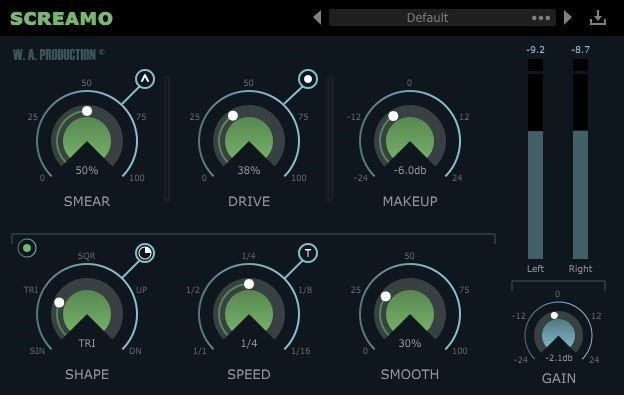
Sometimes the wildest ideas are the best and Screamo is proof... a crazy concept that just works! We’ve taken distortion to the next level by wrapping up several familiar ideas within one plugin, resulting in a talk-box / screamer hybrid that can groove along with your track. Forget about complex audio routing and syncing up multiple LFOs. With Screamo that’s handled for you as half of the plugin interface features a dedicated waveform shaper which can modulate resonant filters, distortion and gain to add life to any audio. Bring your bass lines out from the shadows with some subtle movement or make a synth line scream with in-your-face rhythmic overdrive - the choice is yours.
Smear
Two resonant shelving filters give a talk-box-like effect when used with restraint or full-on screamer when pushed hard. 3 different styles of smear effect can be switched: either upward, downward or two-way frequency modulation.
Drive
Use the Drive control to make your percussion loops crack or synths cut through the mix. Push your signal from subtle saturation to extreme overdrive. Soft, medium and hard style distortion modes can be activated.
Sync Everything
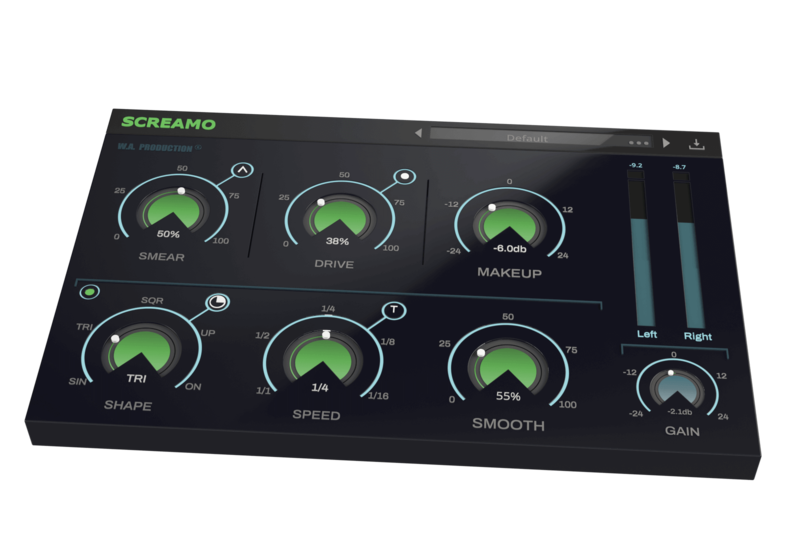
The Smear, Drive and Makeup controls are all synced together allowing you to create tempo-synced scream effects that would normally be very complex to achieve with normal plugin routing.
Use the bottom row of Shape, Speed and Smooth dials to design your waveform, controlling the 3 parameters on the top row. It’s totally possible to create a slowly evolving talk-box effect, or crazy fluttering overdrive - and everything in between.
All in one
Use the simple controls to dial in your individual style or utilise the onboard presets for one-click transformations. The 25 factory presets are designed to get you up and running quickly, with settings that veer from subtle saturation to wild overdriven rhythms. These are all easily accessible from the plugin menu and of course, you can save your own settings as user presets too.
A real-time level monitor and gain control are essential for accurate A/Bing to check the results of Screamo’s processing power.
W. A. Production are real-life producers making creative plugins to help you achieve studio-quality processing quickly and easily. Enjoy!
Features
- 25 Creative Presets for one-click transformations
- 3 Smear modes
- 3 Distortion types
- 5 Sync modulation wave shapes with adjustable start points
- Sync speed control with straight, triplet and dotted rhythms
- Real-time output level display and gain
- Full PDF Manual & Tutorial video
- Resizable user interface
System Requirements
- VST Windows 8 or later (32 / 64-bit)
- VST / AU macOS 10.13 and later (64-bit only)
Please Note: AAX format requires Pro Tools 11 or higher.
Important Note for Mac Apple Silicon users: Before purchasing, please review the current compatibility status of this plugin on your system here.
The Samplecast
The show for sample library geeks, plug-in fans and people who love toys that make noise.
"What a wild effect! The presets are great starting points and once I began experimenting I couldn't stop."
Miza
Producer / DJ
"After 5 minutes using Screamo I realized that's what I was looking for years now!"
Reviews Summary
While it aims to provide a helpful overview, it may not capture every perspective or detail. We encourage you to read individual reviews to make an informed decision.
Overall, customers find this distortion plugin to be versatile, easy to use, and a great value for the price. It is praised for adding grit and depth to vocals, guitars, and synth basses, making it a good entry-level choice, though some users note superior alternatives exist on the market.


