/ Virtual Instruments / Igniter Full Tank
Krotos

Igniter Full Tank

4.8 (5 Reviews)
$299.70 $999.00

70% off until Dec 07

Krotos Igniter Full Tank
Igniter - Complex Vehicle Sound Design. Simplified. gallery thumbnail
Igniter Walkthrough gallery thumbnail
Buy Now
Product information

Design Vehicle Sounds in Seconds

A one-stop solution for designing, performing and automating vehicles directly in your DAW.

The Industry-Standard Vehicle Sound Design System

Igniter is a one-stop solution for designing, performing and automating vehicles directly in your DAW. From everyday vehicles, sports cars, motorbikes, planes, helicopters, spacecraft, drones or anything you can imagine.

Design Vehicle Sound Effects Directly In Your DAW

  • Ready-to-go Vehicles at your Fingertips - Select from over 20 high-quality performable vehicles including Ford F150, Harley Davidson, Audi R8 and more.
  • Explore the Power of a Hybrid Workflow - Process vehicle sound effects as part of a powerful, hybrid workflow using Granular, Synth, One Shot or Loop modules.
  • Design Vehicle Sounds in Seconds - Igniter will save hours of editing and will allow you to perform your vehicle sound effects via MIDI or change the length or type of sound in a complex vehicle scene in seconds.

Use Cases in Sound Design

Vehicle Movement - Design vehicles with automation and eliminate the time-consuming elements of vehicle sound effects. Follow along to your footage on screen as you design, with a flexible and quick workflow.

Driving Pass-Bys - Add a Doppler effect to any preset in Igniter instantly, and perform the movement of a vehicle through a space, or as it moves past the viewer. Save and recall this movement for easy adjustments later in the edit, or save your presets for use in another project.

Vehicle Foley - Sweeteners, car doors, windows, windscreen wipers, interiors or exteriors – deliver your full vehicle scene in one. The One Shot tab contains a collection of samplers which can be loaded with sweeteners to add an extra dimension to your designs.

Electric Vehicles - Access a number of electric vehicle assets directly in Igniter’s File Browser, and ready-to-go electric vehicle presets to generate fully realistic electric vehicle effects instantly.

Perspectives & Changes - Mix and Automate between Engine and Exhaust perspectives for each vehicle to get the perfect mix. Use Igniter’s built-in Convolution Reverb to switch between interior and exterior perspectives, even drag and drop your own Impulse Responses from your own library.

Movement on Surfaces - Igniter’s Loop system allows you to sequence loops along a timeline to design dynamically changing loop-based systems. This feature allows your vehicle to move across different surfaces, wind speeds, or to create loop-driven systems for vehicles using static rev band recordings.

Complex Actions - Maximise Igniter’s potential for adding revs, acceleration, brakes, engines and exhausts. Quickly sketch your vehicle’s behaviour with your mouse or midi controller, and perform along to picture right away.

Drones & Aerial Vehicles - The ground is not the limit! As well as on-ground vehicles, Igniter contains a large selection of aerial sound effects, ideal for designing helicopters, and drones.

Sci-Fi & Futuristic Spaceships - Travel through time and space and design spaceships, sci-fi textures and vehicles of the future using Igniter’s Synth tab.

World-class vehicle sound effects libraries

Igniter combines an unparalleled vehicles library from the world’s best recordists, combined with the Igniter plugin covering every aspect of vehicle design including onboard recordings, ramps & static rev bands, Foley sounds, skids, slides and much more!

  • Agusta Westland 119x
  • Aston Martin Rapide
  • Audi R8
  • BMW i3
  • Bucker BU 131
  • Cessna 560XL
  • CH-47D Chinook
  • Dacia 1310
  • De Havilland Tiger Moth
  • Ferrari 348
  • Ford F150
  • Harley Davidson 99 Hog
  • Honda Civic
  • Huey UH-1H
  • Land Rover Defender
  • Mercedes Actros
  • Porsche Carrera
  • Subaru Crosstrek SUV
  • Subaru Impreza
  • Tesla Model S P85D
  • Toyota Chaser
  • U650M Tractor
  • Tires

Features

  • Igniter plugin
  • 2,689 Audio Samples
  • 24 Performable Vehicles
  • 284 Presets
  • 75 GB GB Additional SFX
  • Tag-driven Browser

System Requirements

Mac

  • macOS 10.13 - macOS 11 Big Sur (64-bit only) (M1 Mac not yet supported)
  • Intel computer with a minimum of 2.4 GHz Intel Dual Core Processor
  • 4 GB of RAM
  • VST, VST3, AU, AAX Native

Windows

  • Windows 10 and later (64-bit only)
  • 2.4 GHz Intel Dual Core Processor
  • 4 GB of RAM
  • VST, VST3, AAX Native

Additional Information:

  • This software is a digital download
  • Minimum sample rate: 44.1 kHz
  • Maximum sample rate: 192 kHz
  • An internet connection is required at the time of activation
  • Screen resolution of 1280×1024 or higher
  • An iLok account (available for free at ilok.com) is required to activate and use both the demo and full version of the software
  • Igniter can only be activated on one computer at a time
  • An iLok 2 or later is required for dongle use

Supported Host Applications:

  • Pro Tools (11 or later)
  • Logic Pro X
  • Nuendo 8.2.10 or later
  • Cubase
  • Reaper
  • Ableton Live 10 or later

Please Note: This software may work on other DAWs and DAW versions apart from those listed above. However, these will not have been tested and Krotos cannot guarantee the product will work as expected.

Testimonials

Joseph Fraioli

"Igniter is a game changer!"

Installation Instructions

Important Notes:

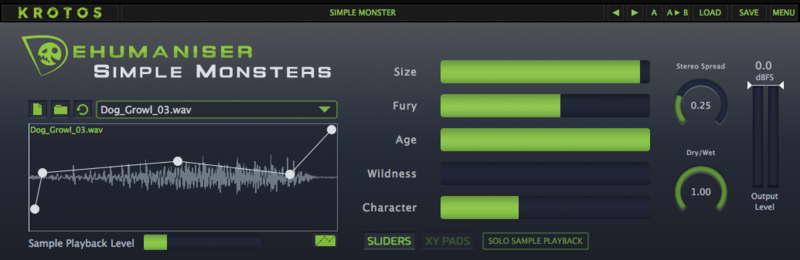
  • Dehumaniser Simple Monsters is used as an example.
  • This product requires a free iLok account and a copy of iLok license manager to be installed on your computer. A physical iLok USB dongle is NOT required.
  • Registering and logging into your Krotos account is required before activating the plugin - please follow the below registration steps before activating.

Registration (Neccessary to complete first)

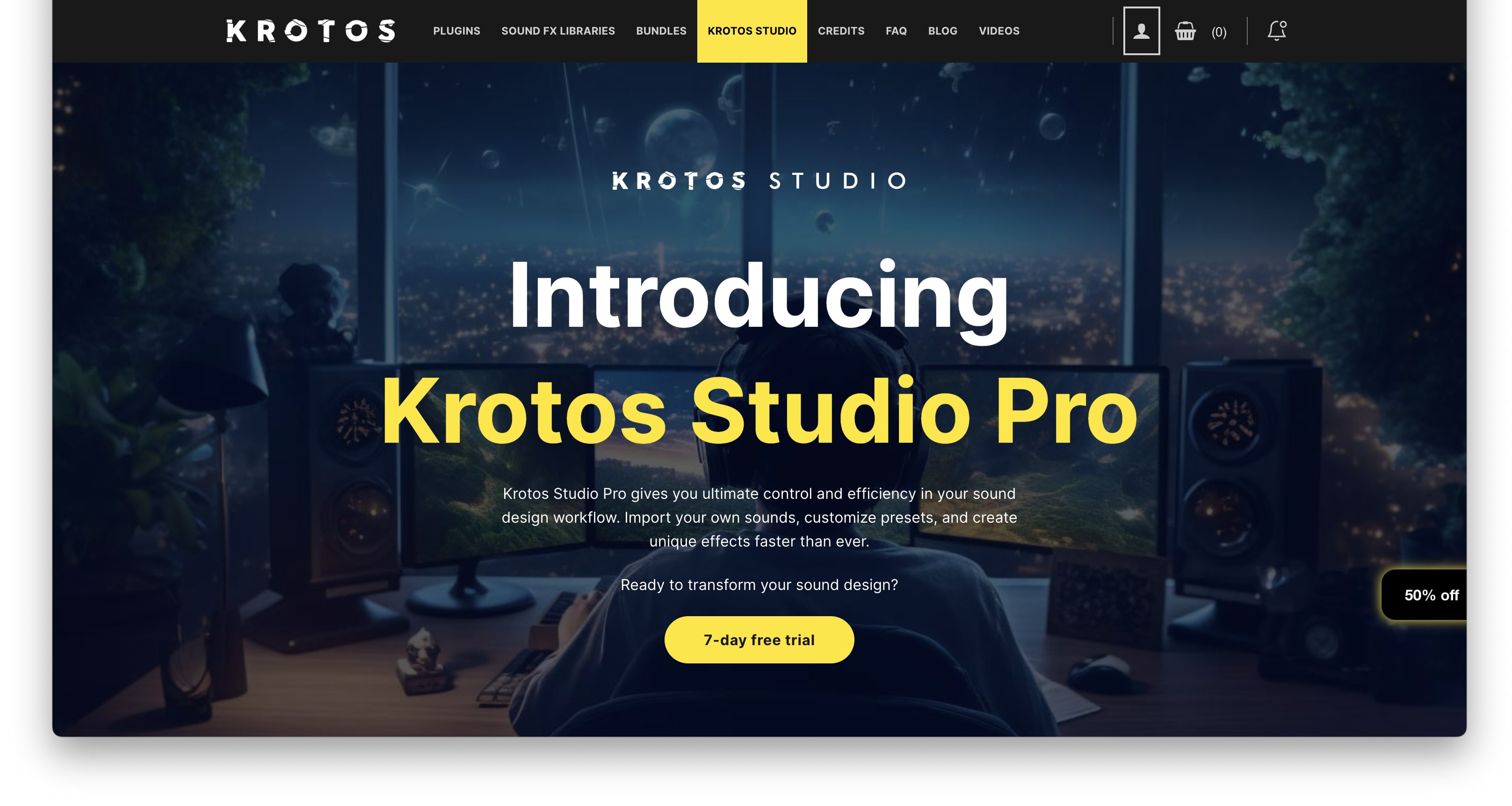
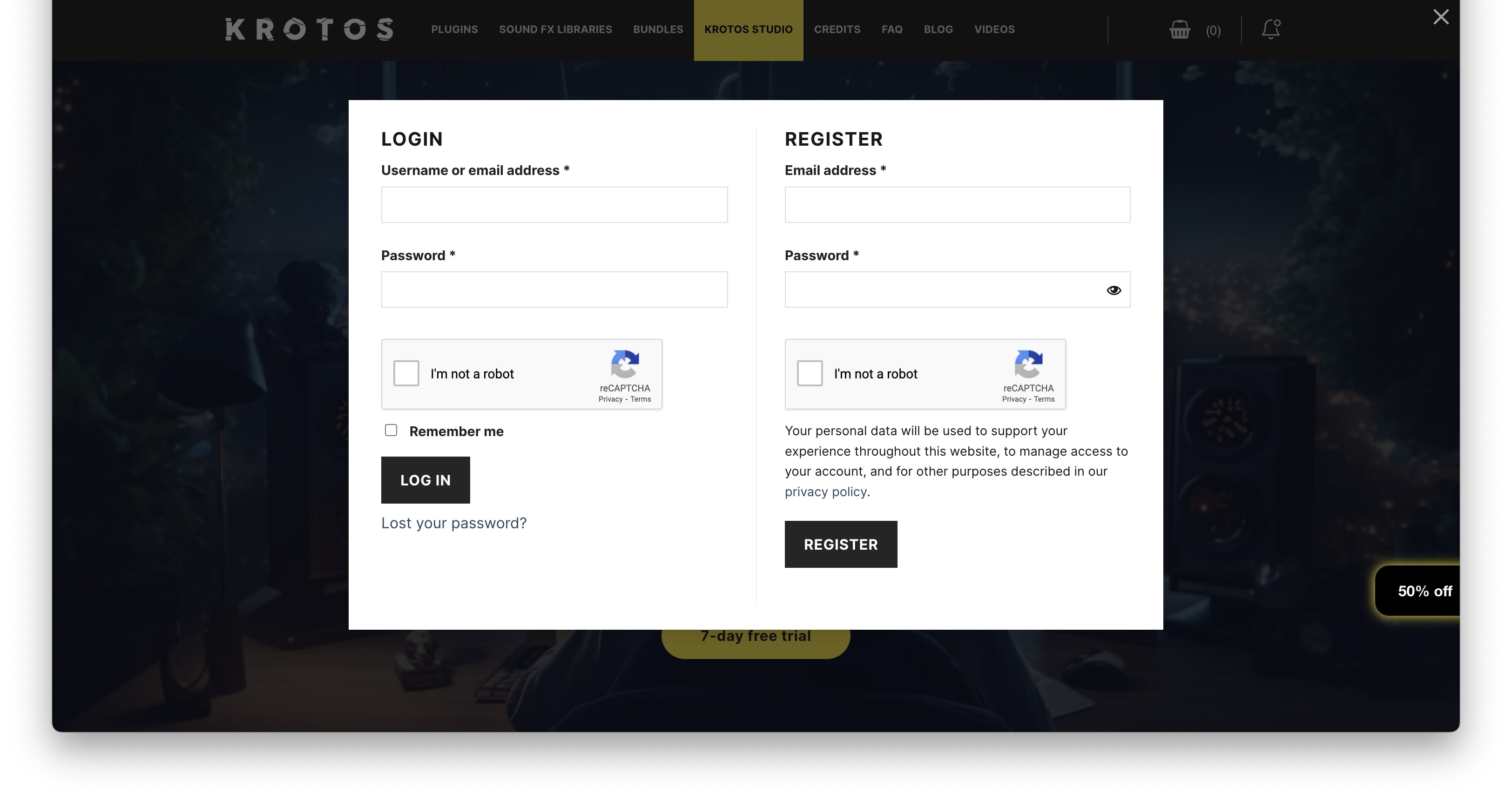
1. Go to https://www.krotosaudio.com/ > Click the 'user' icon in the top right corner.

2. Enter your details and click 'Register' > If you already have a Krotos account, log in as usual.

Activation

Mac

iLok Registration

1. Go to https://www.ilok.com/#!registration > Fill out all of the relevant fields marked with an asterisk (*) and click 'Continue'.

2. Go to https://www.ilok.com/#!license-manager > Download and install the iLok License Manager.

Krotos Registration

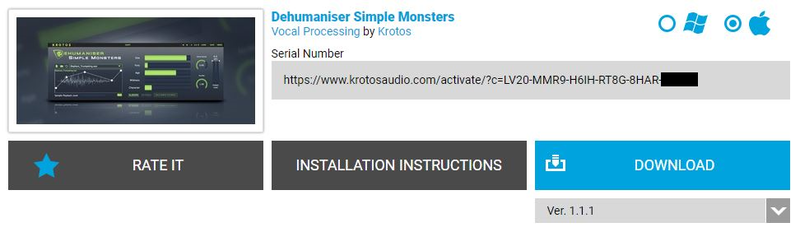
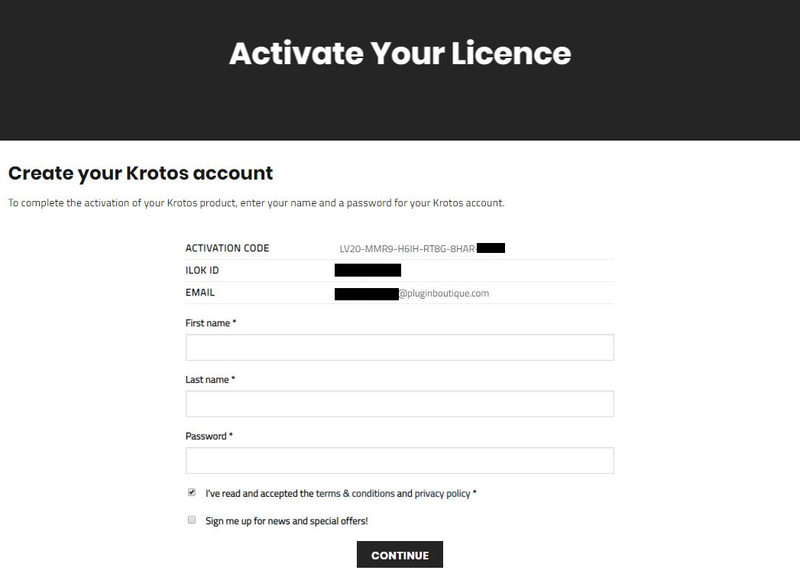
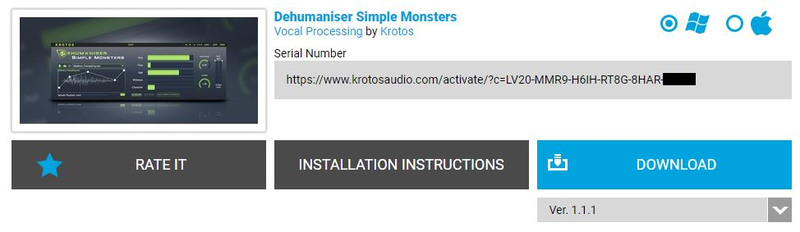
1. Go to your Plugin Boutique User Account and copy the URL found in the serial number section of your purchased product > Paste the URL into your web browser and press enter.

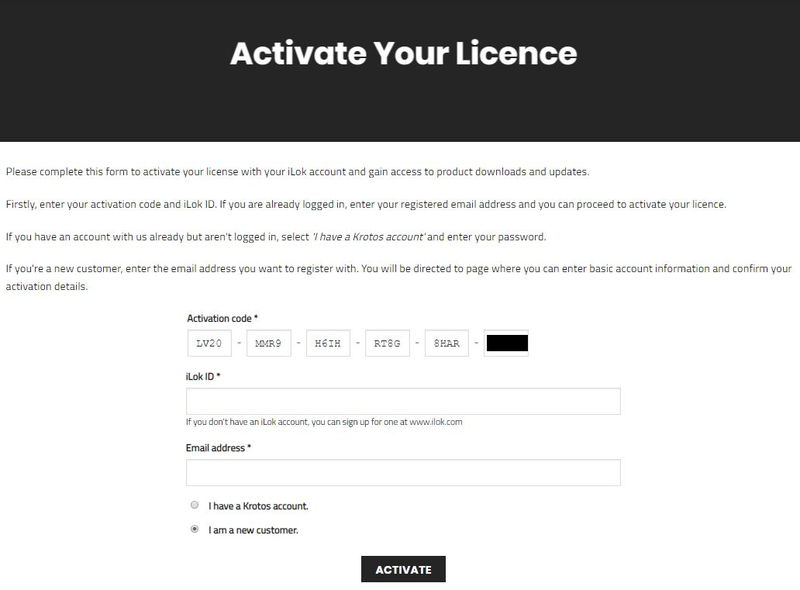
2. Fill out the relevant fields marked with an asterisk (*), including the iLok ID that you chose in step 1 of the iLok Registration instructions > Select 'I am a new customer' and click 'Activate'.

3. Enter your name and password of choice > Select 'I've read and accepted the terms and conditions and privacy policy' and click 'Continue'.

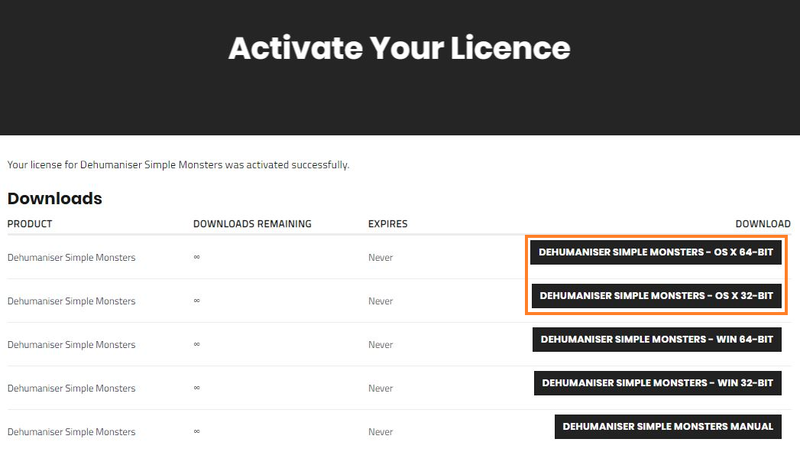
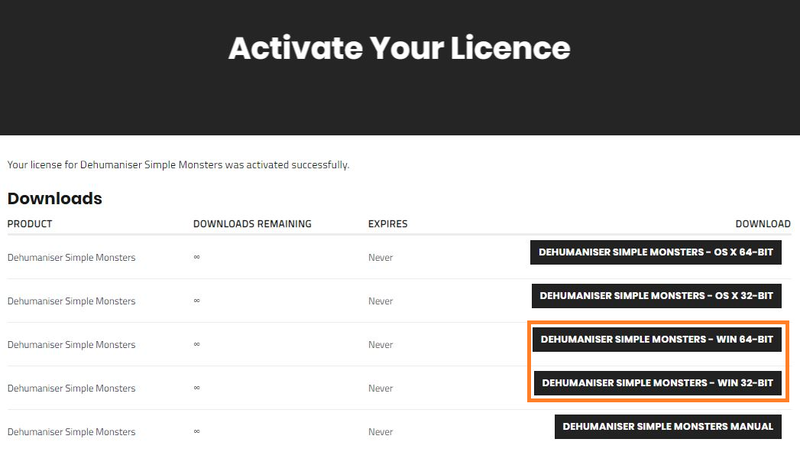
4. Download the Windows installer.

Installation

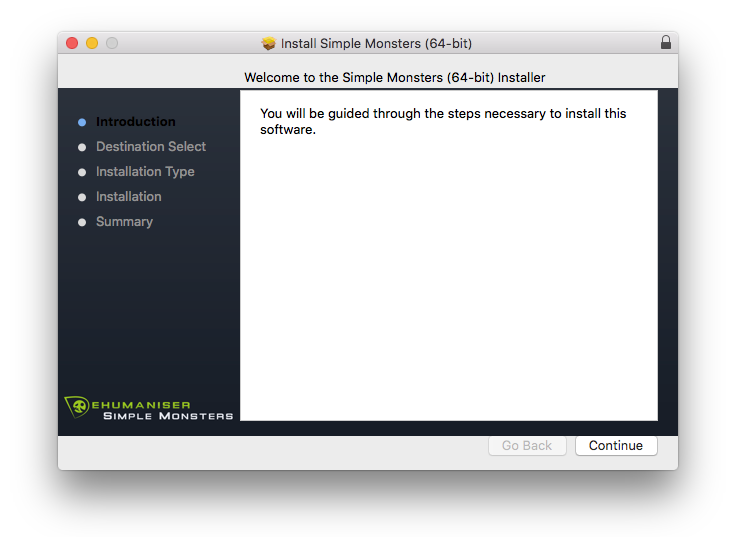
1. Double-click the downloaded .zip file to extract the contents and open the .pkg file to begin the installation > Click 'Continue'.

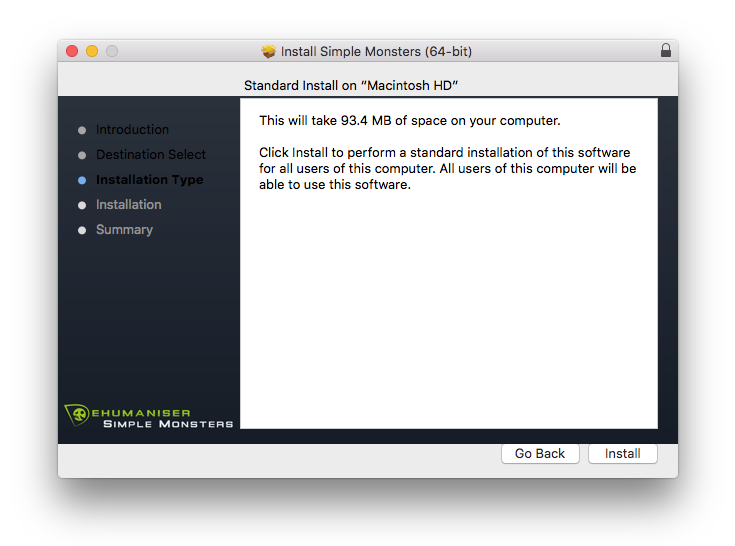
2. Click 'Install'.

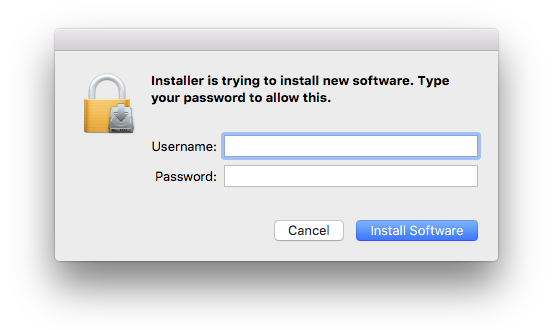
3. Enter your computer Username and Password > Click 'Install Software'.

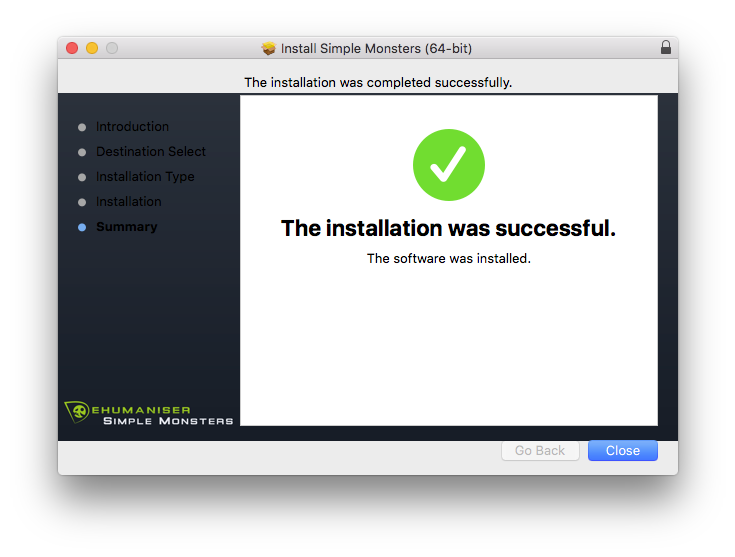
4. Click 'Close'.

Activation

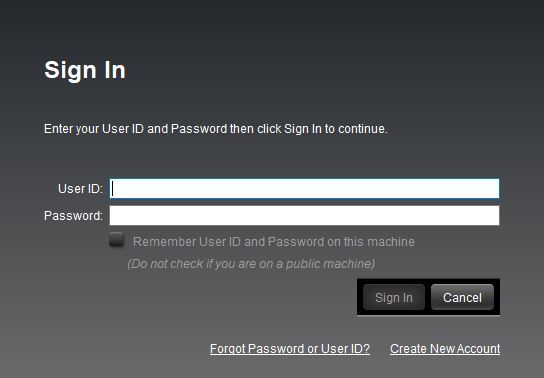
1. Open the iLok License Manager > Click 'Sign In'.

2. Enter your iLok User ID and Password > Click 'Sign In'.

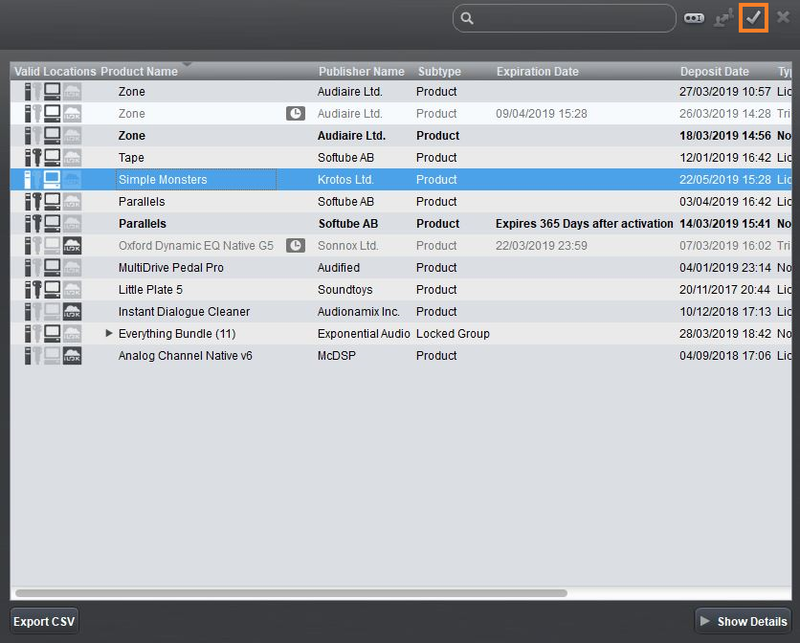
3. Select your recently installed product from the list > Click the tick icon in the top right corner of the application window.

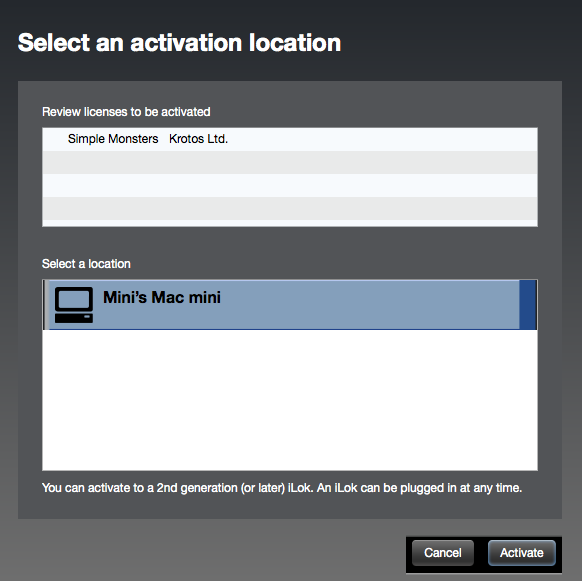
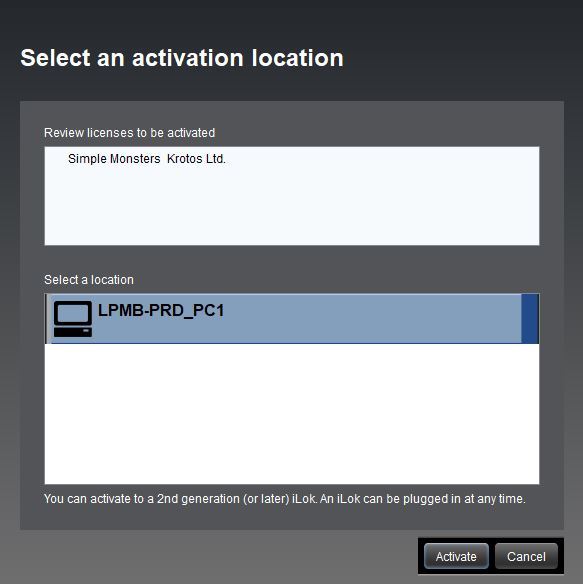
4. Select the location you wish to activate your license - this can be your computer or an iLok USB dongle > Click 'Activate'.

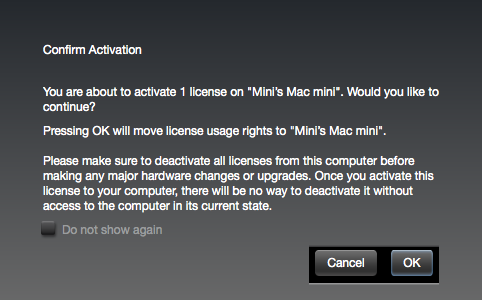
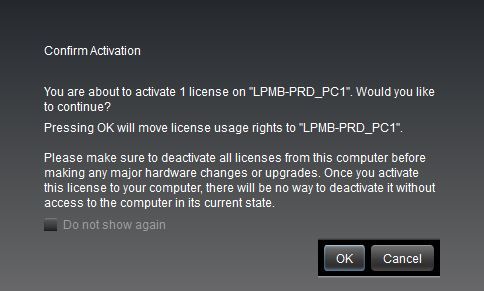
5. Click 'Ok'.

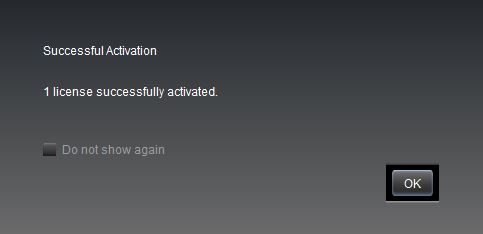
6. Click 'Ok'.

7. Open the recently installed plugin in your DAW.

Note: If your plugin fails to appear, re-scan your plugin selection in your DAW.

Your software is now activated and ready to use.

Windows

iLok Registration

1. Go to https://www.ilok.com/#!registration > Fill out all of the relevant fields marked with an asterisk (*) and click 'Continue'.

2. Go to https://www.ilok.com/#!license-manager > Download and install the iLok License Manager.

Krotos Registration

1. Go to your Plugin Boutique User Account and copy the URL found in the serial number section of your purchased product > Paste the URL into your web browser and press enter.

2. Fill out the relevant fields marked with an asterisk (*), including the iLok ID that you chose in step 1 of the iLok Registration instructions > Select 'I am a new customer' and click 'Activate'.

3. Enter your name and password of choice > Select 'I've read and accepted the terms and conditions and privacy policy' and click 'Continue'.

4. Download the Windows installer.

Installation

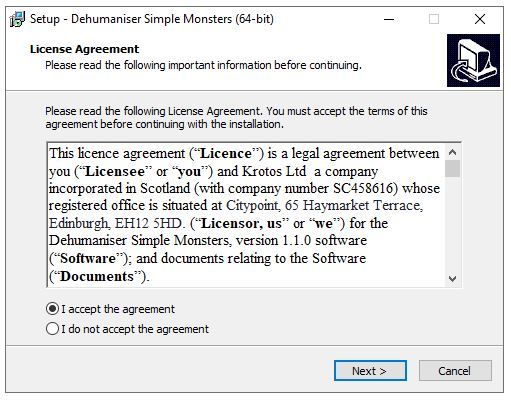
1. Double-click the downloaded .zip file to extract the contents and open the .exe file to begin the installation > Select 'I accept the agreement' and click 'Next'.

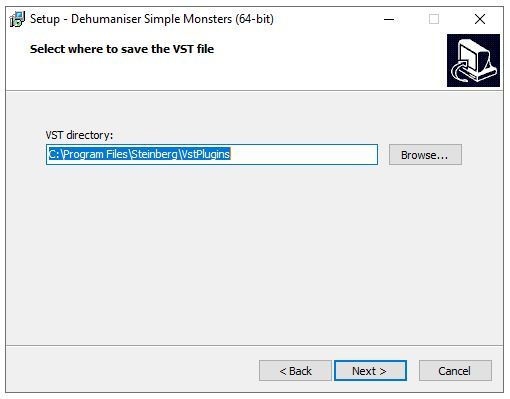
2. Click 'Next'.

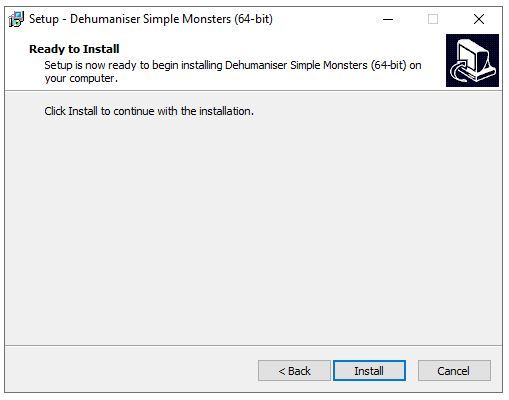
3. Click 'Install'.

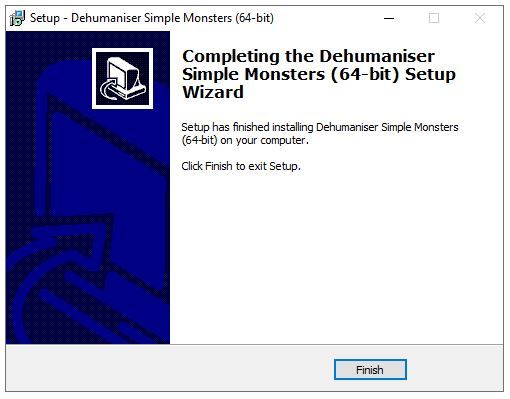
4. Click 'Finish'.

Activation

1. Open the iLok License Manager > Click 'Sign In'.

2. Enter your iLok User ID and Password > Click 'Sign In'.

3. Select your recently installed product from the list > Click the tick icon in the top right corner of the application window.

4. Select the location you wish to activate your license - this can be your computer or an iLok USB dongle > Click 'Activate'.

5. Click 'Ok'.

6. Click 'Ok'.

7. Open the recently installed plugin in your DAW.

Note: If your plugin fails to appear, re-scan your plugin selection in your DAW.

Your software is now activated and ready to use.

Krotos Concept Installation Instructions

Mac

Registration

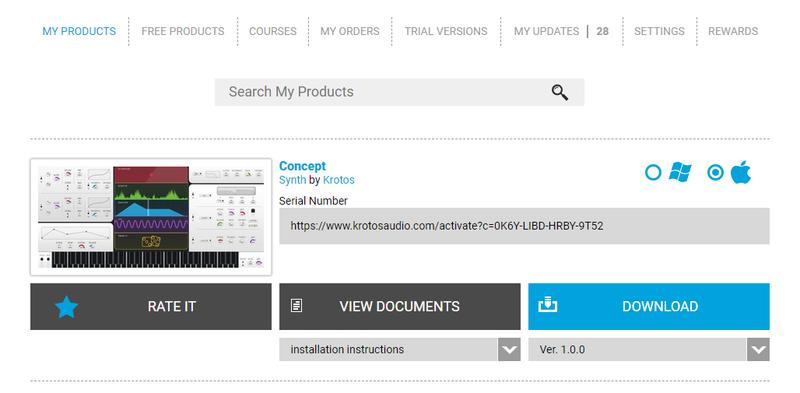
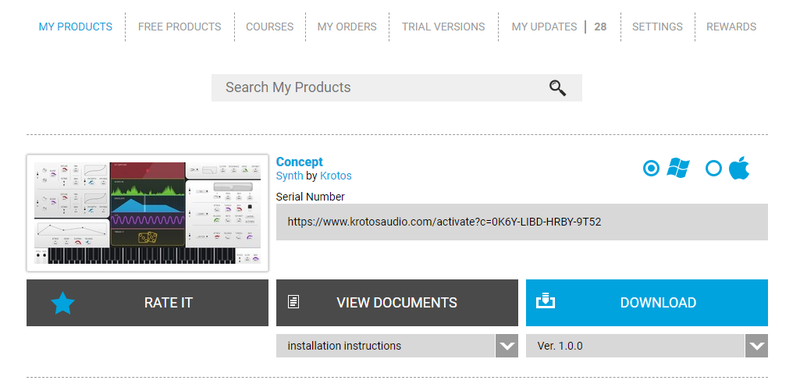
1. Go to your Plugin Boutique User Account > Copy and paste the serial number into your web browser and press enter on your keyboard.

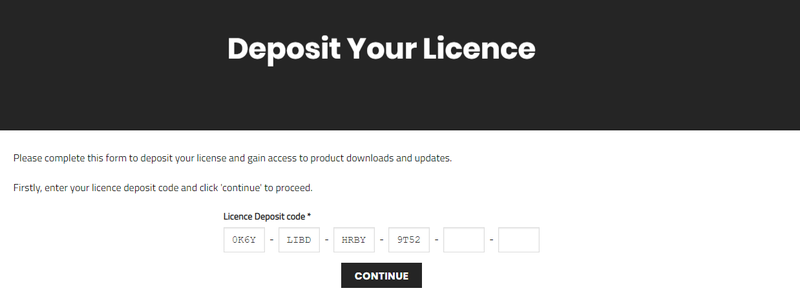
2. Click 'Continue'.

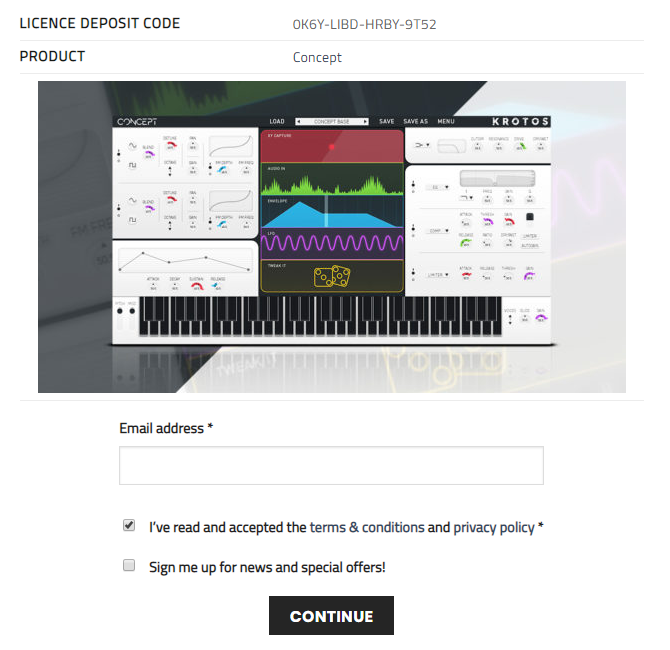
3. Enter your email address and check the box that states 'I've read and accepted the terms & conditions and privacy policy' > Click 'Continue'.

Installation

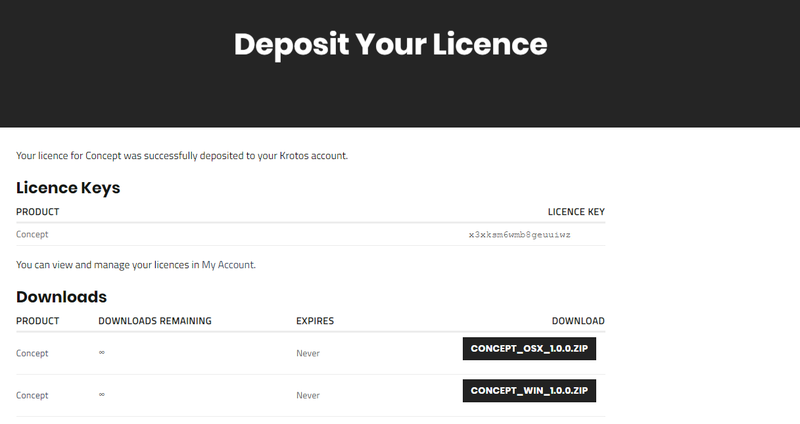
1. Download your Windows installer by clicking the button that reads 'CONCEPT_OSX_1.0.0.ZIP'.

Note: You will need your License Key for step 1 of the activation process.

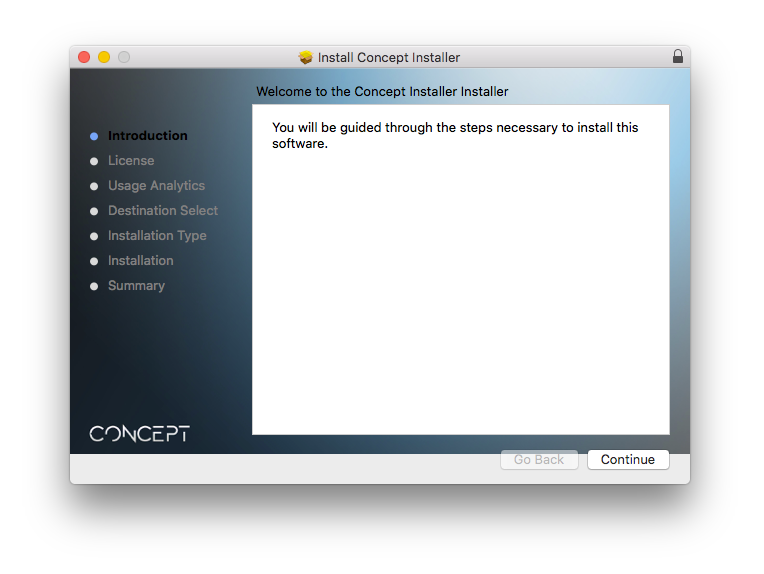
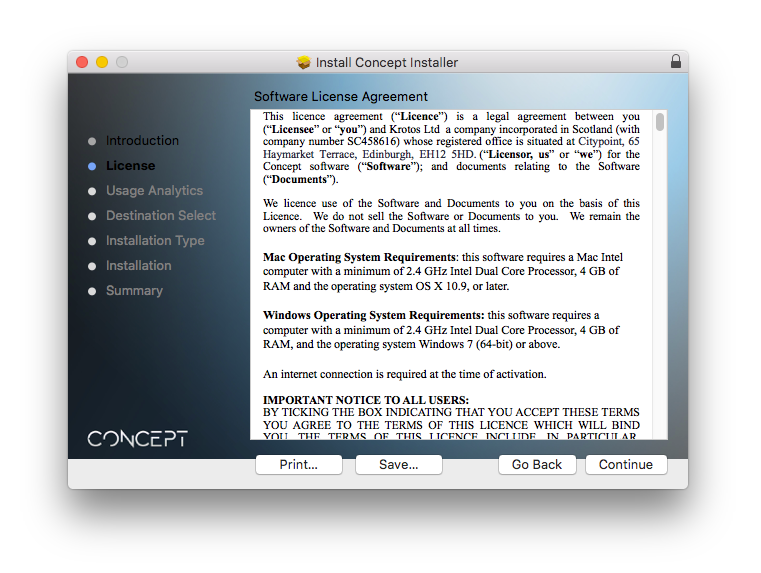
2. Double-click the .zip file to extract the contents > Open the .pkg file to begin the installation and click 'Continue'.

3. Click 'Continue'.

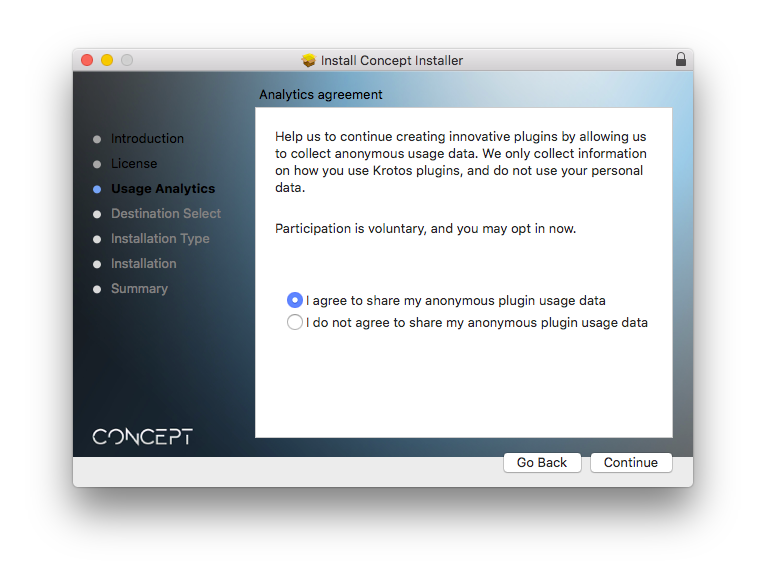
4. Select whether you agree to share your anonymous plugin usage data or not > Click 'Continue'.

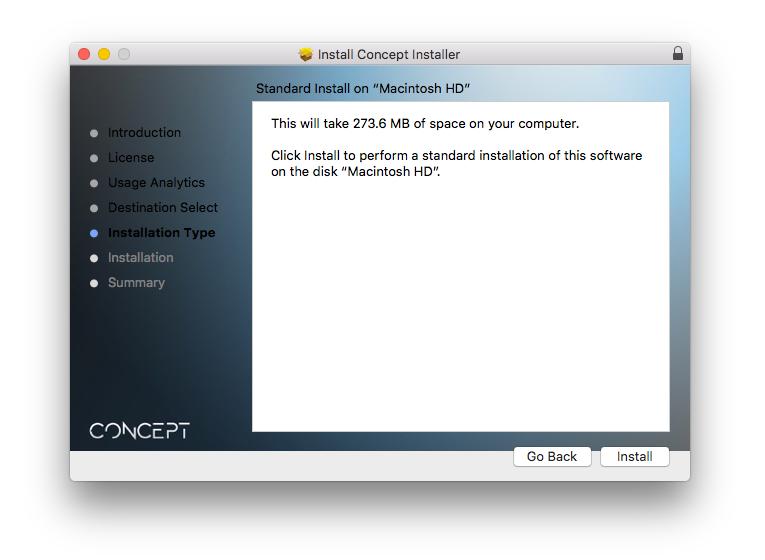
5. Click 'Install'.

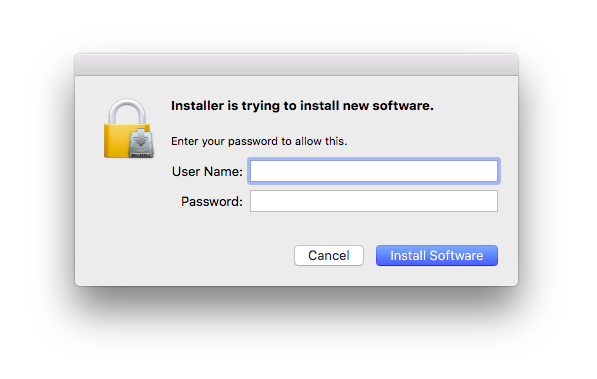
6. Enter your computer User Name and Password > Click 'Install Software'.

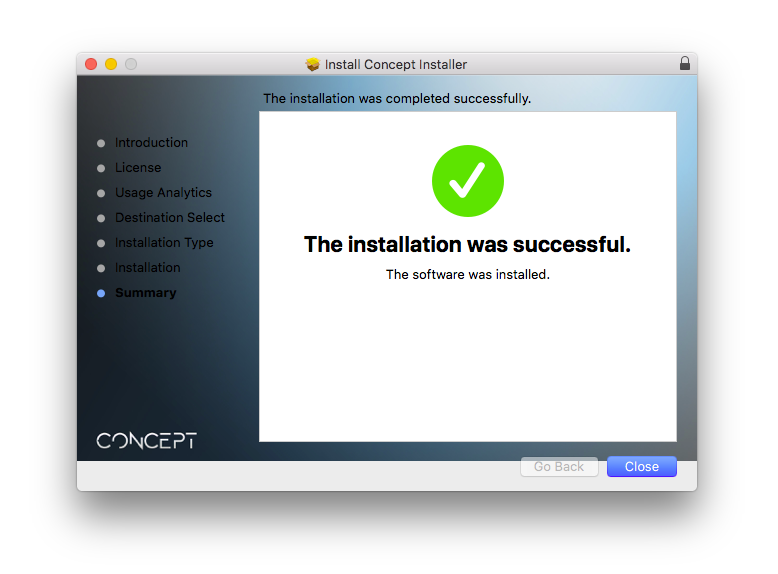
7. Click 'Close'.

Activation

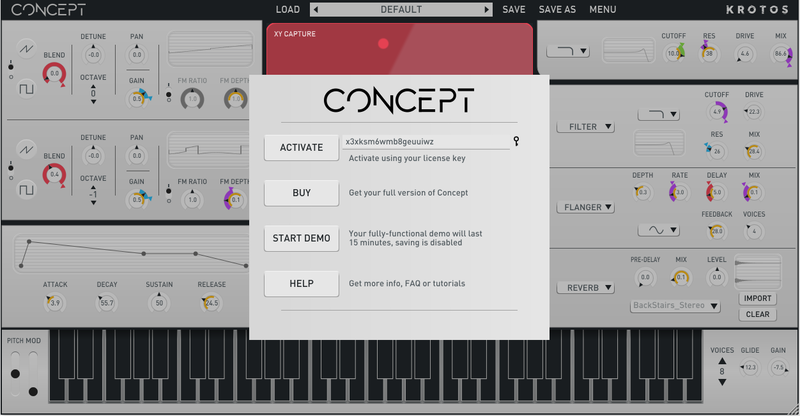
1. Open the newly installed software within your DAW > Copy and paste the License Key from step 1 of the installation process > Click 'Activate'.

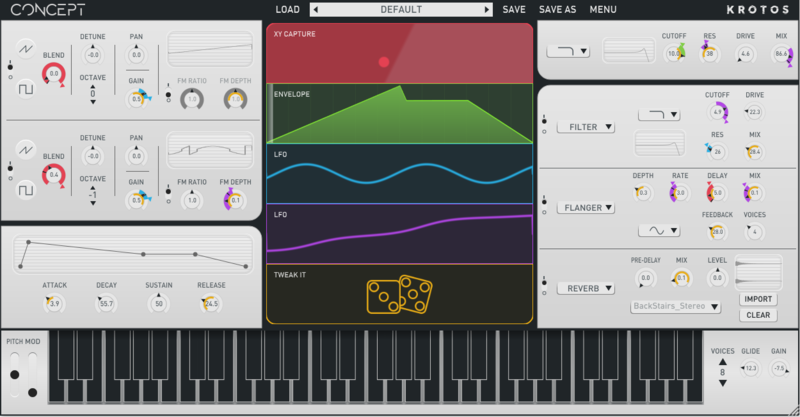
Your software is now activated and ready to use within your DAW.

Windows

Registration

1. Go to your Plugin Boutique User Account > Copy and paste the serial number into your web browser and press enter on your keyboard.

2. Click 'Continue'.

3. Enter your email address and check the box that states 'I've read and accepted the terms & conditions and privacy policy' > Click 'Continue'.

Installation

1. Download your Windows installer by clicking the button that reads 'CONCEPT_WIN_1.0.0.ZIP'.

Note: You will need your License Key for step 1 of the activation process.

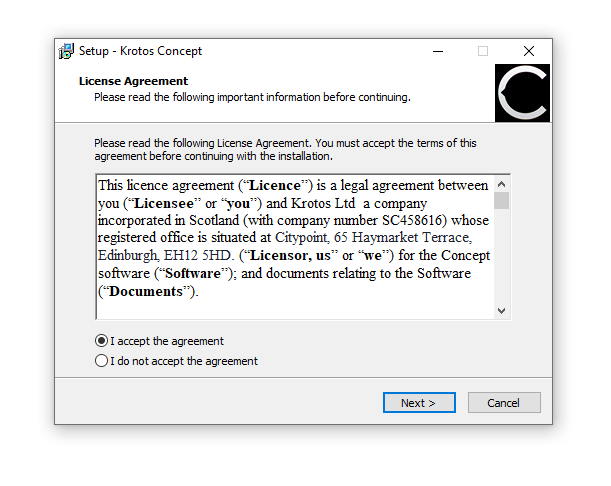
2. Double-click the .zip file to extract the contents and open the .exe file to begin the installation > Select 'I accept the agreement' and click 'Next >'.

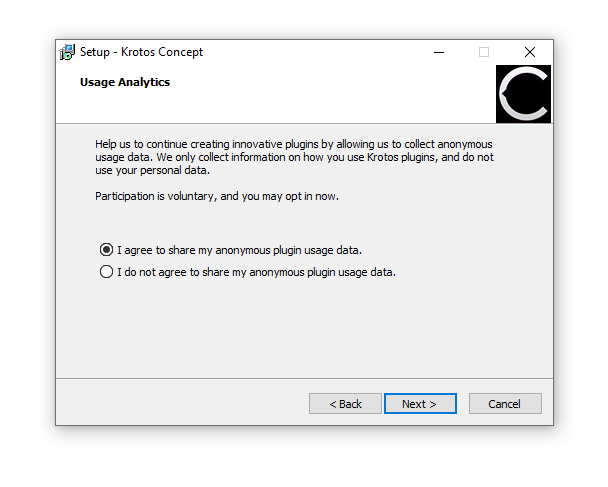
3. Select whether you agree to share your anonymous plugin usage data or not > Click 'Next >'.

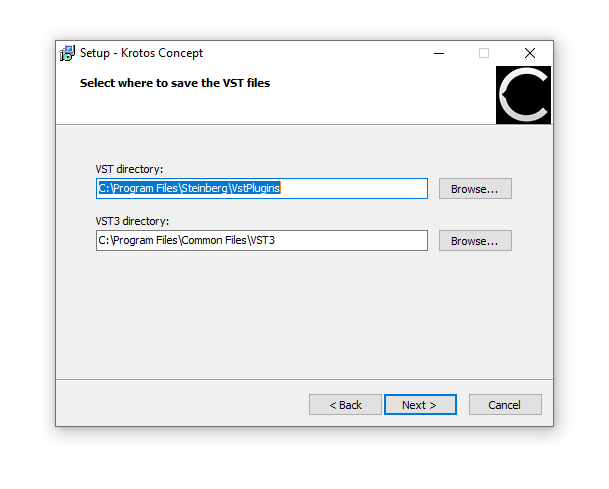
4. Select the installation location for your VST files > Click 'Next >'.

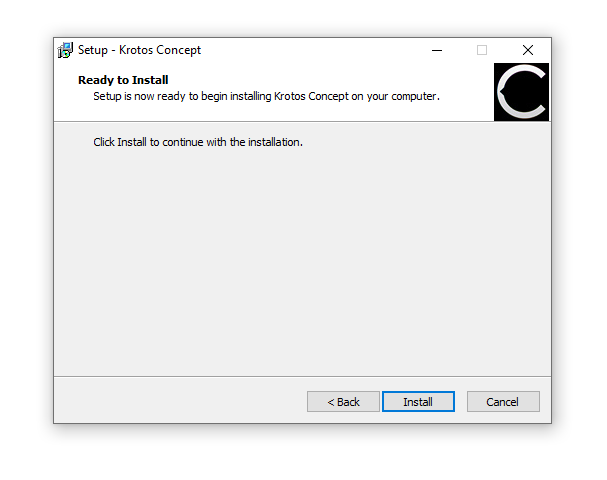
5. Click 'Install'.

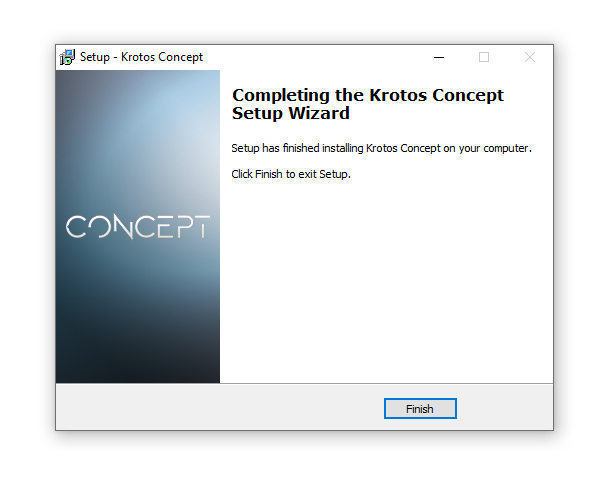
6. Click 'Finish'.

Activation

1. Open the newly installed software within your DAW > Copy and paste the License Key from step 1 of the installation process > Click 'Activate'.

Your software is now activated and ready to use within your DAW.

Plugin Boutique Rewards

Discover the most rewarding loyalty programme among all plugin retailers.

  • Free Loopmasters Samplepacks
  • Discounts on products and courses
  • Extra Virtual Cash claimed immediately at checkout
Find out more

Follow us:

X (Twitter) Facebook YouTube Instagram
Logo Logo

Plugin Boutique Limited, Part of the Beatport Group LLC.

Copyright © 2011-2025 Plugin Boutique. All rights reserved