


 Log In

Free gifts available with your purchase
Make Everything Better
The most iconic studio compressor ever made, recreated as a software plugin. Perfect vocals and instruments every time.
The phrase “industry standard” gets used a lot in music production circles, but few products actually live up the hype. The original 1176 compressor designed by Bill Putnam Sr. truly lives up to the name. Now - thanks to Arturia’s TAE® technology - you can enjoy its legendary tone-shaping from the convenience of a software plugin.
Produced from the late 60s, the original hardware compressor was a staple of all major studios. Every mix engineer demanded at least one in a session, and they were used to shape the sound of countless hit records from Michael Jackson to The Killers, Guns n Roses to Joe Cocker, Bruce Springsteen to Chaka Khan. You won’t have to settle for just one, though; with Comp FET-76, you can load up one of these classic compressors on as many channels as you want.
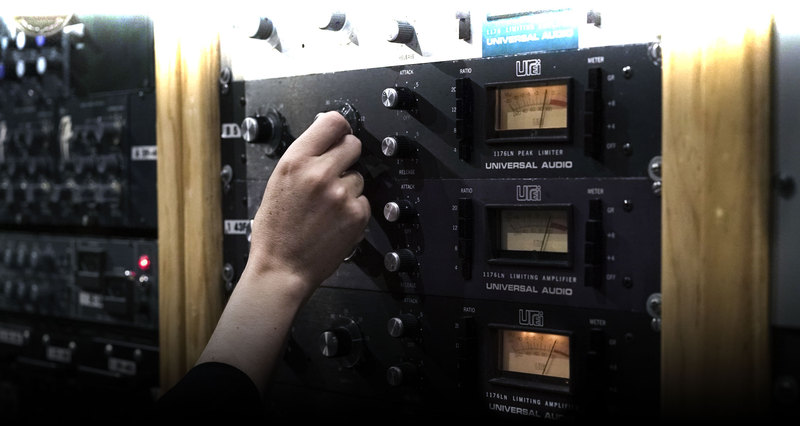
People often say the 1176 “just makes things sound better”, but how does it do it? Arturia's engineers carefully analyzed and modelled every component, electronics nuance, and quirk in the data of an original D/E model to find out, and recreate it as software. The combination of the Field Effect Transistor, the “Class A” amplifier, and its unique design imparts a subtle, but very desirable tonal change even at very low compression levels. Crank the input, patch in higher ratio, or even go “all in”, and that FET magic really comes alive. Arturia didn’t simply create a software clone, they created a truly modern compressor with updated features, but featuring the same legendary sound.
A fantastic all-rounder for both compressing and heating up your tone, Comp FET-76 is a must-have plugin.
While a rack full of hardware FET compressors is a dream setup for many, that sort of setup is confined to only the world’s top studios. However, thanks to Arturia’s award-winning skill and heritage of breathing new life into vintage equipment, and reimagining it as software, you can now live out your fantasies, and make the famous 1176 sound part of your creative setup. All of the tone, all of the dynamic-shaping power, but with the convenience and versatility of software.
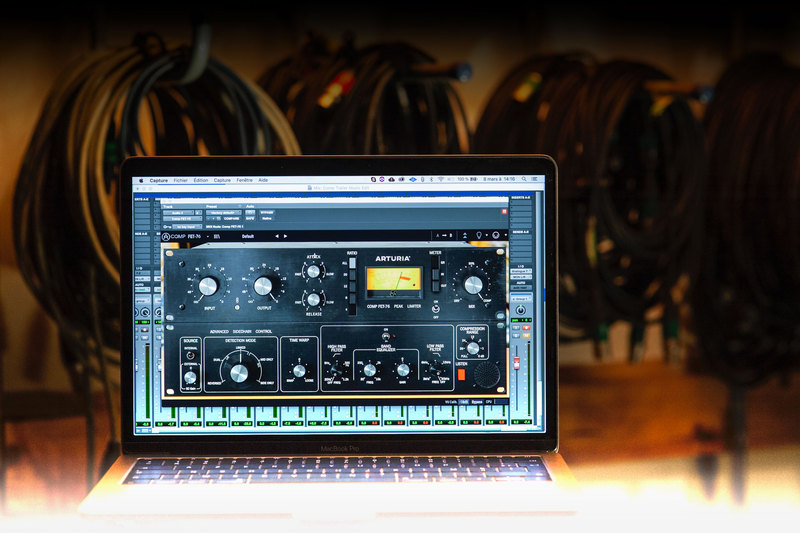
A legend reborn for the 21st century
While there’s no doubt the original hardware FET compressor is practically faultless, Arturia couldn’t help but imagine what modern production tricks they could conjure from it.
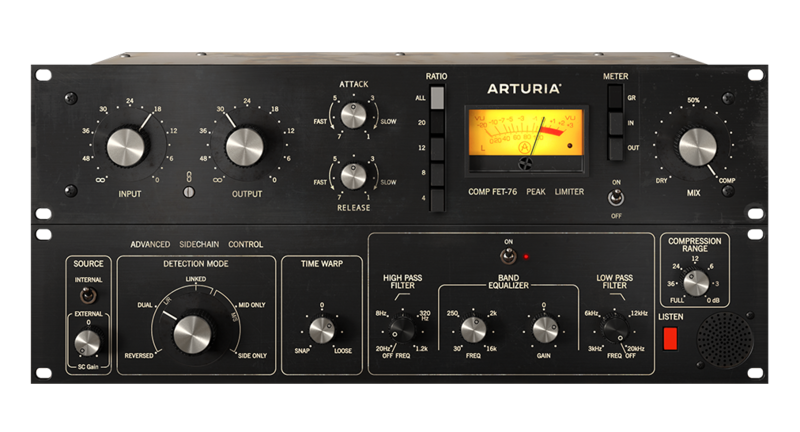
One of the benefits of recreating a classic is that Arturia have been able to add some subtle but powerful new features that truly make this a compressor fit for the modern studio, without altering its legendary tone. The top panel of the interface gives you access to all of the original controls. You can click to expand the plugin to and access its advanced, new features.
New Features
Input-output Link
Rather than the now-standard “threshold” parameter, the original hardware compressor made you crank the input to engage the effect. This will obviously give you volume boosts and alter levels in your mix, but you can simply hit the “link” button to keep volume levelled as you boost the input, so you get compressed sound with steady volume.
Advanced Sidechain Control
Ever wondered what sidechaining a legendary FET compressor would sound like? Spoilers: it sounds awesome. The advanced panel gives you access to contemporary sidechain controls with SSL-style EQ, as well as mid-side processing so you can carve exactly the sound you want to control the compressor.
Let’s do the Time Warp
Because we’re working in the digital domain, it’s easy to introduce a couple of milliseconds of pre-delay without you even noticing. The “Time Warp” function lets you take advantage of this, so you can get creative with your placement of the compression envelope as it engages and releases. This is a dream come true for experimental producers and sound designers!
Can’t wait to try it out on your own music? You can do it right now. Comp FET-76 is available as a time-limited trial. Load it up, and explore this reborn legend for yourself.
Half a century of hit-making tone, right in your DAW
Push hard for that saturated, soft-clipping sound that cuts through any mix; get the tonal balance just right at the input stage; add vintage analogue warmth in your mastering chain; use the in-built mid/side processing to enhance your whole mix.
Compatible with all major DAWs, now you too can enjoy the harmonic push, subtle overtones, and tone-shaping power of the most iconic studio gear ever made.
Main Features
- Virtual recreation of famed classic FET compressor
- Original electronic path accurately modelled, including FET, transformers and transistors, using Arturia’s state-of-the-art TAE® analogue modelling
- Original ultra-fast attack & release parameters down to 20 microseconds
- "All Buttons" British mode ratio for explosive sound
- Additional Arturia's creative side-chain features:
- External side-chain source to trigger the compressor to an external source
- 5 creative detection mode, including M/S processing
- Time warp function with look-ahead or delay added to your side-chain path
- Advanced Side-chain EQ
- Compression range parameter to limit the amount of gain reduction applied, with 0dB position for FET-76 with no compression/distortion only sound
- Monitor Side-chain signal directly
- Dry/wet Mix knob for parallel compression
- Input-Output gain link switch
- Switchable Analog VU meter with 3 calibrations mode (-18dBFs, -12dBS, -8 dBFs)
- Analog clipping LED indicator
- Comprehensive set of presets
- A/B comparison setting
- Integrated tutorials and unique dynamic preset tips
- Resizable window
- State-of-the-art TAE® analogue modelling
System Requirements
- Works in Standalone, VST, AAX, Audio Unit, NKS (64-bit DAWs only).
Mac
- Mac OS 10.13+
- 4 GB RAM
- 4 cores CPU, 3.4 GHz (4.0 GHz Turbo-boost) or Apple Silicon CPU
- 1GB free hard disk space
- OpenGL 2.0 compatible GPU
Windows
- Win 10+ (64bit)
- 4 GB RAM
- 4 cores CPU, 3.4 GHz (4.0 GHz Turbo-boost)
- 1GB free hard disk space
- OpenGL 2.0 compatible GPU
- ARM processors not supported on Windows
Protection
All Arturia software is protected by the Arturia Software Center.


