/ EQ / Crystal EQ
Singomakers

Crystal EQ

4.6 (65 Reviews)
$19.60 $49.00

60% off until Dec 31

Singomakers Crystal EQ - User Interface
Singomakers Crystal EQ (VST/AU) demonstration gallery thumbnail
Buy Now
Product information

Bright, Clean & Crystal Clear

Following up the release of their powerful saturation EQ Fatmaker, Singomakers are back with a brand-new precision equalizer, Crystal EQ. Designed for creating clean and bright mixes & masters, the Crystal EQ is a one-stop EQ for cleaning up your drums, vocals and instruments to get them sitting perfectly in the mix.

Vintage Vibe with Modern Precision

Crystal EQ features four adjustable frequency bands for precise equalization, as well as a high-pass and low-pass filter for additional EQ control. Add low end punch to your drums, top end clarity to your vocals or create complex automated filter FX in just a few quick sweeps.

The vintage interface of Crystal EQ gives that classic feel of a vintage outboard EQ, whilst delivering the precision and control of the digital domain, making it a delicate and precise tool for mixing and mastering.

Versatile & Full of Character

Crystal EQ is designed to instantly deliver clean and transparent EQ to your tracks, featuring simplicity and versatility that makes it the perfect choice for all the common elements in your mix. Crystal EQ is split into the following bands:

  • High-Pass Filter
  • Low Frequencies
  • Low-Mid Frequencies
  • High-Mid Frequencies
  • High Frequencies
  • Low-Pass Filter

Crystal EQ also comes with a collection of both live and electronic instrument presets – choose from the expertly crafted selections to get your bass, piano, synths, guitars & drums sounding crystal clear and full of life.

Features

  • Clean & transparent EQ processing
  • Four fully adjustable frequency bands
  • High-pass and low-pass filter
  • Full selection of instrument presets

System Requirements

Windows

  • VST 2 & VST 3
  • 32 and 64 bit

Mac

  • VST 2, VST 3, AU
  • 32 and 64 bit
  • Apple Silicon Macs supported natively
Testimonials

Slatin

"Crystal EQ lives up to its name. It’s a transparent crystal-clear EQ that works surprisingly good in the high end."

Joachim Garraud

"So precise, so clear. This is a perfect tool to finalize your mix and give the final magic touch on your sound."

Filatov & Karas

"Crystal EQ is very nice! Using it on vocals and drum samples. If you want beautiful high frequencies, this is the one!"

Installation Instructions

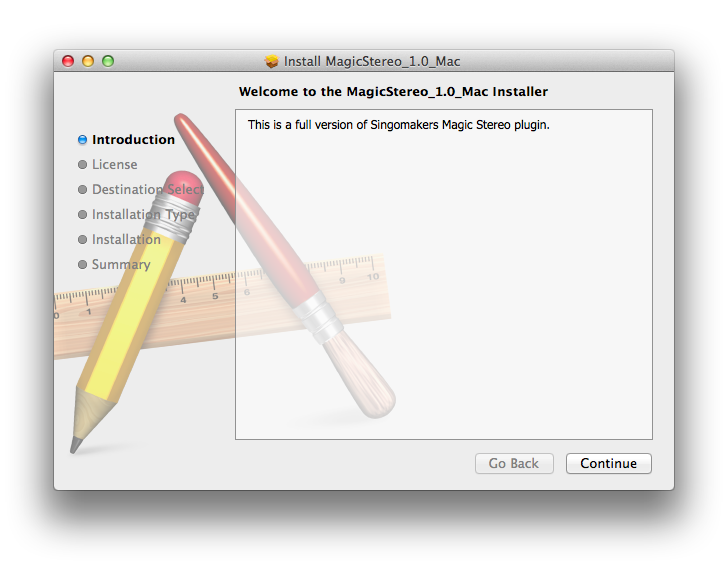
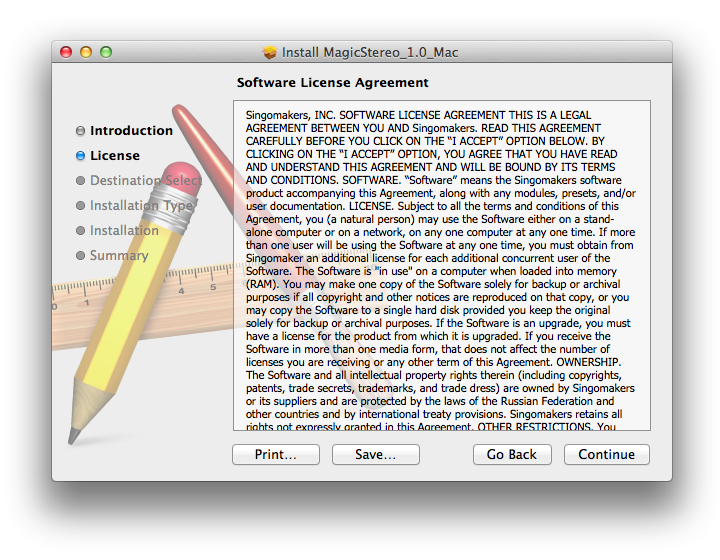
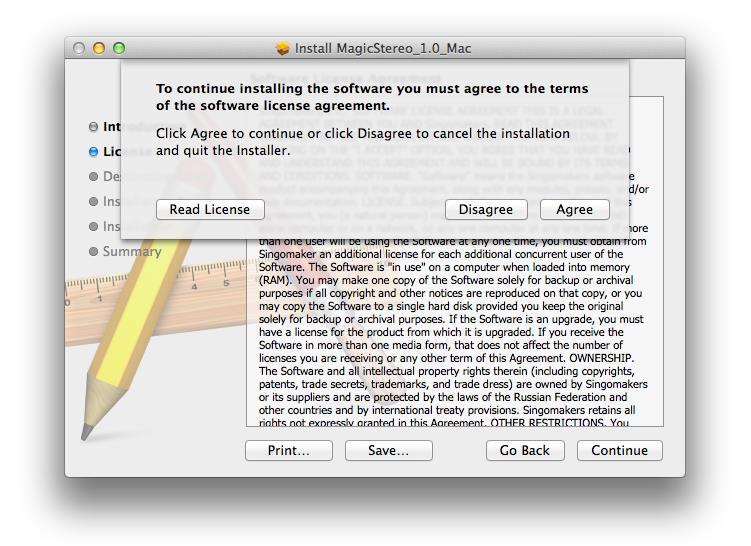
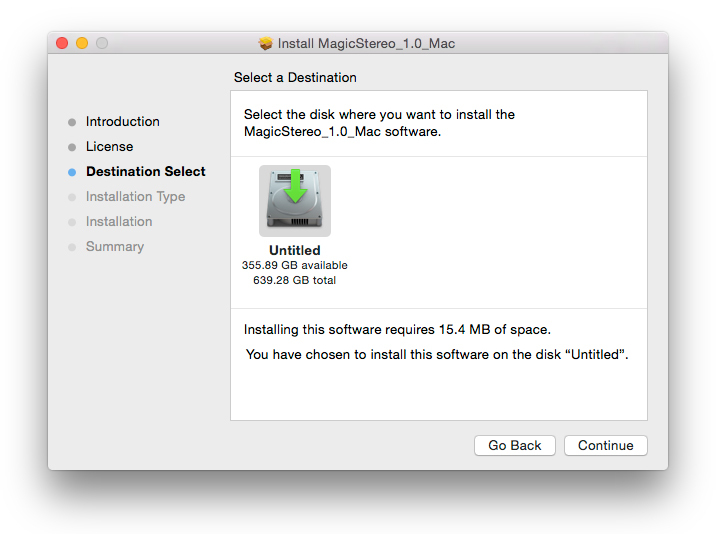
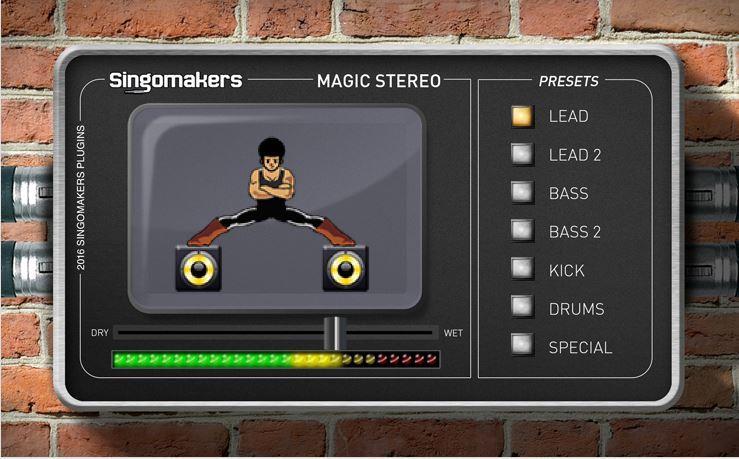
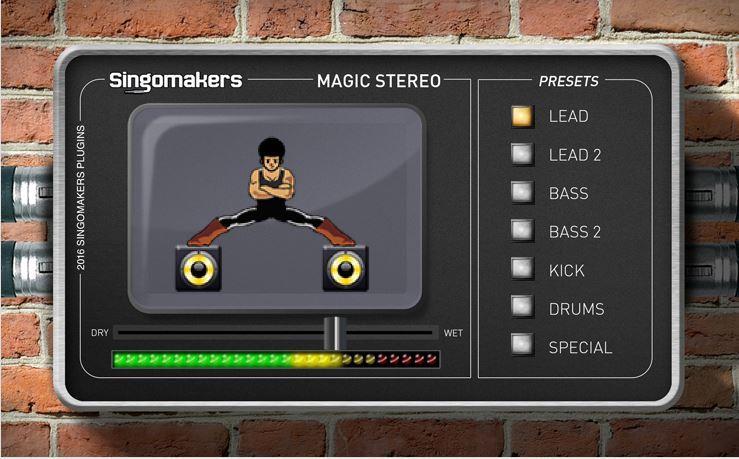
Note: Magic Stereo is used as the example.

Mac

1. Download the .zip folder from your User Account and double-click it to open and reveal the installer file.

2. Double-click the extracted software file to begin the installation process > click ‘Continue’.

3. Read the Software License Agreement > click ‘Continue’.

4. Click ‘Agree’.

5. Review the installation and click ‘Install’.

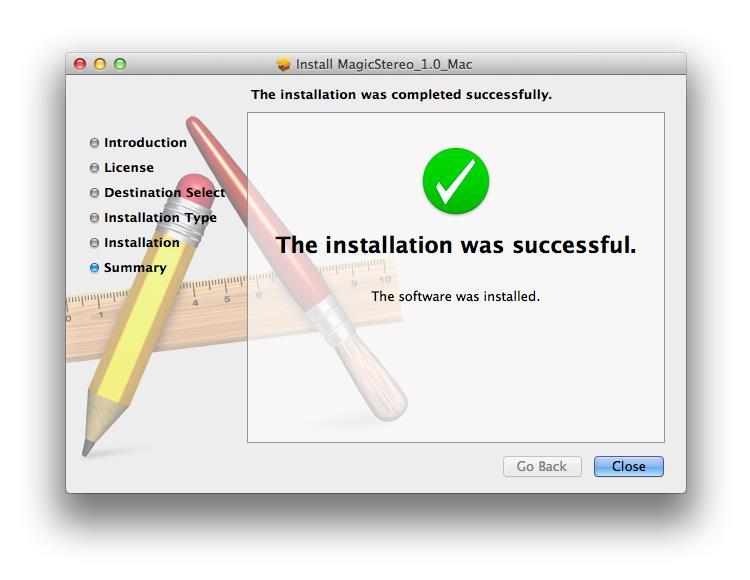
6. The installation of your software has successfully completed > click ‘Close’.

7. Locate and open the software within your DAW.

Note: Restart your DAW, and rescan the plug-in selection to show the new installation (in the event it fails to appear).

The Software is now Ready for Use Within Your DAW!

Windows

1. Download the .zip folder from your User Account and double-click it to open and reveal the installer files.

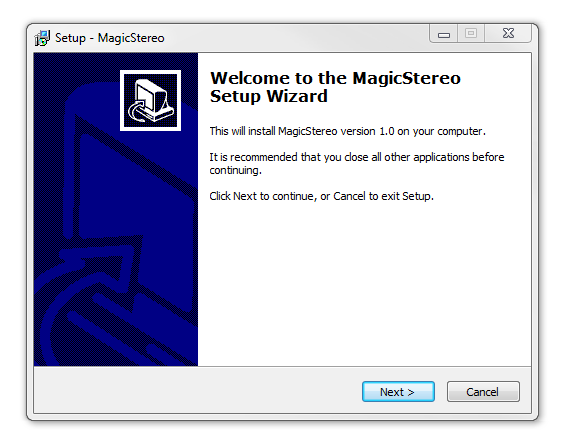
2. Double-click the relevant extracted .exe (32 or 64-bit) file to begin the installation process > click ‘Next’.

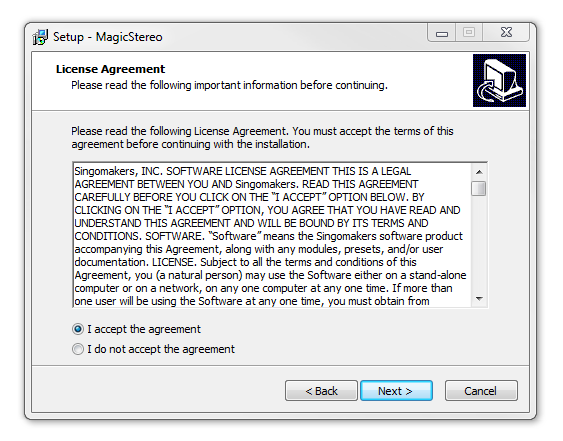
3. Read through the license agreement and click ‘I accept the agreement’ > click ‘Next’. 

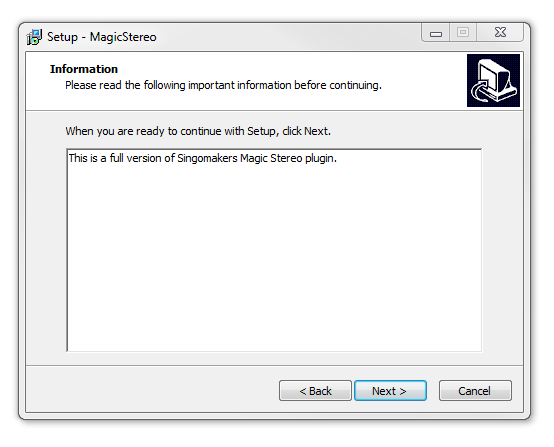
4. Read through the information > click ‘Next’.

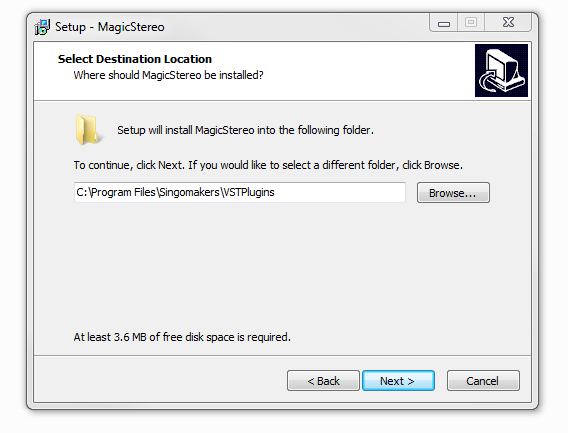
64-Bit Installation:

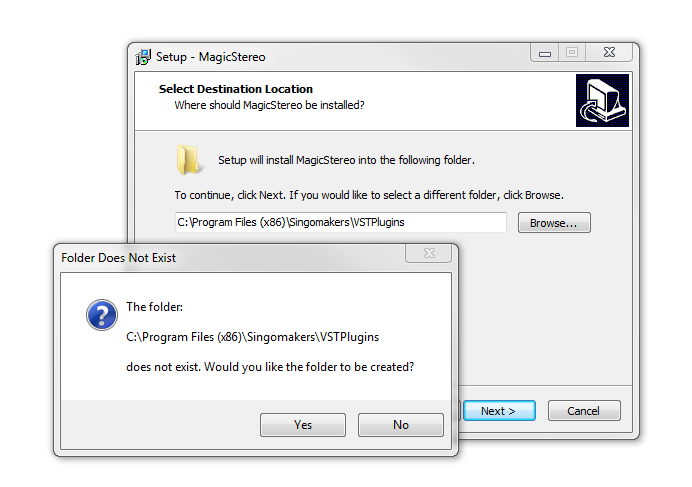
  • Choose and confirm the plug-in (64-Bit VST) directory in which to save your software to > click ‘Next’.

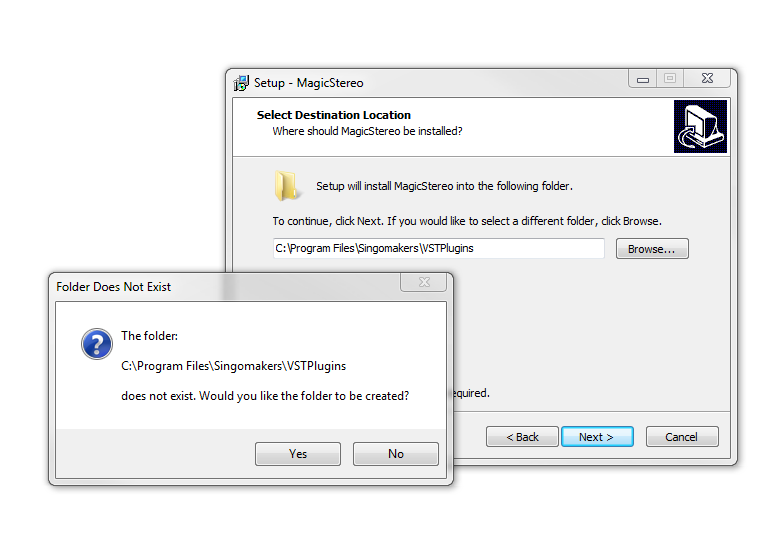
  • Select ‘Yes’ if prompted with the window below.

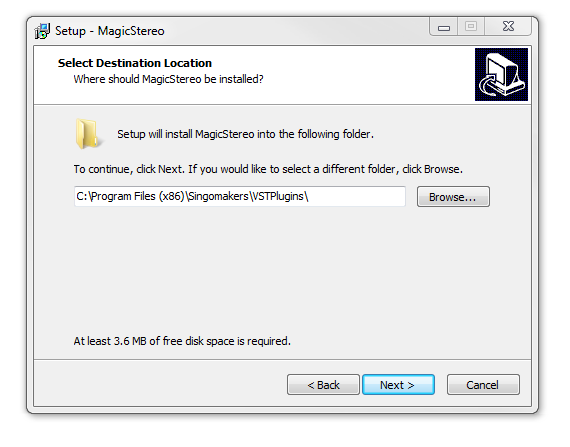
32-Bit Installation:

  • Choose and confirm the plug-in (32-Bit VST) directory in which to save your software to > click ‘Next’.

  • Select ‘Yes’ if prompted with the window below.

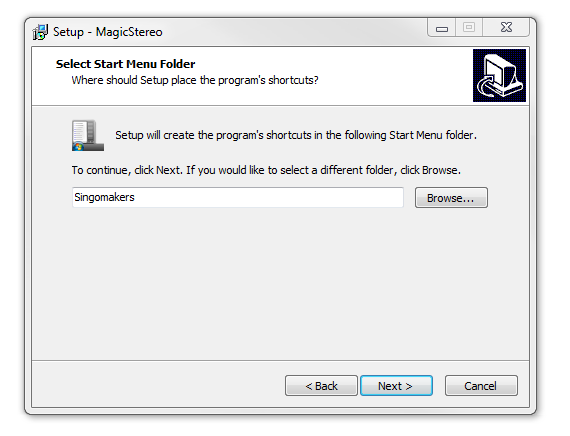
5. Create/select a folder in which to setup a shortcut path for your new installation.

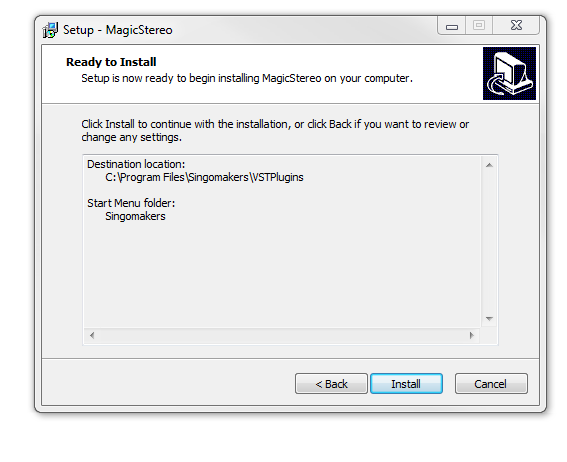
6. Review the installation and click ‘Install’.

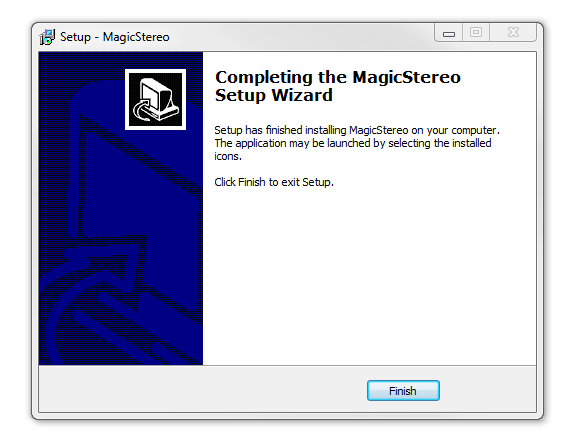
7. The installation of the software has successfully completed > click ‘Finish’.

8. Locate and open the software within your DAW.

Note: Restart your DAW, and rescan the plug-in selection to show the new installation (in the event it fails to appear).

The Software is now Ready for Use Within Your DAW!

Bundle & Save

Singomakers Plugin Bundle
$51.60
$129.00 (60% off)

Plugin Boutique Rewards

Discover the most rewarding loyalty programme among all plugin retailers.

  • Free Loopmasters Samplepacks
  • Discounts on products and courses
  • Extra Virtual Cash claimed immediately at checkout
Find out more

Follow us:

X (Twitter) Facebook YouTube Instagram
Logo Logo

Plugin Boutique Limited, Part of the Beatport Group LLC.

Copyright © 2011-2025 Plugin Boutique. All rights reserved