/ Dynamics Processor / Slam Pup
BeatSkillz

Slam Pup

4.4 (433 Reviews)
FREE
BeatSkillz Slam Pup - User Interface
Free VST Plugin from NAMM | Slam Pup by Beatskillz | NAMM 2020 gallery thumbnail
BeatSkillz Slam Pup - Free Plugin gallery thumbnail
Product information

It Barks & Bites!

Much like man’s best friend, this little pup will be warm and loving to its owner and can be aggressive to strangers. You train it how you want.

Trust your ears and this pup will be loyal to your sound always. Don’t be afraid to feed it with your own presets, or use the factory library to get started.

With a plethora of Analog & Digital processors in their arsenal at Beatskillz, they are always looking for that “perfect” combination of gear that can sound great without much tweaking.

This time BeatSkillz emulated a “thrusty” compression from BeatSkillz' favourite American Compressor, and a ”gritty” Multistage Tube Drive from one of BeatSkillz' favourite British Saturators. The result is a 2 knob beast, that can get you sounding “phat” in seconds. No guesswork or crazy science needed. Just tweak away and find your own “sweet spot”.

Controls

  • Bark: Multistage tube drive - subtle to gritty.
  • Bite: Threshold for compressor - "thrusty" compressor.
  • Input: Input gain - ranges from -INF to +4dB
  • Output: Output gain - ranges from -INF to +4dB
  • Dry/Wet: Balance between processed & dry signal - 24dB/octave low cut filter

Key Features

  • Warm multistage tube drive with a filling and fattening sound.
  • Thrusting punchy single knob intuitive compression that never sounds bad. Modelled on a famous American unit.
  • Great on drums, synths, bass and busses.
  • Dial in as much bark and bite needed with the signal blend (dry/wet) control.

System Requirements

Mac

  • macOS 10.13 High Sierra - 10.15 Catalina (macOS Big Sur/ M1 not compatible)
  • 64-bit only
  • Intel i3 or higher
  • 2 GB RAM / 300 MB HD
  • 1024×768 Screen resolution
  • VST 3 or AU (64-bit host required)

Windows

  • Windows 10 or later (64-bit only)
  • AMD Ryzen or equivalent
  • 2 GB RAM / 300 MB HD
  • 1024×768 Screen resolution
  • VST 3 (64-bit host required)

Please note:* No PROTOOLS Support - *AAX/RTAS versions are not available for this software.
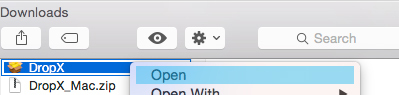
Installation Instructions

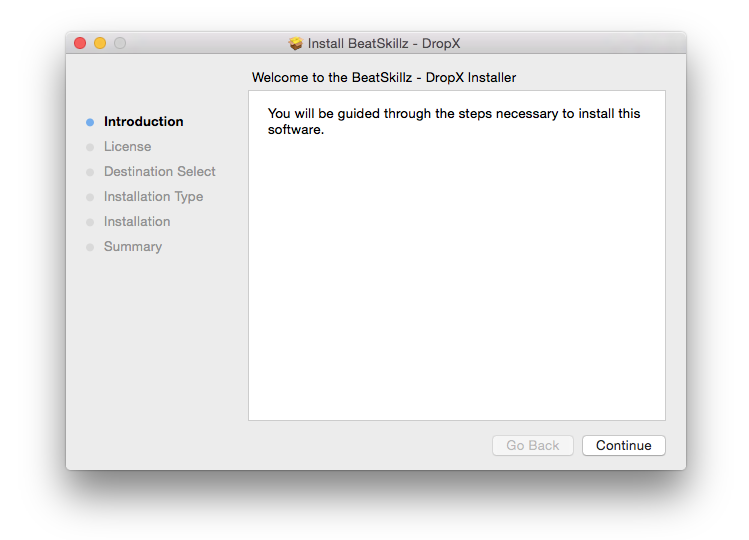
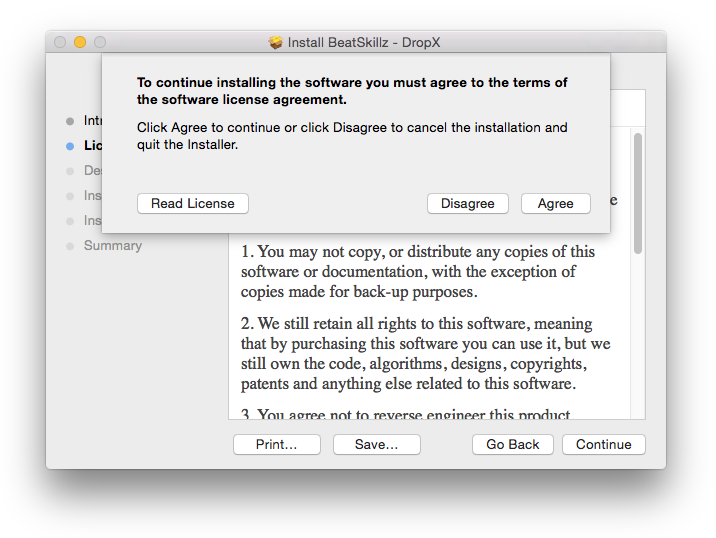
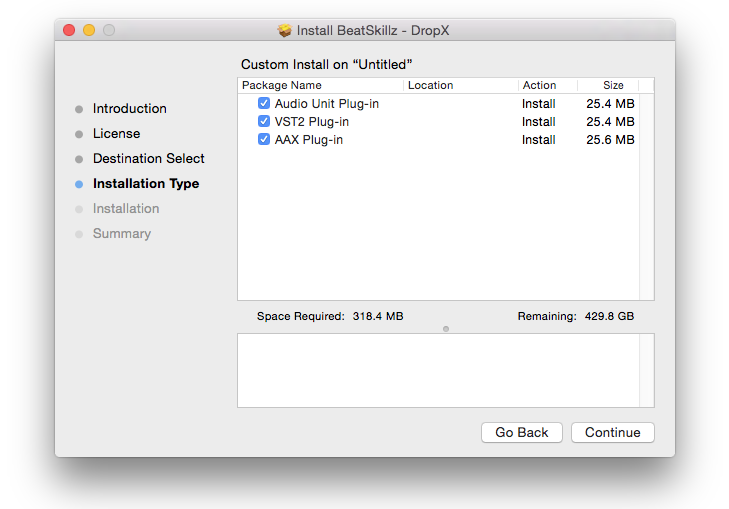
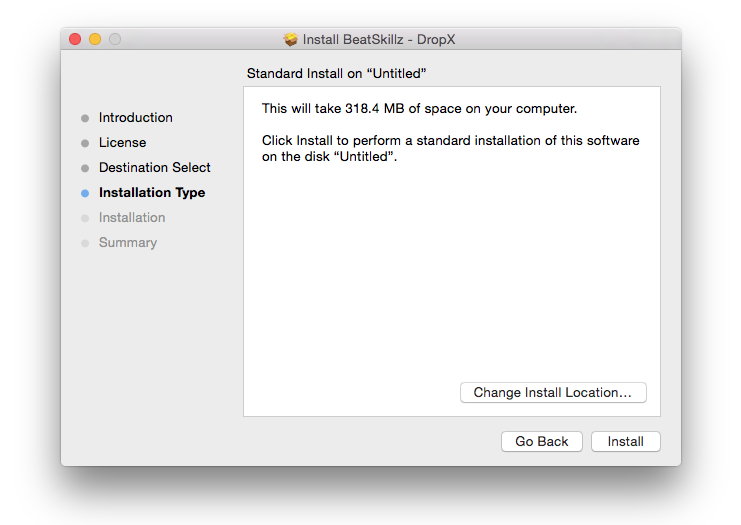
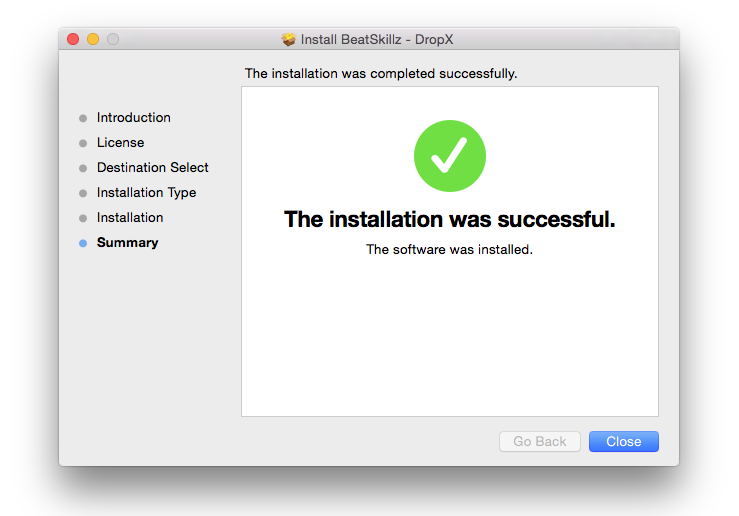
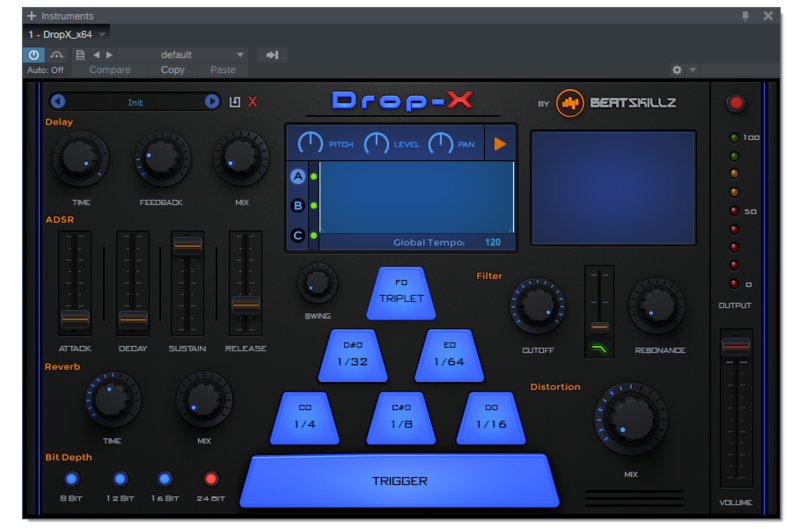
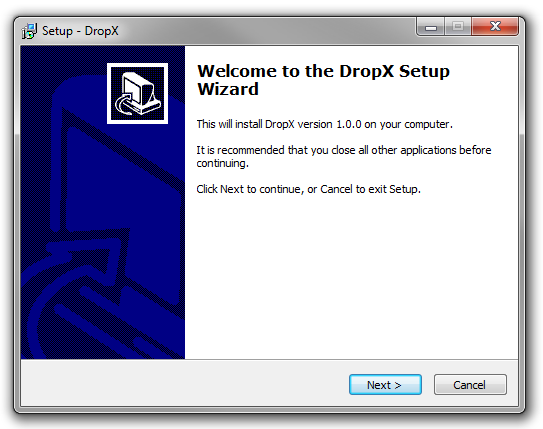
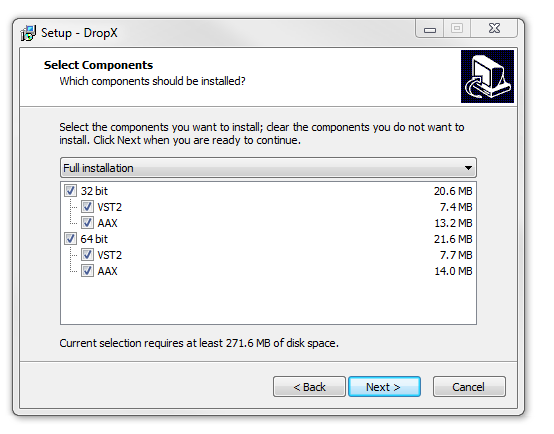
Note: Drop-X is used as the example.

Mac

1. Download the zip folder from your User Account and double-click it to open and reveal the installer file.

2. Double-click the installer file to begin the installation process.

3. Click 'Continue'.

4. Read through the License Agreement > click 'Continue' > click 'Agree'.

5. Select which software component (s) you wish to install > click 'Continue'.

6. Review the installation and then click 'Install'.

7. The installation of your software has successfully completed > click 'Close'.

The software is now installed and ready to use within your DAW!

Windows

1. Download the zip folder from your User Account and double-click it to open and reveal the installer file.

2. Double-click the installer file to begin the installation process > click 'Next'.

3. Select which component (s) you wish to install and then click 'Next'.

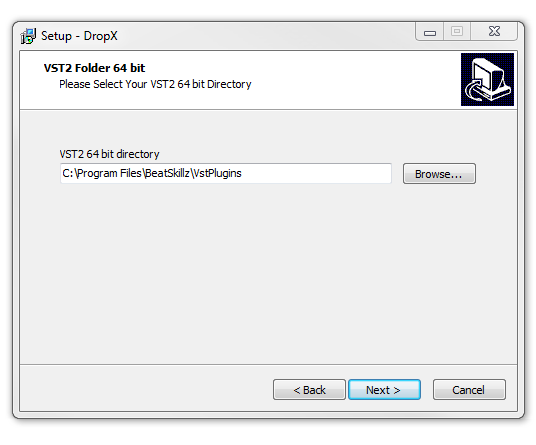
4. Select the VST2 (64-bit) directory in which to install your software to > click 'Next'.

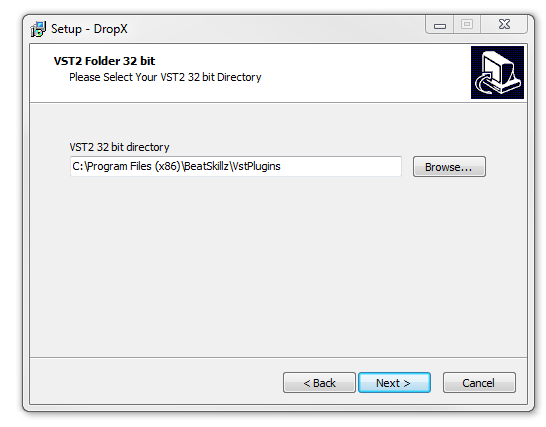
5. Select the VST2 (32-bit) directory in which to install your software to > click 'Next'.

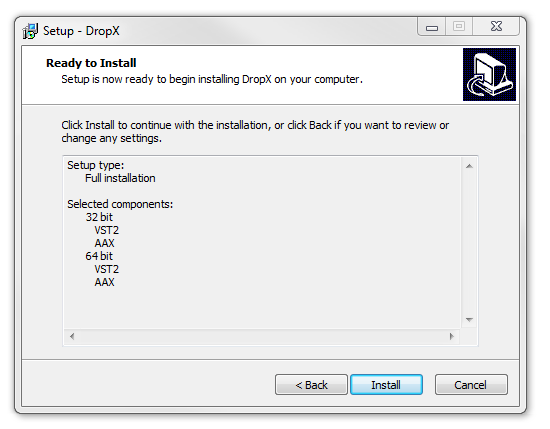
6. Review the installation and click 'Install'.

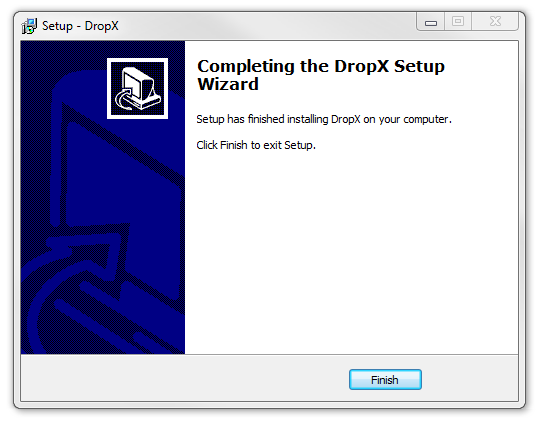
7. The installation of your software has successfully completed > click 'Finish'.

The software is now installed and ready to use within your DAW.

Plugin Boutique Rewards

Discover the most rewarding loyalty programme among all plugin retailers.

  • Free Loopmasters Samplepacks
  • Discounts on products and courses
  • Extra Virtual Cash claimed immediately at checkout
Find out more

Follow us:

X (Twitter) Facebook YouTube Instagram
Logo Logo

Plugin Boutique Limited, Part of the Beatport Group LLC.

Copyright © 2011-2025 Plugin Boutique. All rights reserved