/ Compressor / CP1A Compressor
Mellowmuse

CP1A Compressor

5.0 (3 Reviews)
$39.00
Mellowmuse CP1A Compressor
Mellowmuse CP1A Compressor gallery thumbnail
Buy Now
Product information

CP1A is an audio dynamics compressor plug-in, developed for clean, low distortion processing of a range of material; from subtle dynamics taming to creative drum shaping. It employs a multi-stage feed forward design to minimise distortion artefacts, even at extreme compression settings. The interface design is clean and functional.

Separate wet and dry level controls allow the compressed signal to be mixed with the original, making New York style parallel compression super easy. The high pass control for the envelope detector, allows fine control of low frequency compression, great for keeping your kick drum from loosing its thump.

Features

  • Attack: 0.1 - 50 ms.
  • Release: 1 - 1000 ms.
  • Threshold: 0 to -60 dB.
  • Ratio: 1:1 - 20:1.
  • Parallel compression via wet and dry controls.
  • Variable high pass on envelope detector.
  • Low distortion design.
  • 64bit internal processing.

System Requirements

  • Windows 10 or above
  • Mac OSX 10.9 or above
  • 64-bit only
  • VST, VST3, AU and AAX
Installation Instructions
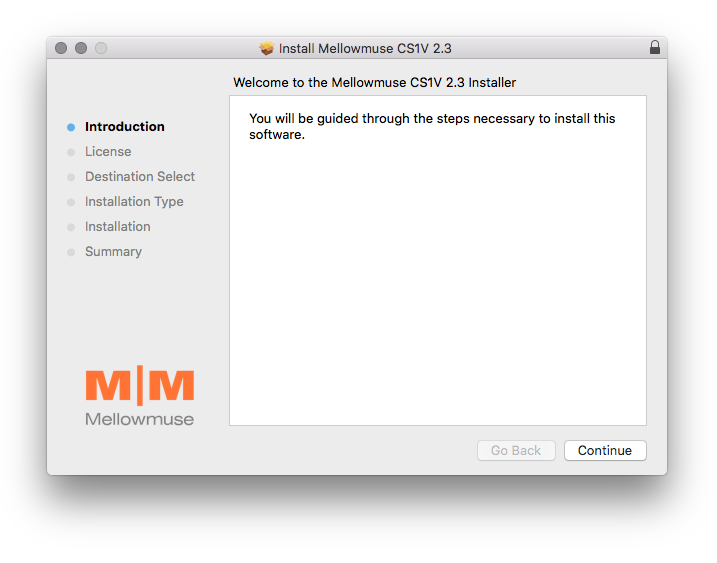
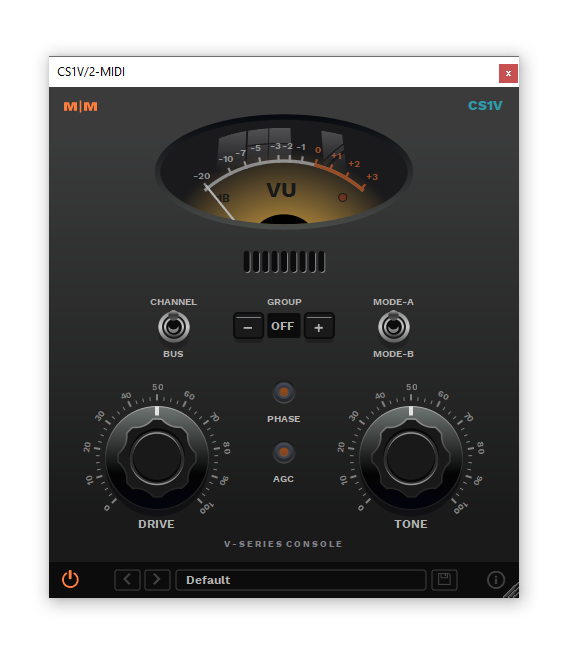
Important Note: CS1V Console Channel is used as the example.

Mac

Installation

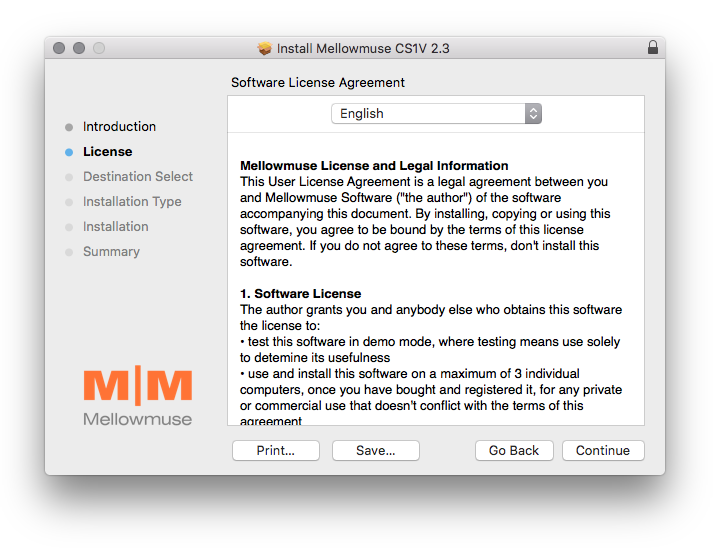
1. Download the .pkg file from within your Plugin Boutique User Account and double-click it to extract the contents.

2. Open the .dmg file to begin the installation > Click 'Continue'.

3. Click 'Continue'.

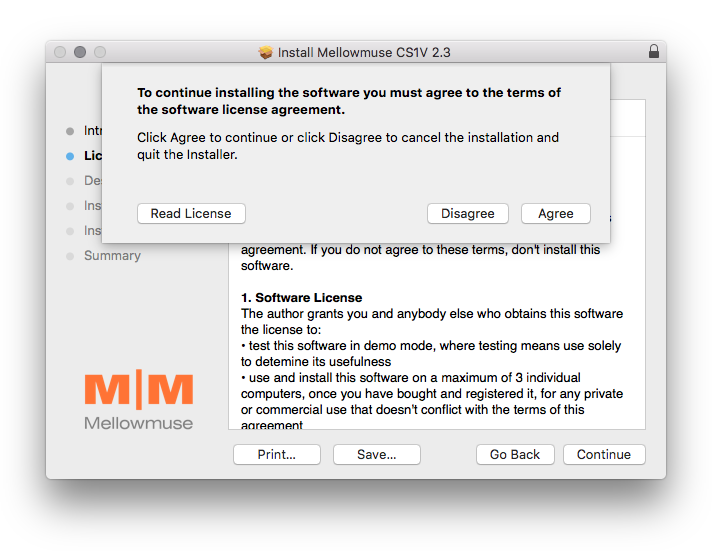
4. Click 'Agree'.

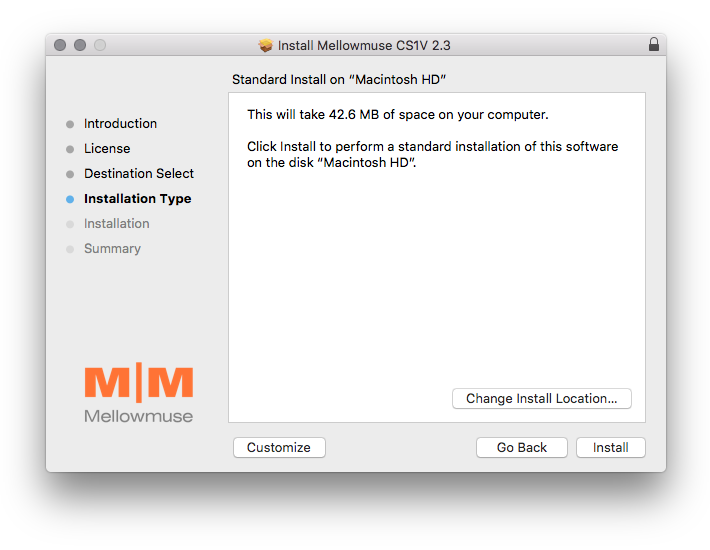
5. Click 'Install'.

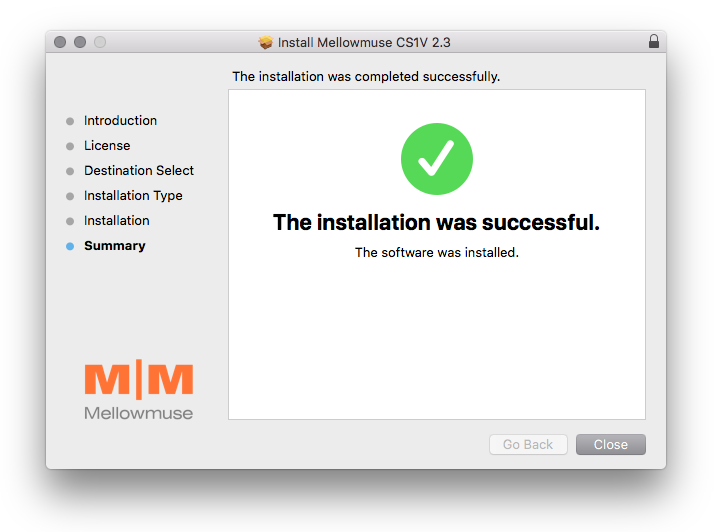
6. Click 'Close'.

Activation

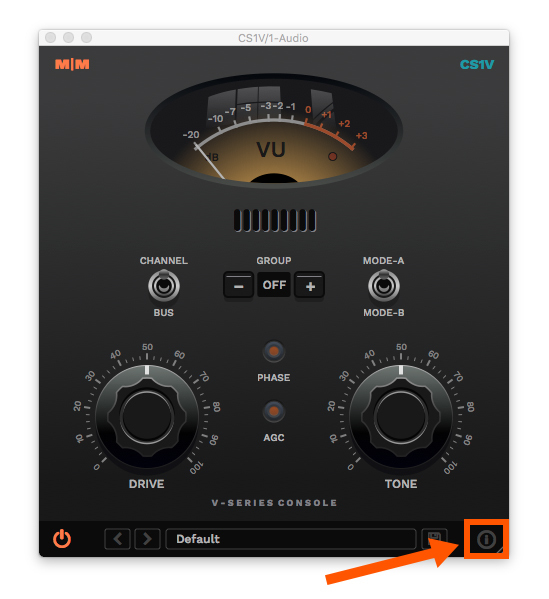
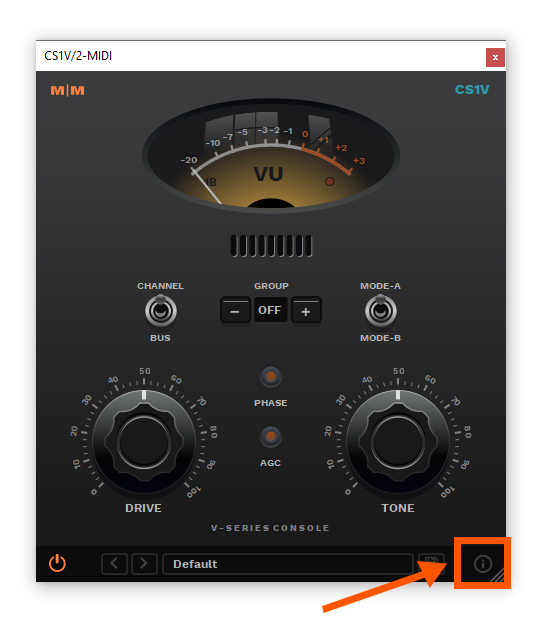
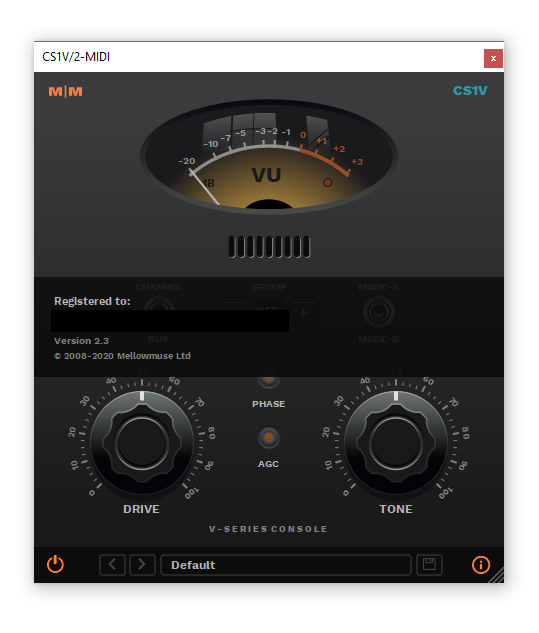
1. Open CS1V inside of your DAW > Click the icon at the bottom right of the GUI.

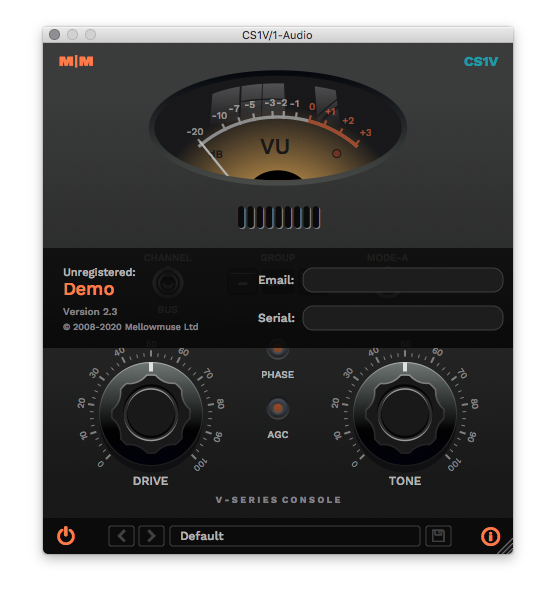
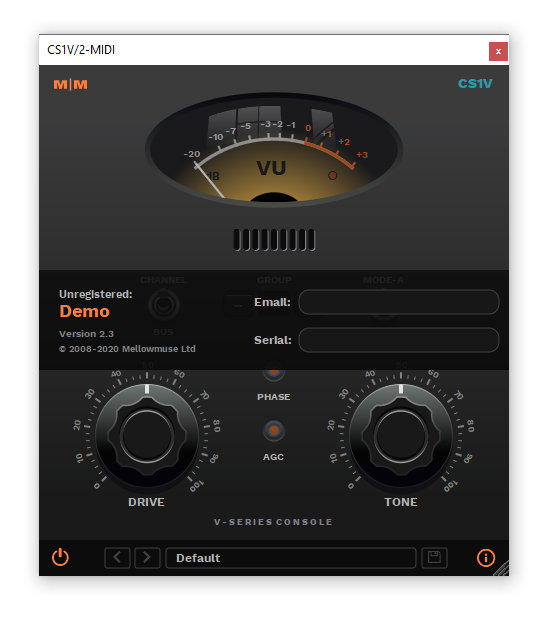
2. Enter your email address and the serial number found within your Plugin Boutique User Account > press Enter on your keyboard.

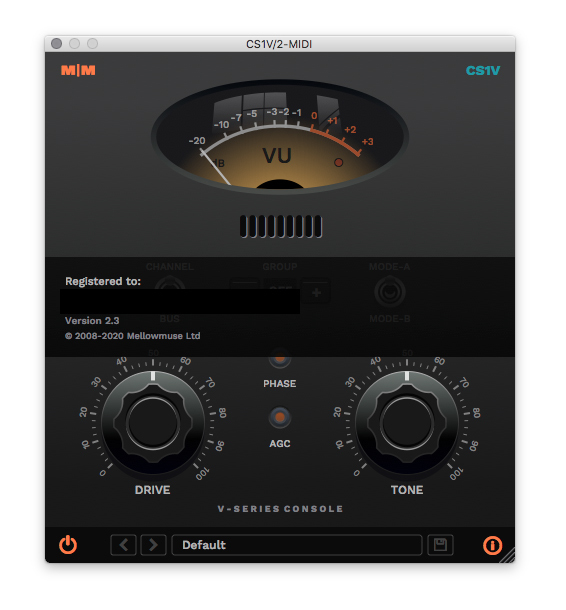
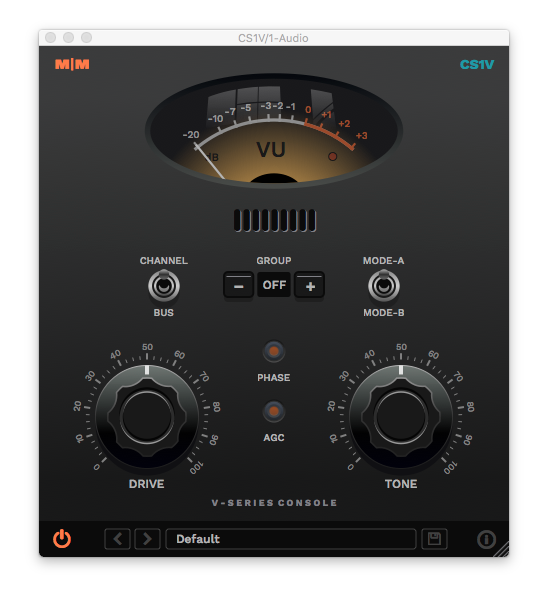
3. Click the i icon again to close the registration information.

Your plugin is now authorised and ready for use in your DAW!

Windows

Installation

1. Download the .zip file from within your Plugin Boutique User Account and double-click it to extract the contents.

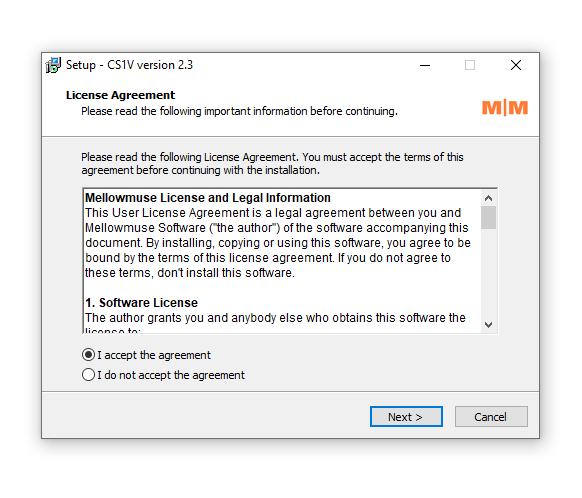
2. Open the .exe file to begin the installation > Select 'I Accept the Agreement' and click 'Next'.

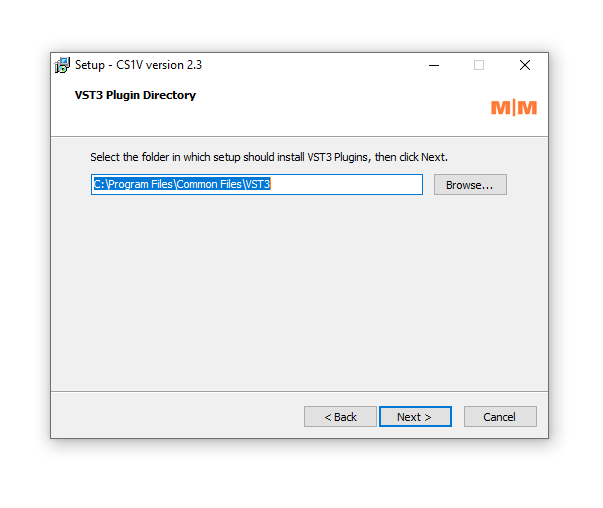
3. Check that the location of your VST3 folder is correct > Click 'Next'. 

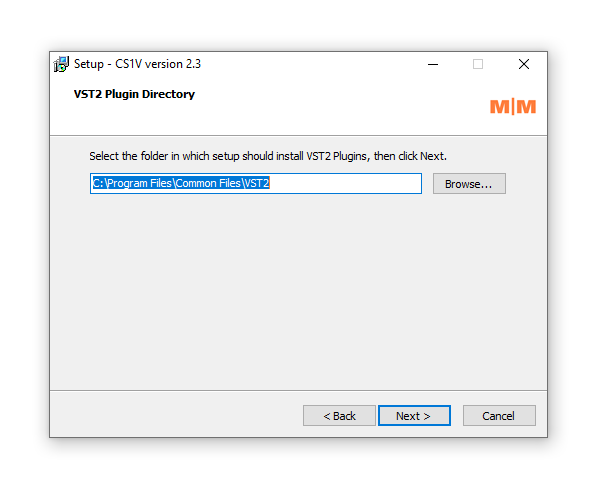
4. Check that the location of your VST2 folder is correct > Click 'Next'.

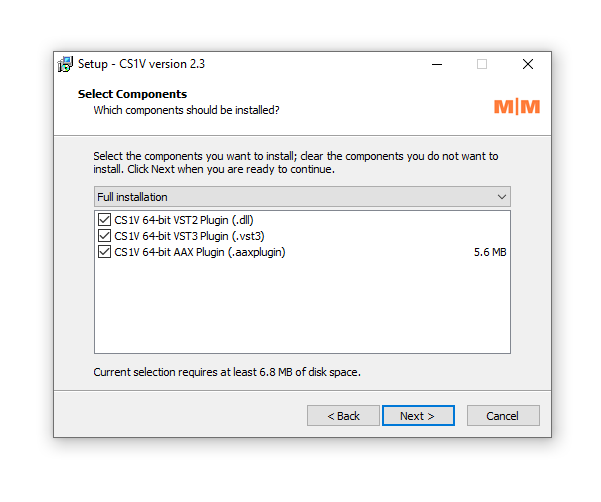
5. Click 'Next'.

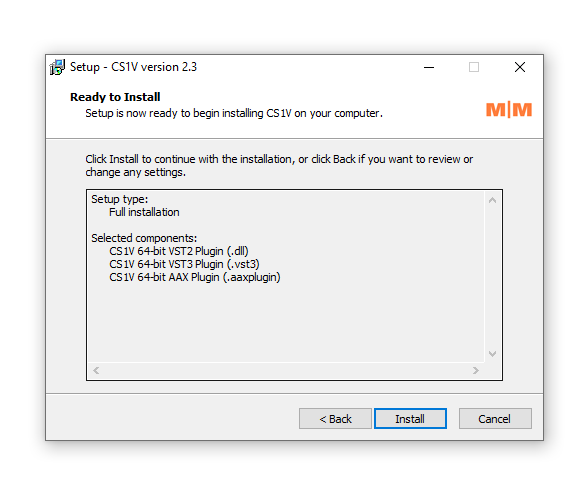
6. Click 'Install'.

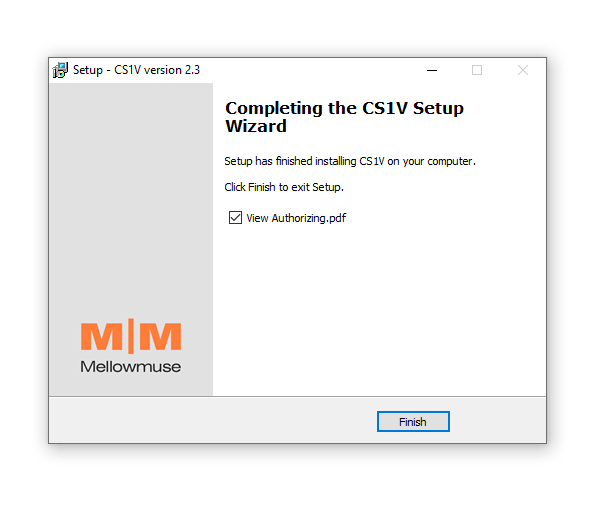
7. Click 'Finish'.

Activation

1. Open CS1V inside of your DAW > Click the icon at the bottom right of the GUI.

2. Enter your email address and the serial number found within your Plugin Boutique User Account > press Enter on your keyboard.

3. Click the i icon again to close the registration information.

Your plugin is now authorised and ready for use in your DAW!

Bundle & Save

Mellowmuse Complete Bundle
$345.00

Plugin Boutique Rewards

Discover the most rewarding loyalty programme among all plugin retailers.

  • Free Loopmasters Samplepacks
  • Discounts on products and courses
  • Extra Virtual Cash claimed immediately at checkout
Find out more

Follow us:

X (Twitter) Facebook YouTube Instagram
Logo Logo

Plugin Boutique Limited, Part of the Beatport Group LLC.

Copyright © 2011-2025 Plugin Boutique. All rights reserved