


 Log In
Free gifts available with your purchase
Loopmasters are proud to present Analogue Bass, the latest expansion pack for Bassmaster - their very own sample-based bass synth built on their extensive and award-winning library of sonics!
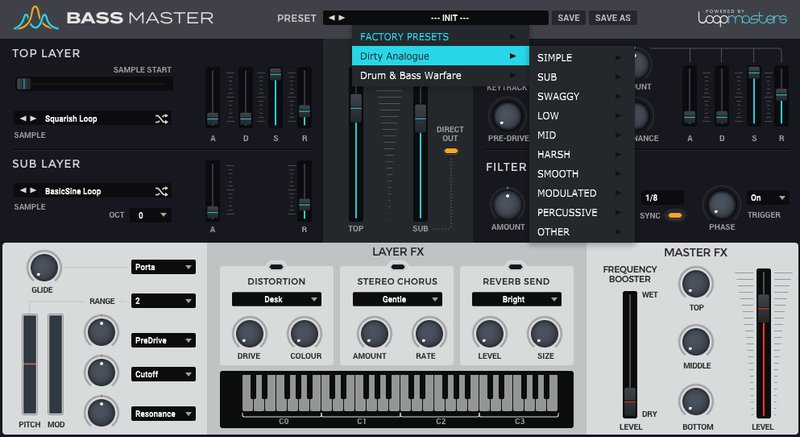
Within you’ll find a deep collection of presets made up from raw waveforms, recorded directly from classic analogue synthesizers. Analogue Bass brings you a huge selection of new and customisable sounds to play with; including solid subs, warm mid-basses and rumbling lows. This collection is a great way to expand upon Bassmaster’s already top-of-the-line stock sounds.
In detail, expect to find 58 brand new waveforms, including 10 low Bass, 42 Mid Bas and 16 Sub Bass sounds. These are used to make up 108 all-new presets, broken down into 27 simple presets, 5 sub presets, 08 swaggy presets, 11 low presets, 30 mid presets, 07 harsh presets,11 smooth presets and 9 modulated presets.
Analogue Bass for Bassmaster will propel your basslines to a whole new level, so grab this one whilst it’s fresh!
Features
- 108 all-new presets in total
- 27 simple presets
- 5 sub presets
- 8 swaggy presets
- 11 low presets
- 30 mid presets
- 7 harsh presets
- 11 smooth presets
- 9 modulated presets
System Requirements
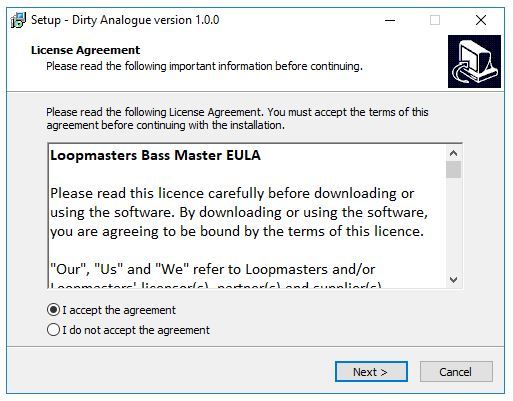
- Bass Master 1.1.3 is required to run this software.
Important Note: Bass Master must be updated to at least version 1.1.3 in order to install the Bass Master expansion packs.
Reviews Summary
While it aims to provide a helpful overview, it may not capture every perspective or detail. We encourage you to read individual reviews to make an informed decision.
Customers highly praise this expansion pack for its rich analog bass sounds, diverse presets, and excellent overall audio quality. While widely regarded as a worthwhile addition, some reviewers noted issues with software stability, a lack of recent updates, and high standalone pricing.


