


 Log In

Free gifts available with your purchase
Phase cancellation occurs whenever you record anything with more than one microphone. Some ignore it and keep the tracks dull, some manually search for delays, and others let MAutoAlign do the job for them automatically and move on to the next activity.
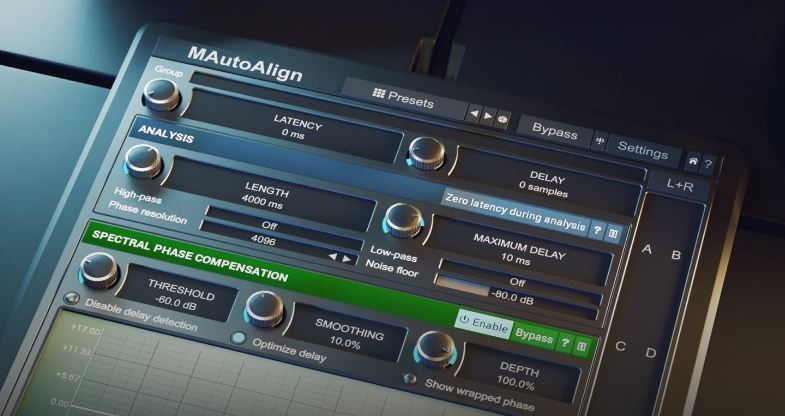
Extremely easy to use
MAutoAlign finds the ideal delays and polarity inversions automatically. Just put an instance on each track that you want to fix and click a button. Absolutely no complicated routing or side-chaining is needed. MAutoAlign will find all other instances of itself automatically.
Completely transparent processing
By default, the plugin only delays each track and possibly inverts the polarity of some of them. But no filtering is done, nothing that would alter the signal in any way. You can expect pristine audio quality with improved attack and minimum phasing problems.
Spectral phase compensation
Since version 11.02 MAutoAlign performs something previously unimaginable - it actually fixes the phase for each frequency in all tracks, if you ask it to. During the analysis, it now not only estimates the ideal delays and polarity but also the ideal phase rotation to minimize cancellations. This means it can compensate for phase differences caused by the 3D nature of the instruments being recorded, by the microphones and other recording equipment, and even processing you perform before MAutoAlign. So now you can actually equalize the tracks without worrying about phase cancellations!
MeldaProduction goodies
As always you'll find the standard MeldaProduction features: M/S, surround support as well as other channel modes, and our easy to use integrated help system.
Features
- Unique multitrack design - the plugin does not need any advanced techniques with sidechains etc. All you need is to do is to place one instance on each track. These will automatically talk to each other and perform the analysis without the need for your interaction.
- Completely transparent processing - the plugin only delays each track and potentially inverts phase of some of them. But performs no filtering or any other advanced processing which alters the signal.
- Advanced metering system - provided meters display frequency cancellations useful to judge how much of the signal is lost when mixing the tracks together.
- Up to 8 channels surround processing - our plugins can handle not only mono and stereo signals, but also up to 8 channels of surround audio, making them ideal for audio production for movies, games etc.
- Extremely advanced and easy-to-use user interface - our products are always designed to enhance the workflow. You can easily change all values, fine-tune each control in multiple ways. Easy orientation in a standardized GUI, textual editing and smooth visualization with almost unlimited zooming are standard in all of our plugins. Moreover our plugins are the world first (and still the only ones), which support resizable and stylable GUI's.
- MIDI controllers with MIDI learn - you can map any parameter to any MIDI controller or MIDI keyboard and control it realtime or record and automate it.
- Very fast, optimized for SSE and SSE2 processors.
- Fully automatable.
System Requirements
Windows
- Windows 8 / 10 / 11 (64-bit)
- VST / VST3 / AAX compatible host (64-bit)
- Intel/AMD processor with SSE2 support
macOS
- macOS 10.14 and newer (64-bit)
- VST / VST3 / AU / AAX compatible host
- Intel/AMD/M1 processor with SSE2 support
- Native Apple Silicon ARM CPU support
Note: Please check your product PDF documentation for more information and installation instructions.







Reviews Summary
While it aims to provide a helpful overview, it may not capture every perspective or detail. We encourage you to read individual reviews to make an informed decision.
Users widely praise the plugin as an easy-to-use, time-saving solution for correcting phase alignment and enhancing sound coherence across multi-mic setups, such as drums and live recordings. While a few noted occasional errors and mentioned its usefulness is mainly tied to multi-mic workflows, the consensus highlights its reliable performance, spectral compensation, and overall great value.


