/ Virtual Instruments / ElectroNylon
Sampleson

ElectroNylon

4.0 (5 Reviews)
$49.00
Sampleson ElectroNylon
Sampleson ElectroNylon - UI
ElectroNylon: The first Nylon-electric Piano based on Spectral Transformation. gallery thumbnail
Buy Now
Product information

The First Nylon-Electric-Piano

ElectryNylon is never-seen-before instrument based on real-time spectral transformation that will allow you to go from Nylon Guitar to an Electric Piano in real-time and just moving a slider.

ElectroNylon is the first instrument of Sampleson's Luthier-Series. A space for the creativity of Sampleson's developers.

Sampleson's Luthier-Series

The spirit behind the Luthier Series is to bring to life crazy and impossible ideas, mixing sounds and behaviors from instruments Sampleson love. As well as making playable and enjoyable virtual instruments that are ready to inspire you.

ElectroNylon is the first creation of the series. It features a unique sound including finger noises, slides and many other details from a nylon guitar mixed with the vintage sound that a reed and tines electric piano can create.

Real-Time Spectral Transformation

ElectroNylon is based on spectral modelling, a realistic modelling technique that involves scanning real instruments.

ElectroNylon is an electric piano and a nylon guitar, and everything in the middle. A unique instrument made out of the spectral models from a nylon guitar and two electric pianos (reeds and tines based).

Real-time spectral transformation takes harmonics and formants and blends them mathematically. ElectroNylon allows you to do this transformation in real-time with no CPU-usage increase.

Features

  • Spectral-modelled nylon electric piano.
  • Real-time, spectral transformations based on real samples.
  • Just 35MB.
  • No velocity-switching.
  • Ambient, Chorus, Drive, Reverb FX.
  • Scalable HD interface.
  • MacOS Catalina Ready.
  • Easy install.
  • No extra other 3rd party player required.
  • Ready to be loaded into major DAWs (Cubase, Logic Pro, GarageBand, Cakewalk, Reaper, BitWig, Nuendo, FL Studio etc)
  • Win 32/64 bits and Mac VST/AU/Standalone versions included
  • No online activation required.

System Requirements

macOS

  • OSX 10.7 or later (Monterey compatible)
  • Host must support VSTi or AU plugins.
  • 70 MB HDD
  • 4GB RAM

Windows

  • Windows 7 or later
  • Host must support VSTi plugins.
  • 70 MB HDD
  • 4GB RAM

Important Note: Pro Tools is not supported.

Testimonials

Music Radar

"An instrument that offers real-time spectral transformation from a nylon guitar to an electric piano."

MusicTech Magazine

"Sampleson's ElectroNylon might be the weirdest piano plug-in you'll own"

Installation Instructions

Please Note: Stage54 is used as an example.

Mac

Download Installer

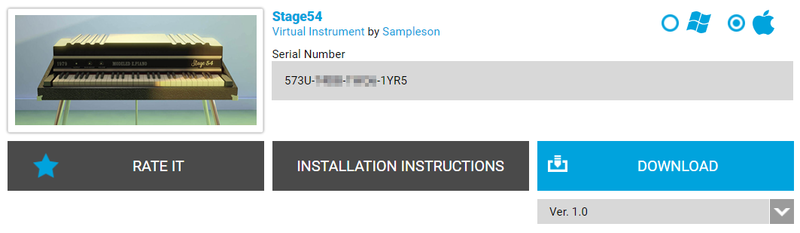
1. Navigate to your Plugin Boutique User Account and locate Stage54 > Click the blue 'DOWNLOAD' button.

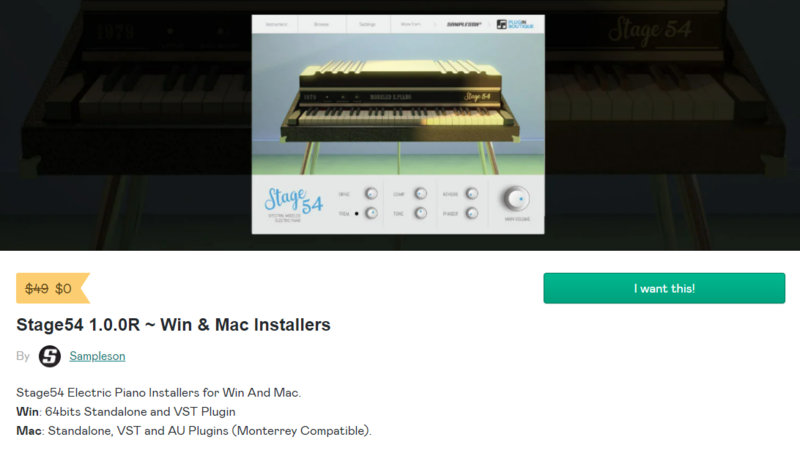
2. Click 'I want this!'.

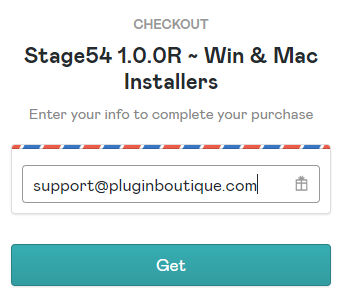
3. Enter your email address > Click 'Get'.

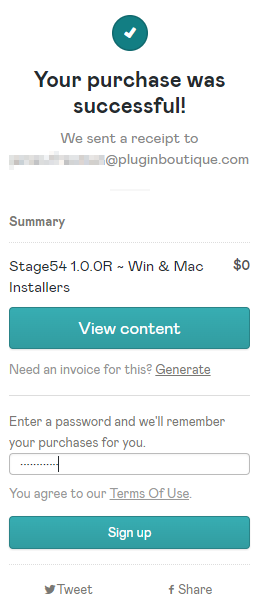
4. Click 'View content' to proceed straight to your downloads > Alternatively, enter a password to create an account for future access to your download > Click 'Sign Up'.

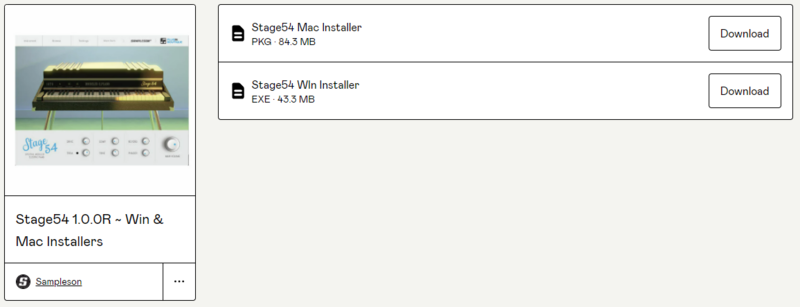
5. Locate the 'Stage54 Mac Installer' > Click 'Download'.

Installation

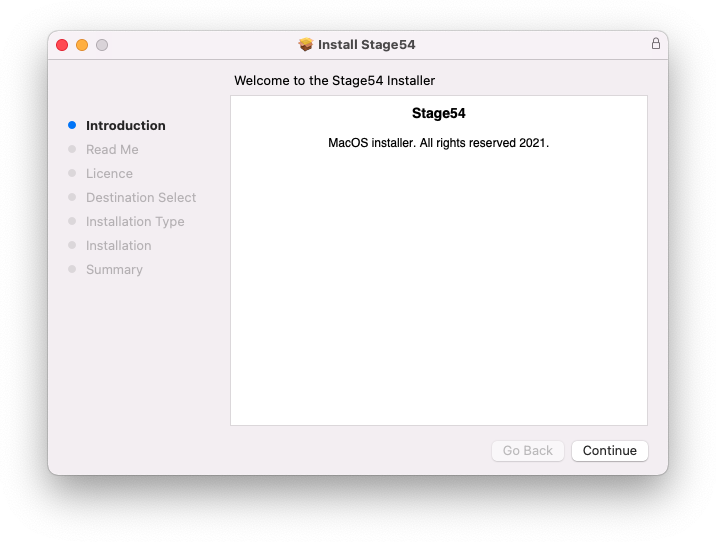
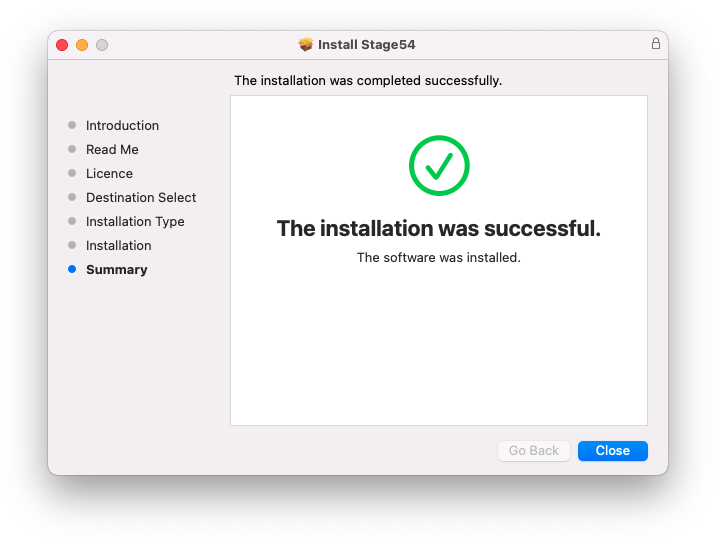
1. Navigate to your Downloads folder and locate the 'Stage54 Mac Installer.pkg' > Launch the installer.

2. Click 'Continue'.

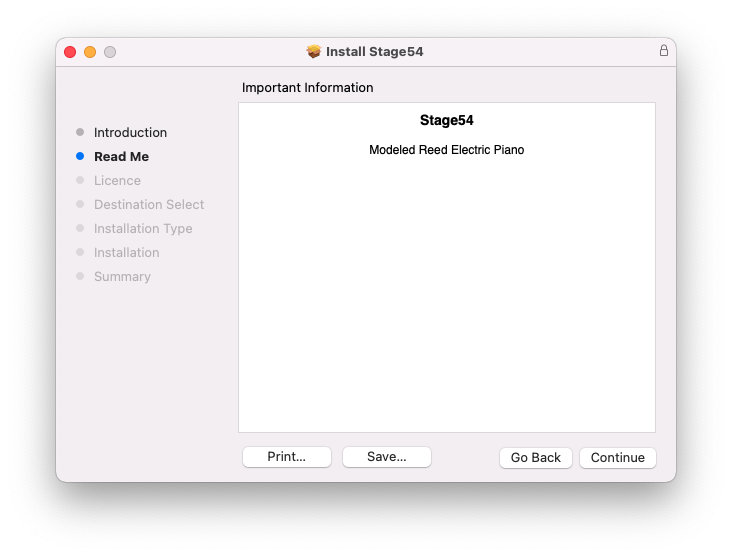
3. Click 'Continue'.

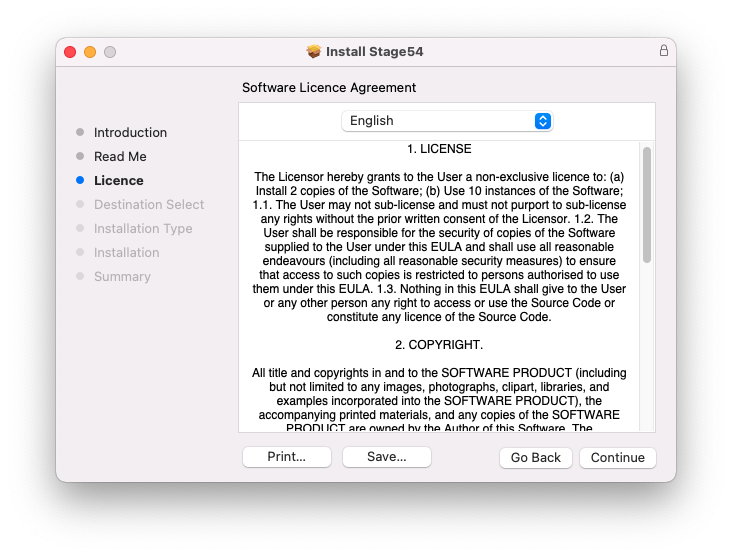
4. Click 'Continue'.

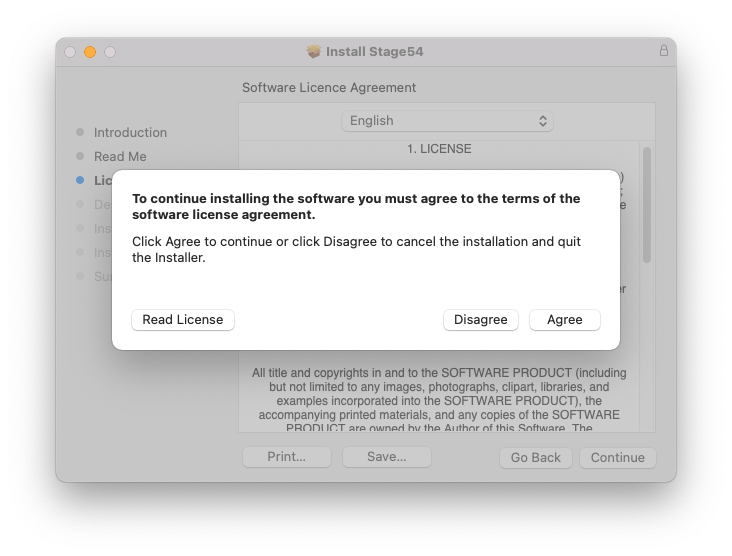
5. Click 'Agree'.

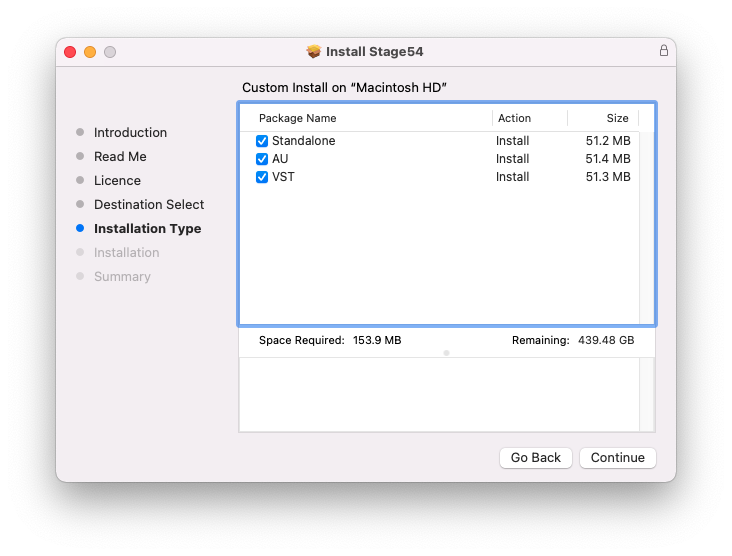
6. Click 'Continue'.

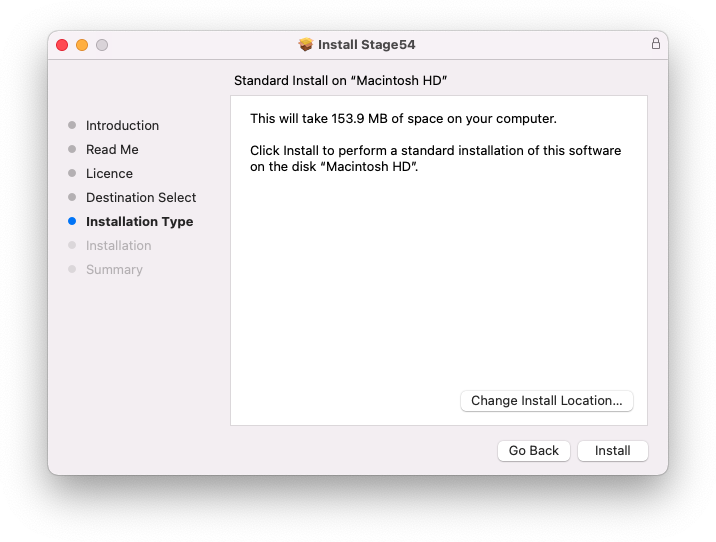
7. Click 'Install'.

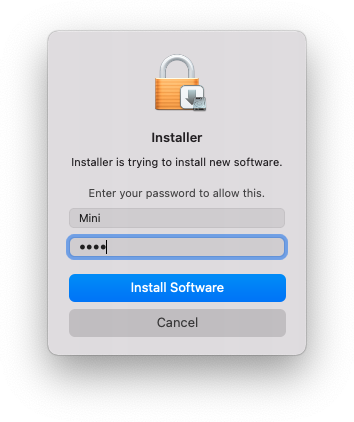
8. Enter your system password > Click 'Install Software'.

9. Click 'Close'.

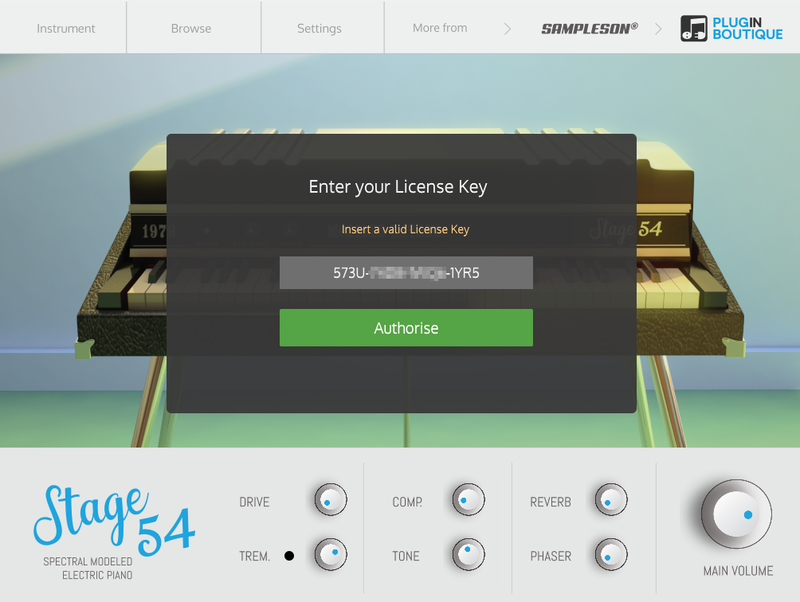
10. Launch your DAW > Create a new Virtual Instrument track > Insert Stage54 onto the channel > Paste your 16 digit serial number found within your Plugin Boutique User Account into the box > Click 'Authorise'.

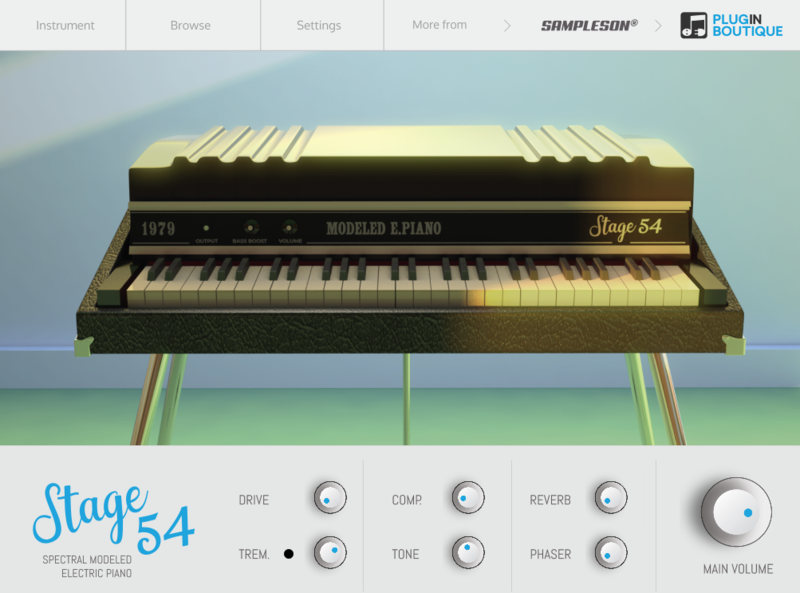
Stage54 is now installed, activated, and ready to use within your DAW.

Windows

Download Installer

1. Navigate to your Plugin Boutique User Account and locate Stage54 > Click the blue 'DOWNLOAD' button.

2. Click 'I want this!'.

3. Enter your email address > Click 'Get'.

4. Click 'View content' to proceed straight to your downloads > Alternatively, enter a password to create an account for future access to your download > Click 'Sign Up'.

5. Locate the 'Stage54 Win Installer' > Click 'Download'.

Installation

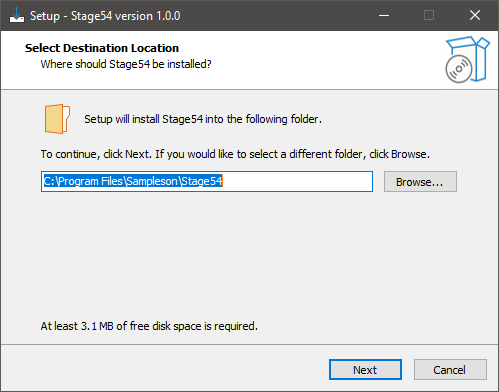
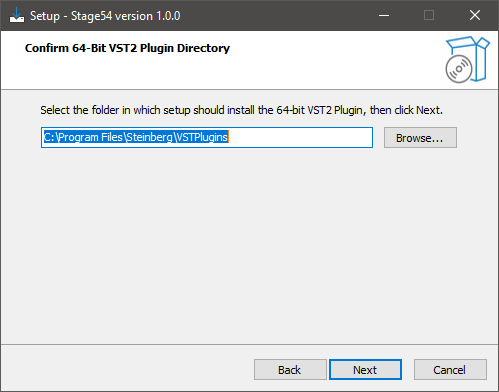
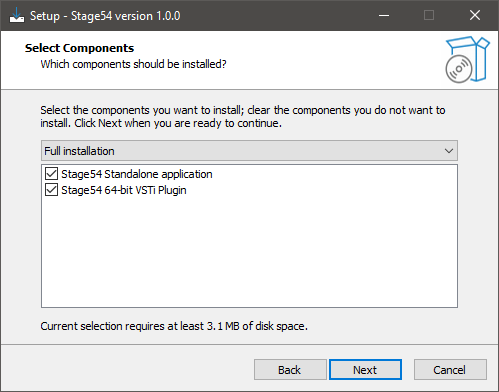
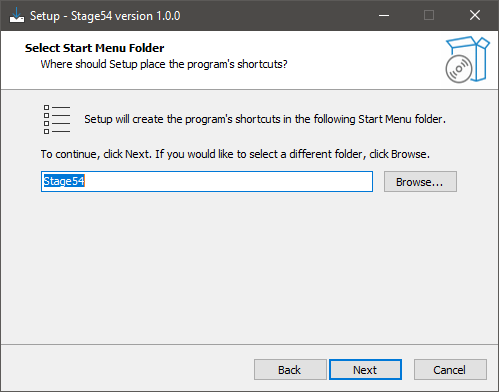
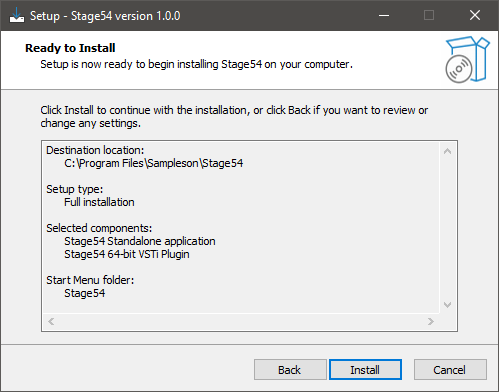
1. Navigate to your Downloads folder and locate the 'Stage54 Win Installer.exe' > Launch the installer.

2. Click 'Next'.

3. Click 'Next'.

4. Click 'Next'.

5. Click 'Next'.

6. Click 'Install'.

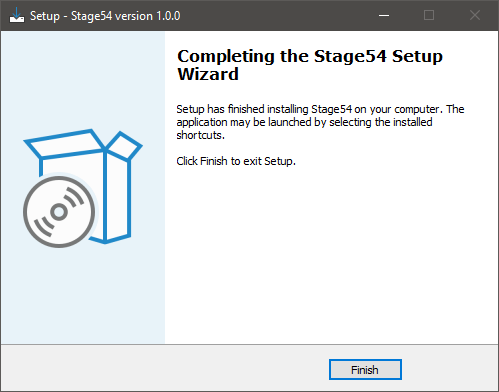
7. Click 'Finish'.

8. Launch your DAW > Create a new Virtual Instrument track > Insert Stage54 onto the channel > Paste your 16 digit serial number found within your Plugin Boutique User Account into the box > Click 'Authorise'.

Stage54 is now installed, activated, and ready to use within your DAW.

Bundle & Save

Sampleson Collection Bundle
$1,200.00

Plugin Boutique Rewards

Discover the most rewarding loyalty programme among all plugin retailers.

  • Free Loopmasters Samplepacks
  • Discounts on products and courses
  • Extra Virtual Cash claimed immediately at checkout
Find out more

Follow us:

X (Twitter) Facebook YouTube Instagram
Logo Logo

Plugin Boutique Limited, Part of the Beatport Group LLC.

Copyright © 2011-2025 Plugin Boutique. All rights reserved