/ Expansion Packs / Analog Blur | Polyscape Expansion
Karanyi Sounds

Analog Blur | Polyscape Expansion

5.0 (19 Reviews)
$14.00
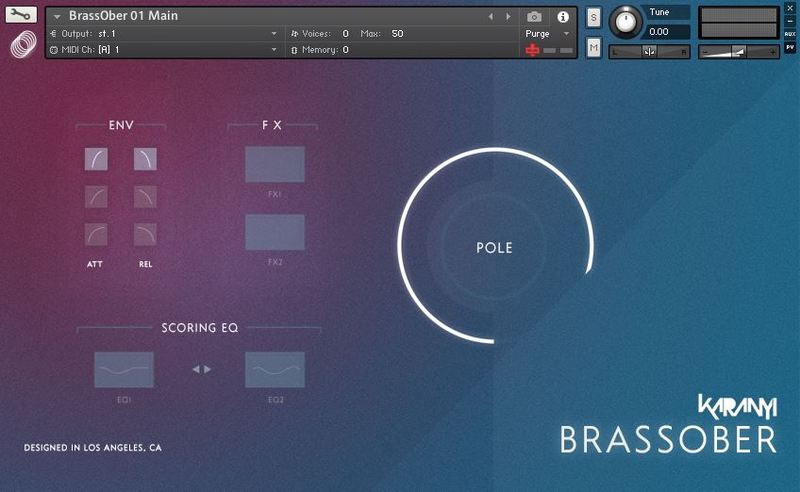
Polyscape Expansion: Analog Blur UI
KaranyiSounds - Polyscape Walkthrough gallery thumbnail
Polyscape Expansion: Analog Blur - Box Image
Polyscape Expansion: Analog Blur - UI (Back)
Buy Now
Product information

Important note: Polyscape is required to use this expansion. A bundle of Polyscape and this Analog Blur expansion is also available.

Adventures in the Forbidden Zone

Analog Blur for Polyscape is the first expansion for Karanyi Sounds' synth designer tool focusing on deep, lush, spacey soundscapes and subtle moving pads - inspired by movies like classic 80s film scores such as Blade Runner by Vangelis or Terminator by Brad Fiedel. This expansion extends the sonic possibilities of Polyscape with 4 additional organ sounds inspired by Oberheim PCM organs from the 80s and 50 new extra presets to enhance your next track or film score. Or just add some good old analogue vibe as a sublayer to any music production.

Features

  • 4 brand new sample instruments created with vintage organ module.
  • 40 Cinematic soundscapes & moving pads created by sound designers and film composers.

System Requirements

  • Karanyi Sounds Polyscape
  • Kontakt 5.8.1 or higher (Full version required).
  • Includes NCW Lossless compressed samples.

Important Note: The full version of Native Instruments Kontakt 5.8.1 or higher is required in order to use this software.



Installation Instructions

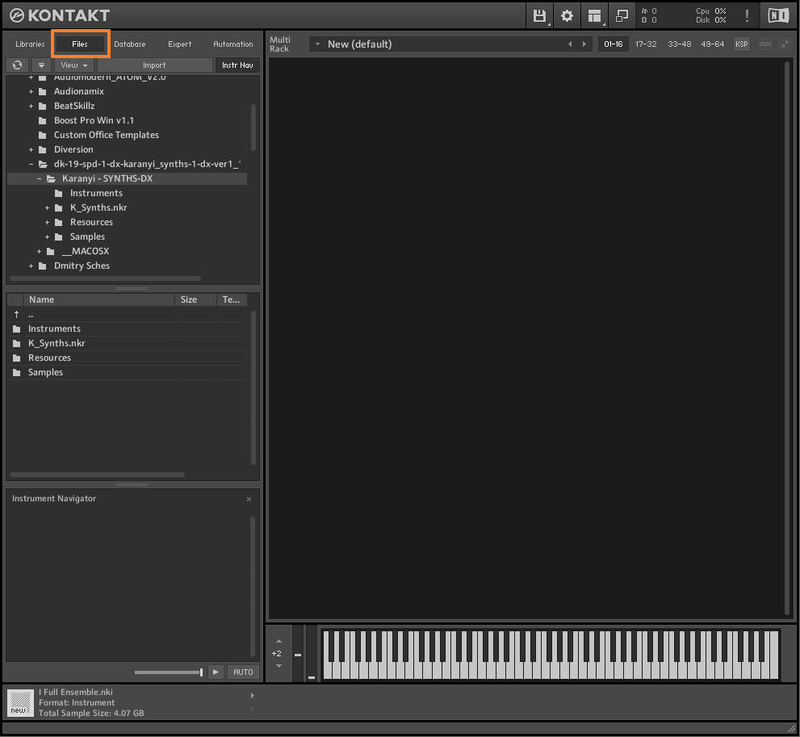
Note: Karanyi Synths 1 DX is used as an example.

Mac & Windows Formats

Important Note: This software requires the Full Version of Native Instruments Kontakt to be installed on your system. Please ensure you have purchased, downloaded and installed Kontakt before attempting to install this product.

Installation

1. Download the Kontakt Instrument from within your Plugin Boutique User Account. Be sure to remember the download location as you will need this when locating your Kontakt Library in step 3.

2. Open Kontakt, either as a standalone application, or as a plugin within your DAW.

3. Click the 'files' tab at the top of Kontakt > Navigate to the location of your downloaded Kontakt Library from step 1 of the installation instructions.

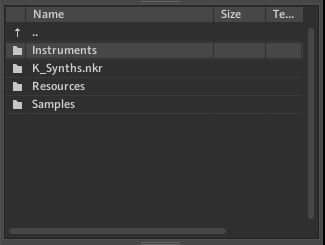
4. Double-click the 'Instruments' folder to open it within Kontakt.

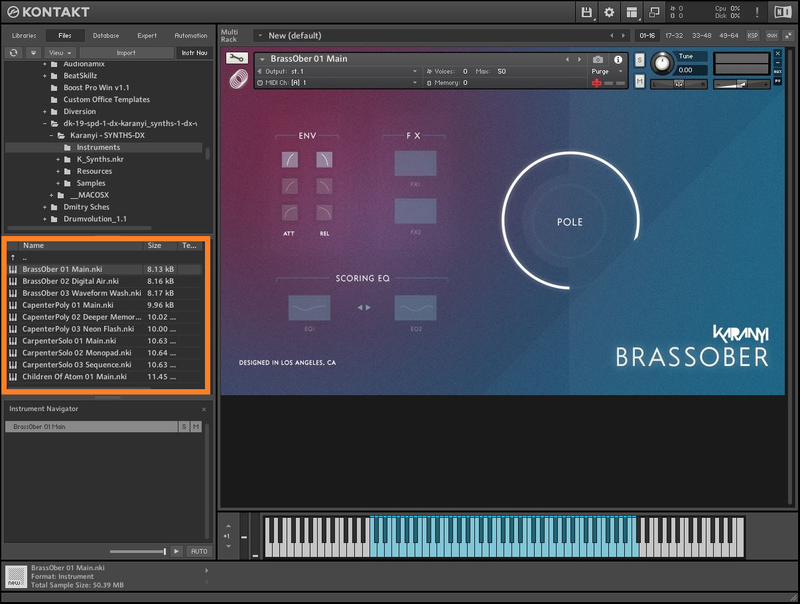
5. Click and drag any .nki file from the left-hand window of Kontakt into the main window of Kontakt to load up a patch.

Your software is now installed and ready to use.

Plugin Boutique Rewards

Discover the most rewarding loyalty programme among all plugin retailers.

  • Free Loopmasters Samplepacks
  • Discounts on products and courses
  • Extra Virtual Cash claimed immediately at checkout
Find out more

Follow us:

X (Twitter) Facebook YouTube Instagram
Logo Logo

Plugin Boutique Limited, Part of the Beatport Group LLC.

Copyright © 2011-2025 Plugin Boutique. All rights reserved