Sampleson

Klavee

3.7 (3 Reviews)
$49.00
Sampleson Klavee
Sampleson Klavee
Sampleson Klavee - User Interface
KLAVEE. Rare Czech Electric Piano, Restored. gallery thumbnail
KLAVEE. Rare Czech Electric Piano, Restored. DAW Test. gallery thumbnail
Buy Now
Product information

Rare Czech electric piano, restored.

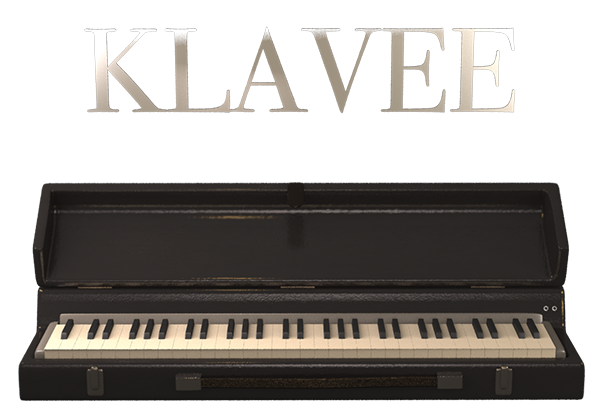
Klavee is the virtual restoration of a gem. The Czech Klaviphon. A plucked electric piano manufactured in the 60s in the Czech Republic.

There's no other Electric Piano like this one and it's never been recreated into a virtual instrument, until now. A rare-piece specially made for electric piano collectors.

Virtual restoration of an almost-extinct electric piano.

The Czech Klaviphon is almost extinct. No parts can be found online and just a few of them still alive. This is why Sampleson wanted to make a virtual version of it. To keep its unique sound for further generation of musicians.

KLAVEE was built upon spectral modelling. A technique that assures perfect tone matching with the original instrument.

The Klaviphon: A Czech Gem

The Klaviphon is a plucked electric piano created in the Czech Republic in the 60s. Sound is generated by reeds plucked by wooden hammers. Sound on lower octaves is the classical reed-based. On upper register, the timbre turns in to a Kalimba-like sound, due to the nature of the hammer-hit direction (from bottom to top on the reed-edge).

Features

  • Spectral Modeled Klaviphon Electric Piano.
  • Real-time Spectral transformations
  • Based on real samples.
  • Just 35MB.
  • No velocity-switching.
  • Ambient FX
  • Drive FX
  • Stereo Delay FX.
  • Scalable HD interface.
  • macOS Catalina Ready.
  • Easy install.
  • No extra purchases are needed (like Kontakt, UVI, etc) or any other 3rd. party player.
  • Ready to be loaded into major DAWs (Cubase, Logic Pro, GarageBand, Cakewalk, Reaper, BitWig, Nuendo, FL Studio, etc)
  • Win 32/64 bits and Mac VST/AU/Standalone versions included (No AAX version)
  • No online activation is required.

System Requirements

macOS

  • OSX 10.7 or later (Monterey compatible)
  • Host must support VSTi or AU plugins.
  • 80 MB HDD
  • 4GB RAM

Windows

  • Windows 7 or later
  • Host must support VSTi plugins.
  • 80 MB HDD
  • 4GB RAM

Important Note: Pro Tools is not supported.

Installation Instructions

Please Note: Stage54 is used as an example.

Mac

Download Installer

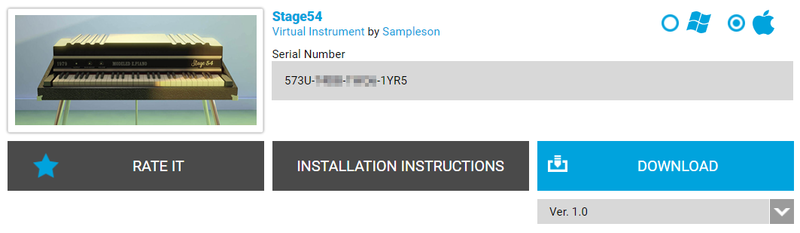
1. Navigate to your Plugin Boutique User Account and locate Stage54 > Click the blue 'DOWNLOAD' button.

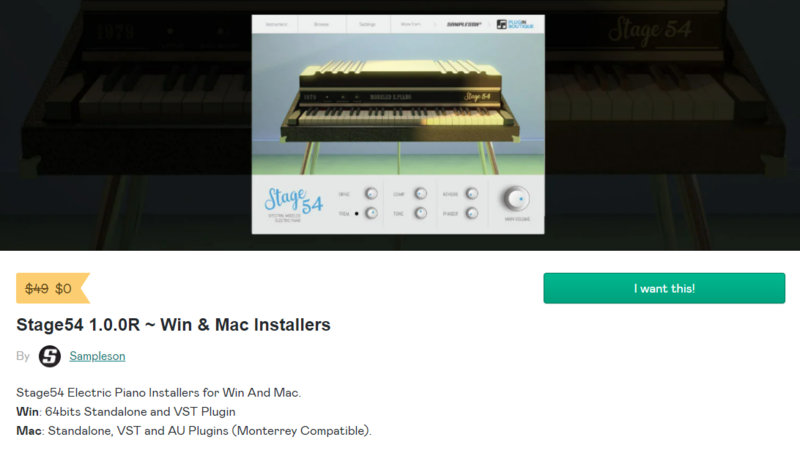
2. Click 'I want this!'.

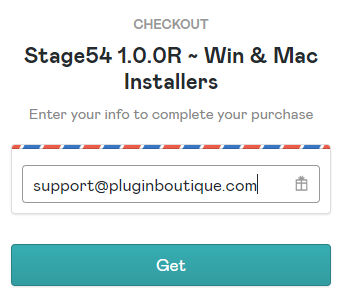
3. Enter your email address > Click 'Get'.

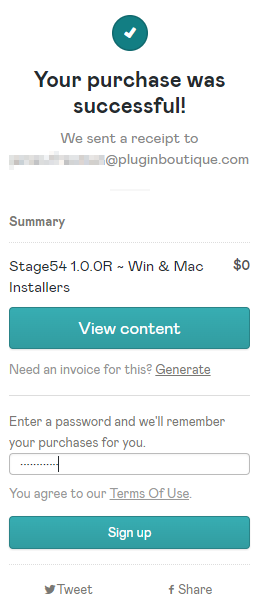
4. Click 'View content' to proceed straight to your downloads > Alternatively, enter a password to create an account for future access to your download > Click 'Sign Up'.

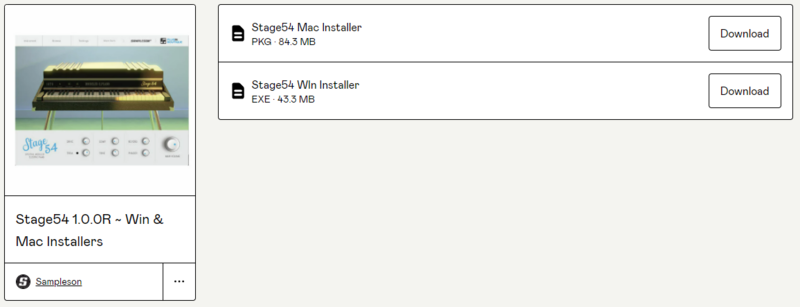
5. Locate the 'Stage54 Mac Installer' > Click 'Download'.

Installation

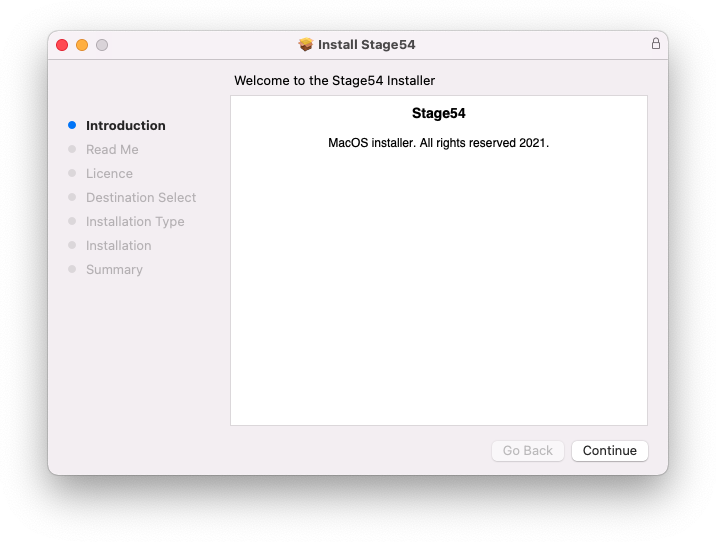
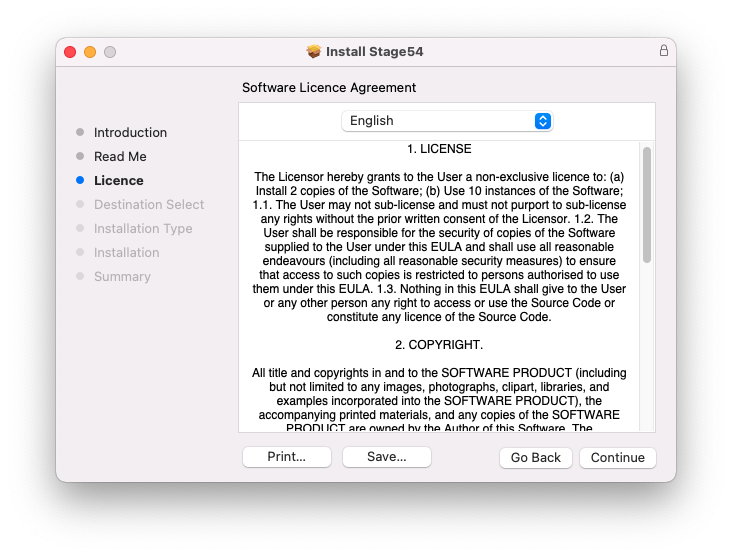
1. Navigate to your Downloads folder and locate the 'Stage54 Mac Installer.pkg' > Launch the installer.

2. Click 'Continue'.

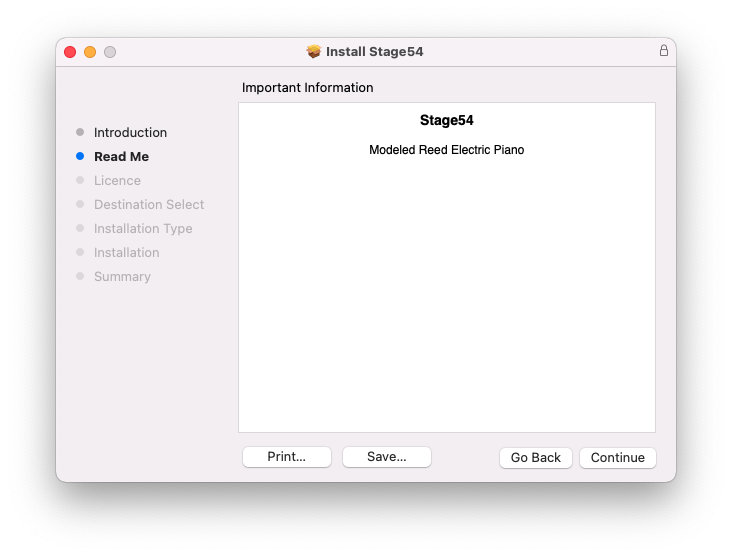
3. Click 'Continue'.

4. Click 'Continue'.

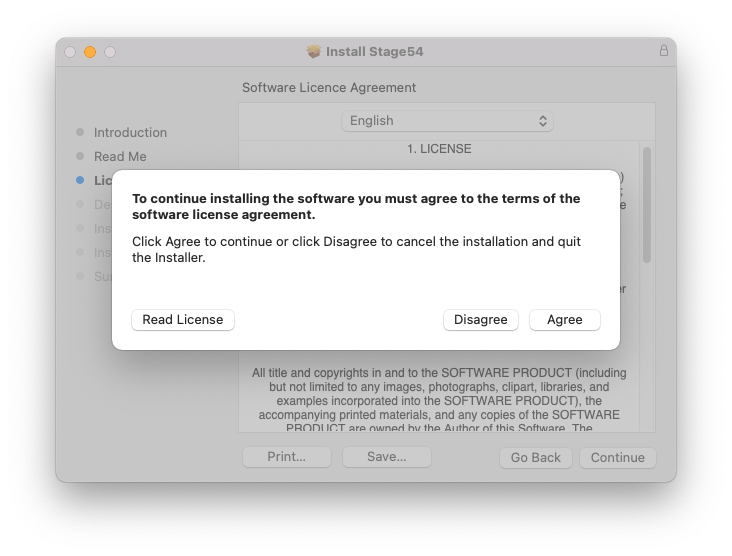
5. Click 'Agree'.

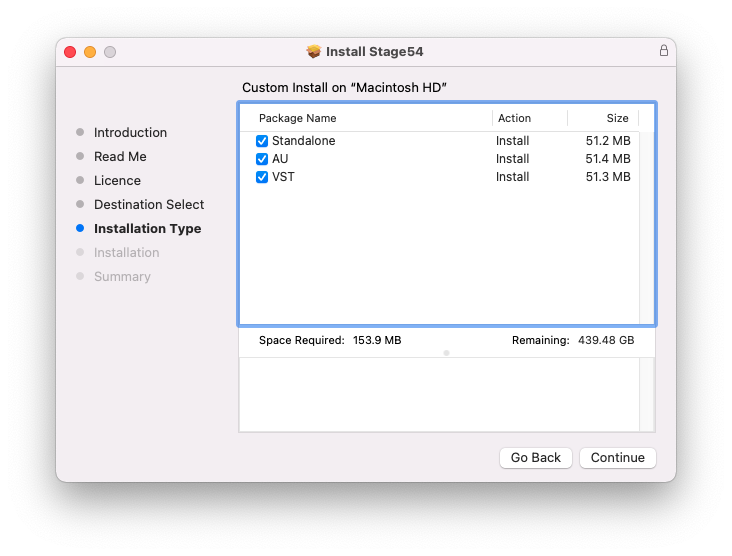
6. Click 'Continue'.

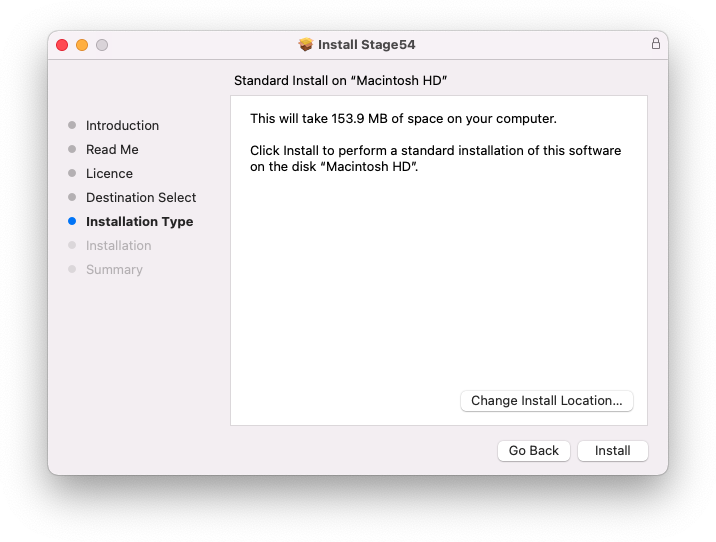
7. Click 'Install'.

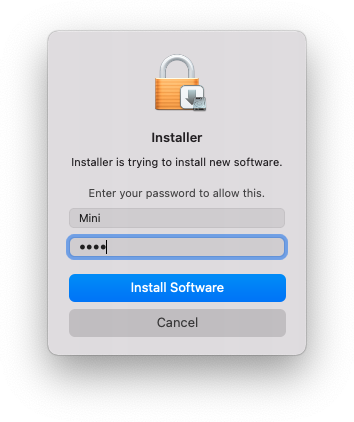
8. Enter your system password > Click 'Install Software'.

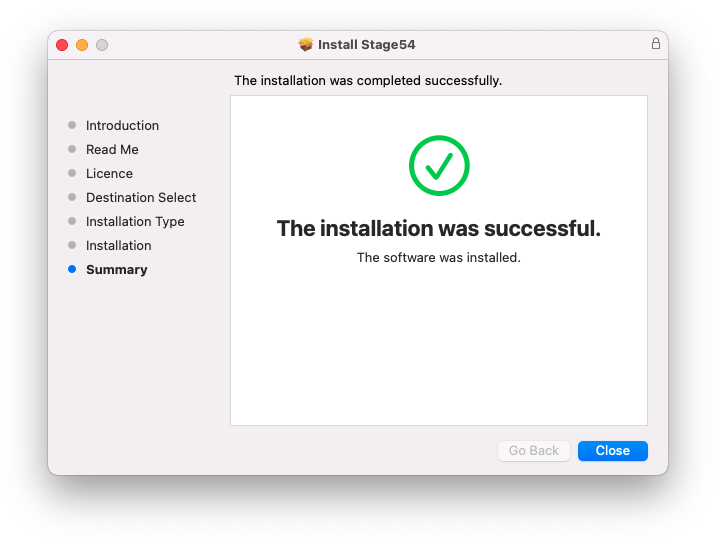
9. Click 'Close'.

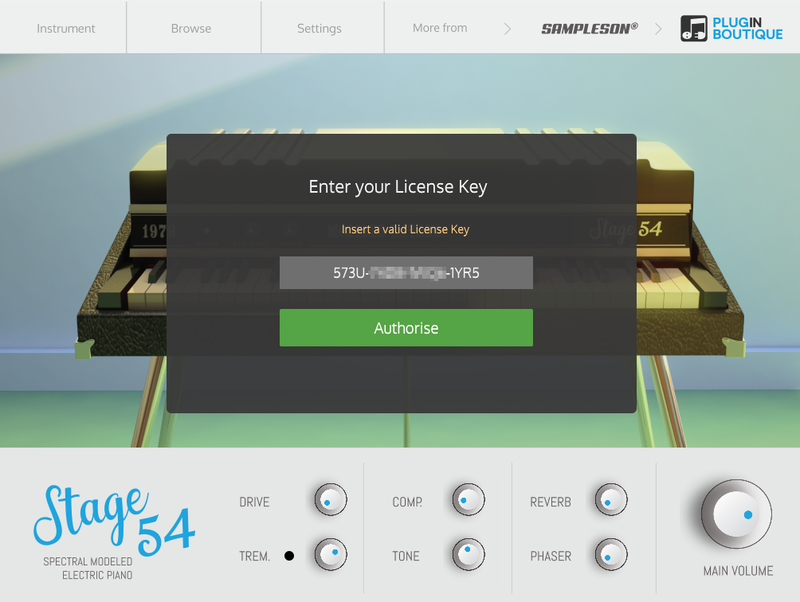
10. Launch your DAW > Create a new Virtual Instrument track > Insert Stage54 onto the channel > Paste your 16 digit serial number found within your Plugin Boutique User Account into the box > Click 'Authorise'.

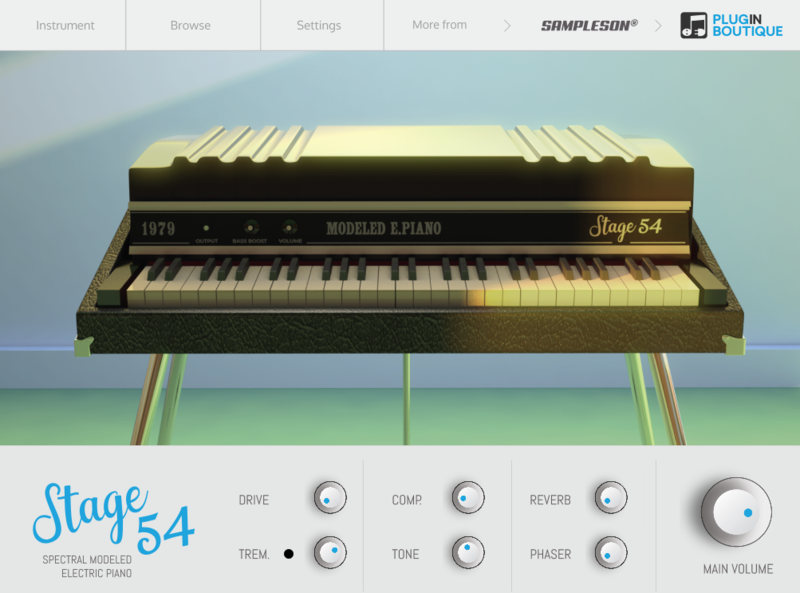
Stage54 is now installed, activated, and ready to use within your DAW.

Windows

Download Installer

1. Navigate to your Plugin Boutique User Account and locate Stage54 > Click the blue 'DOWNLOAD' button.

2. Click 'I want this!'.

3. Enter your email address > Click 'Get'.

4. Click 'View content' to proceed straight to your downloads > Alternatively, enter a password to create an account for future access to your download > Click 'Sign Up'.

5. Locate the 'Stage54 Win Installer' > Click 'Download'.

Installation

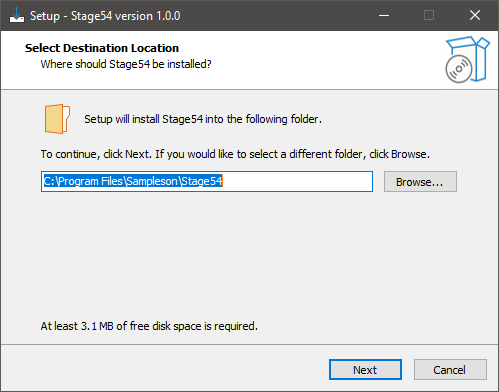
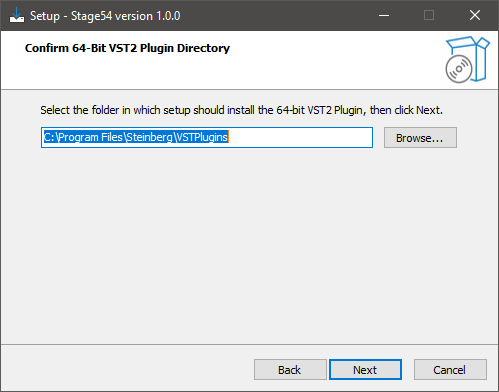
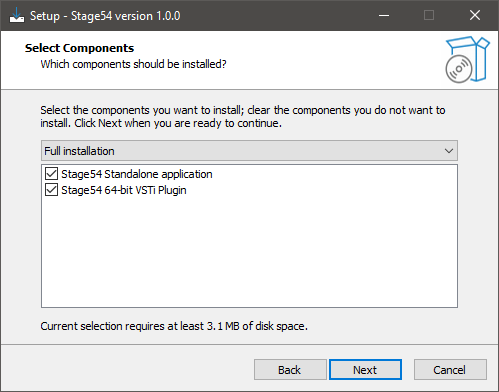
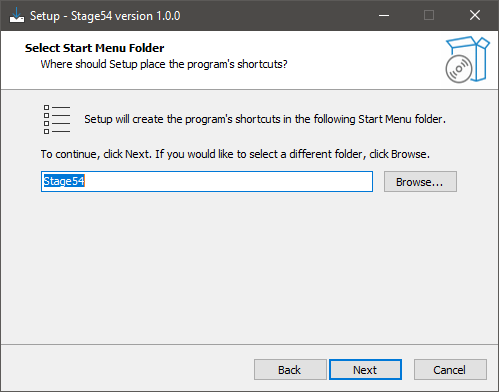
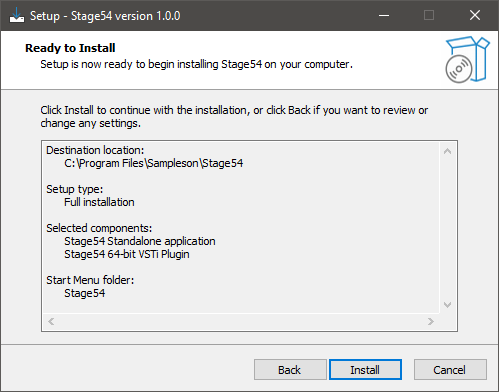
1. Navigate to your Downloads folder and locate the 'Stage54 Win Installer.exe' > Launch the installer.

2. Click 'Next'.

3. Click 'Next'.

4. Click 'Next'.

5. Click 'Next'.

6. Click 'Install'.

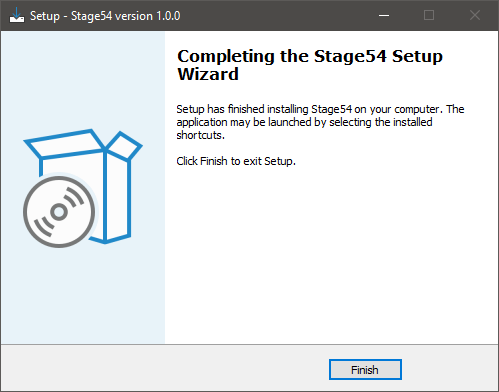
7. Click 'Finish'.

8. Launch your DAW > Create a new Virtual Instrument track > Insert Stage54 onto the channel > Paste your 16 digit serial number found within your Plugin Boutique User Account into the box > Click 'Authorise'.

Stage54 is now installed, activated, and ready to use within your DAW.

Bundle & Save

Sampleson Collection Bundle
$1,200.00

Plugin Boutique Rewards

Discover the most rewarding loyalty programme among all plugin retailers.

  • Free Loopmasters Samplepacks
  • Discounts on products and courses
  • Extra Virtual Cash claimed immediately at checkout
Find out more

Follow us:

X (Twitter) Facebook YouTube Instagram
Logo Logo

Plugin Boutique Limited, Part of the Beatport Group LLC.

Copyright © 2011-2025 Plugin Boutique. All rights reserved