Buy Shruti Box, get a free gift with purchase:
A box full of wonder! This is what a Shruti Box is.
Just by itself, this tiny acoustic instrument is able to produce timbres ranging from pure accordion-like sounds, ecstatic pedal notes and drones, blues-harp-like tones up to weird, granular and almost synthetic textures. For this reason, Have Audio decided not to serve it in our usual blends but to sample the acoustic instrument in-depth and extend its natural range and music potential thanks to our double espresso engine and a set of unique and creative custom FX.
Shruti Box will become a must-have tool for all film composers and music producers interested in an ethnic instrument with that extra touch!
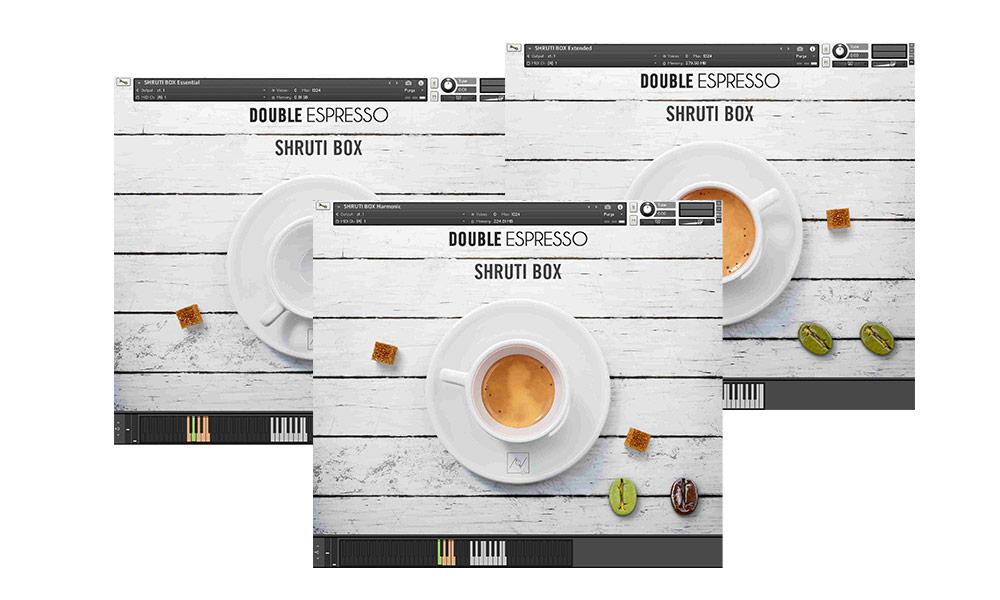
This bundle includes three separate Kontakt instruments plus a bonus instrument: Shruti Box Essentials, Shruti Box Extended and Shruti Box Harmonic and the bonus Shruti Box Interval Machine and requires the full version of Kontakt to work. Please note this will not work in the free Kontakt Player.
Features
- 537 samples
- Over 2.6 GB uncompressed file size across 4 instruments
- 4 separate .nki files
Keyswitches/Sound Banks:
- Short notes
- Long notes
- Movement
- Pedal tones (mantra)
- Soft pedal tones
- Harsh
- Ominous textures
- Gentle pedal tones
- Pleasant textures
- Wah
- Major chords
- Minor chords
- Augmented chords
- Diminished chords
Built-in FX:
- Concert hall convolution reverb
- Accordion-verb
- Freeze reverb
- Reflection custom impulse response fx
- Distortion
System Requirements
- Requires full version of KONTAKT 5.6.8+
- Approx. 3 GB free hard drive space
- 8 GB of RAM or more is recommended
Please note: this bundle will not work in Kontakt Player

![]()
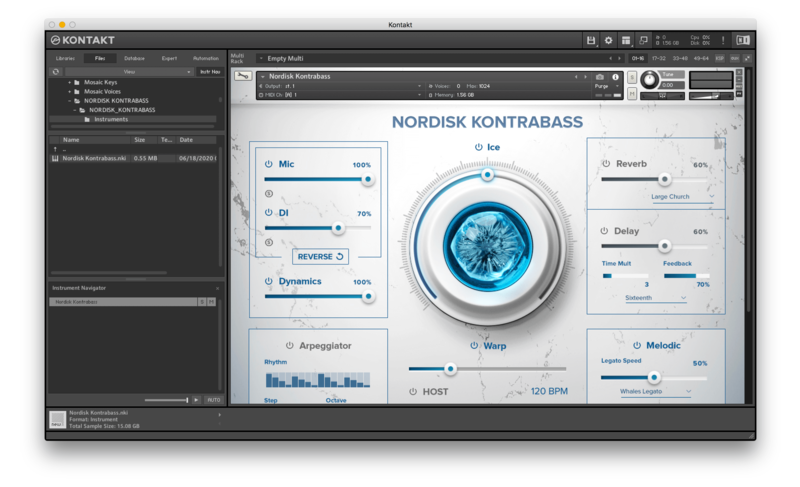
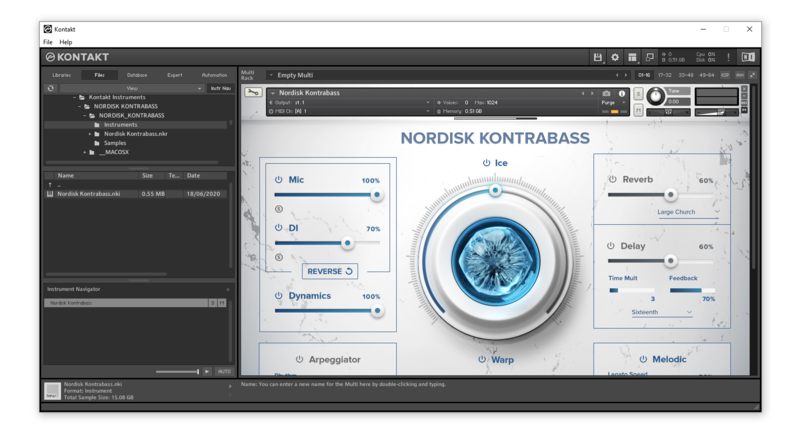
Please note: Nordisk Kontrabass is used as an example as the installation process is the same for all Have products.
Mac
Installation
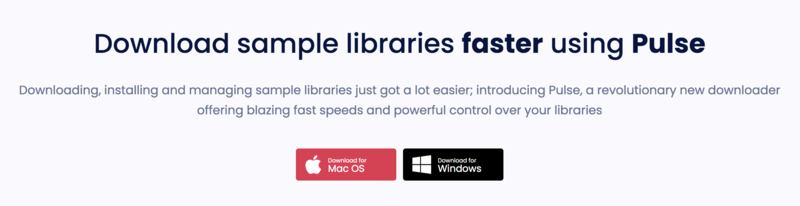
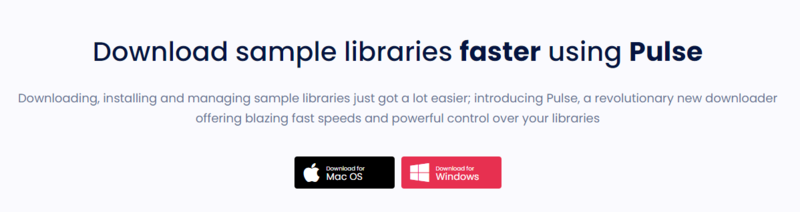
1. Go to https://pulsedownloader.com/ > Click 'Download for Mac OS' to download the Pulse application installer.

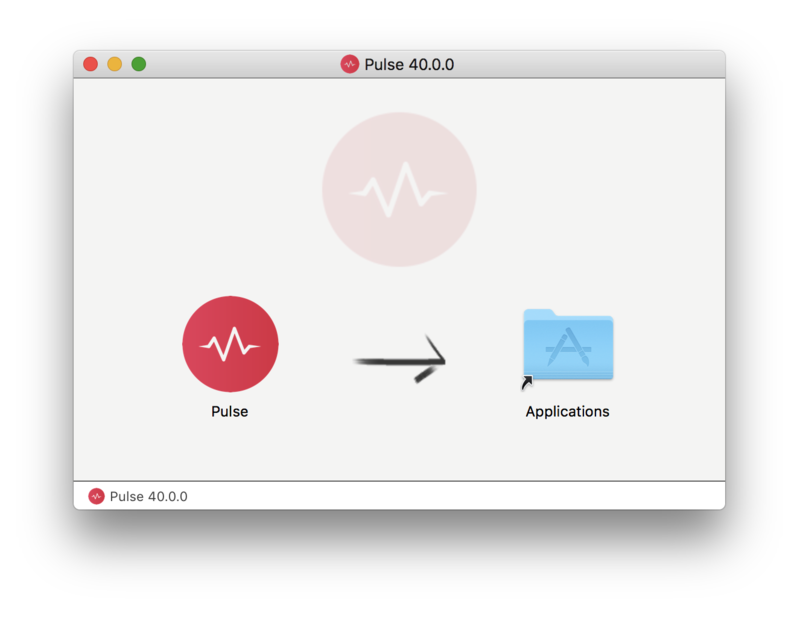
2. Open the .dmg file > Click and drag the application icon into the applications folder.

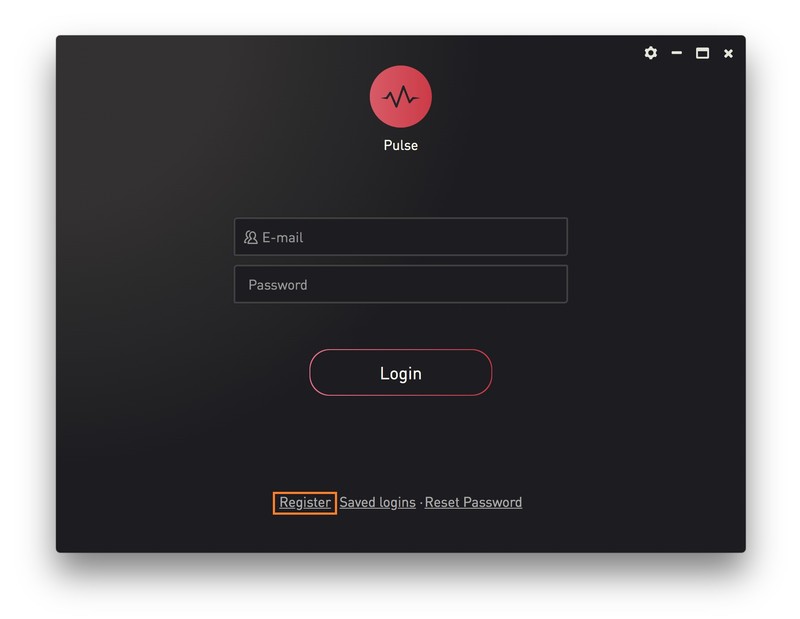
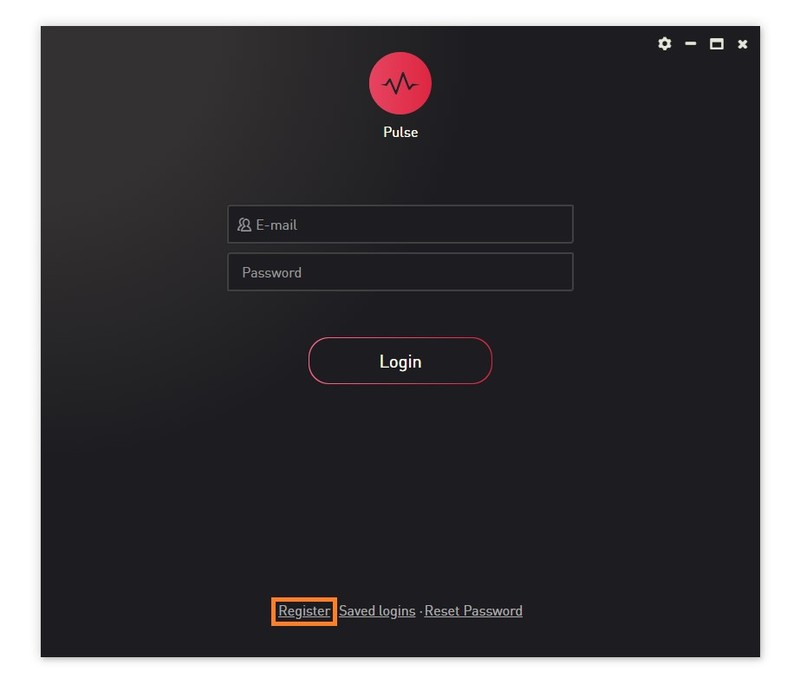
3. Open the Pulse application > Click 'Register'

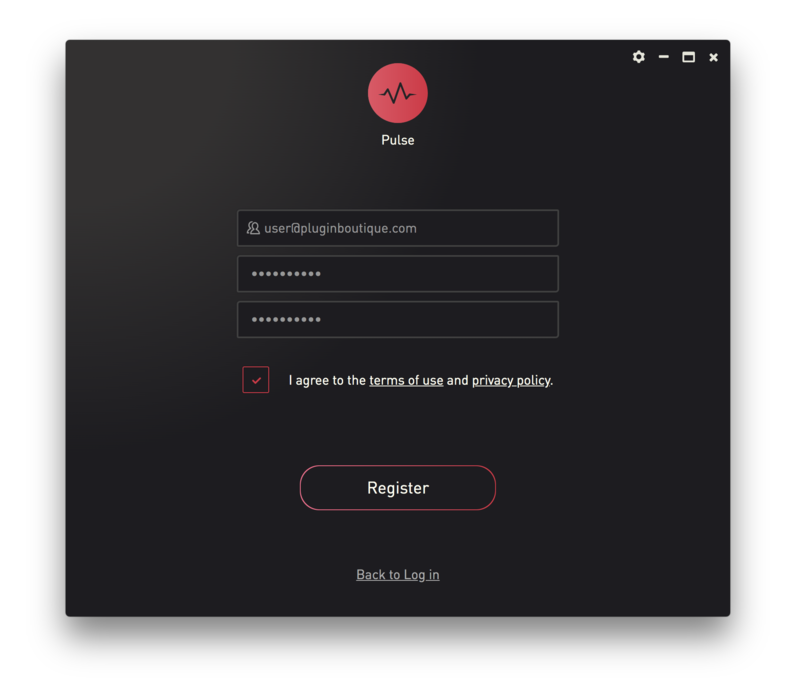
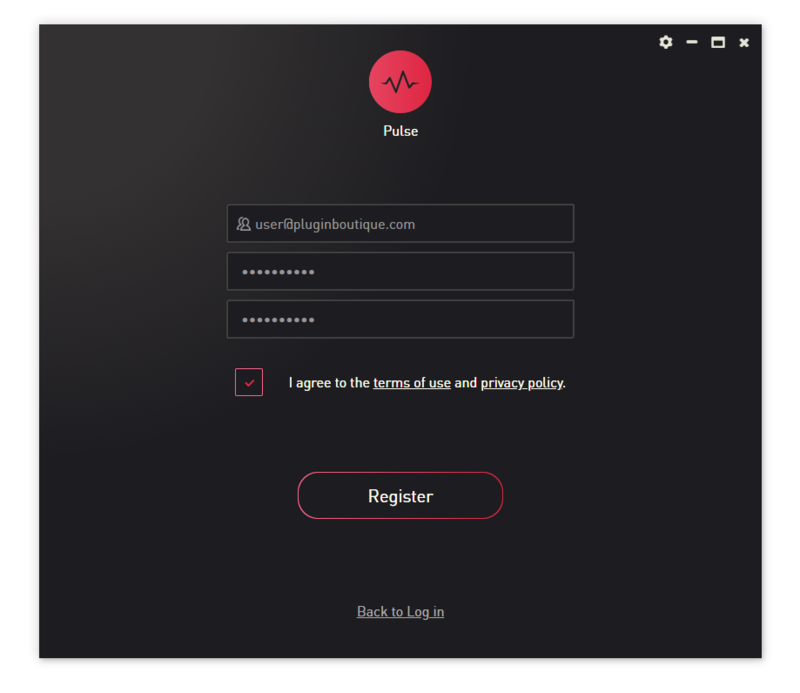
4. Enter your Email Address and Password > Check the box that states 'I agree to the terms of use and privacy policy' > Click 'Register'.

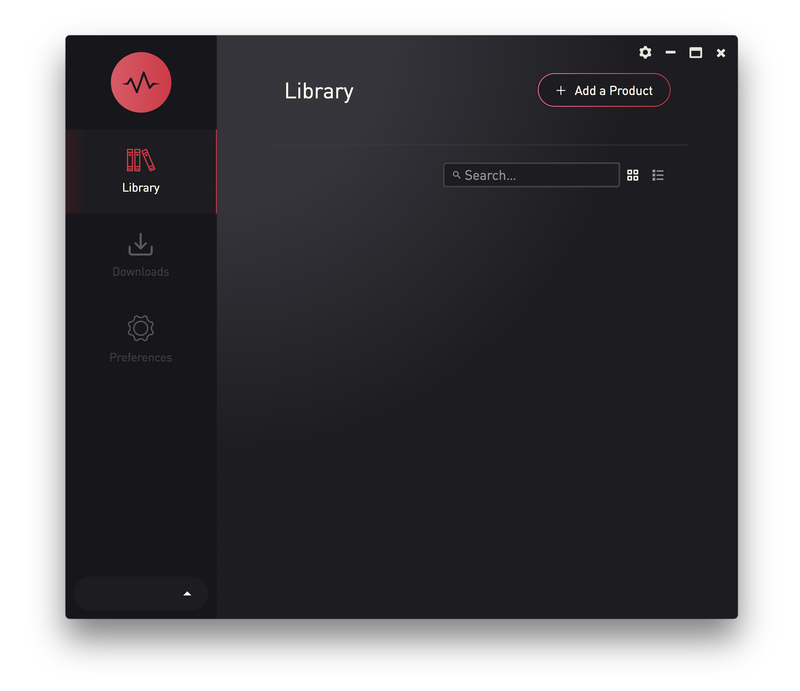
5. Click 'Add a Product'.

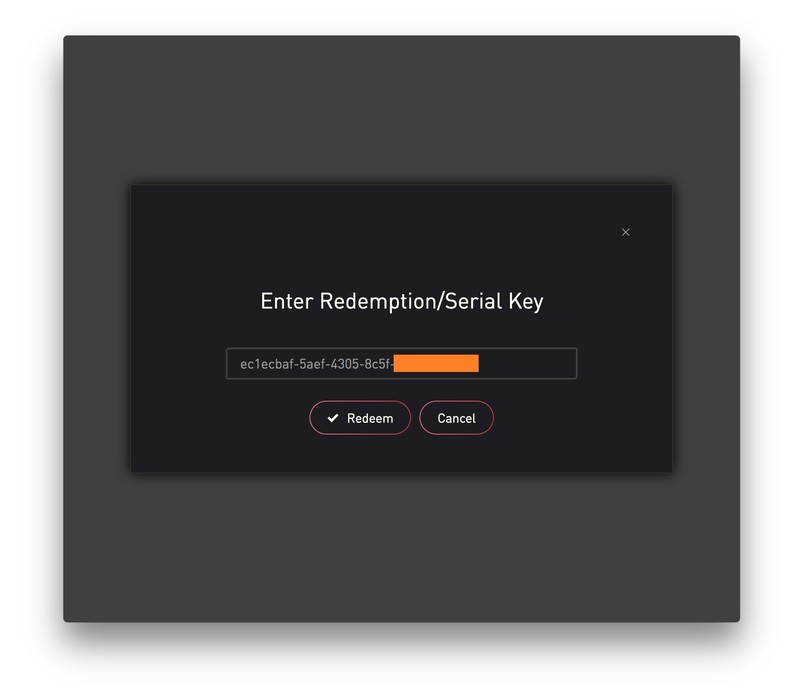
6. Enter your 32-digit serial key, found within the serial number section of your Plugin Boutique User Account > Click 'Redeem'.

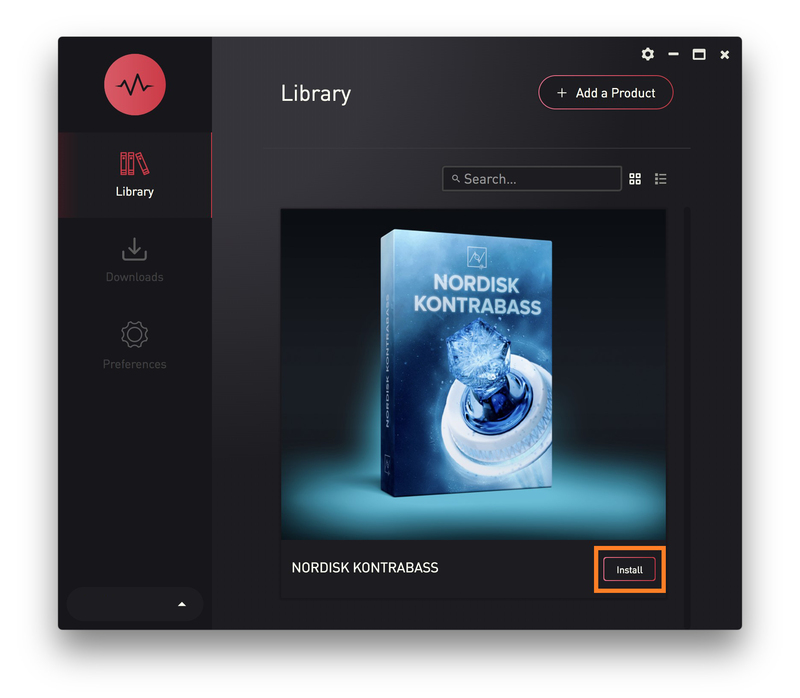
7. Click 'Install'.

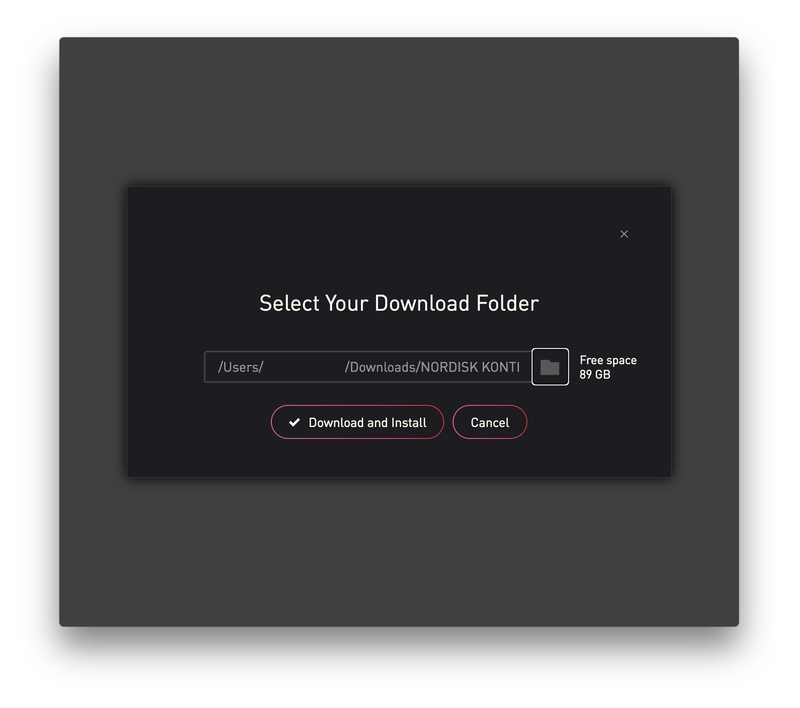
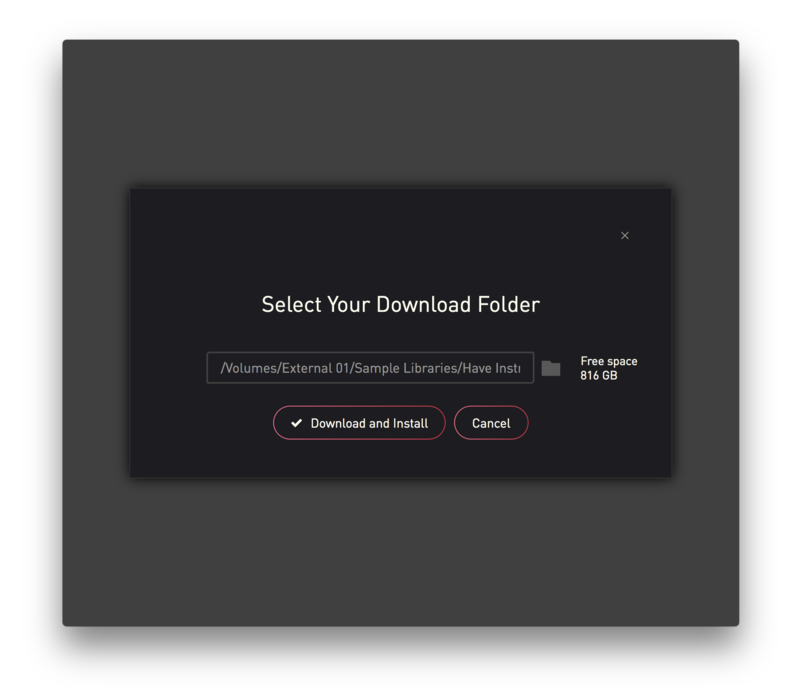
8. Click the folder icon to select the installation location for your library.

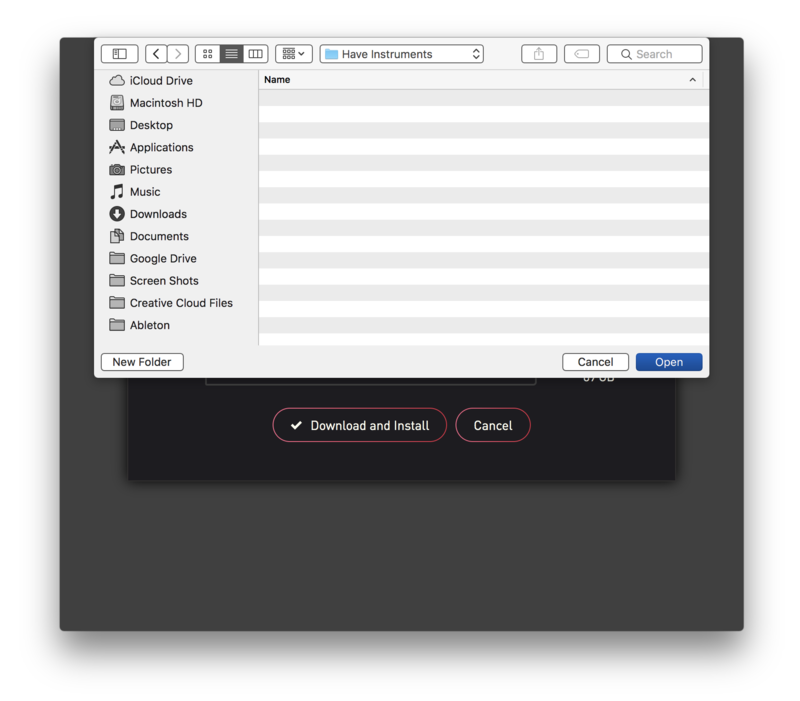
9. Choose your installation location > Click 'Open'.

10. Click 'Download and Install'.

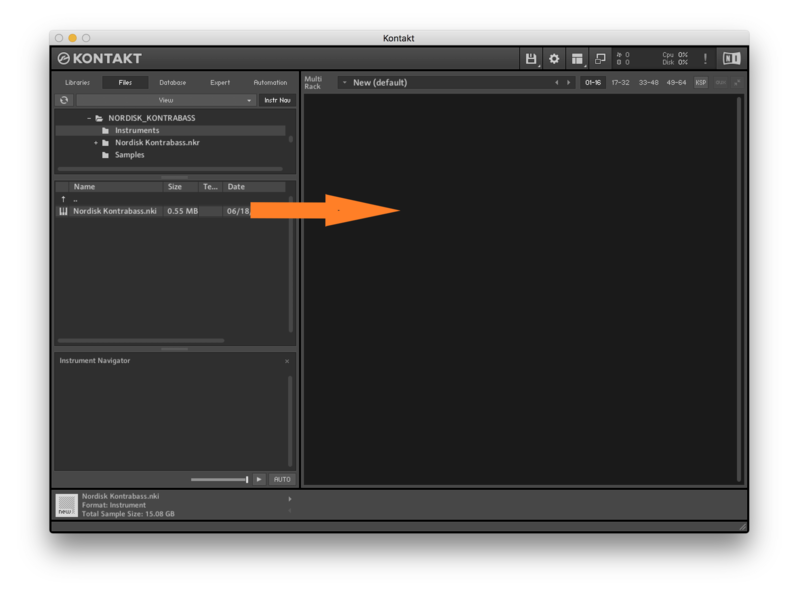
11. Open Kontakt > Select the 'Files' tab and navigate to your installed Kontakt library > Click and drag the .nki file into the empty window.

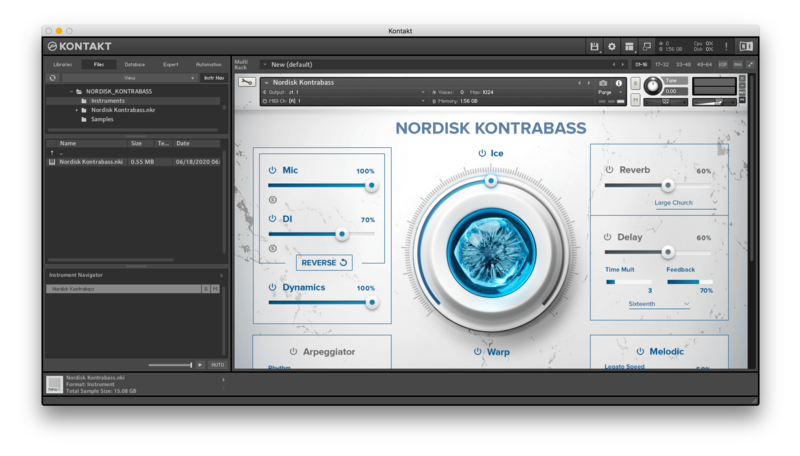
Your Kontakt Instrument is now installed and ready to use.

Batch Re-save Instructions
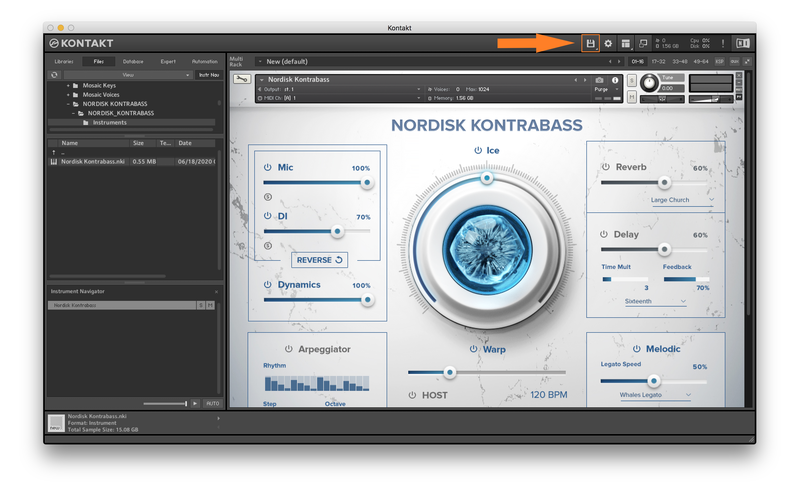
1. Within Kontakt, click the floppy disk icon.

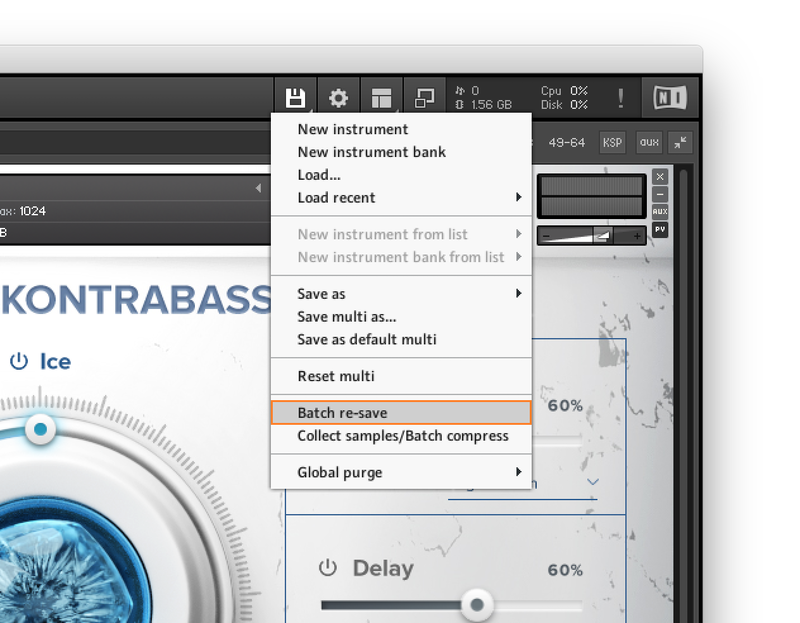
2. From the drop-down menu, click 'Batch re-save'.

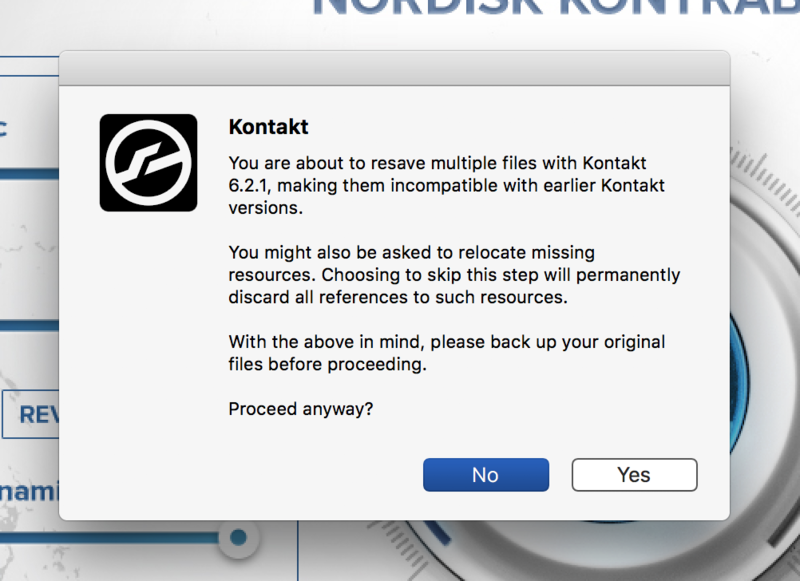
3. Click 'Yes'.

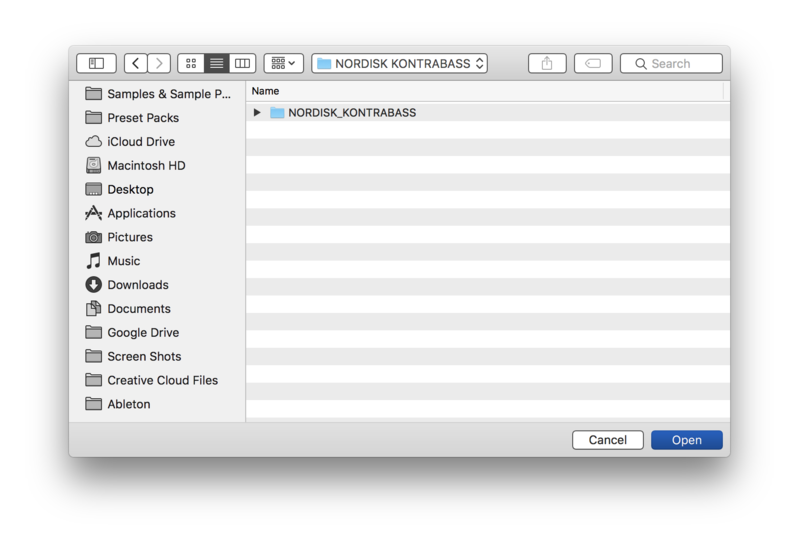
4. Navigate to the installation location for your Kontakt library > Click 'Open'.

Batch re-save is now complete and you can expect to see quicker loading times for your Kontakt Instrument.

Windows
Installation
1. Go to https://pulsedownloader.com/ > Click 'Download for Windows' to download the Pulse application installer.

2. Open the .exe file to install the Pulse application > Open Pulse and click 'Register'.

3. Enter your Email Address and Password > Check the box that states 'I agree to the terms of use and privacy policy' > Click 'Register'.

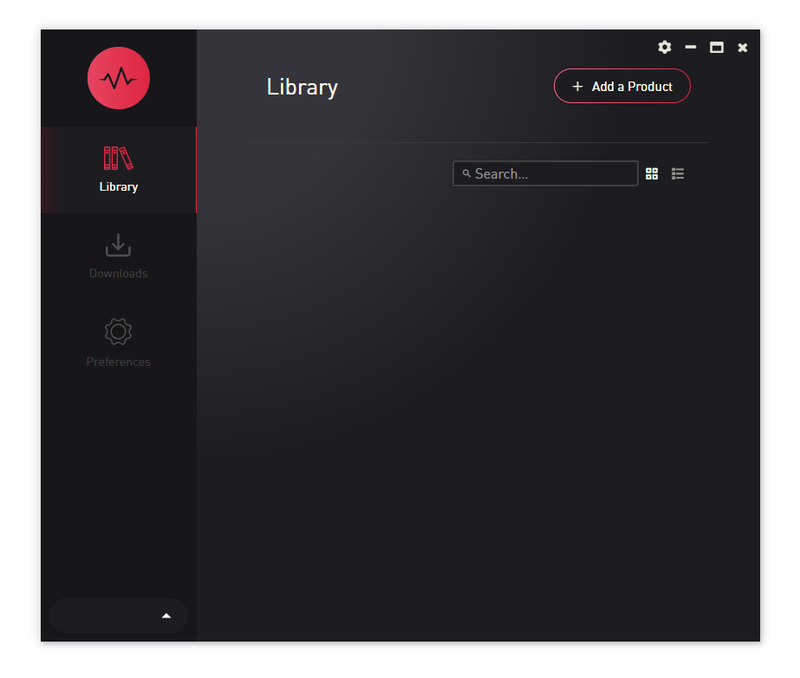
4. Click 'Add a Product'.

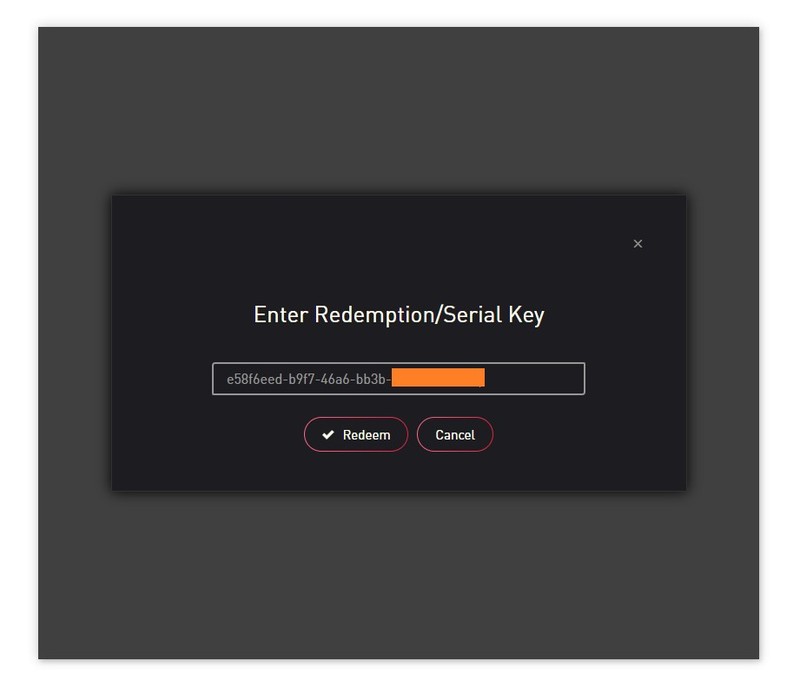
5. Enter your 32-digit serial key, found within the serial number section of your Plugin Boutique User Account > Click 'Redeem'.

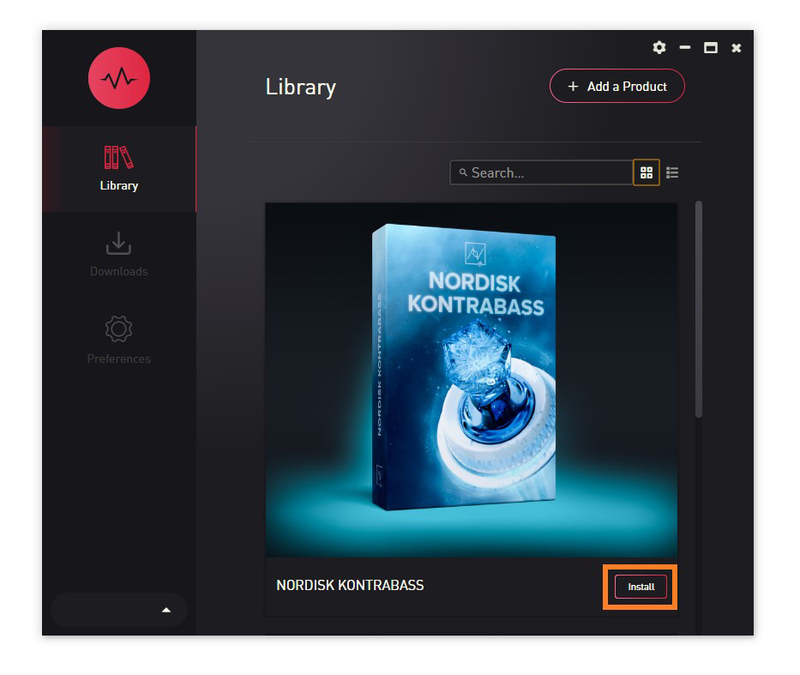
6. Click 'Install'.

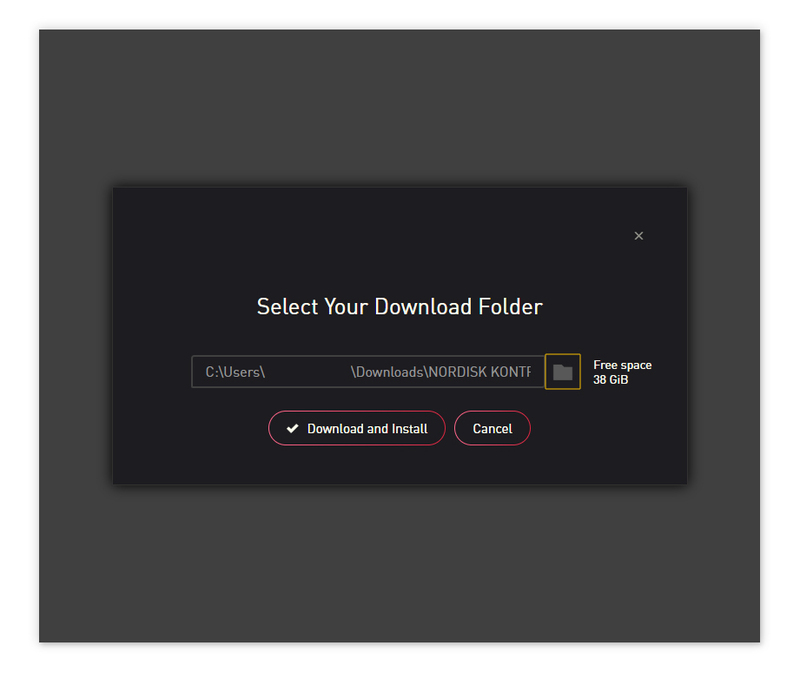
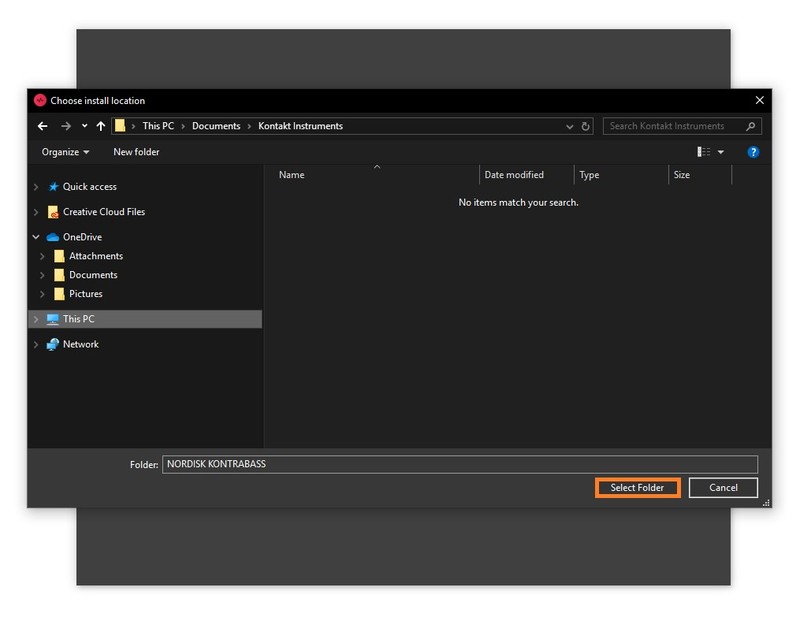
7. Click the folder icon to select the installation location for your library.

8. Choose your installation location > Click 'Select Folder'.

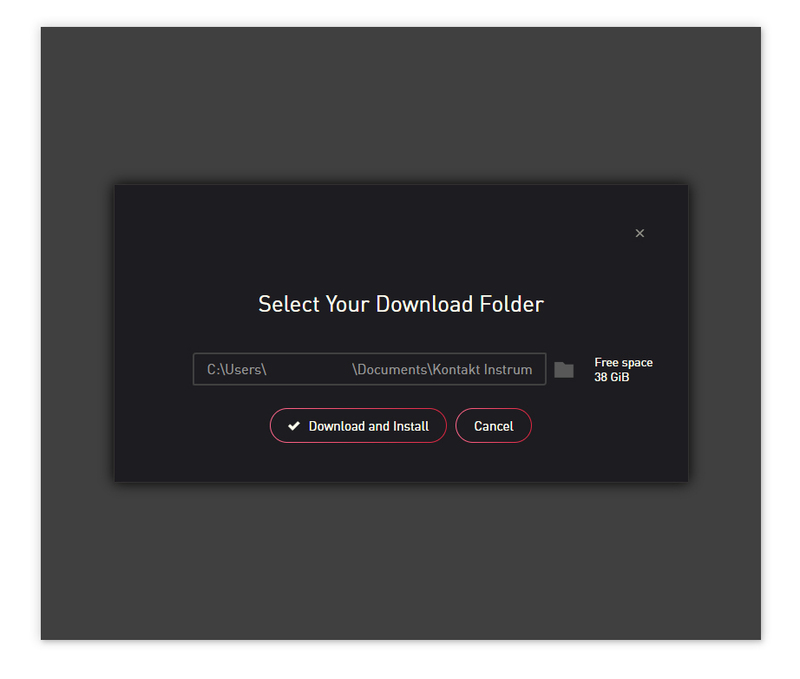
9. Click 'Download and Install'.

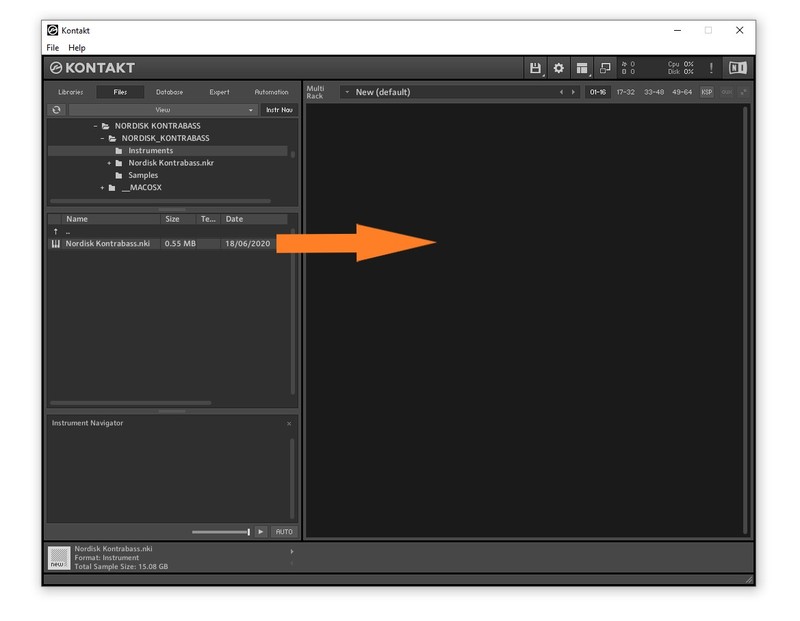
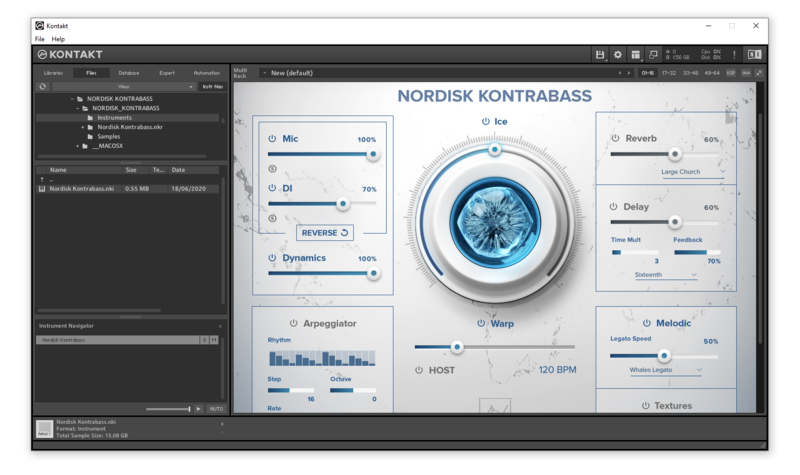
10. Open Kontakt > Select the 'Files' tab and navigate to your installed Kontakt library > Click and drag the .nki file into the empty window.

Your Kontakt Instrument is now installed and ready to use.

Batch Re-save Instructions
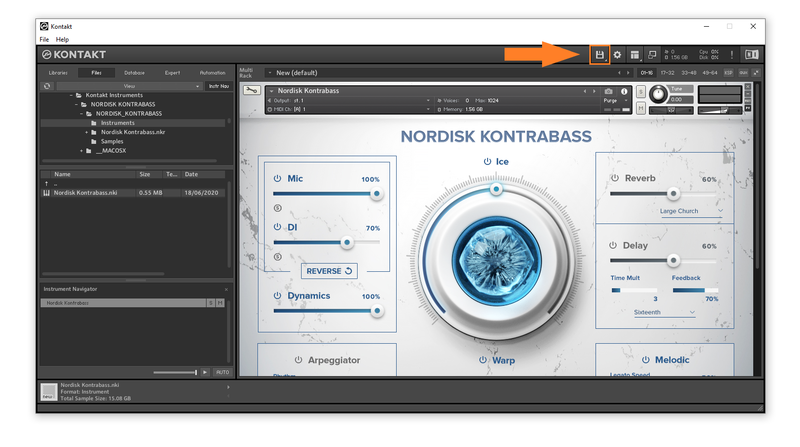
1. Within Kontakt, click the floppy disk icon.

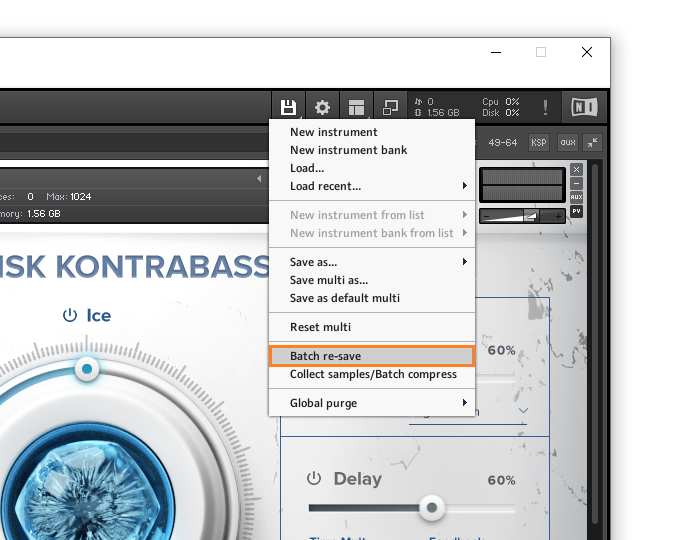
2. From the drop-down menu, click 'Batch re-save'.

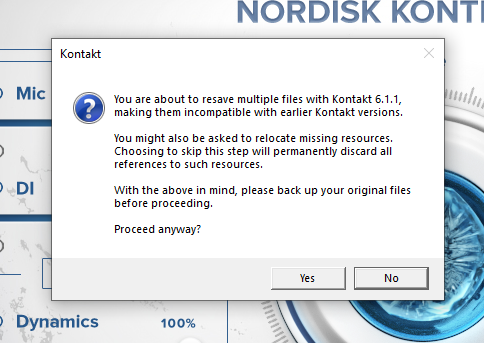
3. Click 'Yes'.

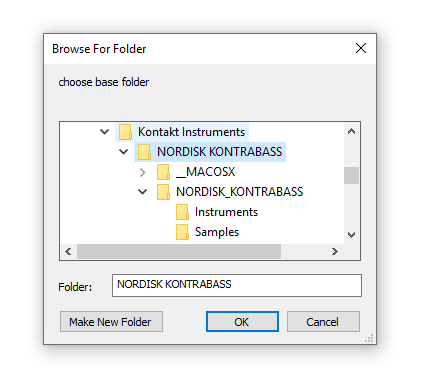
4. Navigate to the installation location for your Kontakt library > Click 'Ok'.

Batch re-save is now complete and you can expect to see quicker loading times for your Kontakt Instrument.