Log In
Save $20.00 compared to buying products individually
Free gifts available with your purchase
Analog Power Bundle
Get the power and sound of our most revered and top-selling plugins at a great price—top-quality emulations of sought-after tube EQs, channel strips, and drum smashers all in one box.
Whether you’re a seasoned pro or a beginner, these plugins are all you need to track, mix and master your music. Easy to use and intuitive,
This bundle gets you the professional touch that all producers and engineers seek with real outboard racks of gear.

Saturation / Dynamics / EQ
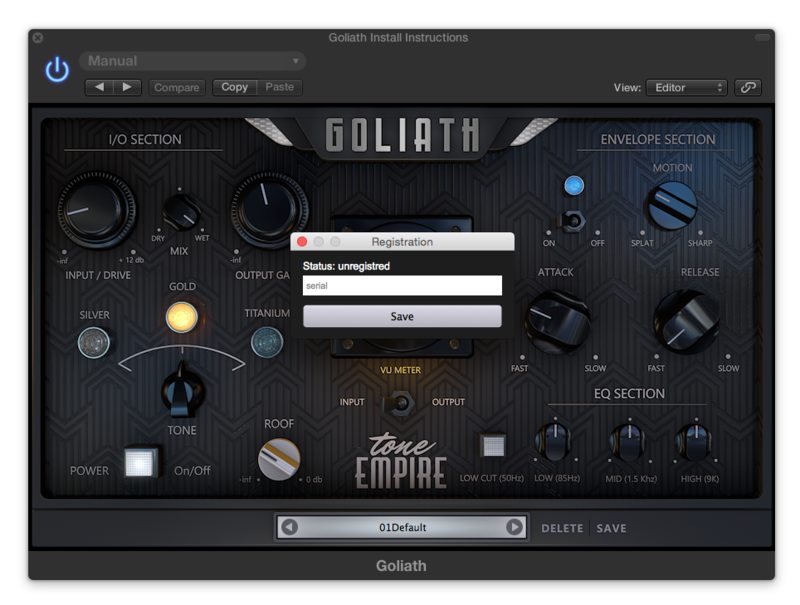
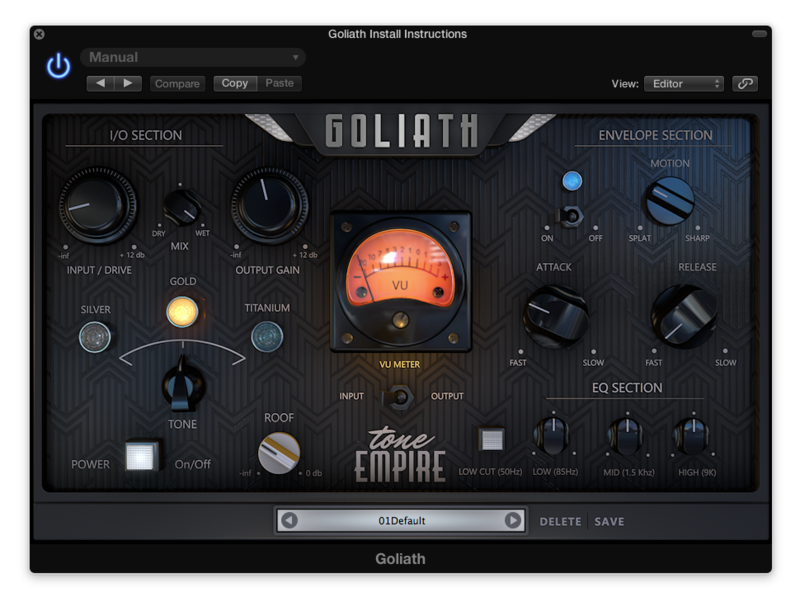
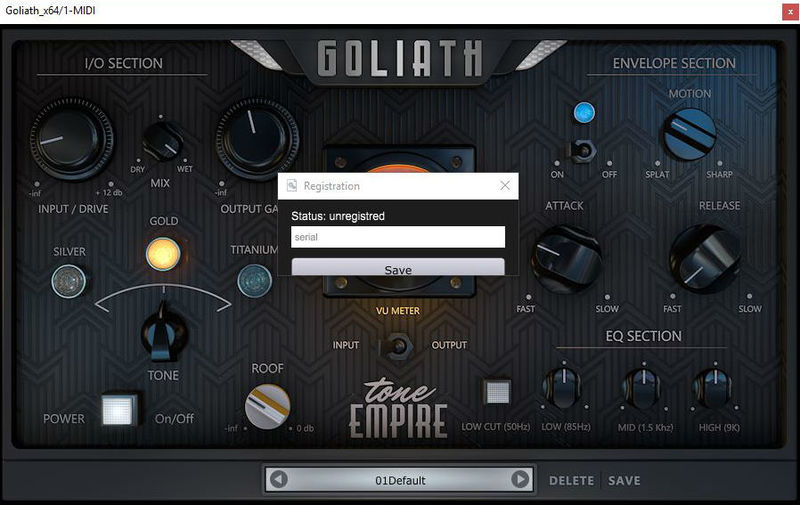
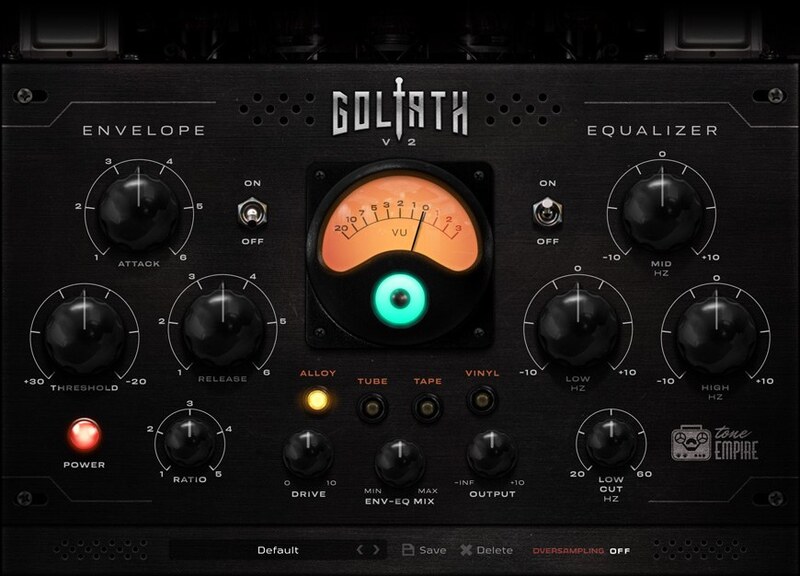
Goliath V2 features 4 analogue modelled processing chains featuring ALLOY (Nickel, Iron, Steel based Transformers), TUBE, TAPE & VINYL with a drive control plus a FET based envelope and a 3 band EQ.
This is a truly revolutionary and “analogue” sounding tool. Be prepared to be pleasantly surprised!
Features
- ALLOY - This is an analogue processing chain featuring the famous British 1081 sound which has characteristics of its transformer made of Nickel, Iron, Steel. This gives you a taste of that clean silky analogue processing.
- TUBE - The Tube chain is modelled using a modern/ classic valve processing chain with an AIR circuit. An immediately pleasing sound that will bring 2nd order harmonics to your material.
- TAPE - Here Tone Empire have used the ATR – 700 Tape Recorder at 15ips to capture that warmth and compression of Tape. Immediately hear your transients being “warmed” up and also get third-order harmonic saturation.
- VINYL - This one features an analogue mastering chain going to a Neumann vinyl cutting machine and multiple IRs sampled from the dubplate. Finally, get your record to sound like a “Record”!
- DRIVE Control - This controls lets you “drive” the analogue chain selected for its respective saturation characteristics. The levels remain the same, hence there will be no need to keep reaching for that output control. Go from a light touch of the analogue chain to full-on driven saturation by hitting the signal hard.
- Env-EQ MIX - Use this control to dial back the amount of Envelope and EQ used by parallel mixing in the signal from the analogue chain before the Env-EQ sections. This acts as a kind of dry/wet control for the ENV-EQ.
- OUTPUT Control - This lets you control the gain of the final output of the processing from -inf to +10 DB. It’s helpful when compressing a lot and you need a signal boost at the end, or for cutting back the levels.
- ON/OFF Switch - Engage or bypass the Envelope Section.
- ON/OFF Switch - Engage or bypass the EQ section. This Section features a 3 band EQ and a low cut filter.
Learn more about Goliath V2.

Loc-Ness V3 is the ultimate smash box — combining 4 analog-modeled saturation circuits, parallel compression/limiting, and surgical pre/post filtering into one devastating processor. Inspired by a legendary vintage broadcast limiter but far more controllable and musical. From subtle harmonic warmth to full-on sonic destruction — on drum rooms, guitars, breakbeats, synths, and anything you throw at it.
All-In-One Processing
Saturation, compression, and filtering — everything you need to crush, smash, and shape any source
Features
- Autogain: Automatic level compensation keeps your output in check as you push Crust and Smash harder.
- A/B Compare: Instantly compare two settings with built-in A/B comparison. Never second-guess your sound.
- Undo / Redo: Full undo and redo history. Experiment freely and step back to any previous state.
- 50+ Factory Presets: Get started instantly with 50+ professionally crafted presets. Save your own and mark favorites.
- 3 Activations: Use on up to 3 machines simultaneously. Studio, laptop, and home.
- Up to 8x Oversampling: Clean, alias-free saturation with oversampling options up to 8x for pristine analog character.
Learn more about Loc-Ness V3.

What's new in BLACK Q - Version 2?
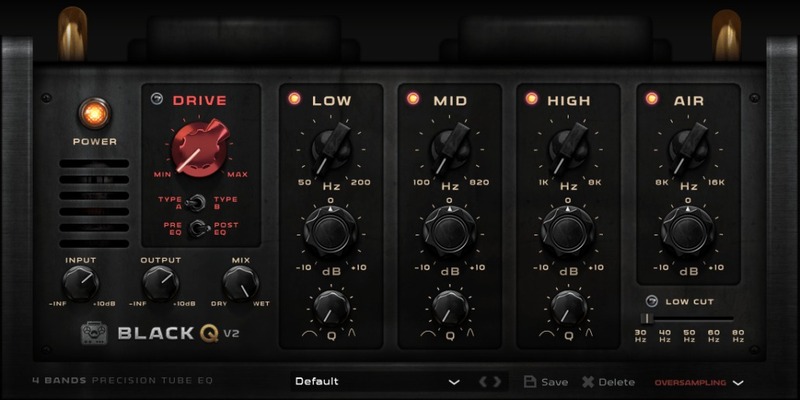
A new and improved version of Black Q. V2 now features overlapping bands and new frequency ranges as well as oversampling for more “analog” behaviour.
The philosophy behind Smooth Tube EQ
Tone Empire are obsessed with “Sound”
Tone Empire recently brought a vintage unit to life by building the hardware version over 6 months, changing tubes, transformers and signal paths.
In this quest, Tone Empire built a ”Golden Unit” with “Super Powers.”
Tone Empire had the idea then to model this circuit with 2 paths involving sowter and lundahl transformers and some choices of vintage valves.
The result was simply “Stunning...”
Then combining this with a versatile EQ Design, Tone Empire developed a monster Tube EQ in the DSP world, a kind of hybrid with a sound going from "Clean and Silky" to full-on "Crunchy" sounding saturations.
TYPE A gives you a great “FULL” sound including a “Big” Low end and TYPE B gives you a crunchier mid/high enhanced sound.
These choices make it possible to use this EQ on a variety of sound materials from Drums to Vocals, Piano, String Instruments, Bass, Synths and as a mastering unit itself.
The next part was to make this plugin as processor efficient as possible so it could be used as a tracking plugin with very low latency and also allow one to run multiple instances of it effortlessly.
In Black Q Version 2, Tone Empire have also introduced ” OVERSAMPLING “. Now it has up to 8x oversampling option if your system can take that CPU LOAD, Select your oversampling choice to get the more ” ANALOG ” Sound.
Learn more about Black Q 2.
Mac
- macOS High Sierra 10.13 or later (Catalina Supported) (64-bit only)
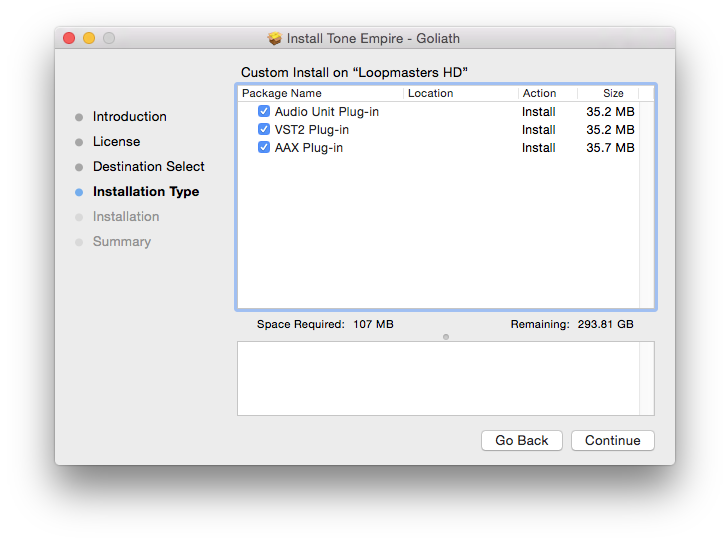
- VST3 / AU / AAX (64-bit host required)
- Intel i3 / AMD Ryzen or equivalent
- 2 GB RAM / 300 MB HD Required
- Screen resolution: 1024 × 768
Important:
- Only Goliath V2 is Intel / M1 macOS Big Sur supported.
- The AAX version of Black Q 2 is NOT compatible with macOS 10.15 Catalina.
Windows
- Windows 10 (64-bit only)
- VST3 / AAX (64-bit host required)
- Intell i3 / AMD Ryzen or equivalent
- 2 GB RAM / 300 MB HD
- Screen resolution: 1024 × 768
Please Note:
- All software is 64-bit compatible only and will not function on 32-bit systems.
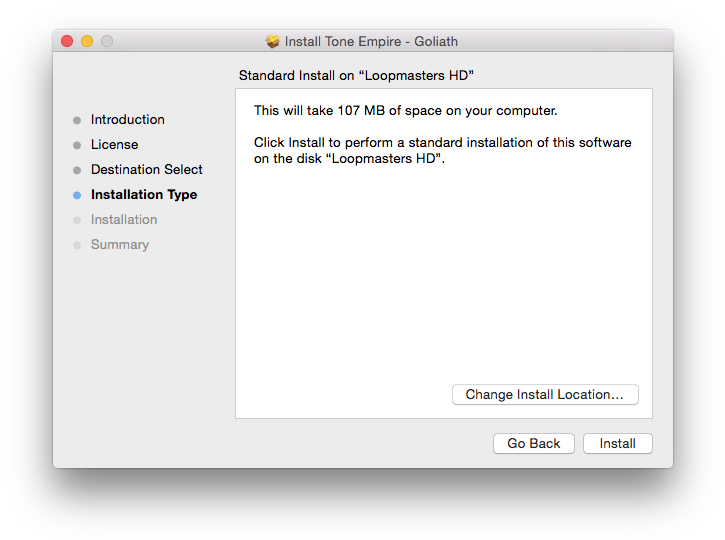
- Some Anti-Virus software might alert while installing/downloading the files, kindly ignore those warnings (Tone Empire has tested on Norton Anti-Virus and the installers are clean).