/ Virtual Instruments / Afroplugin
Afroplug

Afroplugin

4.4 (168 Reviews)
FREE
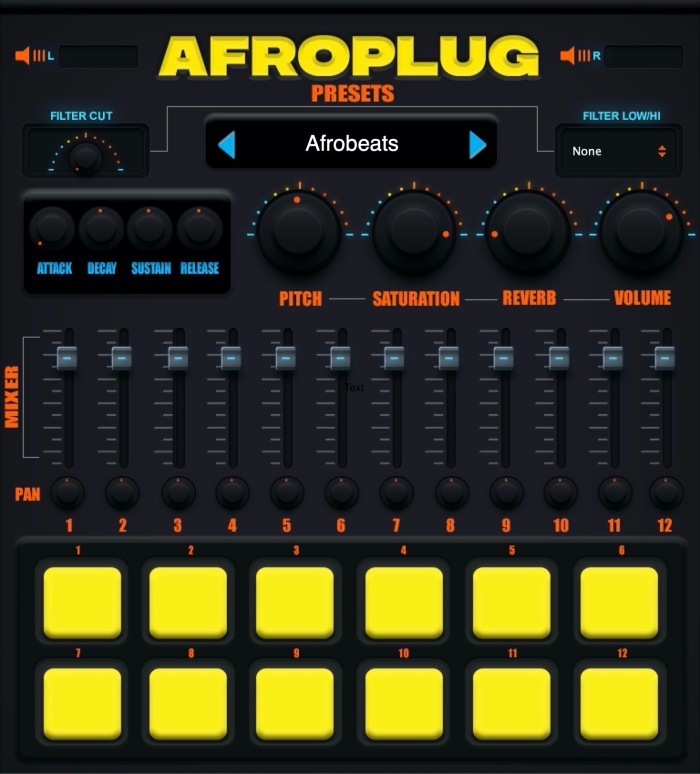
Afroplugin Main UI
Afroplugin Main UI
(Free) Afroplugin | Drum AU / VST | Making a Reggaeton beat with a Reggaeton plugin gallery thumbnail
FREE drum vst - AFROPLUGIN ( Is it any good? ) gallery thumbnail
Product information

Afroplugin is a free Drum Instrument designed for making African-style beats: Dancehall, R&B, Reggaeton, Lo-fi, Afrobeats and more.

Learn more about Afroplug on their website or Instagram page.

Features

  • 120 sounds
  • 10 presets
  • Lo-Pass, Hi-Pass, Reverb, Saturation, ADSR controls
  • Available for Mac & Windows
  • Compatible with all DAWs

System Requirements

Windows

  • Windows 8 or later
  • VST
  • 32/64-bit
  • At least 500 MB of hard drive space

macOS

  • macOS 10.15 or later (Big Sur compatible)
  • AU/VST 
  • 32/64-bit
  • At least 500 MB of hard drive space
Installation Instructions
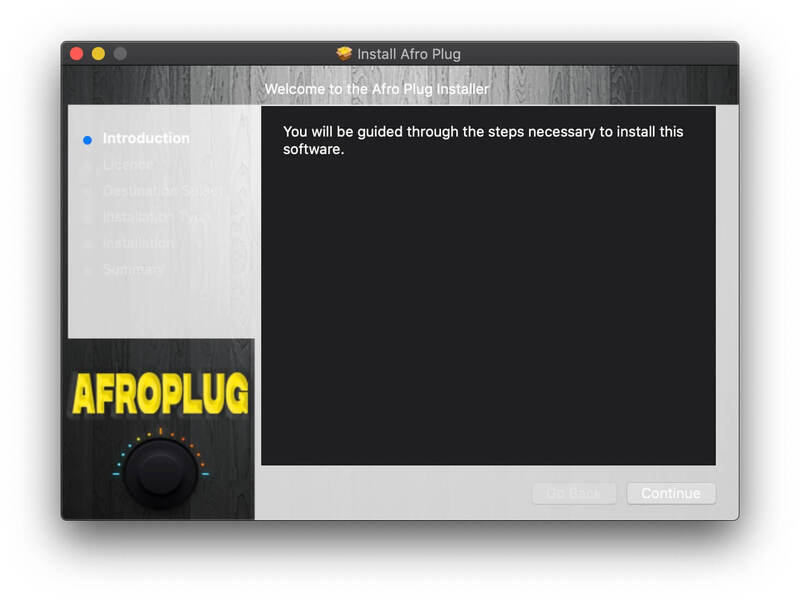
Mac Installation

1. Download the Mac installer from your Plugin Boutique account.

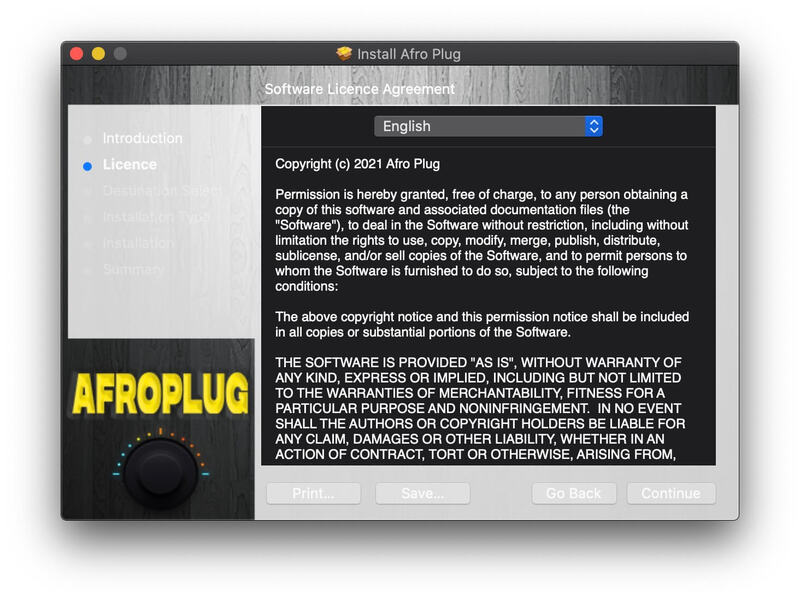
2. Double-click the .mkpg file > Click 'Continue'. (If you receive the message "AfroPlugin.mkpg" cannot be opened because it is from an unidentified developer, click 'OK' > Go to System Preferences > Security & Privacy > General > Click 'Open Anyway'> Click 'Open').

3. Read the Software License Agreement > Click 'Continue'.

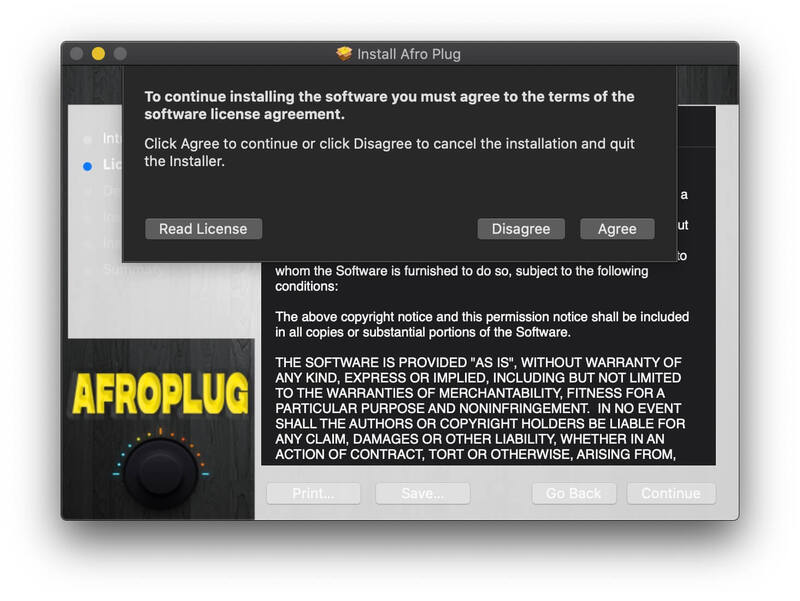
4. Click Agree.

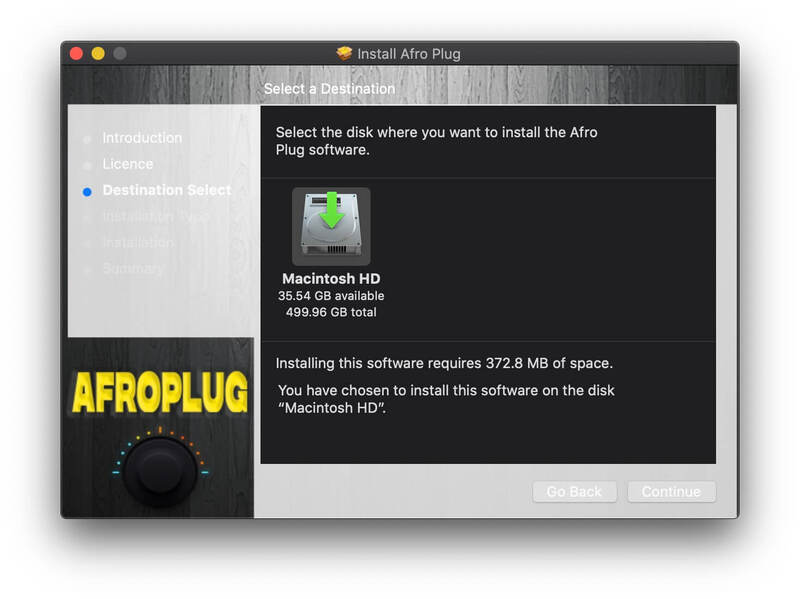
5. Choose the installation destination > Click 'Continue'.

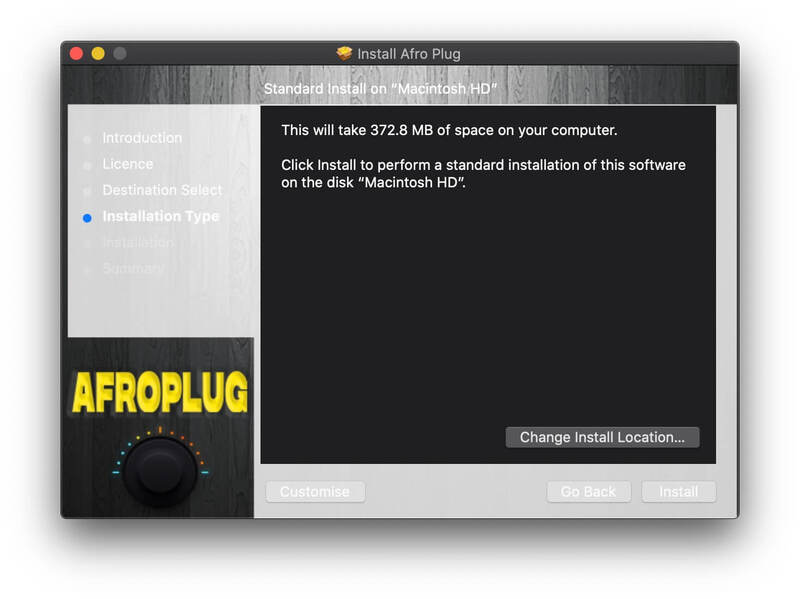
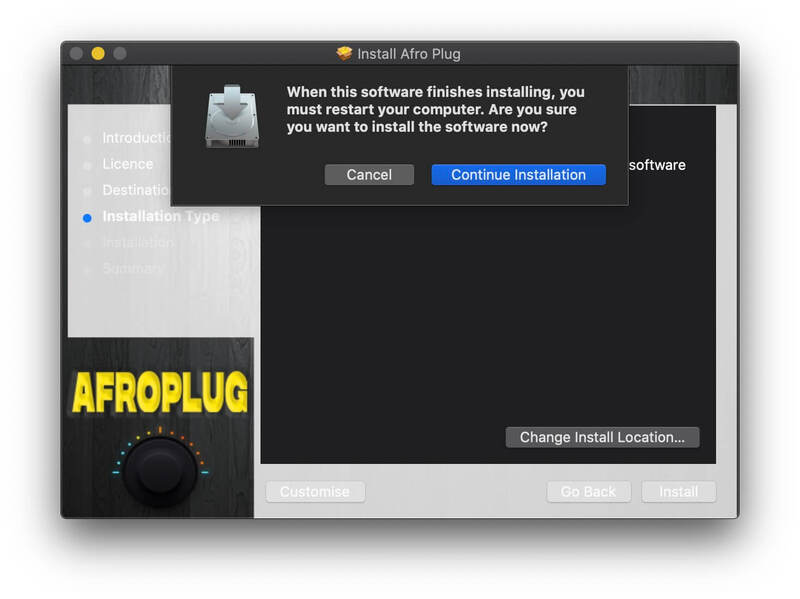
6. Click 'Install' (enter your password if necessary).

7. Click 'Continue Installation'. 

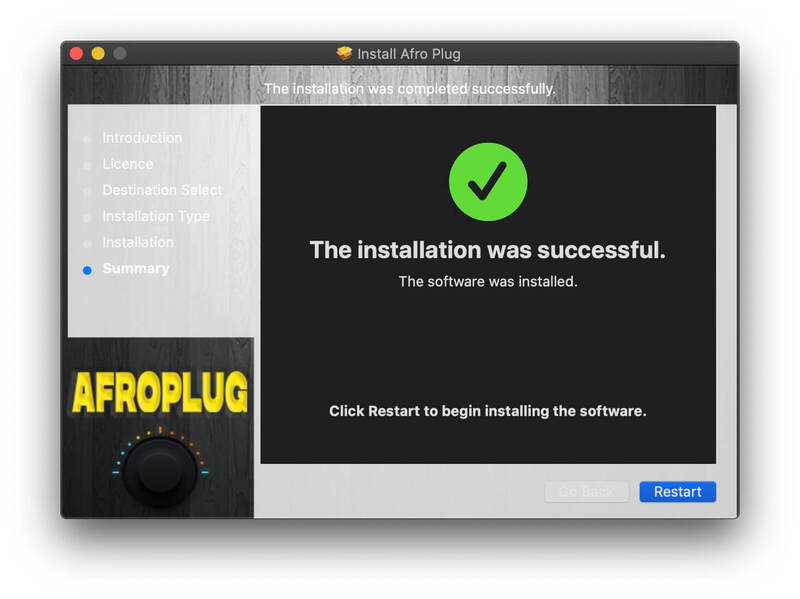
8. Make sure you've saved any work and click 'Restart' to finish the installation.

Your software is now installed and ready to use!

Windows Installation

1. Download the .zip folder from your Plugin Boutique account and extract the files.

2. Double-click either 32-bit or 64-bit (depending on your system) > You will see the AfroPlugin.instruments folder and AfroPlugin.dll file.

3. Move both the AfroPlugin.dll file and the AfroPlugin.instruments folder to your plug-ins folder (select yes if asked for administrator permission). This is usually located at C:\Program Files\Vstplugins but can vary.

4. Open your DAW & load Afroplugin. If it's not showing, you may need to restart your PC and/or manually rescan your plugins. 

Plugin Boutique Rewards

Discover the most rewarding loyalty programme among all plugin retailers.

  • Free Loopmasters Samplepacks
  • Discounts on products and courses
  • Extra Virtual Cash claimed immediately at checkout
Find out more

Follow us:

X (Twitter) Facebook YouTube Instagram
Logo Logo

Plugin Boutique Limited, Part of the Beatport Group LLC.

Copyright © 2011-2025 Plugin Boutique. All rights reserved