Buy Bass Elements, get a free gift with purchase:
A huge collection of analog and digital bass for all genres
If you are looking for incredibly warm and fat bass sounds for your music production, the search is finally over...Bass Elements is here and it's ready to hit your studio!
Bass Elements comes packed with over 1440 multi-sample basses from legendary Roland, Korg, Oberheim, Moog, Buchla, and other classic synthesizers. It includes over 28 GB of pristinely sampled, analog and digital sounds. It is available as a Kontakt Instrument sound library.
Features
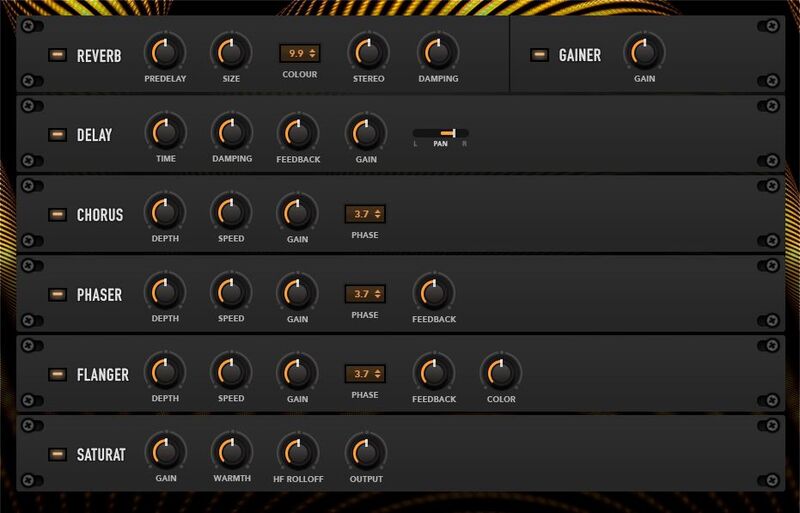
- A flexible user interface that allows you to control all aspects of the sound.
- Contains more than 1400 bass sounds divided into categories: House, Hip-Hop, EDM, Techno & more.
- Each preset has two layers with the ability to mix from 2 to 144 sounds simultaneously.
- There are a total of 1440 source sounds to explore, transform, combine, create your own bass.
- 25920 Samples (compressed).
- 12.6 GB size on disk.
System Requirements
Mac
- Minimum – 8GB RAM / Mac OS X 10.7 or later / 7200 RPM or faster HDD.
- Recommended – 16GB RAM or more / Mac OS X 10.7 or later / SSD (Solid State Drive).
PC
- Minimum – 8GB RAM / Windows 7 or later / Sound card with ASIO drivers / 7200 RPM or faster HDD.
- Recommended – 16GB RAM / Windows 7 or later / Sound card with ASIO drivers / SSD (Solid State Drive).
Please Note: This product requires the FULL version of Kontakt and is NOT compatible with the free Kontakt Player.

![]()
Please Note: Muze - Aquamarine is used as an example.
Important Note: This software requires the Full Version of Native Instruments Kontakt to be installed on your system.
Mac Installation
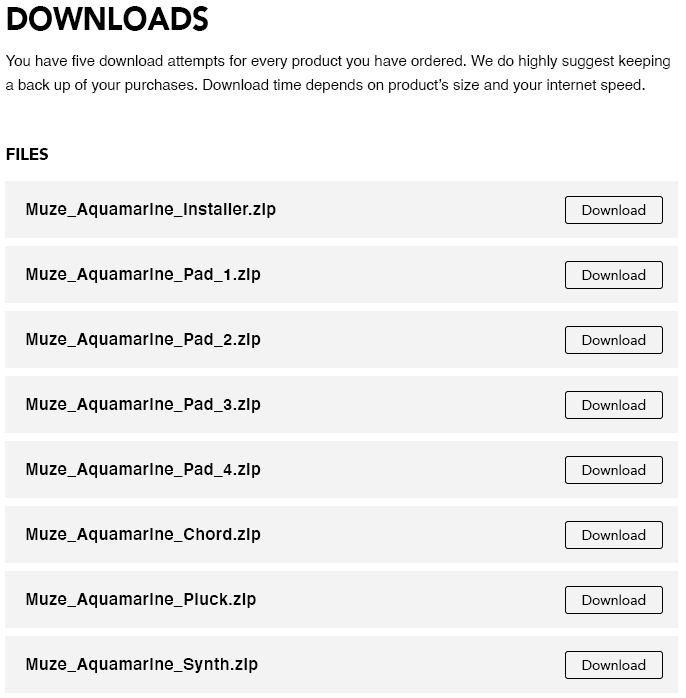
1. Click the blue 'Download' within your Plugin Boutique User Account > Click 'Download' on all of the folders from the Muze download page.
2. Once the downloads are complete, unzip all of the folders.
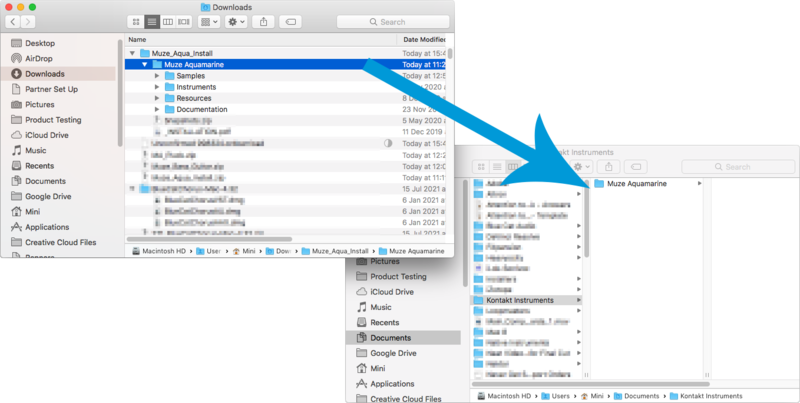
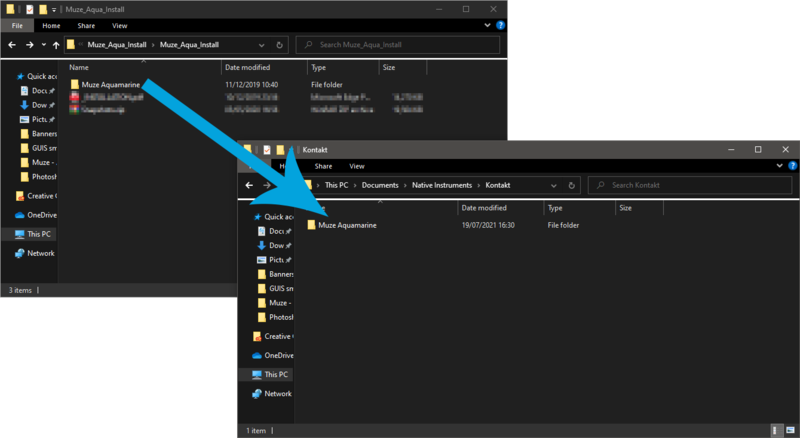
3. Move the 'Muze Aquamarine' folder (located within 'Muze_Aqua_Install') to where you store your Kontakt Instrument files.
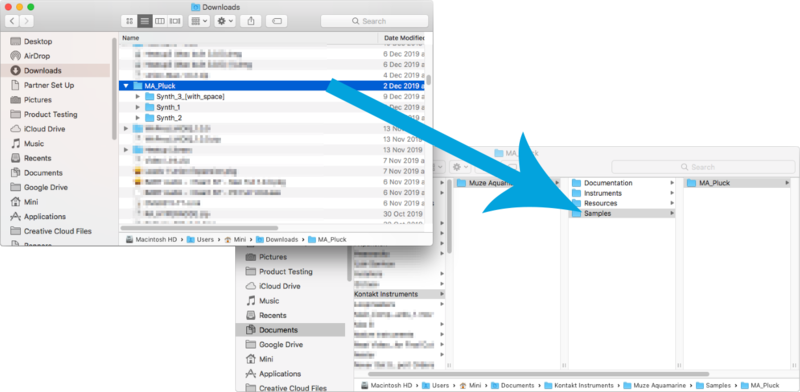
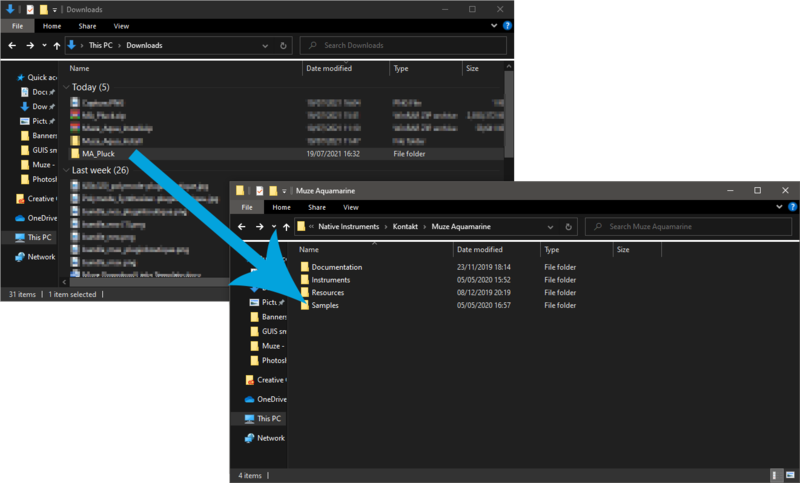
4. Move the unzipped instrument folders (located within all 'MA_xxxx' folders) to 'Muze Aquamarine/Samples'.
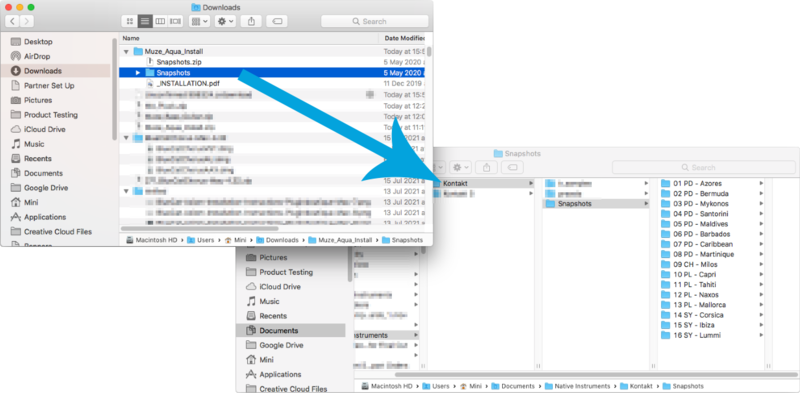
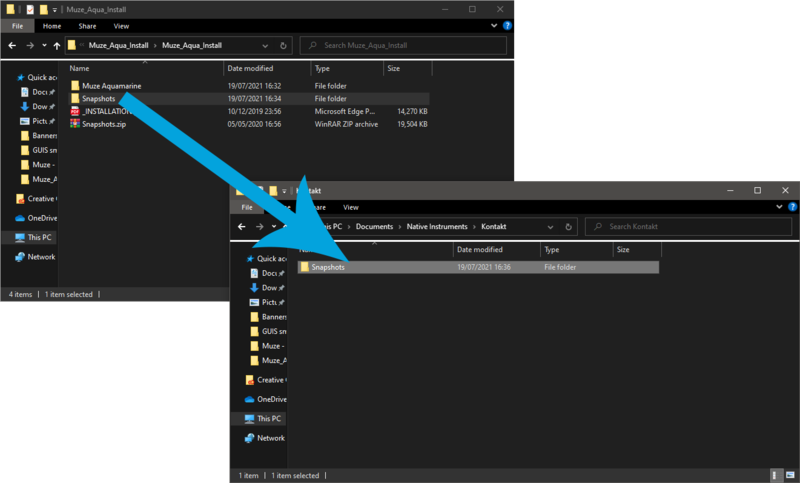
5. Unzip the 'Snapshots.zip' (located within 'Muze_Aqua_Install') file and move to, 'Users/*your username*/Documents/Native Instruments/Kontakt/'.
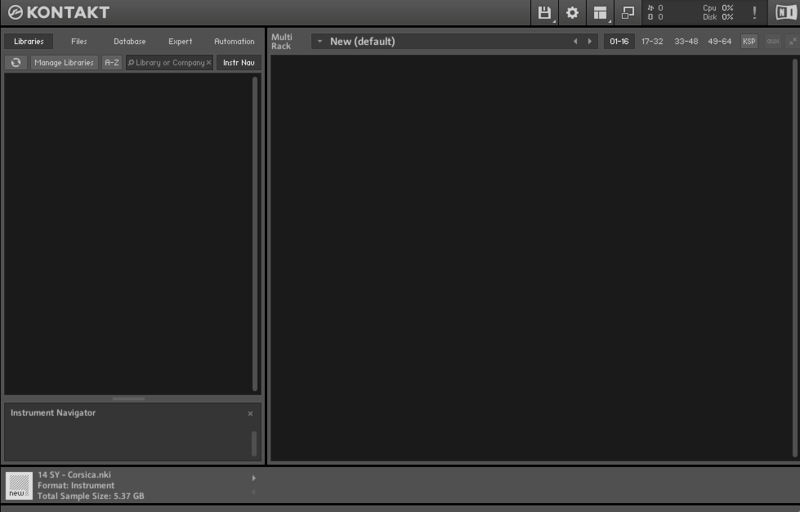
6. Open Kontakt, either as a standalone application or as a plugin within your DAW.
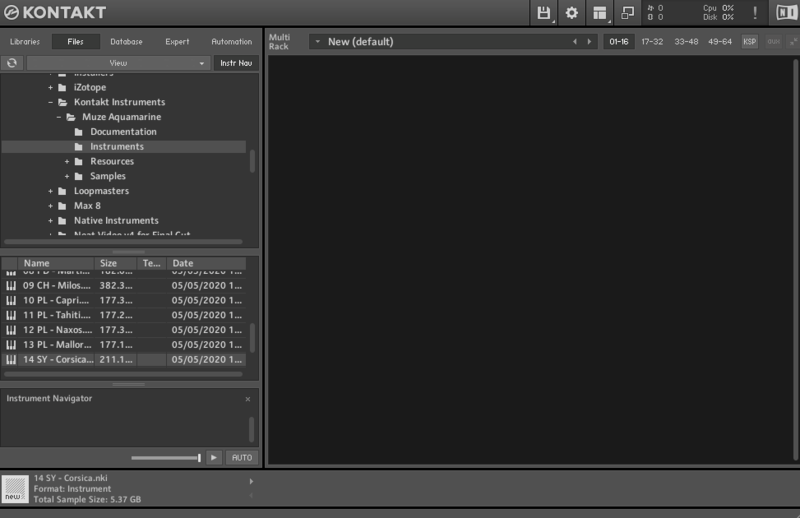
7. Click the 'Files' tab at the top of Kontakt > Navigate to the location of 'Muze Aquamarine' folder from step 2 of the installation instructions > Click 'Muze Aquamarine', followed by 'Instruments'.
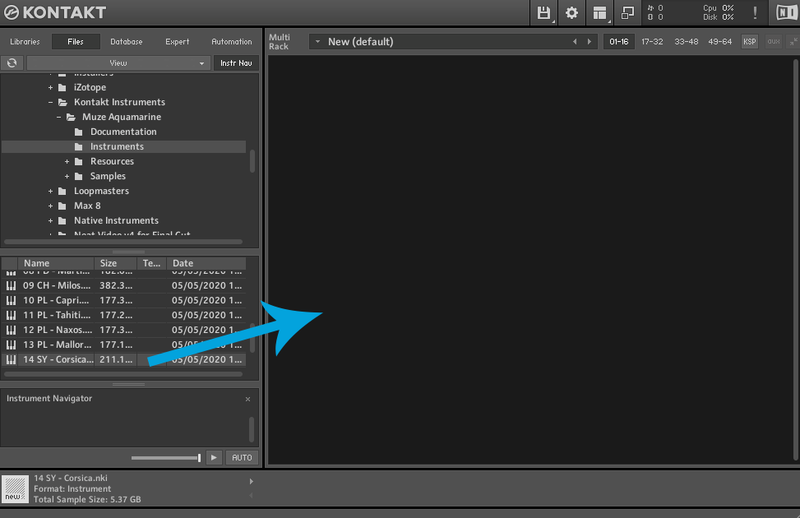
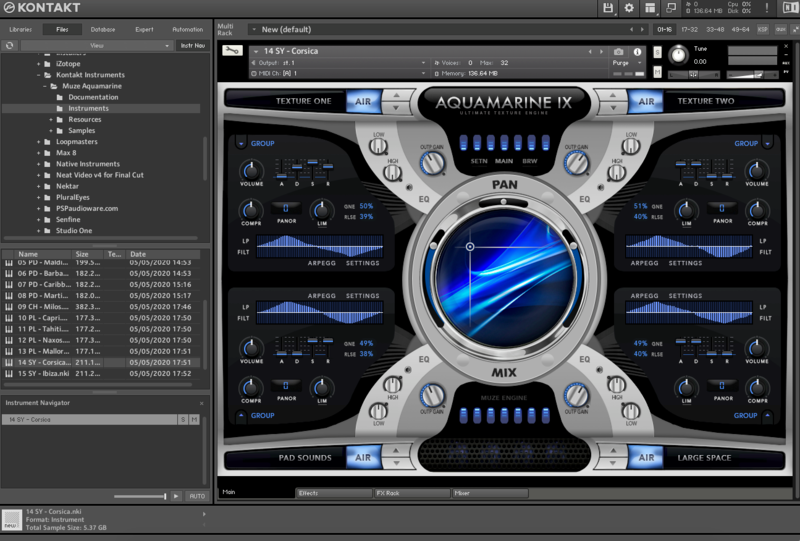
8. Click and drag any .nki file from the left-hand window of Kontakt into the main window of Kontakt to load up a patch.

Your software is now installed and ready to use.

Windows Installation
1. Click the blue 'Download' within your Plugin Boutique User Account > Click 'Download' on all of the folders from the Muze download page.
2. Once the downloads are complete, unzip all of the folders.
3. Move the 'Muze Aquamarine' folder (located within 'Muze_Aqua_Install') to where you store your Kontakt Instrument files.
4. Move the unzipped instrument folders (located within all 'MA_xxxx' folders) to 'Muze Aquamarine/Samples'.
5. Unzip the 'Snapshots.zip' (located within 'Muze_Aqua_Install') file and move to, 'C:\Users\*your username*\Documents\Native Instruments\Kontakt'.
6. Open Kontakt, either as a standalone application or as a plugin within your DAW.
7. Click the 'Files' tab at the top of Kontakt > Navigate to the location of 'Muze Aquamarine' folder from step 2 of the installation instructions > Click 'Muze Aquamarine', followed by 'Instruments'.
8. Click and drag any .nki file from the left-hand window of Kontakt into the main window of Kontakt to load up a patch.
Your software is now installed and ready to use.