


 Log In

Free gifts available with your purchase
Express Your Voice With The Ultimate Collection Of Professional Vocal Effects
Every great song starts with a great vocal. AutoTune Unlimited delivers the complete set of tools you need to make any vocal performance a perfect performance.
Take your music to the next level and start producing vocals without limits.
AutoTune Unlimited delivers:
The Industry-Standard Tools for Pitch Correction
Used on countless recordings, AutoTune is recognized as the leading tool for tuning vocals.
The Classic “AutoTune Effect”
Often copied but never equalled, it’s the sound of modern music.
An Essential Toolkit for Vocal Production
Beyond just tuning, it’s a comprehensive collection of plug-ins for creating radio-ready vocal tracks.
Compatibility
Compatible with every major DAW and every current version of AutoTune. Collaboration is easy when you’re working with industry-standard tools.
Studio Quality Recordings at an Affordable Price
Get access to the entire collection of AutoTune and AVOX plug-ins at the lowest cost of entry.
The End of Paid Upgrades
Receive free upgrades to new versions of all the plug-ins included with AutoTune Unlimited for as long as you subscribe.
The Education You Need to Succeed
Free access to tech support, product tutorials, and tips from industry pros give you the skills to put your tools to work.
New Vocal Effects as They’re Released
Automatically receive licenses for select Antares plug-ins as they’re added to AutoTune Unlimited.
NEW!!! Vocal Prep
.png)
A groundbreaking Al-powered vocal cleanup tool that quickly removes unwanted noise from vocal recordings with a single click. This innovative standalone application is designed specifically for singers who don't have access to a dedicated studio and for engineers working with inconsistent vocal recordings.
Features
- Clean studio-quality vocals anywhere
- Al-Powered noise reduction
- Simple 1-click operation
- Import audio from any device
- No DAW required (standalone)
AutoTune Pro
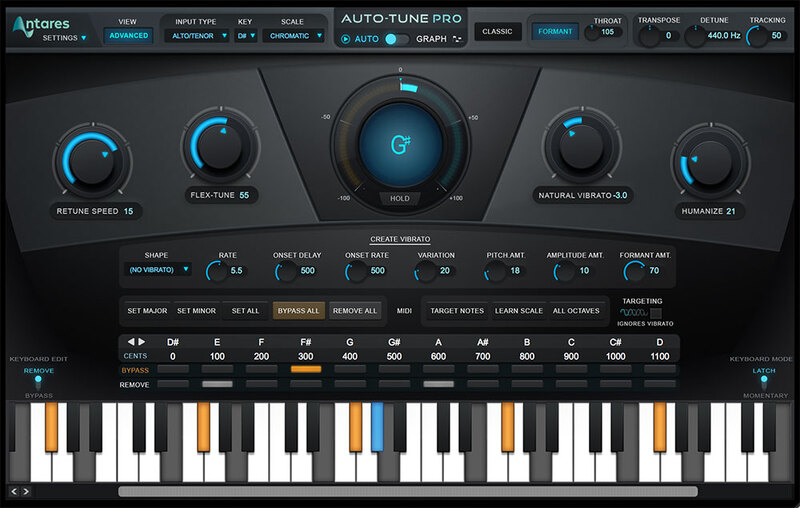
The Industry Standard
The most advanced and fully-featured version of AutoTune, it’s the industry standard for professional pitch correction.
AutoTune Artist
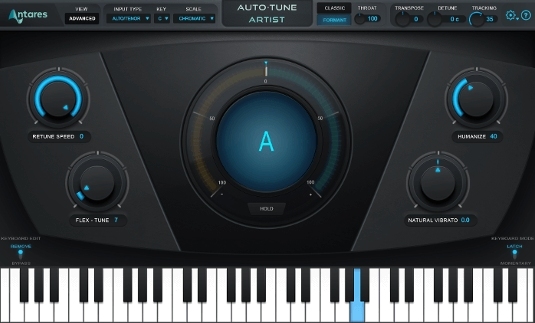
Pitch Correction for Live Performances
Optimized for low-latency processing, it delivers the power of AutoTune for use in live performances both onstage and in the studio.
AutoTune EFX+
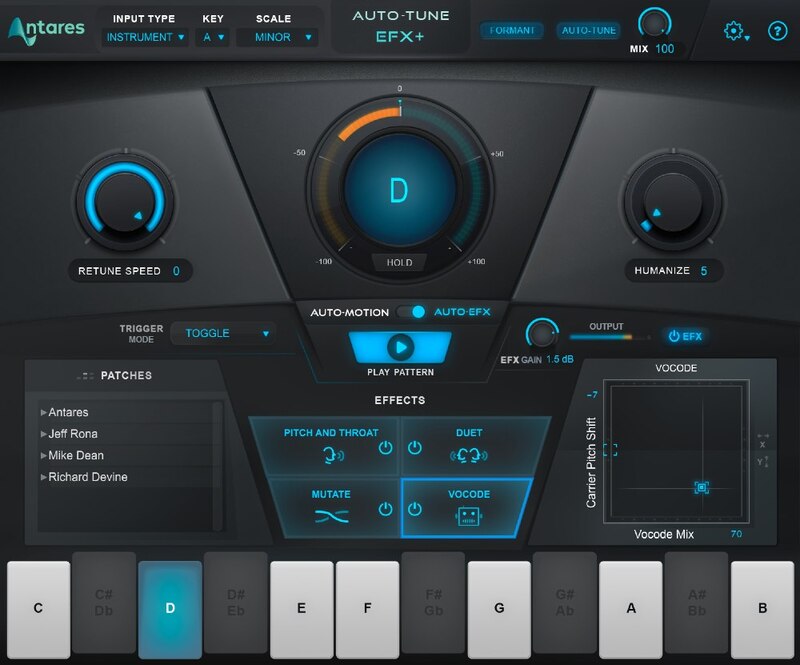
Creative Tuning Effects
Combines the essential features of AutoTune with a powerful effects rack and melodic pattern generator for more creative workflows.
AutoTune Access
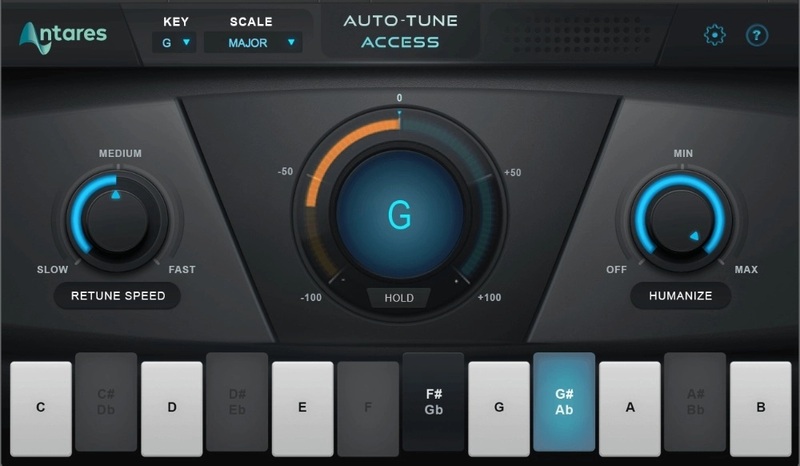
Pitch Correction Made Easy
Its light CPU footprint and simplified interface deliver the most streamlined experience for tuning vocals.
Auto-Key
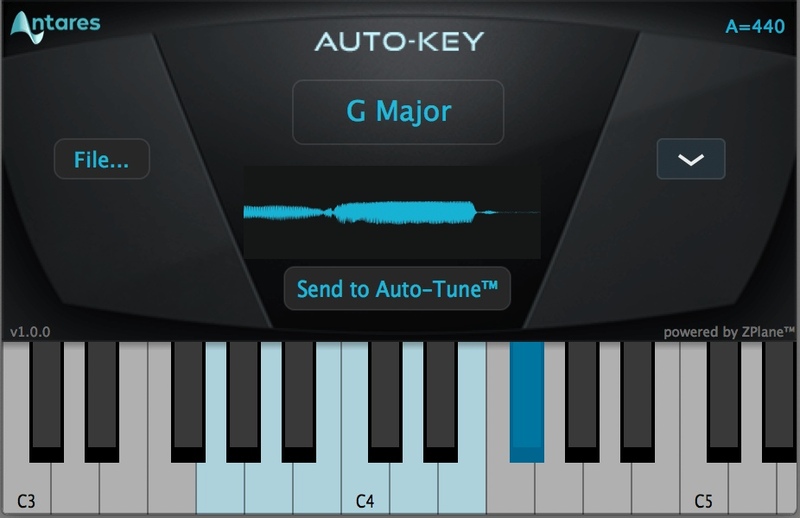
Workflow Enhancer
Automatically detects the key and scale of your song and works with AutoTune and Harmony Engine for a faster, more efficient workflow.
AutoTune Hybrid
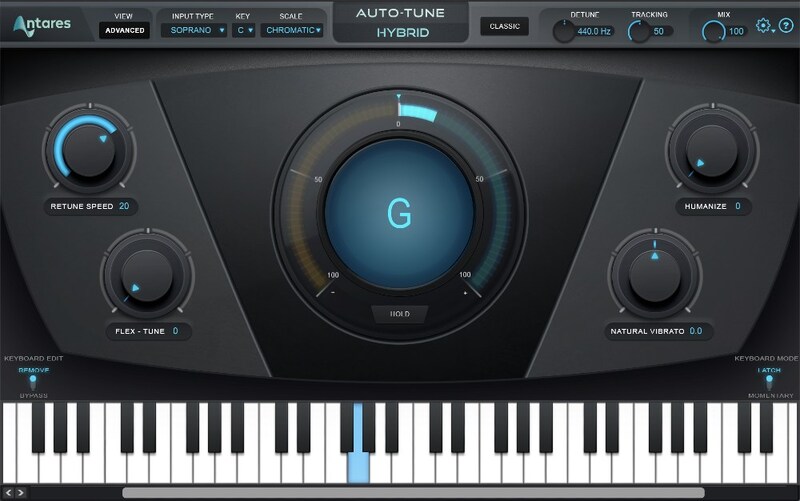
For Avid DSP Systems ONLY
Designed for lightning-fast performance on Avid DSP hardware, including Carbon interfaces, HDX systems, and VENUE | S6L live sound systems.
AutoTune Slice
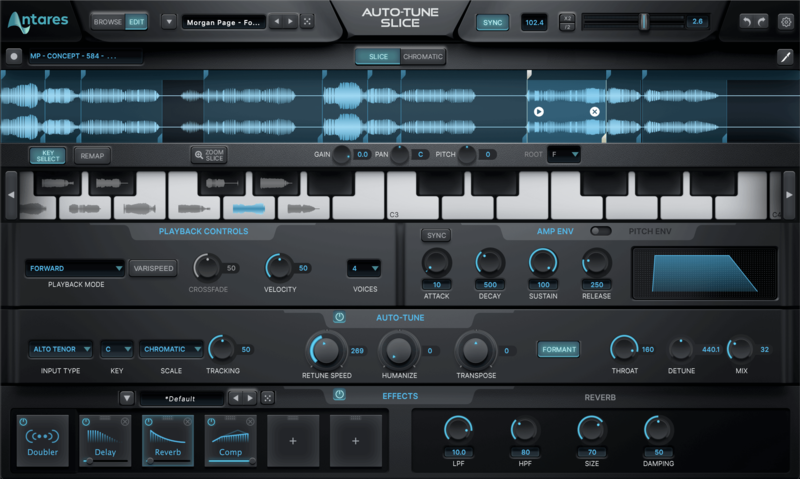
AutoTune Slice joins AutoTune Unlimited as part of the most complete professional vocal solution available.
A hybrid of a precision sampler and flexible synthesizer, AutoTune Slice is more than just a sampler. It’s a dimension of infinite musical expression where you can play voices like instruments and turn endless samples into songs.
AutoTune Vocodist
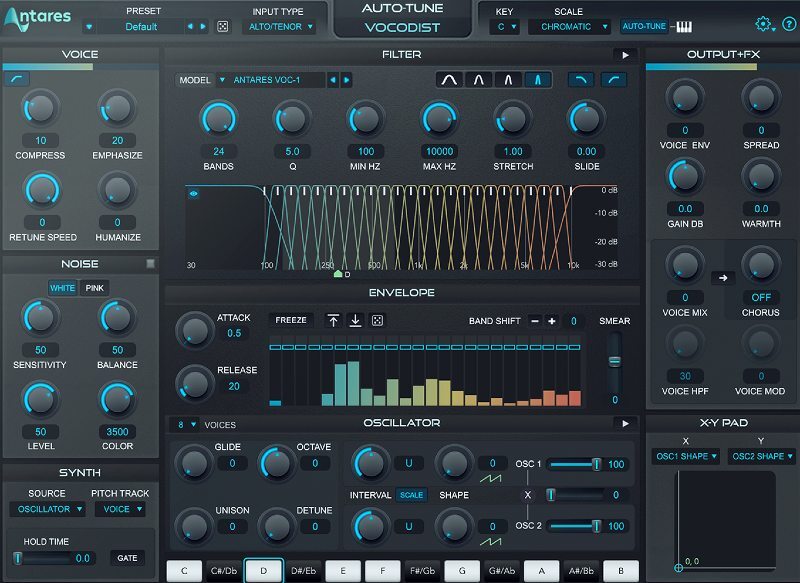
Iconic Vocoder Models
Instantly produce the iconic effect and explore countless creative possibilities with faithful reproductions of 20 legendary vocoders and more than 125 custom presets created by influential artists and producers.
AutoTune Vocal EQ
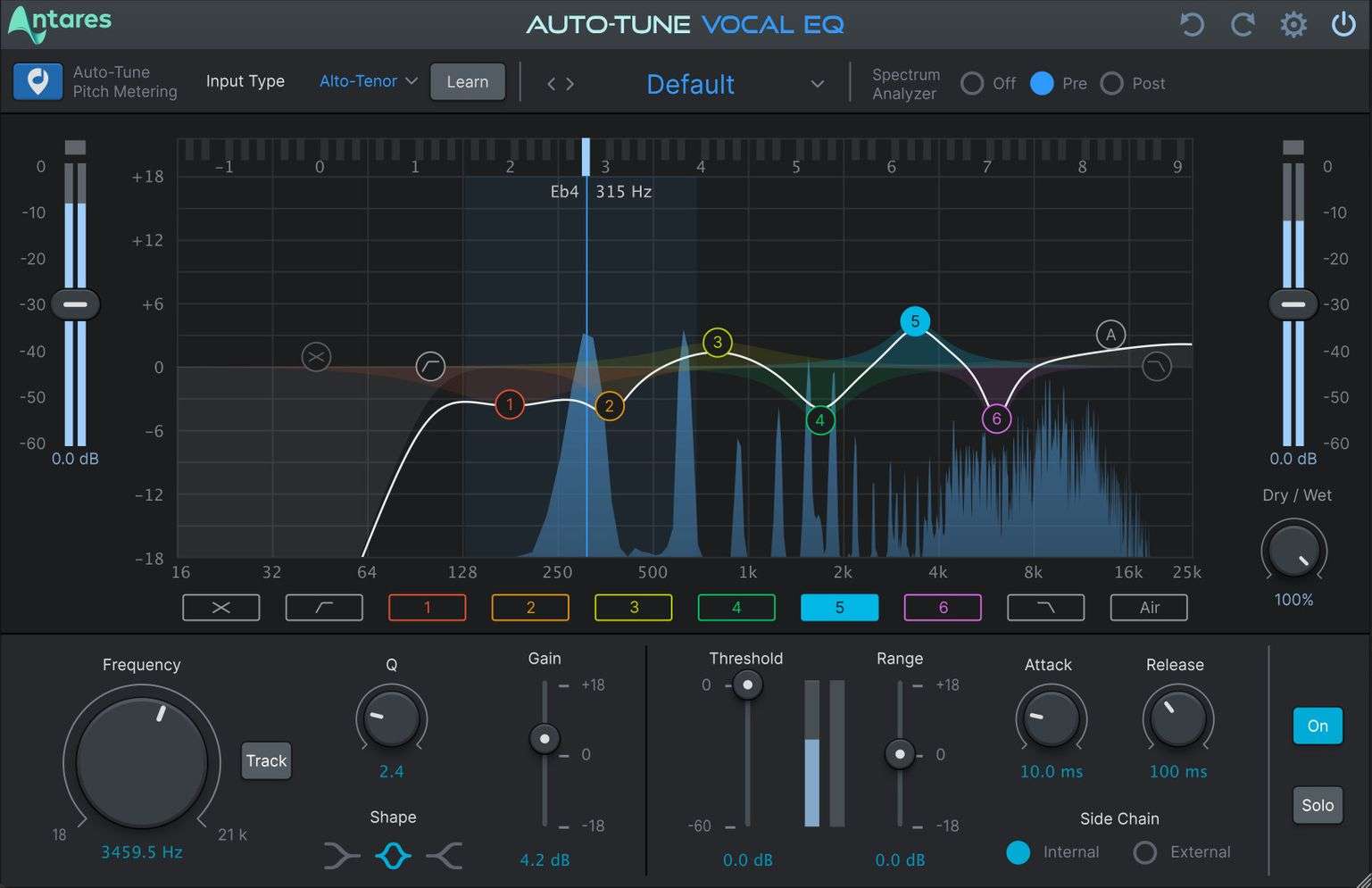
AutoTune Vocal EQ is the only dynamic equalizer with patented AutoTune pitch tracking technology built in. AutoTune Vocal EQ allows you to isolate and accentuate precise frequencies while controlling interference and resonance to make vocals sound smoother and more consistent. Powerful dynamic nodes combined with proprietary AutoTune pitch metering makes it easy to find the optimum place in the frequency spectrum to work in for any vocalist.
Features
- 6 Dynamic EQ Bands
- Low-Pass and High-Pass Filters
- Air Band for adding a smooth high-end presence
- Tilt EQ Filter to balance the high and low end of the spectrum
- AutoTune Pitch Metering: Watch a vocalist’s pitch move across the frequency spectrum in real-time to get a visual picture of range and thresholds
- Pitch Tracking: Lock an EQ band to a vocalist’s pitch to focus on fundamental pitch or harmonics.
- Vocal Learning: Automatically determine the vocal input type to highlight the average vocal range (alto, tenor, soprano) and set the High-Pass Filter for a quick start to EQing.
AutoTune SoundSoap
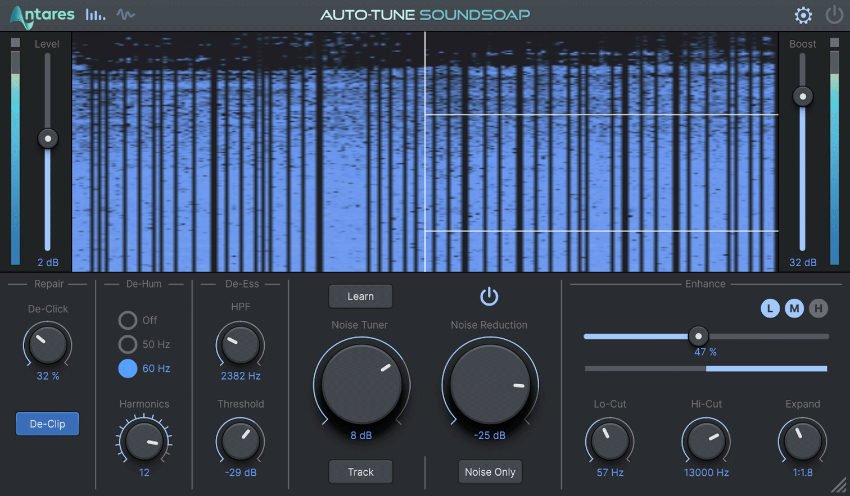
Clean Your Audio Tracks Fast
Audio professionals trust the easy and effective power of AutoTune SoundSoap to repair imperfect vocals, rescue “unusable” audio and enhance tone and timbre across any project with the touch of a button.
Unleash Your Creativity with AVOX Vocal Effects
Because Vocal Production Requires More Than Just Pitch Correction
Harmony Engine
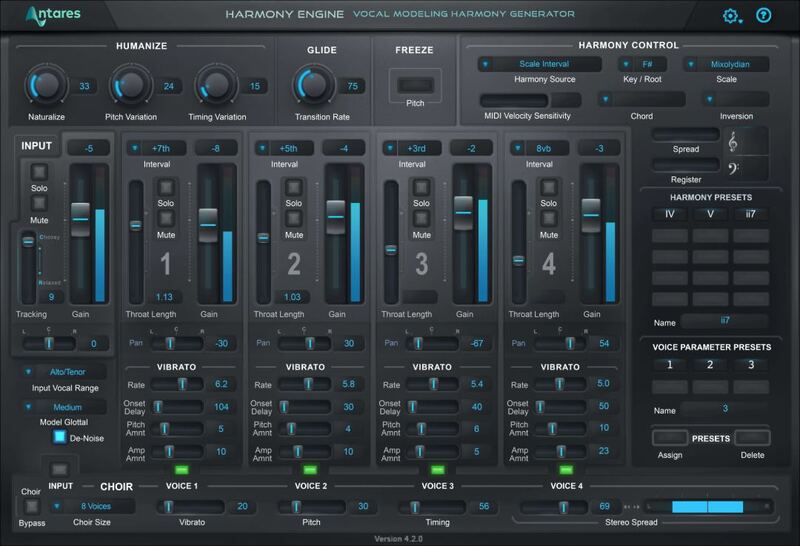
Instant Harmonies
Create the immersive, dramatic sounds you can only get from stunning harmonies. Automatically produce both natural-sounding and dramatic creative harmonic effects - all from a single human voice.
Mic Mod EFX
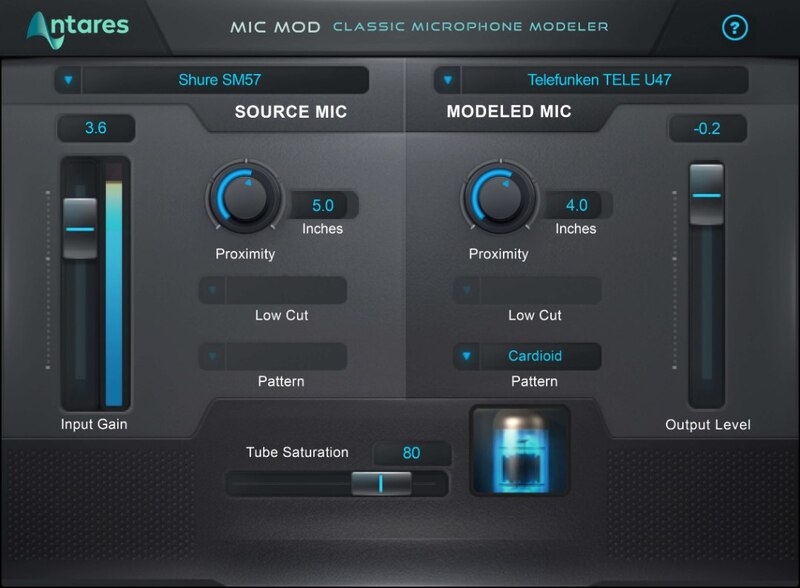
Your Dream Mic Collection
Make the mics you own sound like the mics you wished you owned with over 100 authentic-sounding reproductions of legendary vintage and sounds from modern classics. Your arsenal just got a whole lot put bigger.
ARTICULATOR
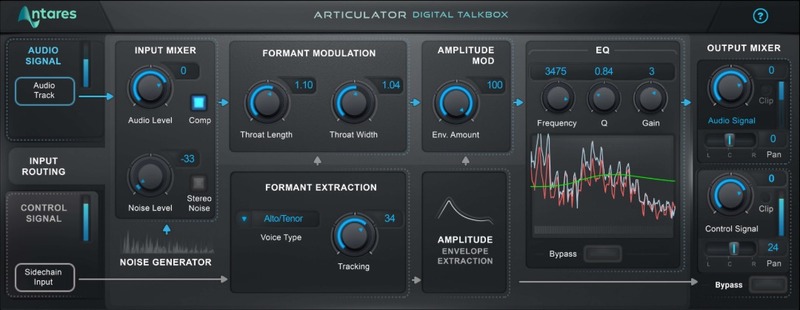
Digital Talkbox
Go back in time with the funkiest vocal effect ever made. Now you can produce the classic talk box sounds from classic 1970’s recordings - without putting a tube in your mouth.
WARM
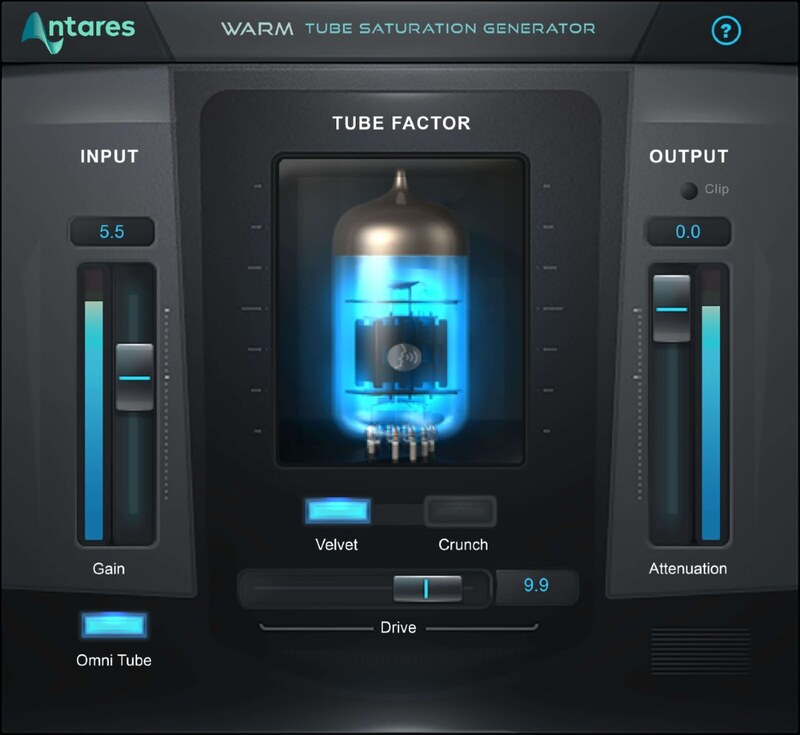
Vintage Tube Saturation
Get instant vintage vibes with the authentic, warming sound of analog tubes. Add subtle harmonic distortion or get aggressive with the overdriven crunch of a tube amp pushed beyond its limits.
DUO
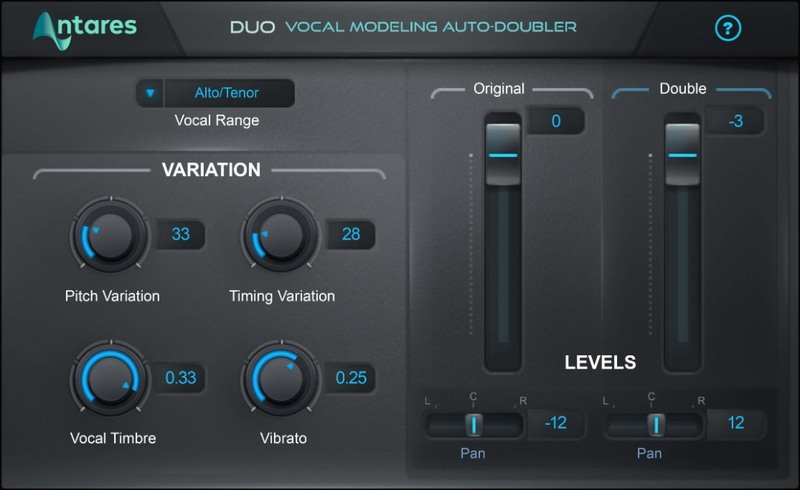
Dynamic Vocal Doubling
When one vocal becomes two, you'll cut the time spent tracking in half - and double down on crafting perfect stereo mixes. Fatten up a lead, or dial in some extra depth with automatic voice doubling.
CHOIR
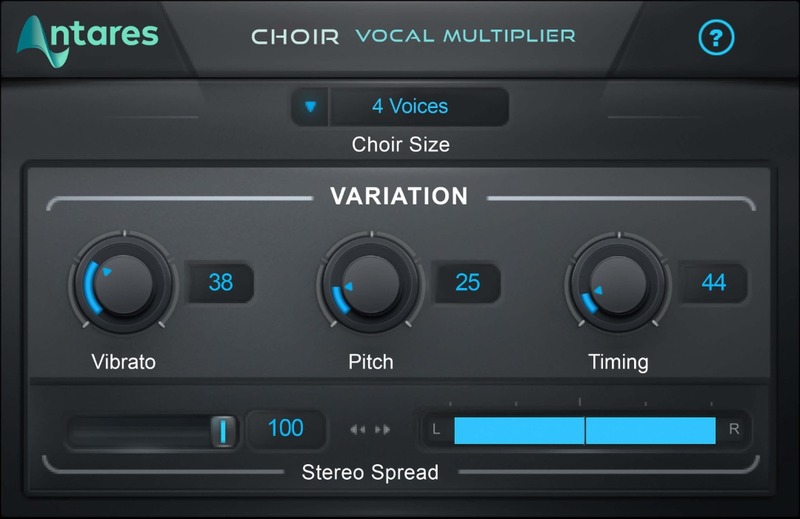
Ethereal Vocal Ensemble
Nothing uplifts the spirit like the soulful sound of a choir. Automatically generate the effect of a 32-piece choral ensemble from a single vocal track and hear how heavenly your music can be.
ASPIRE
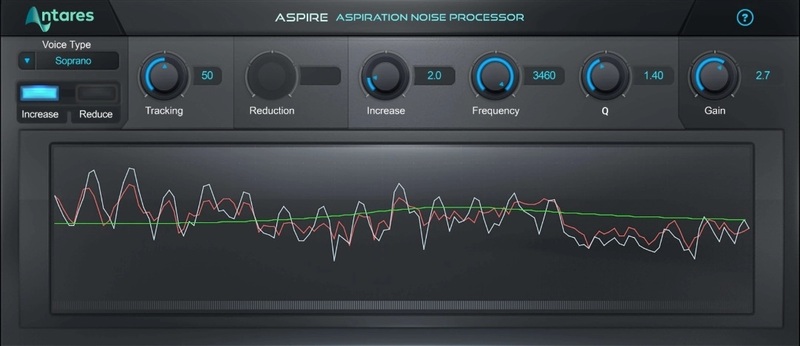
Master Your Breathing
Dial it up to give your vocals a sultry sound, or dial it down to eliminate any huffing and puffing. No matter how you use it, managing the breathiness of a vocal can deliver breathtaking results.
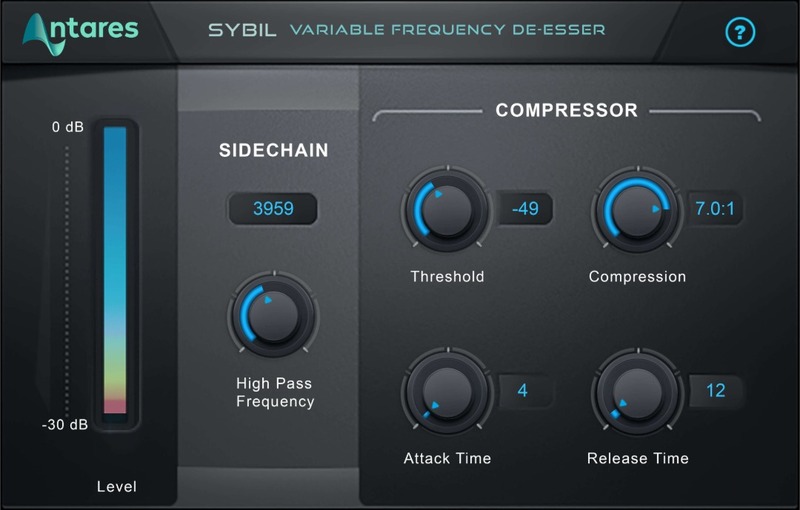
Sibilance Suppression
Take your vocals from “good enough” to “perfectly polished” with this powerful de-esser. Taming sibilance - without changing the vocal character - has never been easier.
THROAT
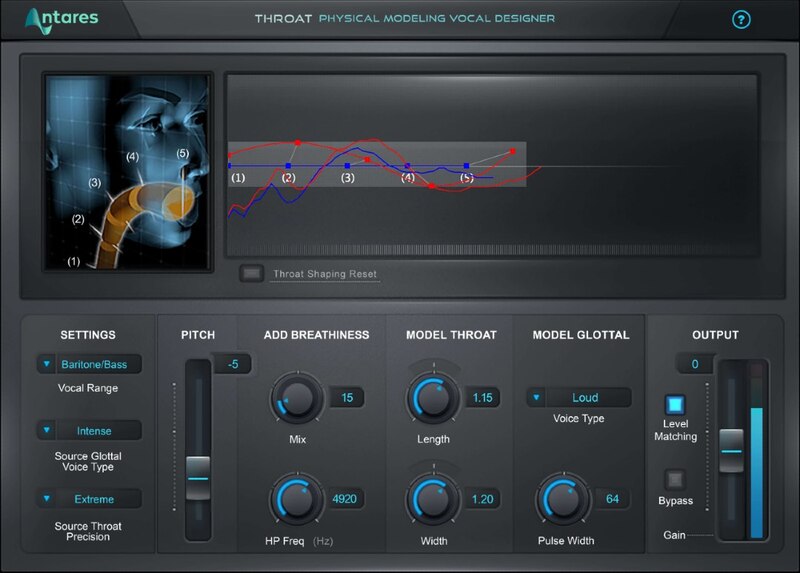
The Virtual Vocal Tract
Discover uncharted creative possibilities with the only plug-in that lets you manipulate the entire human vocal tract. Change the shape of the lips, mouth, and throat to go beyond the limits of anatomy.
PUNCH
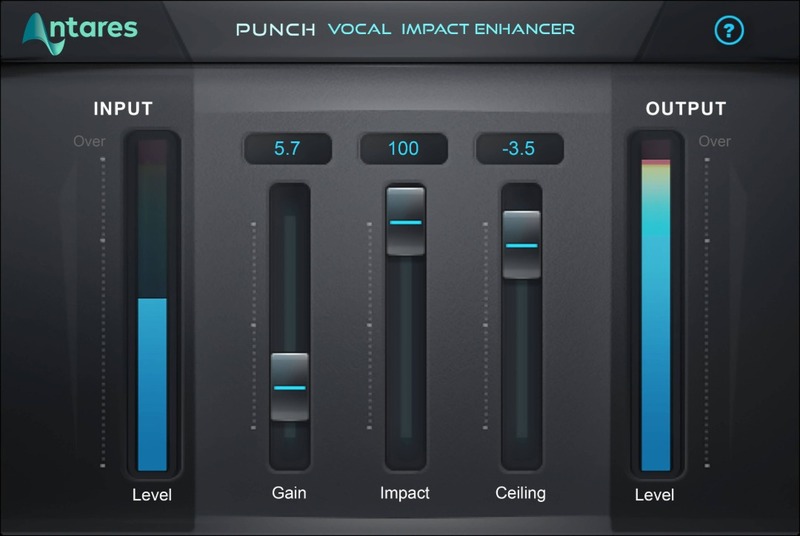
Vocal Impact Enhancer
Vocals can make or break a song—so don't let them get buried in the mix. Punch up your vocals to get the clarity, power, and dynamics they need to cut through even the densest mix.
MUTATOR
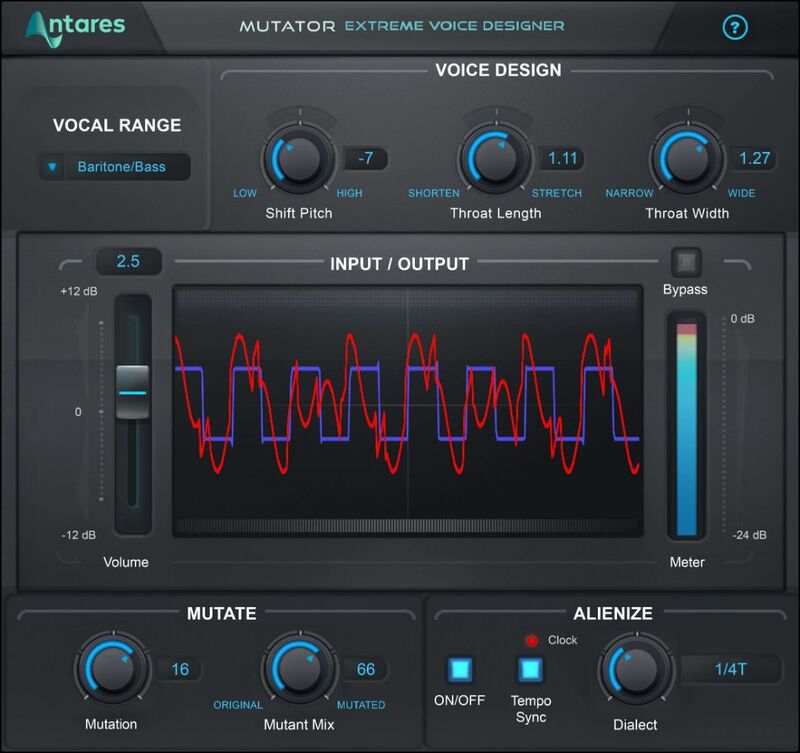
Extreme Vocal Character Design
Transform any voice into alien, monster, or robot voices with the effect countless professional sound designers rely on for vocal character design. Getting weird has never been so fun.
Mac
AAX Native (64-bit only):
- Pro Tools 2018.1 or later.
- macOS 11 or later as required by your version of Pro Tools.
VST3 (64-bit only):
- A compatible VST host program that supports the VST3 format.
- macOS 11 or later as required by your host.
Audio Units (64-bit only):
- A compatible DAW that supports the AU format.
- macOS 11 or later as required by your host.
Windows
AAX Native (64-bit only):
- Pro Tools 2018.1 or later.
- Windows 10 or later
VST3 (64-bit only):
- A compatible DAW that supports the VST3 format.
- Windows 10 or later
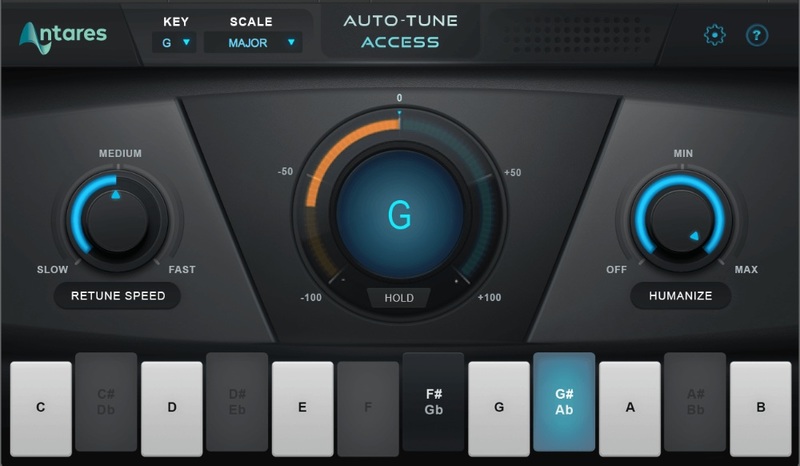
Note: AutoTune Access is used as an example.
Mac
Registration
1. Go to https://www.antarestech.com/dealercode/ > Enter your Dealer Redemption Code (which is called 'Serial Number' in your Plugin Boutique account) > If you have an Antares account already, you can simply log in here by entering your email address and password.

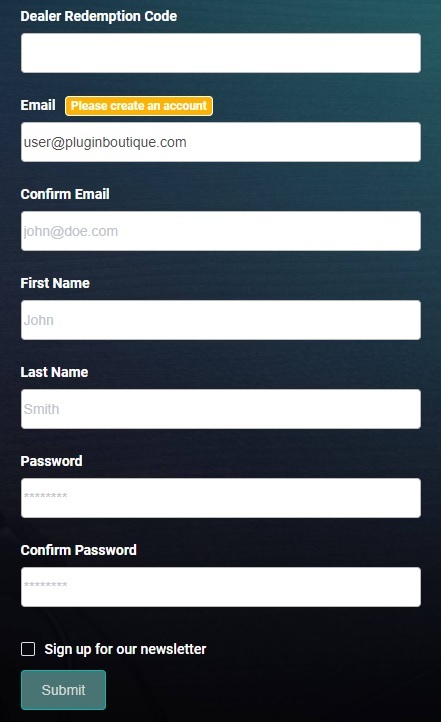
2. If you don't have an Antares account, enter your details and click 'Submit' to create one.
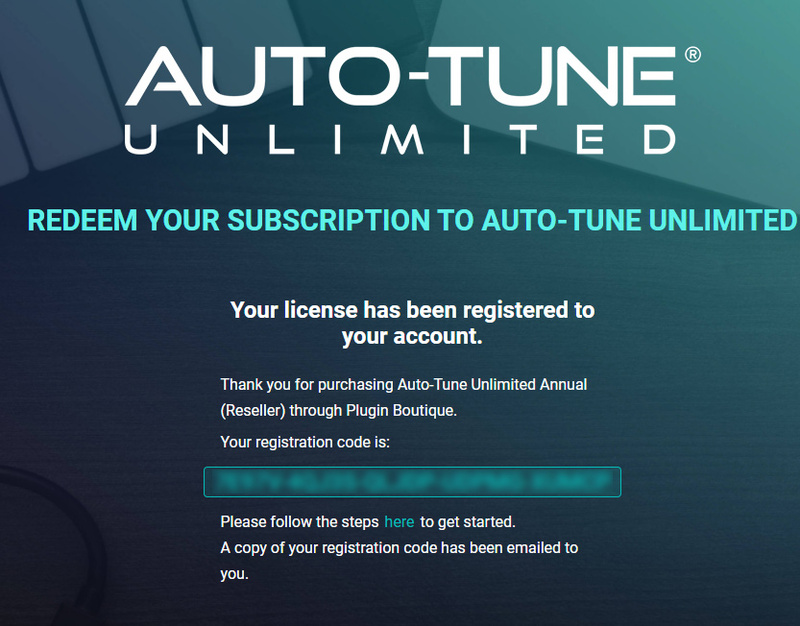
3. Your redemption code is now registered to your account > Here you can see your registration code.
Copy Protection Installation
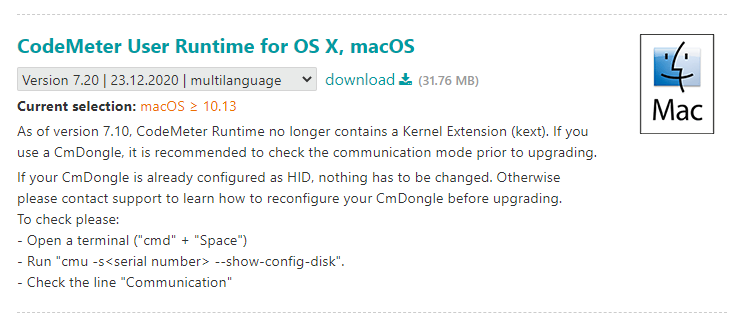
1. Go to https://www.wibu.com/support/user/user-software.html > Download the OS X/macOS version of CodeMeter User Runtime:
2. Open the downloaded CodeMeter Runtime installer > Click 'Continue'.
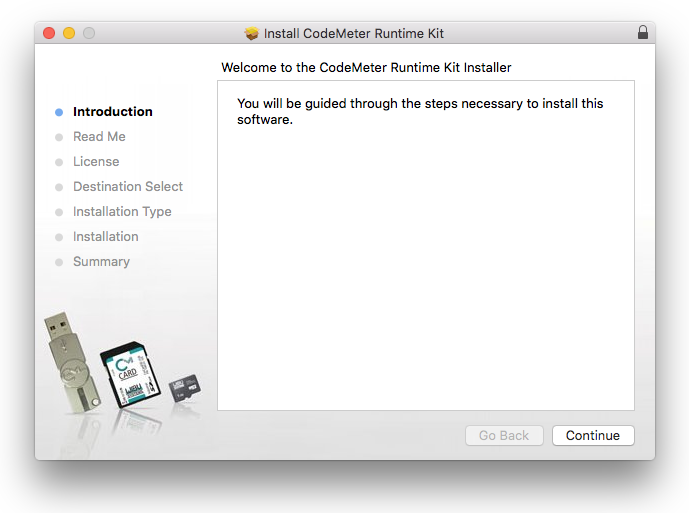
3. Click 'Continue'.
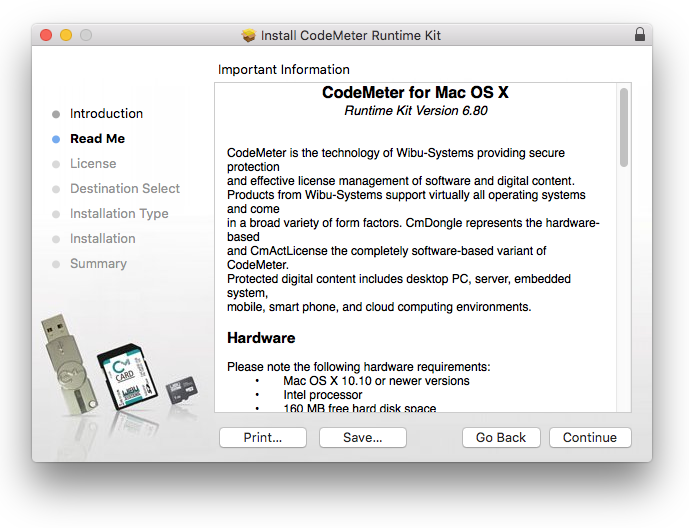
4. Click 'Continue'.
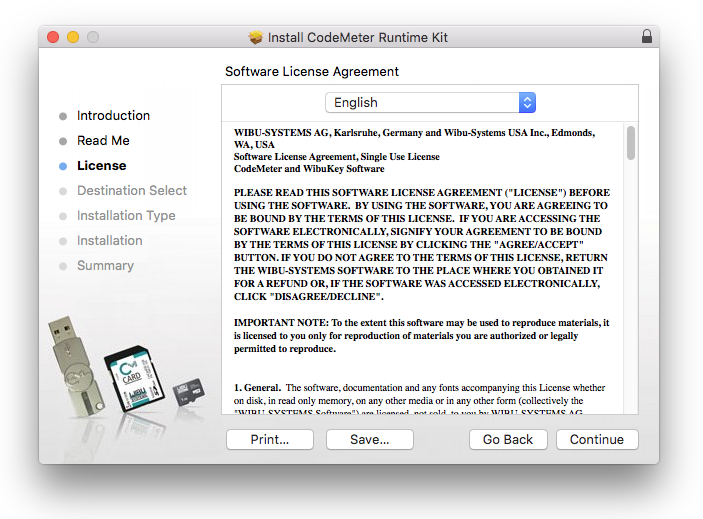
5. Click 'Agree'.
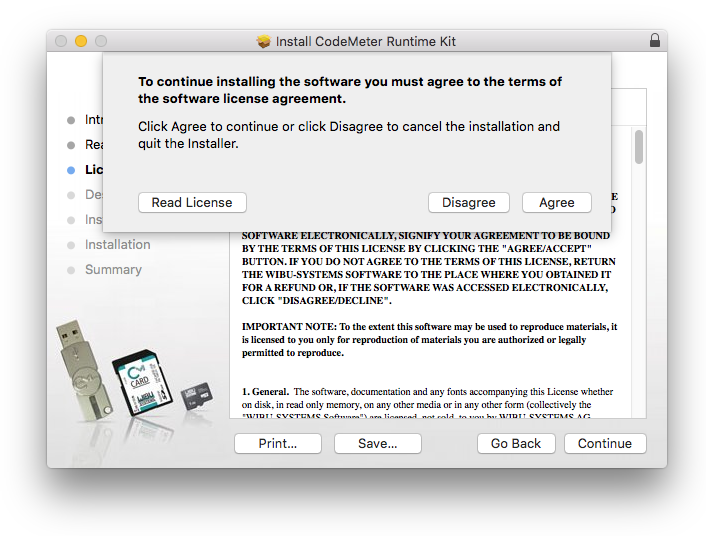
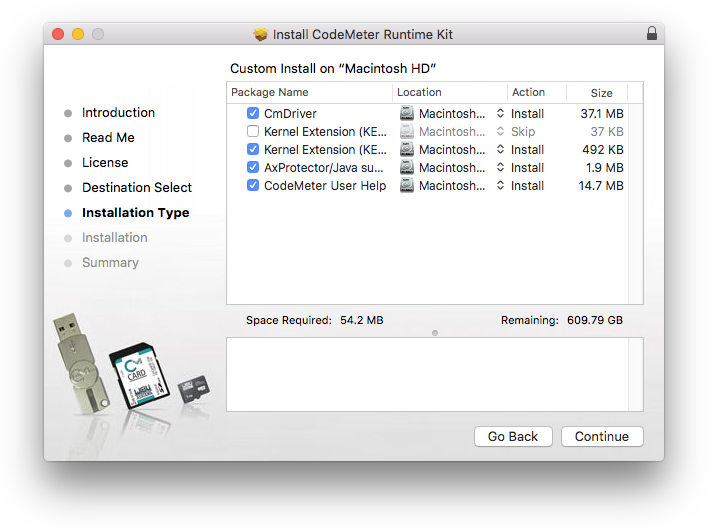
6. Click 'Continue'.
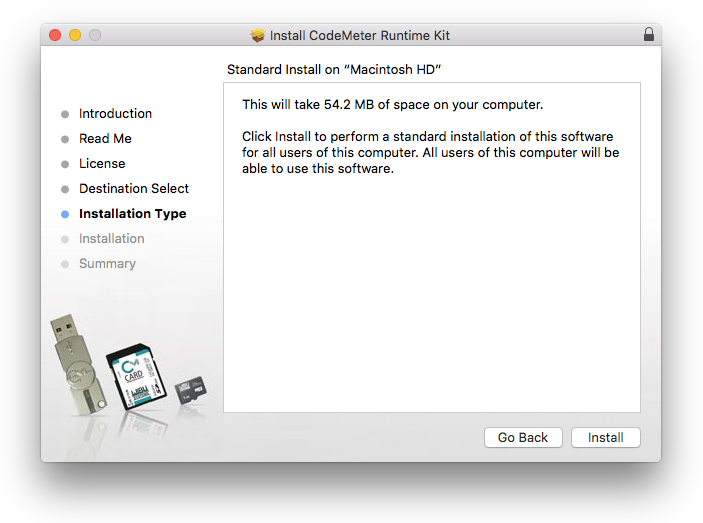
7. Click 'Install'.
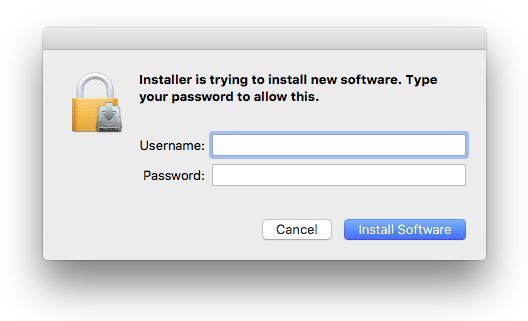
8. Enter your computer username and password > Click 'Install Software'.
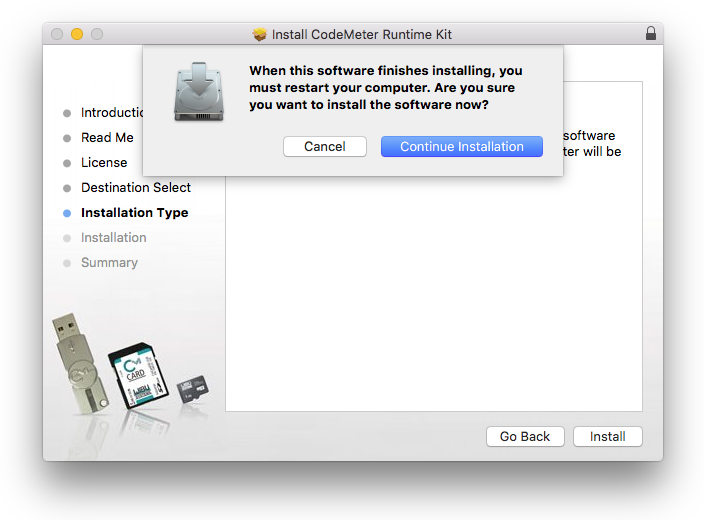
9. Click 'Continue Installation'.
10. Click 'Restart'.
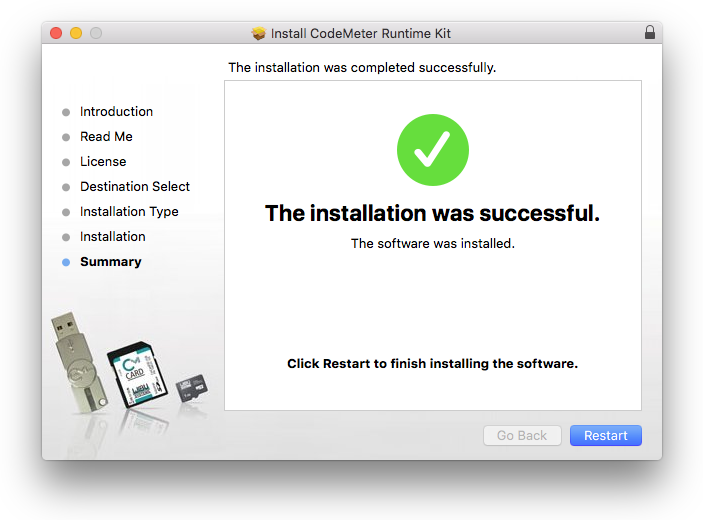
Plugin & Antares Central Installation
1. Download the .zip file from within your Plugin Boutique account and double-click it to extract the contents > Open the .pkg file > Click 'Continue'.
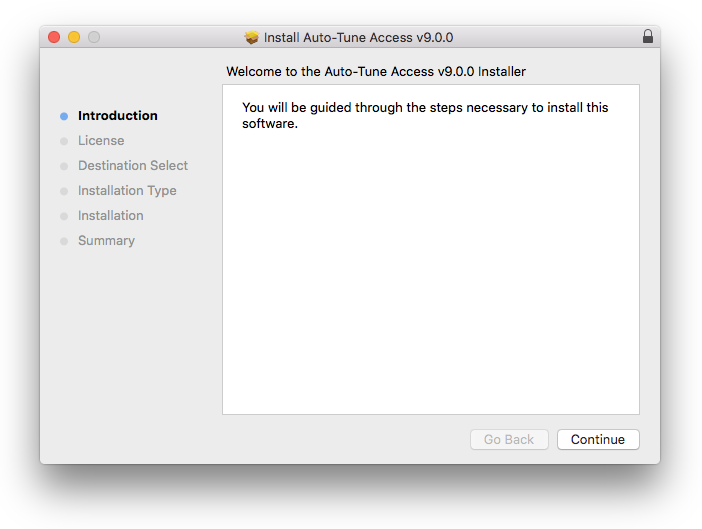
2. Click 'Continue'.
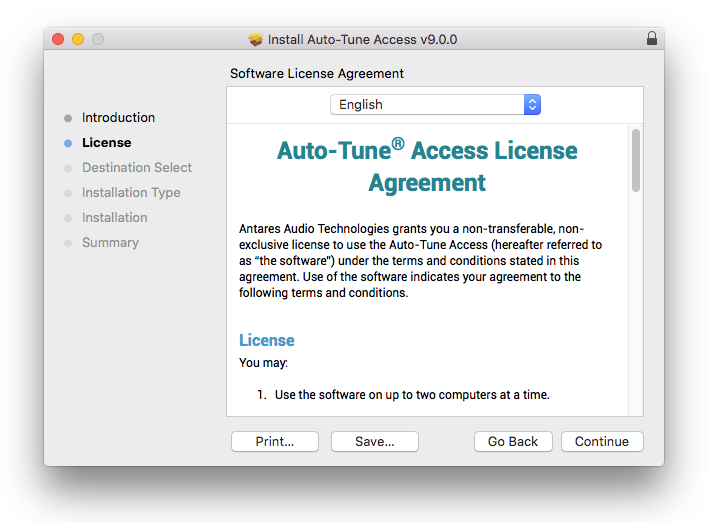
3. Click 'Agree'.
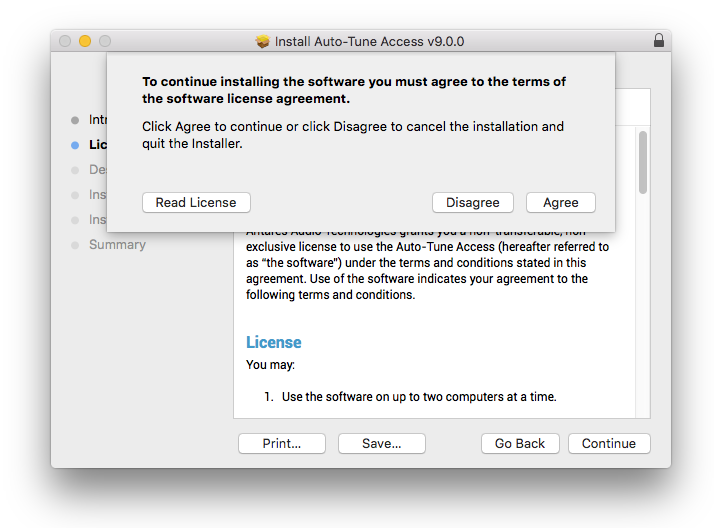
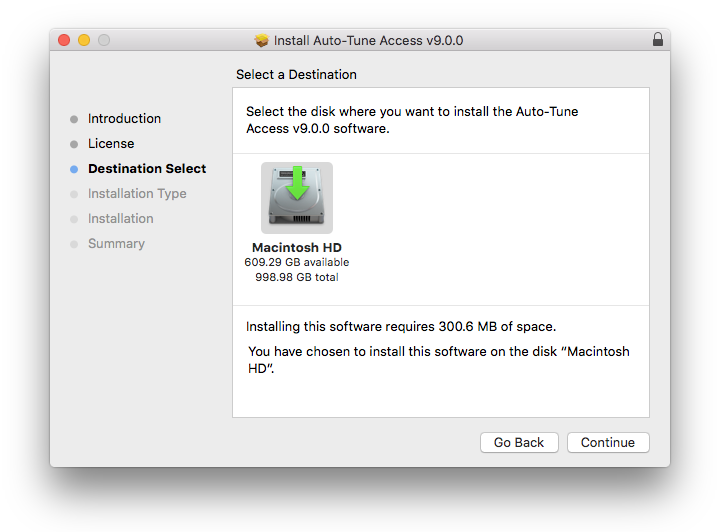
4. Click 'Continue'.
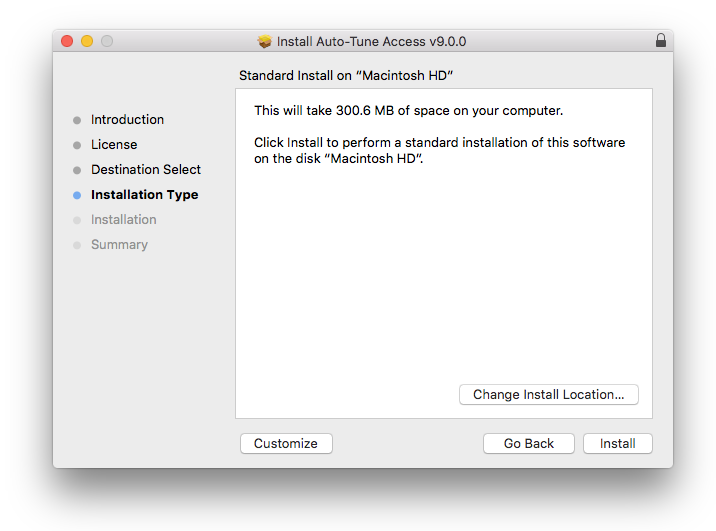
5. Click 'Install'.
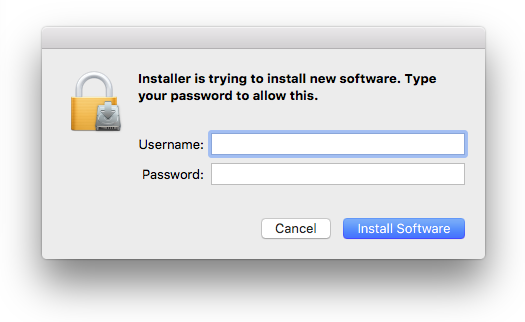
6. Enter your computer username and Password > Click 'Install Software'.
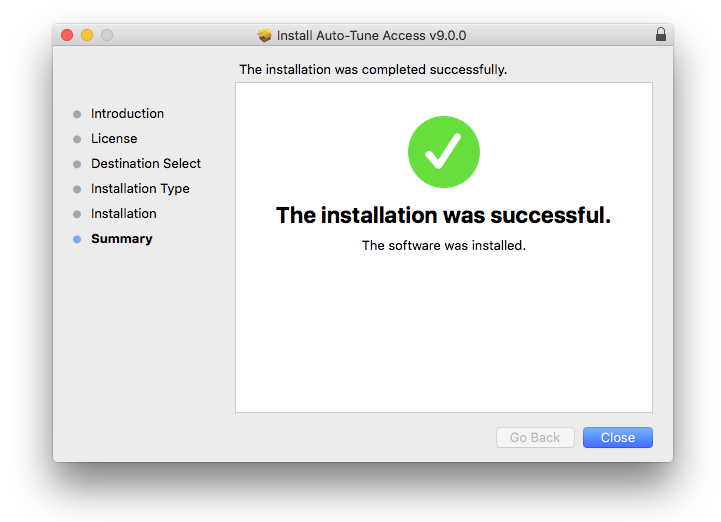
7. Click 'Close'.
Activation
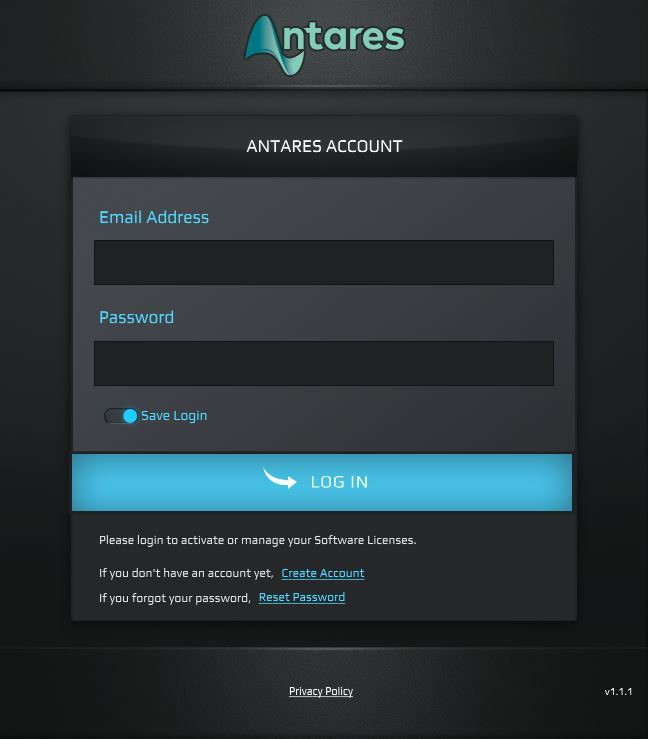
1. Launch Antares Central and enter your Antares registered Email Address and Password > Click 'Log In'.
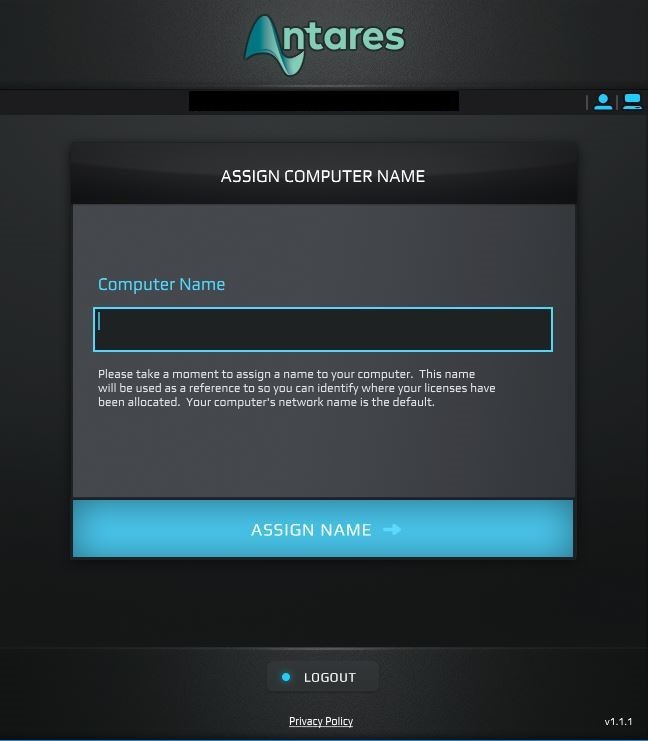
2. Enter a computer name > Click 'Assign Name'
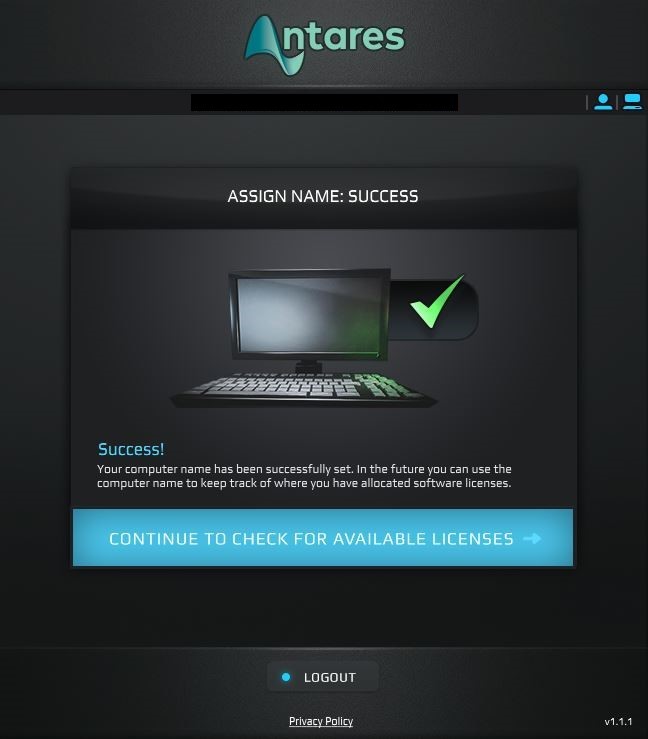
3. Click 'Continue to Check for Available Licenses'.
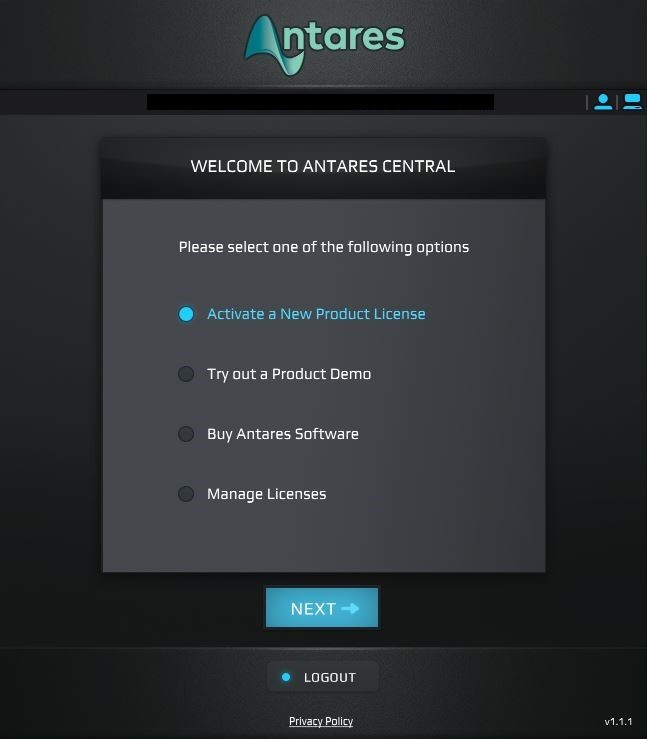
4. Select 'Activate a New Product License' > Click 'Next'.
5. Select 'From a Dealer or Software Bundle'.
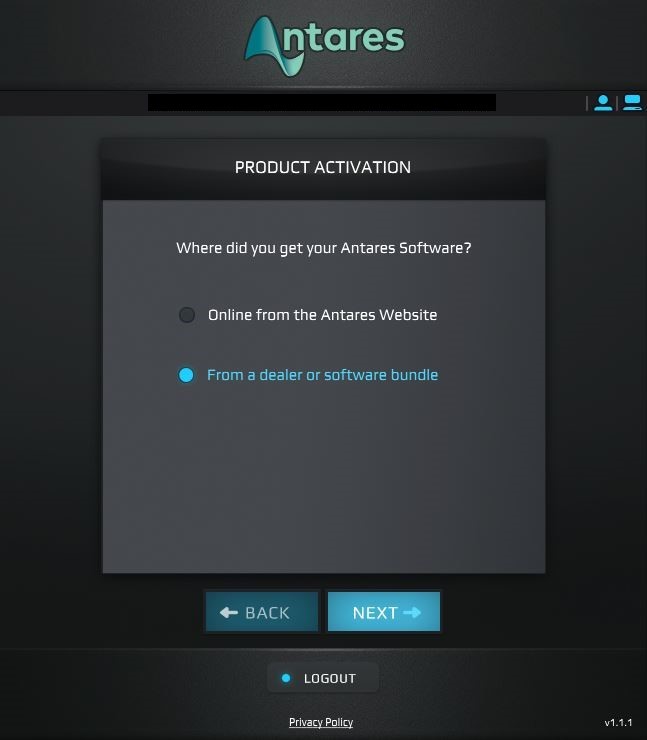
6. Enter the 25-digit Registration Code, found in your Antares account > Click 'Next'.
7. You have successfully redeemed your Antares code > Close Antares Central.
Your software is now activated and ready to use.
Windows
Registration
1. Go to https://www.antarestech.com/dealercode/ > Enter your Dealer Redemption Code (which is called 'Serial Number' in your Plugin Boutique account) > If you have an Antares account already, you can simply log in here by entering your email address and password.
2. If you don't have an Antares account, enter your details and click 'Submit' to create one.
3. Your redemption code is now registered to your account > Here you can see your registration code.
Copy Protection Installation
1. Go to https://www.wibu.com/support/user/user-software.html > Download the Windows version of CodeMeter User Runtime:
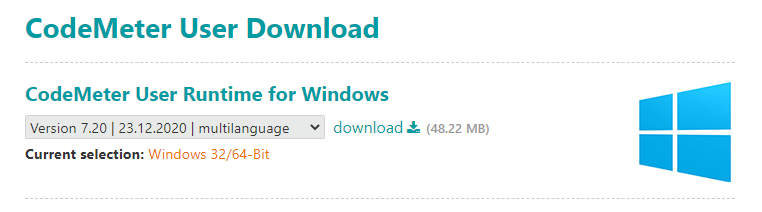
2. Open the downloaded.exe file > Click 'Next'.
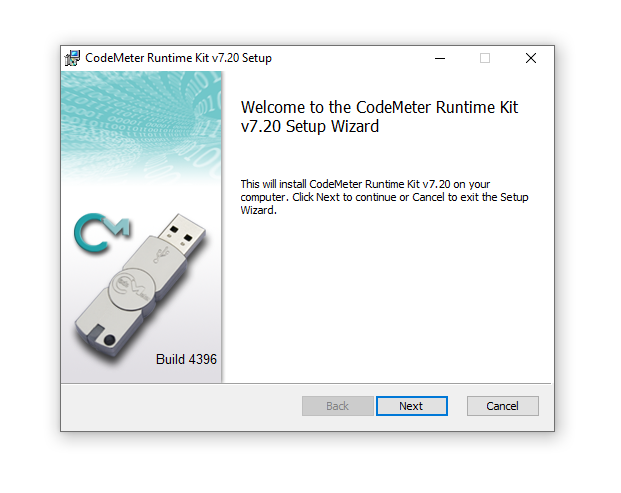
3. Select 'I accept the terms in the License Agreement' > Click 'Next'.
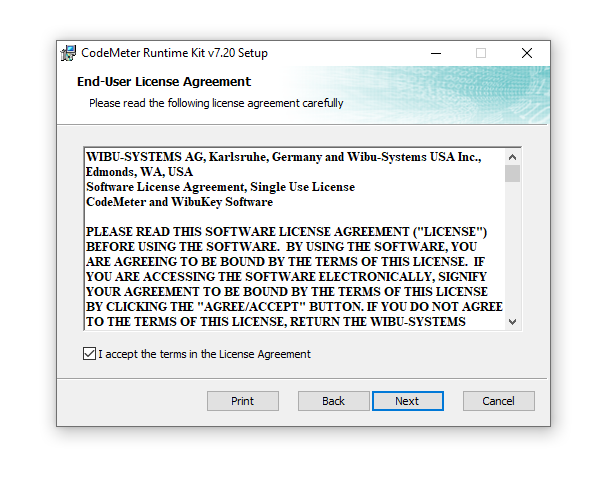
4. Click 'Next'.
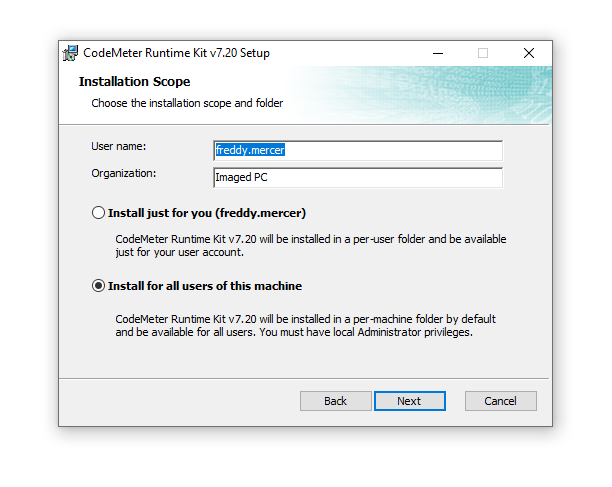
5. Click 'Next'.
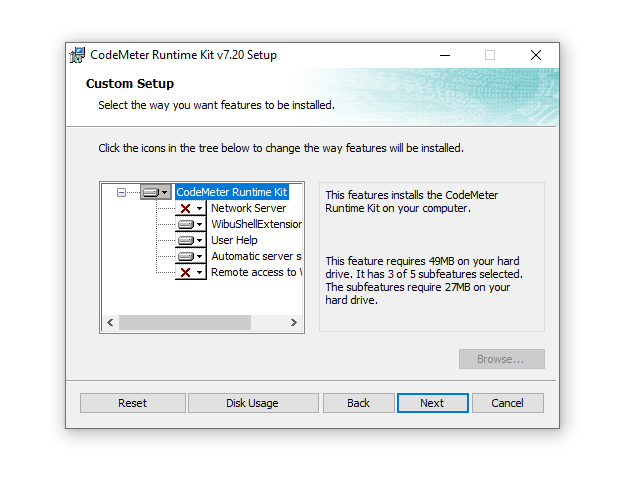
6. Click 'Install'.
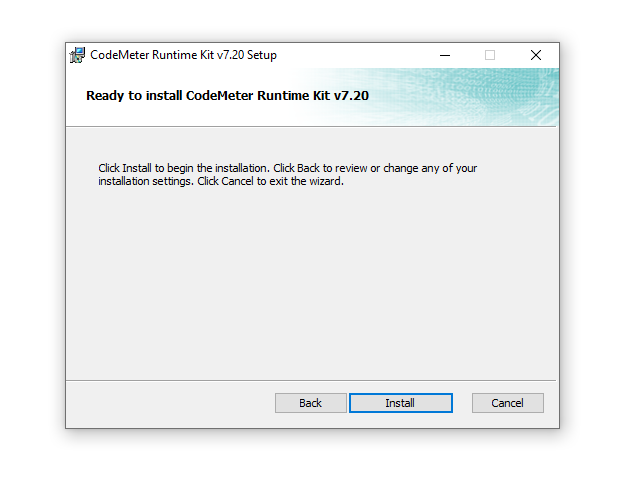
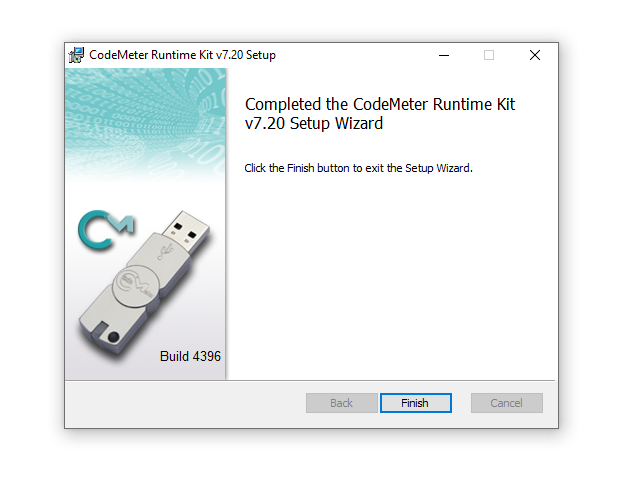
7. Click 'Finish'.
Plugin & Antares Central Installation
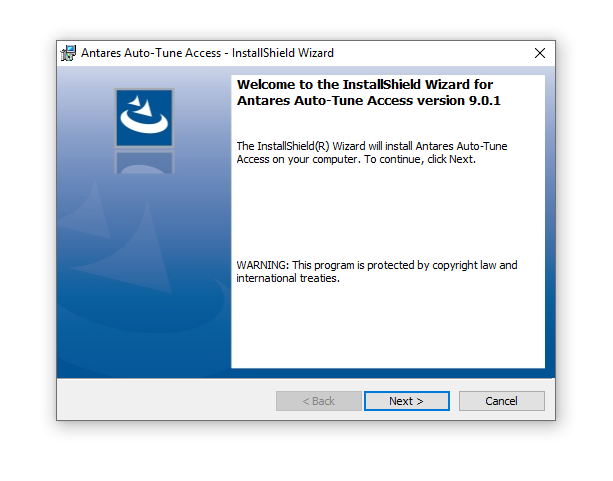
1. Download the .zip file from within your Plugin Boutique account and double-click it to extract the contents > Open the .exe file > Click 'Next >'.
2. Select 'I accept the terms in the license agreement' > Click 'Next >'.

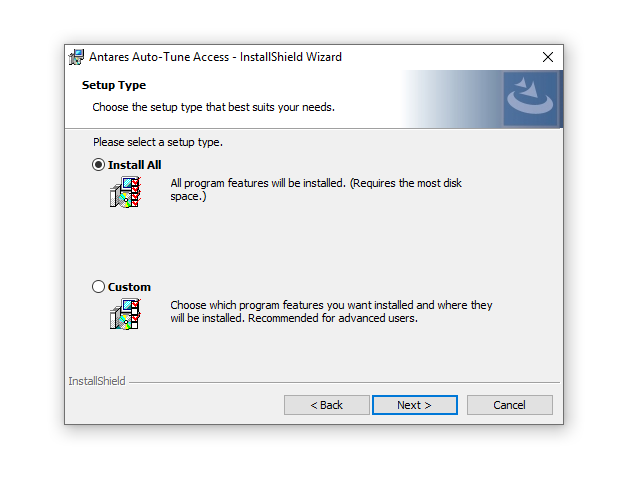
3. Click 'Next >'.
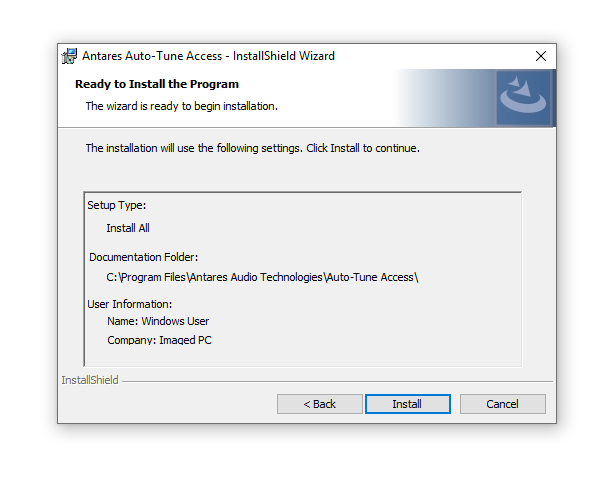
4. Click 'Install'.
5. Click 'Finish'.

Activation
1. Launch Antares Central and enter your Antares registered Email Address and Password, created in step 1 of the Registration process > Click 'Log In'.
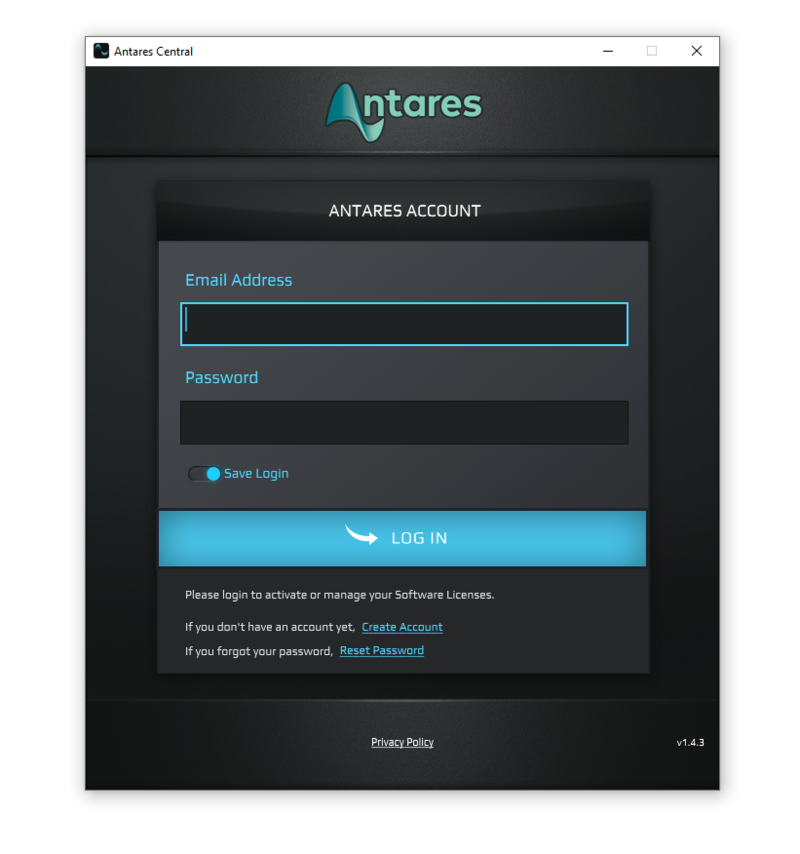
2. Enter a computer name > Click 'Assign Name'.
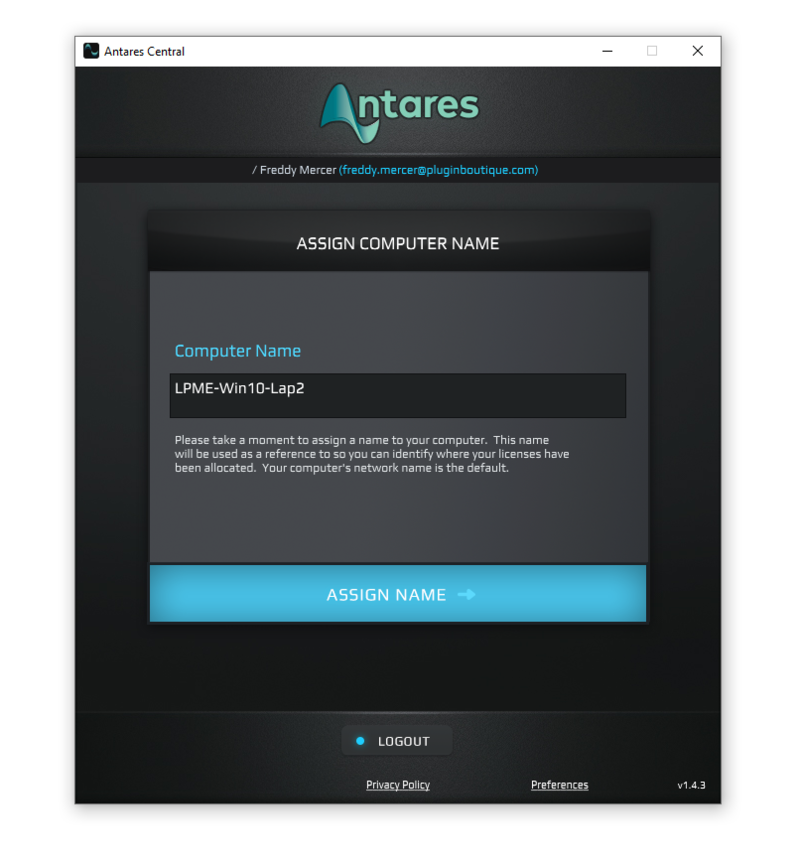
3. Click 'Continue to Check for Available Licenses'.
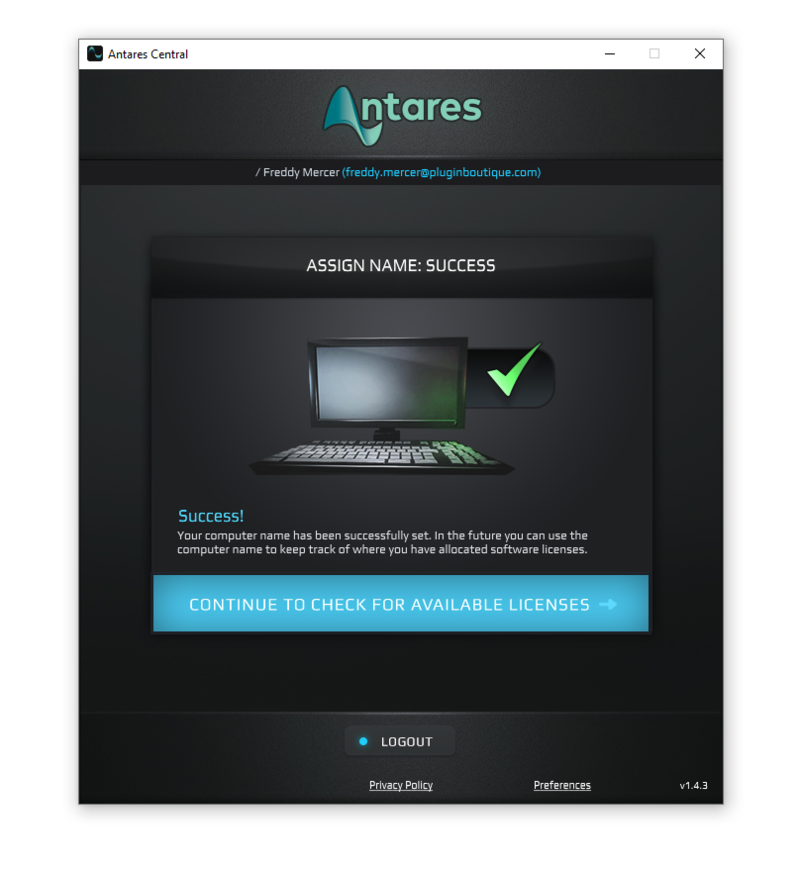
4. Select 'Activate a New Product License' > Click 'Next'.
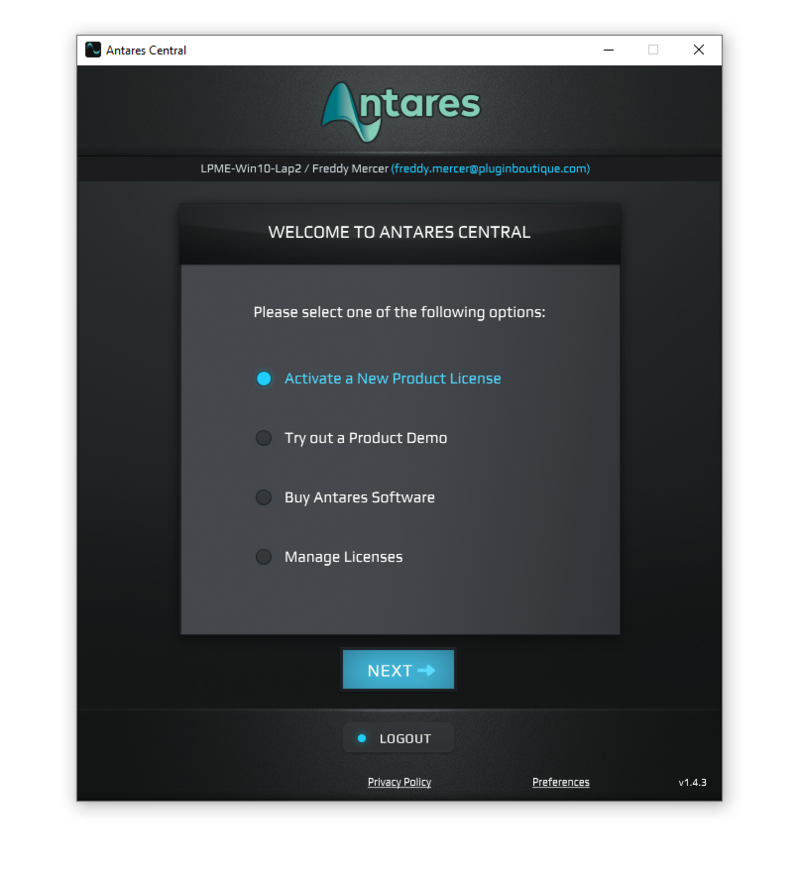
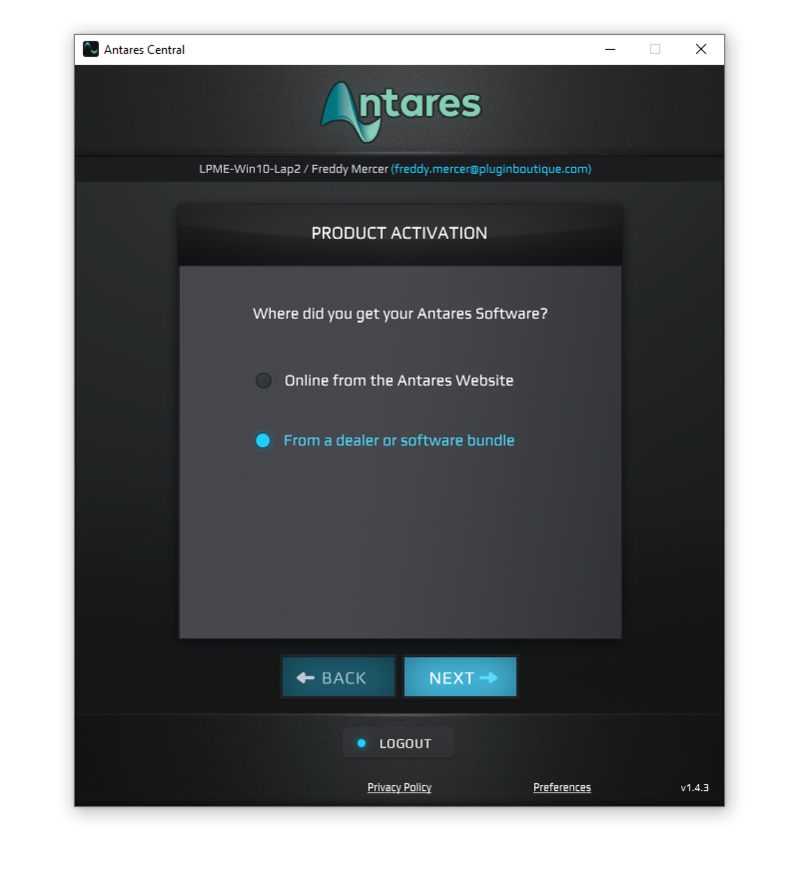
5. Select 'From a Dealer or Software Bundle' > Click 'Next'.
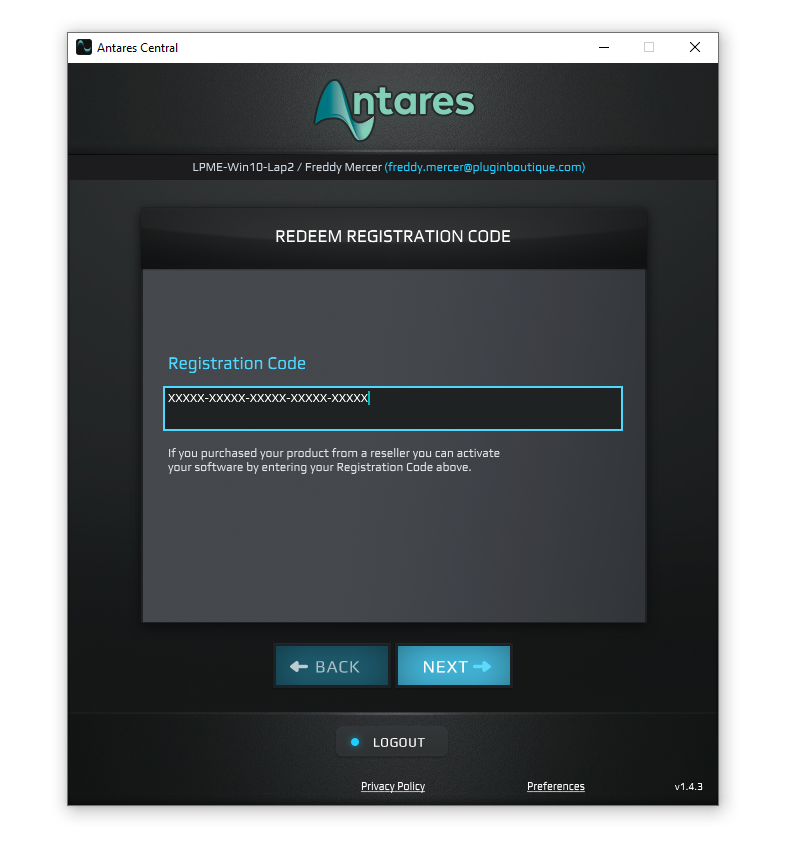
6. Enter the 25-digit Registration Code, found in the serial number section of your Plugin Boutique account > Click 'Next'.
7. You have successfully redeemed your Antares product > Close Antares Central.
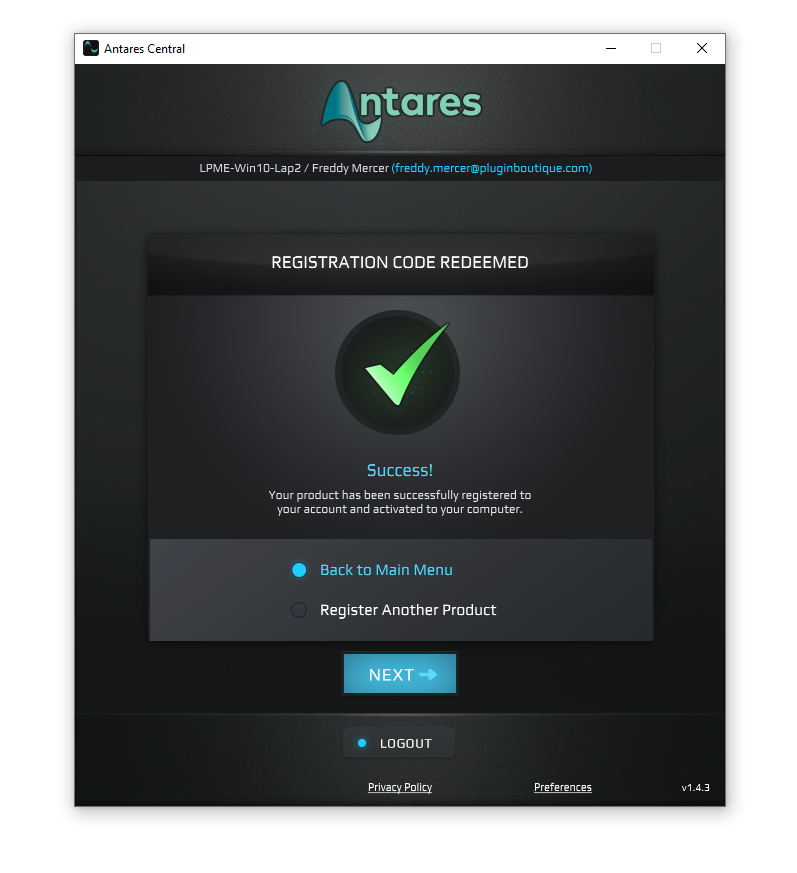
Your software is now activated and ready to use within your DAW.


