Log In

Free gifts available with your purchase
Inspiring and Crystal-Clear Vocal Phrases
Important note: This product requires a FULL version of Native Instruments' KONTAKT. The free Kontakt player is not sufficient, as it only runs the instrument in DEMO mode.
Lyrical Vocal Phrases - by Conny Kollet is a new kind of vocal solo instrument for impressive cinematic soundtracks. Pressing a single key on your keyboard articulates a crystal-clear and celestial vocal phrase with unprecedented quality and expression. Never was it easier and more fun to create outstanding and energetic soundtracks of any kind.
Pure & emotional live performances
Instead of sustained notes that often sound mechanically and inelegantly when it comes to vocal instruments, Lyrical Vocal Phrases - by Conny Kollet features pure and emotional live phrases. These phrases hold the magical pureness and brilliant verve only an artist can deliver that is given the freedom of a performance instead of just delivering separated single notes. You will be fascinated by the ease of use and the instant emotional effect on your compositions.
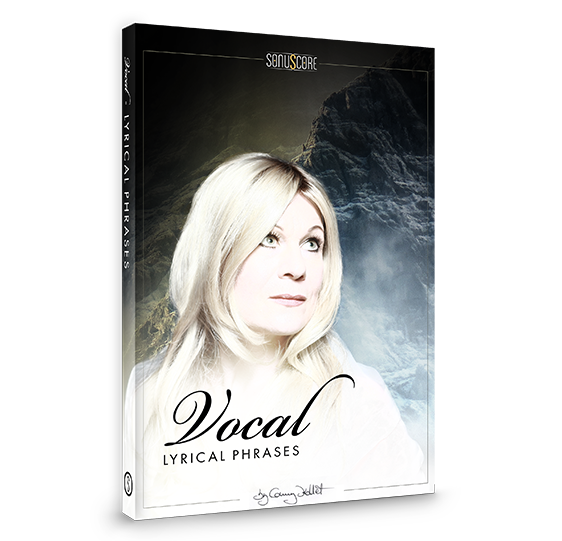
The artist behind the instrument
When it comes to epic and grand vocals for huge productions, Conny Kollet is one of the first addresses. Whether fantasy, ethnic, medieval or modern, besides her admirable voice and her incredible singing skills throughout all possible genres, she’s a master in creating authentic and credible fantasy languages that unite with her singing in the most wonderful way. She manages to combine the syllables to achieve a subtle exotic yet familiar sound that can be integrated into various settings. Her voice will be an invaluable asset for your soundtrack creation.
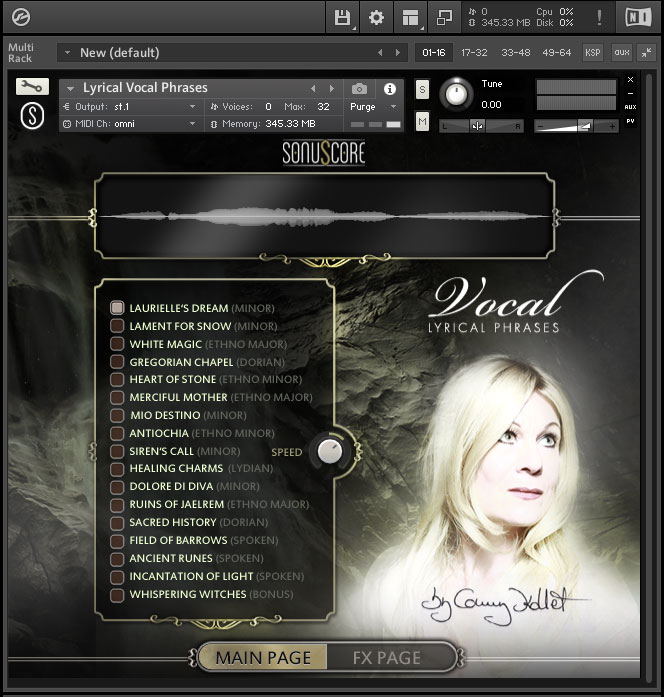
Clean and intuitive interface
Inspired by the successful Lyrical Cello Phrases instrument, Sonuscore created the same intuitive and easy to use interface that gives you instant access to the most essential features as well as the freedom to dive deeper to shape your sound as you wish.
6 languages (including spoken themes)
The following languages are included, each divided into different themes: Elvish, Ethnic, Medieval, Witch (self-creations), but also Latin and Italian, and also themes sung only on vowels. It contains everything you could possibly need if you want to use a female solo voice.
Playable in any key – No heavy pitching
Since vocal recordings are especially sensitive to “pitch-shifting”, every phrase was recorded in four different keys. This way, the pitch of a phrase is never adjusted more than a semitone up or down.
Starting, middle and end phrases
Designed to perfectly fit your track: Each theme comes with 5 different phrases and each phrase contains a separate starting, middle and end phrase. This setup gives you the freedom to conveniently combine different phrases the way you want.
Features
- 300 different phrases
- 17 themes
- Full version of Native Instrument’s KONTAKT 5 (version 5.8.1 or higher) or Steinberg’s free HALion Sonic
- Intel Core 2 Duo processor recommended
- Mac OSX.10.10 or higher
- Windows 7 or higher
- 4GB RAM
- at least 5GB of free hard disc space