


 Log In

Free gifts available with your purchase

Four Legendary Reverb Sounds - One Easy To Use Plugin
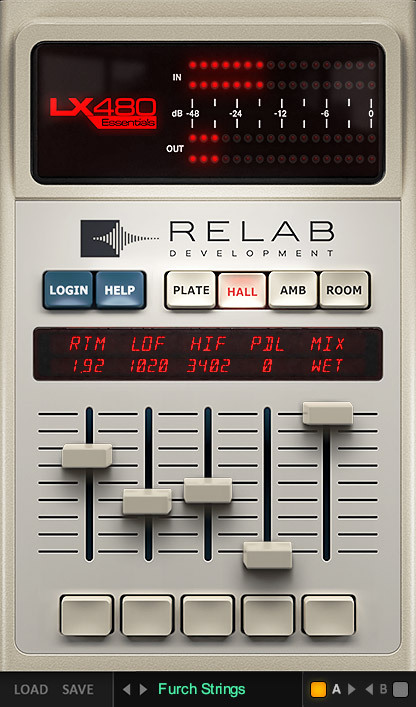
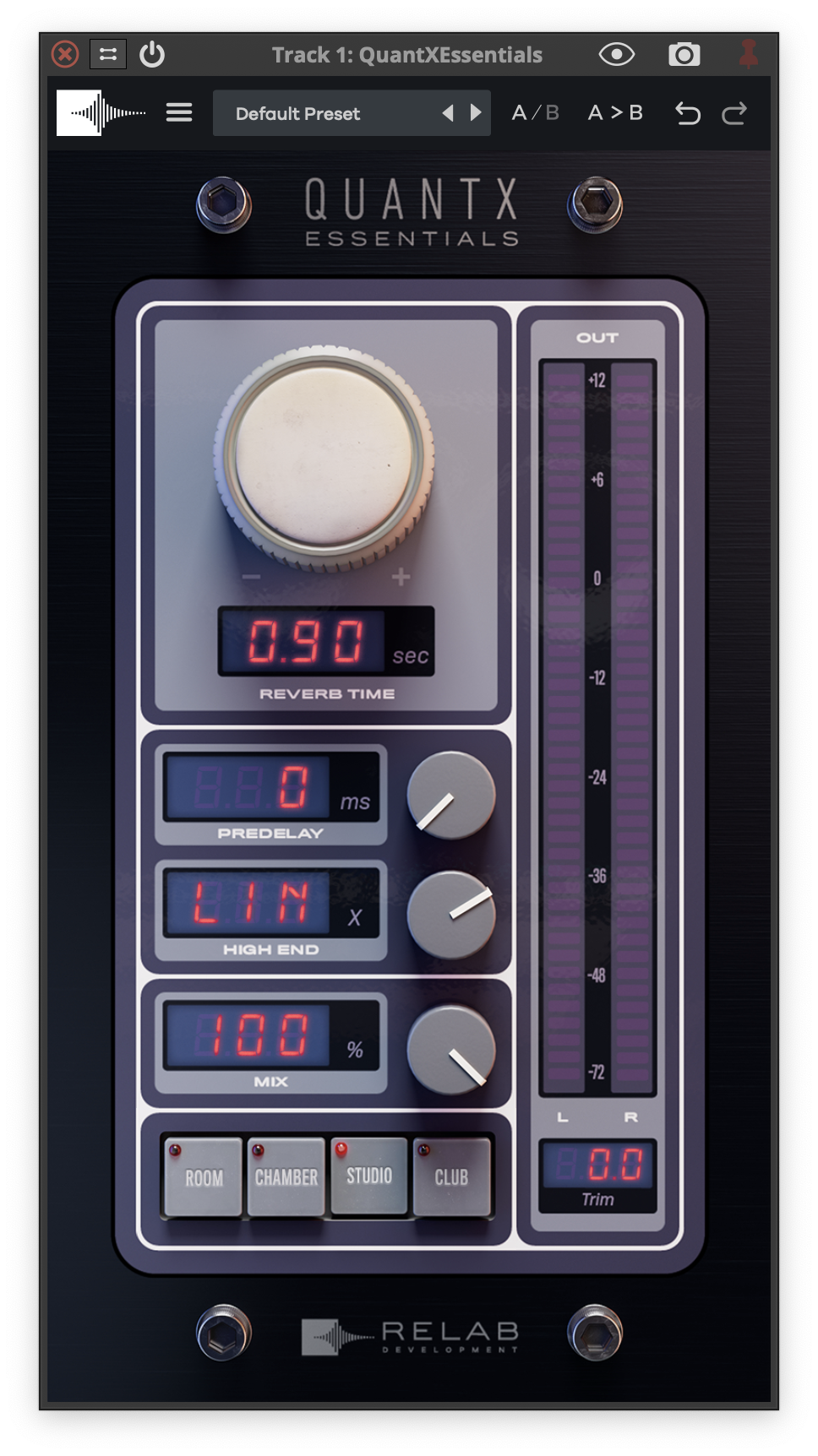
Relab LX480 Essentials not only faithfully captures the sound of the classic 480L* reverb hardware, but makes getting that legendary sound faster and easier than ever before. Transform tracks with the rich complex textures, and lush spacious reverb tails that only the Relab LX480 can deliver.
- Get the sound of four of the most famous presets from the original Lexicon 480L.
- Use signature presets created by world-class mixers Richard Furch, Joe Carrell - and more!
- Experiment with legendary Lexicon 480L sounds with the “Plate,” “Ambience,” “Hall,” and “Room” algorithms.
Introducing Relab LX480 Essentials
For decades, the 480L has been the standard by which all other reverb processors have been measured.
With Relab LX480 Essentials, now you can bring FOUR of the most famous reverb sounds from the legendary 480L - natively to your mixes.
Four Legendary Reverb Sounds At Your Fingertips
Based on FOUR of Relab’s best-in-class reverb algorithm emulations of one of the most widely-used algorithmic reverbs ever built, you can now transform your tracks with the rich complex textures, and lush spacious reverb tails that only the Relab LX480 can deliver.
-
Fat Plate
Based on the legendary RHall algorithm and what the 480 was famous for - lush, rich, shiny plates without any mix clutter. Designed to emulate the sounds of metal plates, with a relatively bright, coloured sound. Great for vocals and percussion. -
Medium Hall
One of the most traditional reverb sounds, this classic favourite was designed to emulate a real medium-sized hall. Great for giving tracks a sense of belonging to the same space with a smooth and even decay. -
Small Ambience
Designed to become a part of the direct sound, the ambience algorithm is very effective in adding distance to a very dry sounding track. Great for really short drum rooms, and for an impression that is more felt than heard. -
Large Wood Room
Designed to emulate coloured sounding spaces, the room is typically less noticeable than a Hall. This algorithm can be effectively used to create the sense of space, without being overtly distinguishable. Great for film, TV and all genres of music production.
With LX480 Essentials You Can
- Get the sound of four of the most famous presets from the original 480 hardware natively in your DAW.
- Experiment with legendary 480 sounds with the "Plate," "Ambience," "Hall," and "Room" algorithms.
- Create almost any space with tails that are deeper, longer and smoother.
- Keep your mixes clean and clutter-free with built-in hi and low pass filtering.
- Benefit from an improved workflow based on simple key reverb settings and features.
The Reverb Used On Countless Classic Recordings
The original 480 hardware reverb was introduced in 1986 and has been used on countless chart-topping recordings. For over 3 decades it has been the “go to” reverb for top music producers and recording engineers worldwide. The 480 has been the standard by which all other reverb processors have been measured.
Based On A True All Original "Golden Unit"
For their LX480 Essentials plugin, Relab modelled one of the very best of the 480Ls ever – a true “golden unit”.
Relab was lucky enough to acquire one of the original 480s from the Hit Factory in New York when they closed their doors.
You can’t even begin to imagine the list of mixes on which this unit was used!
This studio was home to sessions by John Lennon, Stevie Wonder, Bruce Springsteen, Beyoncé, U2, Michael Jackson… The list is endless.
It doesn’t get much more perfect or “golden” than that!
And with the Relab LX480 Essentials you can now get that very same legendary reverb sound – natively in your DAW.
Features
- The Relab LX480 Essentials faithfully recreates FOUR legendary reverb sounds of the 480L, fine-tuned to sit perfectly in every mix.
- LX480 uses the exact same sample-accurate algorithms as Relab's dual-engine version
- Outstanding Audio Quality.
- Built-In High And Low Frequency Cutoffs.
- Fast And Easy Workflow.
System Requirements
- Mac 10.15 + above VST/VST3/AU/AAX (64-bit) (M1 Native)
- Win 10 + above VST/VST3/AAX (64-bit)
- 2GB of RAM
Important Note: This plugin is available in 64-bit only.
MISCHKE
Songwriter/Producer/Vocal Producer - Michael Jackson, Maluma, Britney Spears, El Debarge, Jojo, Jennifer Lopez, B2k, Louis Fonsi, Little Mix
“I have the LX480. It has those rich, beautiful, reverbs filled with the kind of depth I remember loving … I pull it up on a vocal and I just smile. The LX480 all in one amazing plugin and at a truly attainable price. Thanks Relab!”
Joe Carrell
7x Grammy Nominated Engineer/Producer
“After using and owning the original for many years, I was thrilled to find a software version that accurately captured the sound and even the feel of using my vintage hardware. I can finally use as many of them as I want on a mix.”
Richard Furch
6x Grammy Winning Albums & 23 Album Nominations
"I love the quick concept. It really gets results fast and sounds great!”
Reviews Summary
While it aims to provide a helpful overview, it may not capture every perspective or detail. We encourage you to read individual reviews to make an informed decision.
Overall, reviewers praise LX480 Essentials for its smooth, lush, and polished classic Lexicon sound, finding it especially effective on vocals and drums. Most appreciate its ease of use and affordability, though some users noted a limited feature set compared to the full version or expressed a preference for competitor emulations like UAD.


