


 Log In

Free gifts available with your purchase
LX480 Dual-Engine Reverb V4
The Definitive Recreation of a Legend
Get The Reverb Sound Used On Countless Hit Songs & Films
The LX480 Dual-Engine Reverb Plug-in is the only sample accurate dual-engine recreation of the original hardware that gets you that legendary reverb sound.
With two independent algorithmic engines you get unprecedented flexibility and creative control so you can:
- Create distinctive, deep & wide mixes that are second to none
- Enjoy instantly recallable unique dual-effect chains
- Explore hundreds of new hand-crafted premium presets to spark your imagination
Finally experience the same industry-leading sound quality that top mixers and producers have trusted for years.
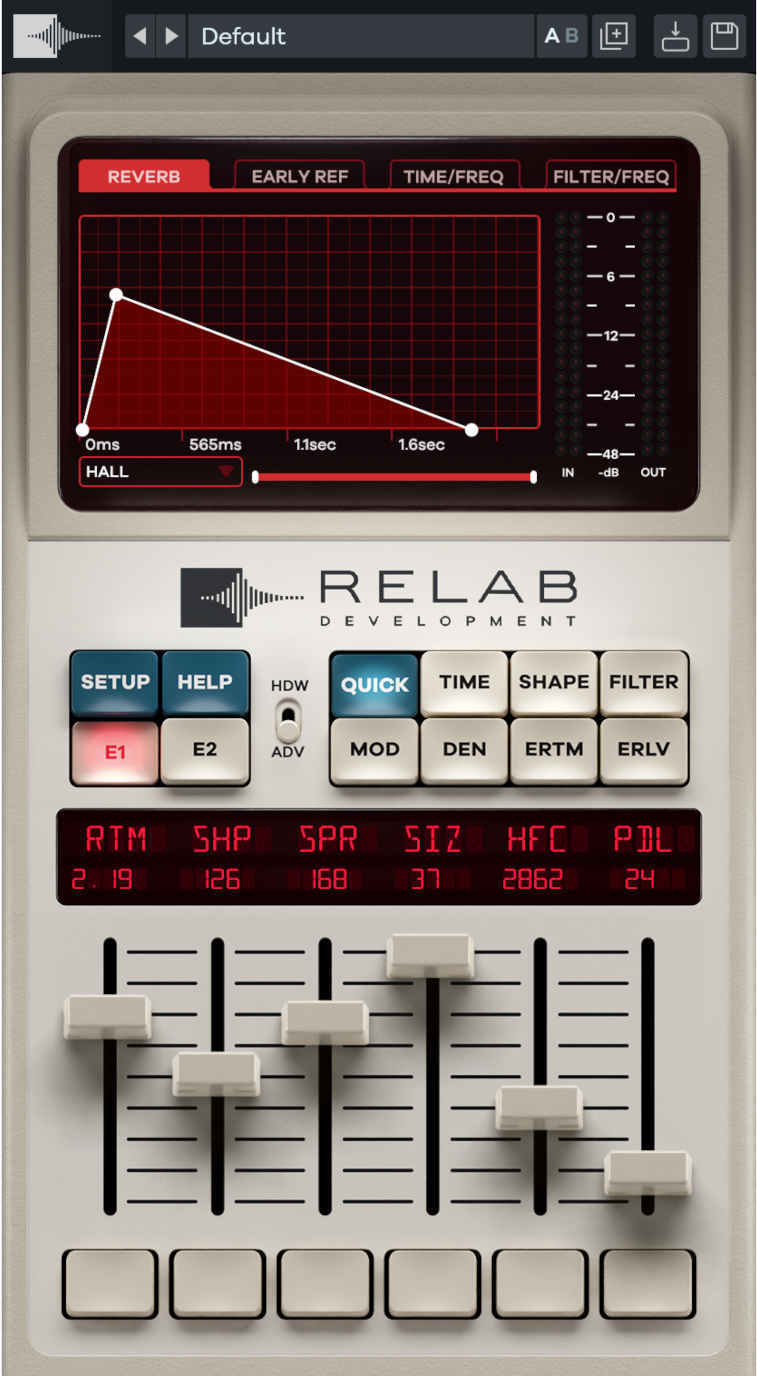
Introducing The LX480 Dual-Engine Reverb V4
The LX480 Dual-Engine Reverb Plug-in is the definitive recreation of a legendary digital reverb from the mid-1980s and early 90s.
It is the next evolution in Relab's critically-acclaimed LX480 reverbs, used on countless hit records and films by the top mixers in the world.
As the only plug-in version with two independent effect engines, the LX480 gives you unprecedented flexibility and control.
And it doesn’t stop there…
The LX480 also includes an ultra-modern high definition 32-bit reverb algorithm, stereo width controls, lush reverb chorus & twin-delays with cross-feedback.
Plus, you get continuous controls, flexible filters, enhanced ER delay lines, intuitive quick controls, and a resizable display.
With this combination of industry-leading sound quality, and modern versatility, the LX480 is the perfect tool for discerning mixers and producers looking to create distinctive, deep & wide mixes that are second to none.
Get Authentic Recreations of Classic Reverb Sounds
Get many of the legendary algorithms that made the original 480L famous, including:
- Random Hall
- Hall
- Room
- Plate
- Ambiance
- Twin Delays
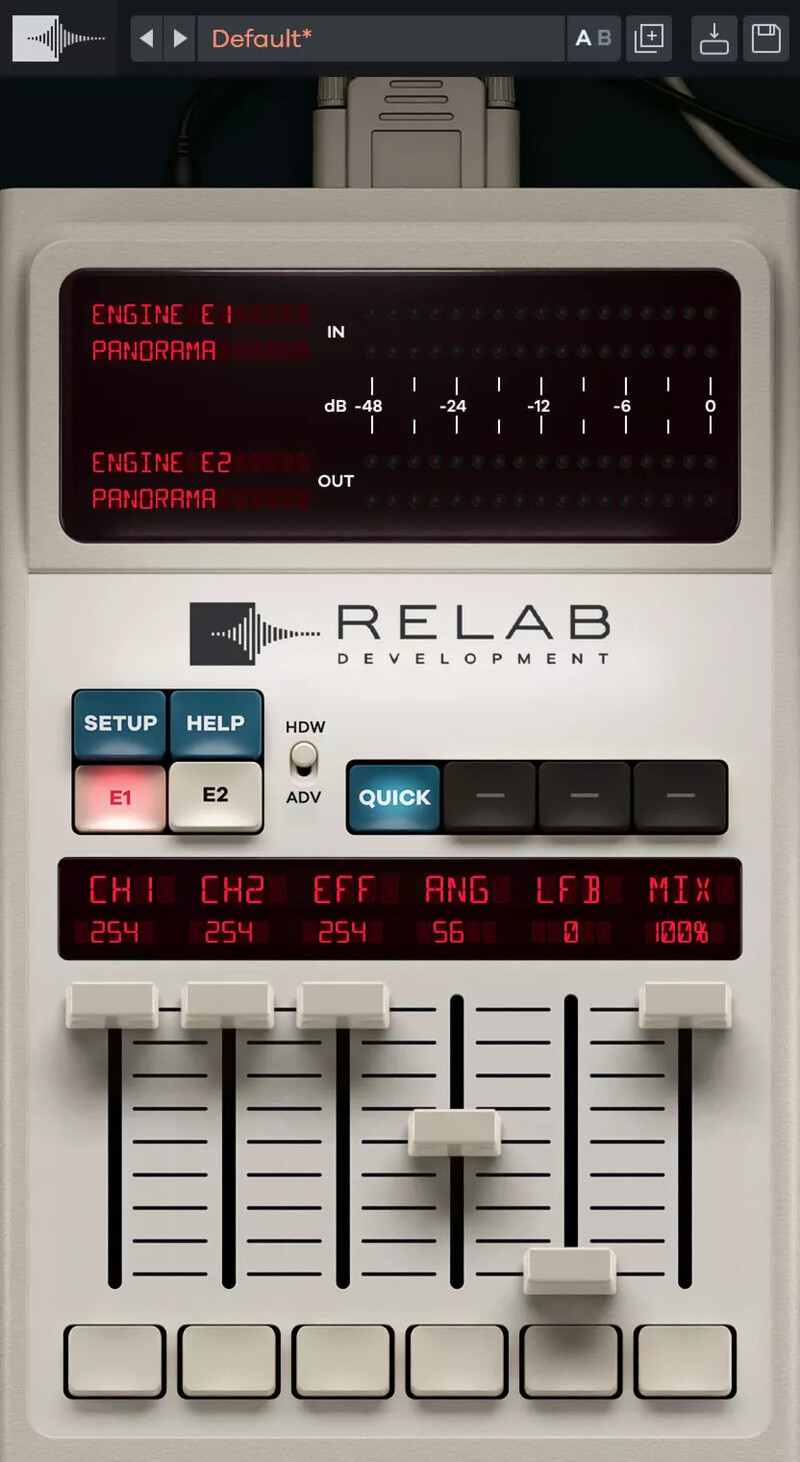
- Panorama
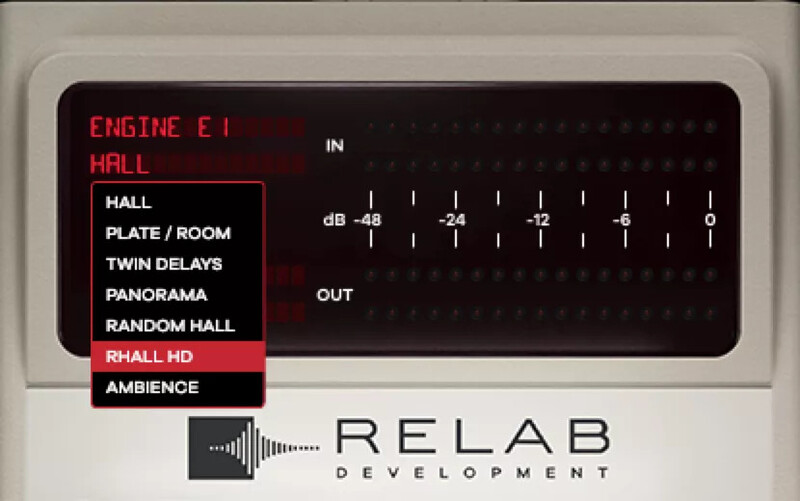
It's Five Powerful Reverbs In One
The LX480 puts 40 years worth of classic reverb algorithms right at your fingertips, so you have fast & easy access to the best-sounding reverbs all in one plug-in.
It's Double The Power With A Dual-Engine
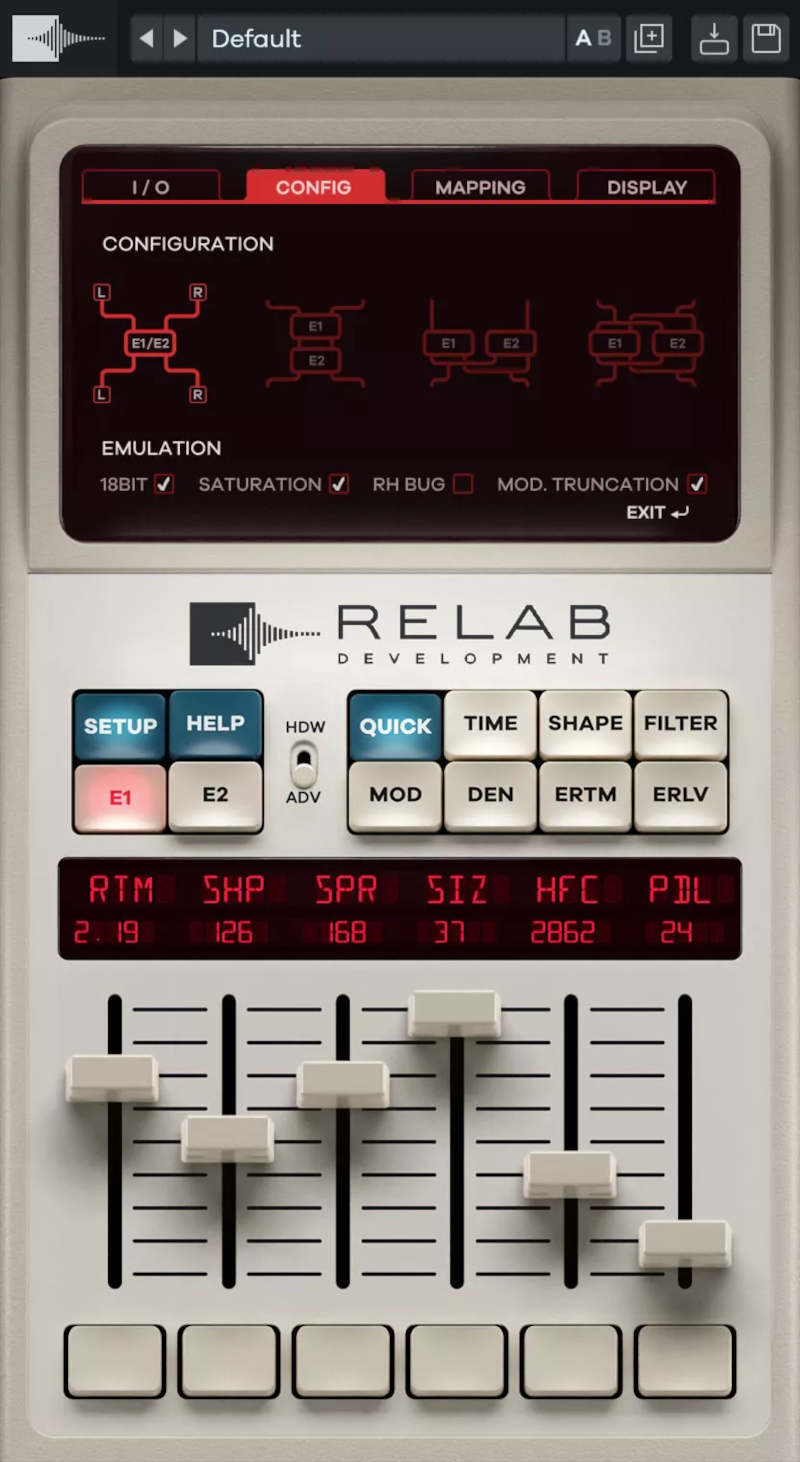
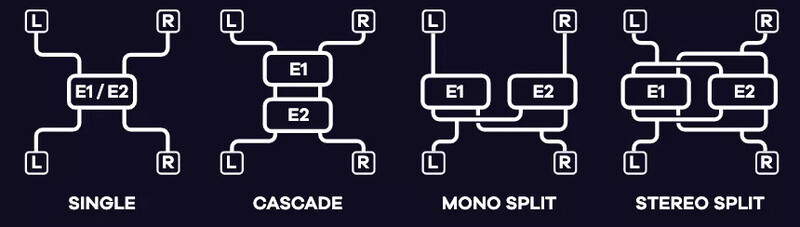
The LX480 Dual-Engine Reverb is the only recreation to include the Dual-Engine routing capabilities from the original.
This allows you to use two LX480 algorithms at once in 4 unique engine configurations so you can unleash your creativity and experiment with new sounds.
It's A Multi-Effect Unit
Create one-of-a-kind sounds with delays and stereo wideners.
With the Twin Delays algorithm, you get classic doubling effects, ping-pong delays, and unique sophisticated and complex echo patterns.
Use the Panorama algorithm to widen the sound of any stereo source or the added width control for mono summing, phase inversion, channel swapping, and more.
Create Every Reverb Type In The Original And More
Craft Rich and Lush Vintage Reverbs From the 70s and Early 80s
The developers have added a full chorus engine so you can go way beyond the hardware to get those lush, vintage reverb tails so wildly loved in the very early days of digital.
Get Ultra Modern Reverb Sounds That Rival High-End Hardware 10x The Price
With Random Hall HD and 32-bit float mode, for the first time ever, you now get a High-Definition version, which takes advantage of the processing power available in modern computers.
Enjoy Unprecedented Flexibility and Creative Control
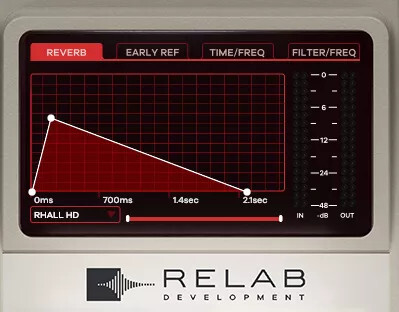
Design The "Attack" And "Sustain" Of The Reverb Envelope With Precision
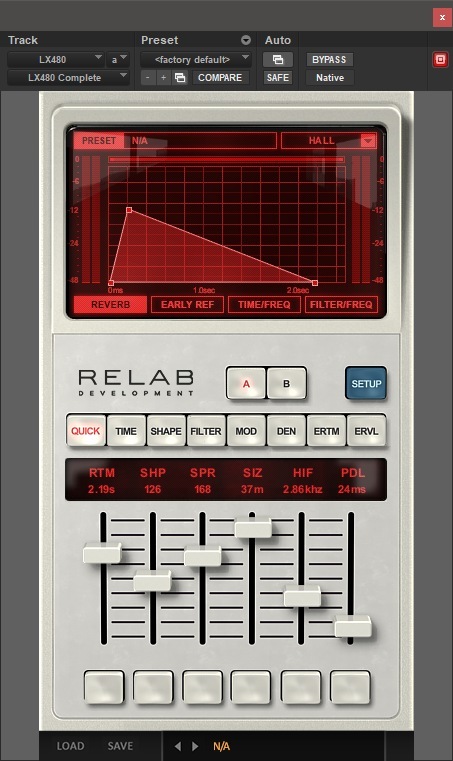
Get access to a perfect recreation of the ground breaking parameters “Shape” and “Spread” and experience the exact spaciousness and envelopment that made this reverb a legend for bloom and depth.

Explore The Highly-Advanced Real-World Early Reflection Engine
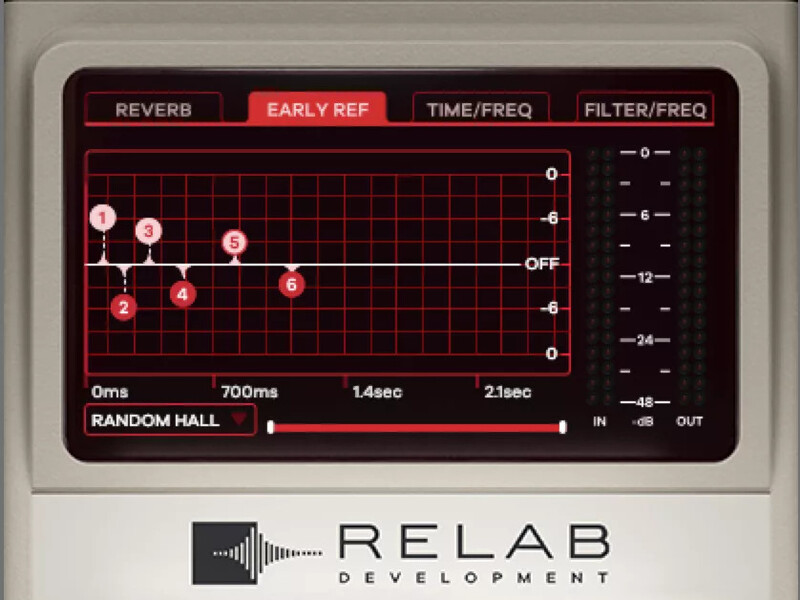
Bring life to your sound with a true real-world early reflection engine.
The LX480 randomizes clusters of 1000s of reflections, for fewer artifacts and less phase interference so you can create a dense reverb without ever forcing coloration onto the source.
Change the Color And Character Of The Sound In An Instant
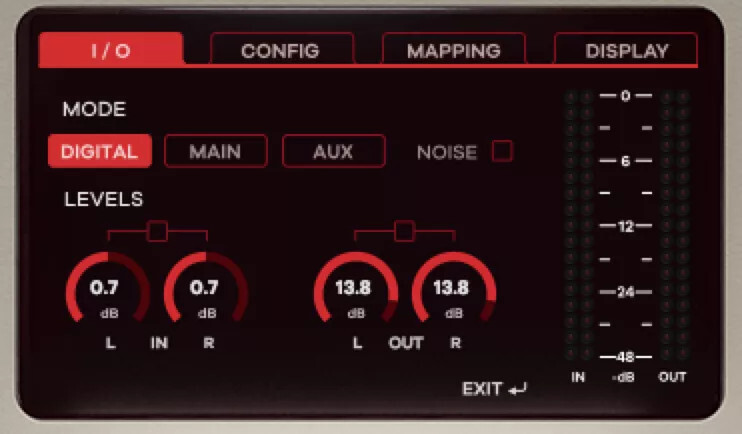
Change the color and characteristics of the reverb in an instant. Choose between digital or modeled analog output render modes.
Switching between the classic sound of the 80s hardware and more realistic and unrealistic modern locations happens in a single click.
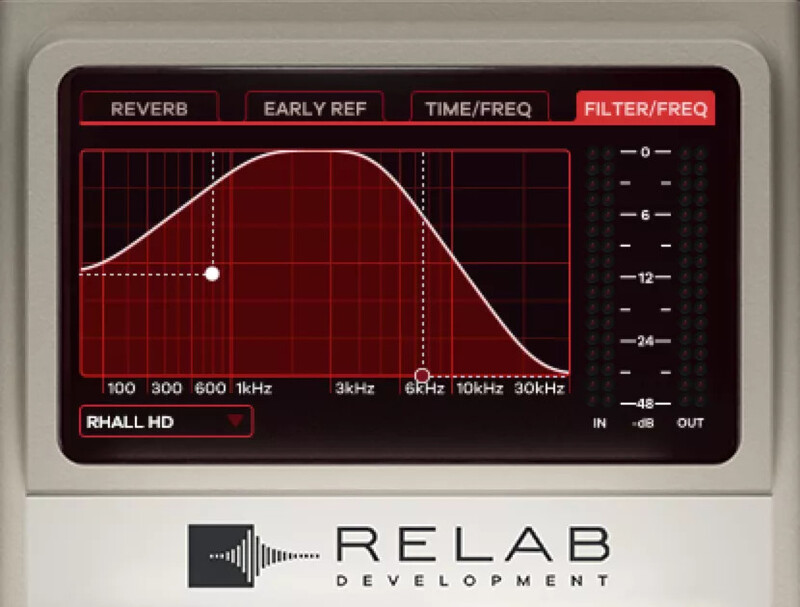
Discover The Tonal Control Possibilities Of A Powerful Added Filter Section
Control both the EQ and high-pass and low-pass filters so you can apply just the right amount of filtering to get the perfect sound.
Use the graphical representation and easily see how the filters are affecting your signal.
Create a brighter or darker sound, or even create the famous “Abbey Road” effect right in the plug-in in seconds.
Benefit From A Fast & Easy Flexible Workflow
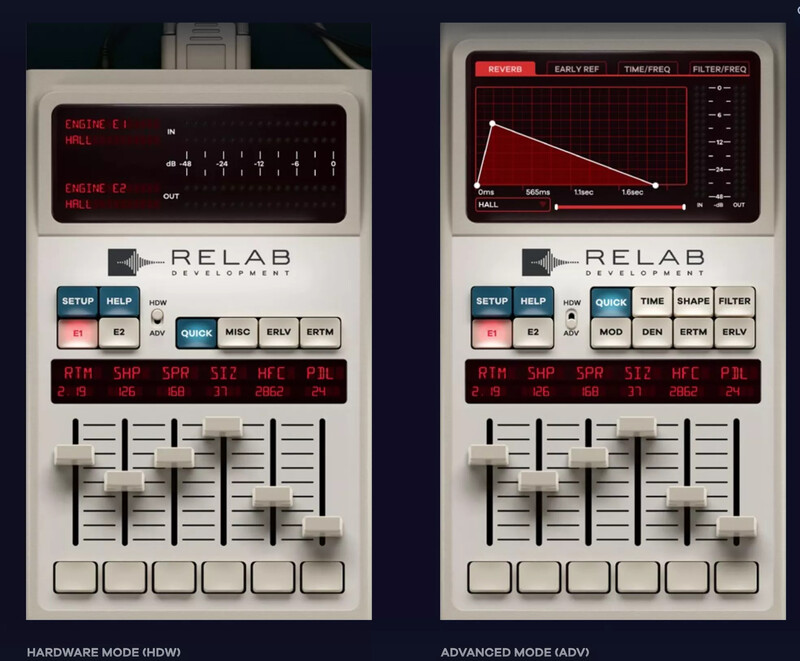
New Dual Workflow Modes For The Best Of Both Worlds
Relab have overhauled the interface to give you more control and flexibility.
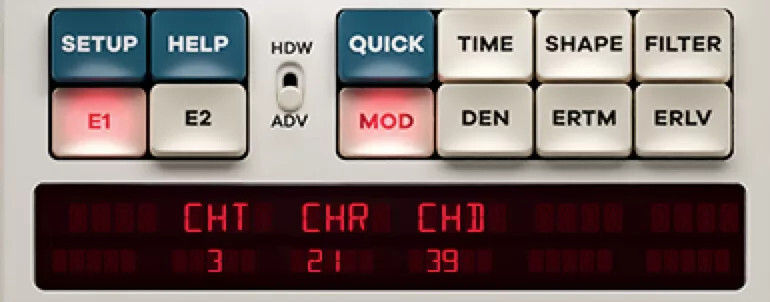
If you’re familiar with the original hardware’s remote control, you’ll feel right at home with Hardware Mode.
Use Advanced Mode to gain easy access to an interactive screen, extra visual feedback and sound shaping functionality.
Find The Perfect Sound In Seconds With 100s Of Newly Hand-Crafted Presets
Experiment and find new sounds that will make anyone’s mix stand out from the crowd.
Explore hundreds of hand-crafted sounds ranging from the original factory presets to custom signature effects from award-winning mix engineers.
Signature presets from world-class mix engineers and sound designers in all styles.

The LX480 Dual-Engine Reverb Plug-In Gives You The Sound Of Hardware With The Flexibility Of Software
- Gives You The Exact Sound Of The Original So You Can Be More Confident In Your Mix Decisions
- Helps You Quickly Create Those Classic Reverb Tails For Instantly Distinctive Mixes
- Makes It Easy To Craft A Sense Of Space That Gets Your Mixes Noticed
Immerse Yourself In Rich Reverb Luxury Today! (Without Breaking The Bank)
The original 1986 hardware was met with much praise, and many still regard it as one of the finest reverbs ever created. At the time, it cost a whopping $20 000 (that’s more than $50 000 today!)
There was an additional 6 years spent researched and developing updates, with a final software upgrade (V4.10) in the early 90s.
Even though prices have dropped over the years for used units, the original hardware still fetches around $5000.
Luckily, the Relab Development team managed to get their hands on an immaculately maintained “golden unit” from the famous Hit Factory in NYC.
And now they’ve made it possible for you to enjoy one of the finest reverbs ever created, at a fraction of the cost and get the exact sound you’re looking for, without compromise.
Features
- LX480 complete has faithful recreations of the reverb algorithms from the Lexicon 480L*.
- Additional exclusive features and functions not found on the original.
- Improved algorithms with higher density than found on any other reverb plugin (and the original).
- Quick controls and customizable display.
- Select between 4 routing configurations with different algorithms in each engine for extremely wide reverberation.
System Requirements
- Mac 10.15 + above VST/VST3/AU/AAX (64-bit) (now Apple Silicon native)
- Win 10 + above VST/VST3/AAX (64-bit)
MISCHKE
Songwriter/Producer/Vocal Producer - Michael Jackson, Maluma, Britney Spears, El Debarge, Jojo, Jennifer Lopez, B2k, Louis Fonsi, Little Mix
“I have the LX480. It has those rich, beautiful, reverbs filled with the kind of depth I remember loving … I pull it up on a vocal and I just smile. The LX480 all in one amazing plugin and at a truly attainable price. Thanks Relab!”
Joe Carrell
7x Grammy Nominated Engineer/Producer
“After using and owning the original for many years, I was thrilled to find a software version that accurately captured the sound and even the feel of using my vintage hardware. I can finally use as many of them as I want on a mix.”
Benjamin Rice
Producer / Vocal Producer / Engineer / Mixer - Lady Gaga, Selena Gomez, Britney Spears
“The LX480 by Relab is one of the best 480L emulations out there without having to worry about latency or any extra hardware.








Reviews Summary
While it aims to provide a helpful overview, it may not capture every perspective or detail. We encourage you to read individual reviews to make an informed decision.
Users highly praise the LX480 Dual-Engine Reverb V4 as one of the best and most feature-rich reverb plugins available. Reviewers celebrate its rich, spacious, and musical sound, noting it authentically captures the late 80s studio hardware vibe with realistic reverb tails and powerful dual-engine capabilities. It excels across various applications, especially on vocals, cinematic tracks, and orchestral arrangements, with the only notable drawback being that it is relatively CPU-heavy.


